
Skip to content
KitploitKITPLOIT
उपकरणएक्सप्लॉइटब्लॉग
Log in
जमा करें
उपकरणएक्सप्लॉइटब्लॉग
जमा करें

हैकिंग, पेनटेस्ट और साइबर सुरक्षा उपकरण आपके सुरक्षा शस्त्रागार के लिए!

Kitploit हैकिंग, साइबर सुरक्षा और पेंटेस्टिंग टूल्स की एक निर्देशिका है। कमजोरियों को खोजने, सिस्टम का विश्लेषण करने, परीक्षण को स्वचालित करने और अपनी सुरक्षा को मजबूत करने के लिए नवीनतम प्रोजेक्ट अपडेट खोजें।

··फ़ीड·संपर्क·गोपनीयता·© 2026 Kitploit

टूल निर्देशिका

श्रेणियाँ

सभी श्रेणियाँ देखें
Loading categories
jit — Find the plaintext secrets on your Mac and move them behind Touch ID, injected just in time without breaking the tools that read them. Free and local-first. | Kitploit
उपकरण/GitHubGitHub/jitpass/jit
Authentication & AuthorizationEncryption/Decryption ToolsConfiguration AuditingDevSecOpsSecret DetectionSupply Chain Security
GitHubjitpass/jit

jit

Find the plaintext secrets on your Mac and move them behind Touch ID, injected just in time without breaking the tools that read them. Free and local-first.

रिपॉजिटरी देखें
1624332 दिन पहलेKitploit द्वारा समीक्षित

सबसे लोकप्रिय

सभी देखें →

हमारे समुदाय द्वारा सबसे अधिक उपयोग किए जाने वाले उपकरण खोजें।

सभी उपकरण खोजें

हमारे उपकरणों का संग्रह ब्राउज़ करें

सभी उपकरण देखें →
साझा करें
वेबसाइट
अनुरोधित भाषा में सामग्री उपलब्ध नहीं है। अंग्रेज़ी संस्करण दिखाया जा रहा है।

The JitPass mark: a green dot inside a soft ring

JitPass

You have API keys and tokens in plaintext on your Mac.
Use JitPass to protect them.

Latest release macOS 14+ on Apple Silicon Signed and notarized by Apple License: PolyForm Perimeter 1.0.0, source-available

Download for Mac · brew install jitpass/tap/jitpass · Docs · jitpass.com

Free for personal and internal company use · Source-available · No account · No telemetry · Nothing leaves your Mac · Secure Enclave ready · Every change can be undone

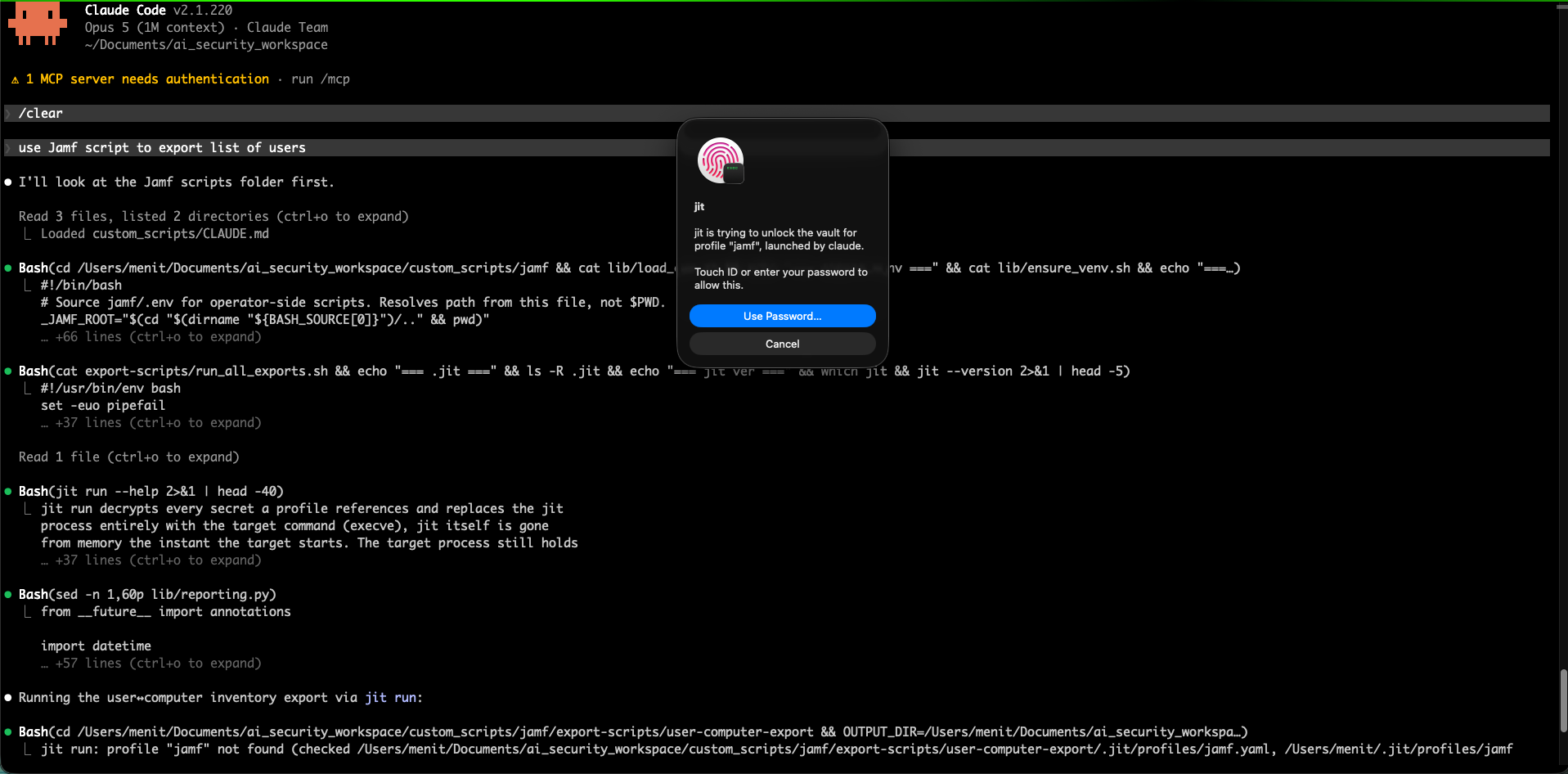
The JitPass Setup scan: 23 secrets in plain text, found in ~/.aws/credentials, a project .env, ~/.npmrc and ~/.zshrc, with masked values and a Protect 18 Secrets button. Beside it, JitPass asks: aws wants to use a credential, via claude. Deny, or Allow with Touch ID.
What's the number on your Mac? The scan only reads, and changes nothing until you say so.

Get started   The problem · Three steps · Install · The menu bar
Protect   Findings and decoys · Your tools keep working · Undo anything
Approve   Two Touch ID moments · Grants · The audit
AI agents   Built for AI agents · AI jobs · A grant or an AI job?
More   How it compares · How it works · What it does not do · Docs

Your secrets are in plain files. Anything you run can read them.

API keys in .env, cloud credentials in ~/.aws/credentials, tokens in .npmrc, exports in ~/.zshrc, your shell history, the MCP configs your agents read. Nothing has to be hacked for them to leak. A compromised npm package, a trojanized IDE extension or a prompt-injected agent runs as you, so it can simply open the file.

JitPass moves each secret into a local vault that opens with Touch ID, and leaves a decoy where the plaintext was.

A terminal. cat .env prints STRIPE_API_KEY=jit-hidden-STRIPE_API_KEY and DATABASE_URL=jit-hidden-DATABASE_URL. Then jit scan --deep reports 18 secrets in the vault, 2 files jit can still protect, and copies an agent kept.

Three steps, about two minutes

The Findings window: 18 secrets in your vault, 4 still have plaintext copies, 2 files jit can protect, 9 flagged lines in Claude Code's transcripts, each with the one thing to do.

1. Find

Setup scans your Mac and changes nothing. It recognises 100+ token formats (OpenAI, Anthropic, AWS, GitHub, Stripe and more), plus private keys and database URLs.
Setup, done: 78% protected, 18 of 23 secrets in the vault, with options to save a recovery file, open at login, and get notified of decoy reads.

2. Protect

One click moves each secret into the vault and leaves a decoy in its place. Every file is backed up first, and your tools keep working.
The JitPass approval window: aws asks to use a credential, via claude. Command, launched by, identified by the kernel. Deny, or Allow with Touch ID.

3. Approve

When a program reaches for a real key, JitPass names it and what launched it. Allow with Touch ID, or deny.

No terminal needed: open JitPass and setup walks you through steps 1 and 2.

Prefer the terminal? The same three steps as commands
jit scan                 # read-only: every exposed secret, file and line
jit migrate --dry-run    # preview the whole fix plan
jit migrate              # apply it: shows the plan, asks [y/N], one Touch ID
jit audit                # afterwards: every request, and what you answered

jit scan with no path sweeps your home folder; point it somewhere to go faster (jit scan ~/.aws). Everything the app does is one of these commands.

Download for Mac · brew install jitpass/tap/jitpass
Free · No account · Every change can be undone

What you get

टूल डाउनलोड करें


