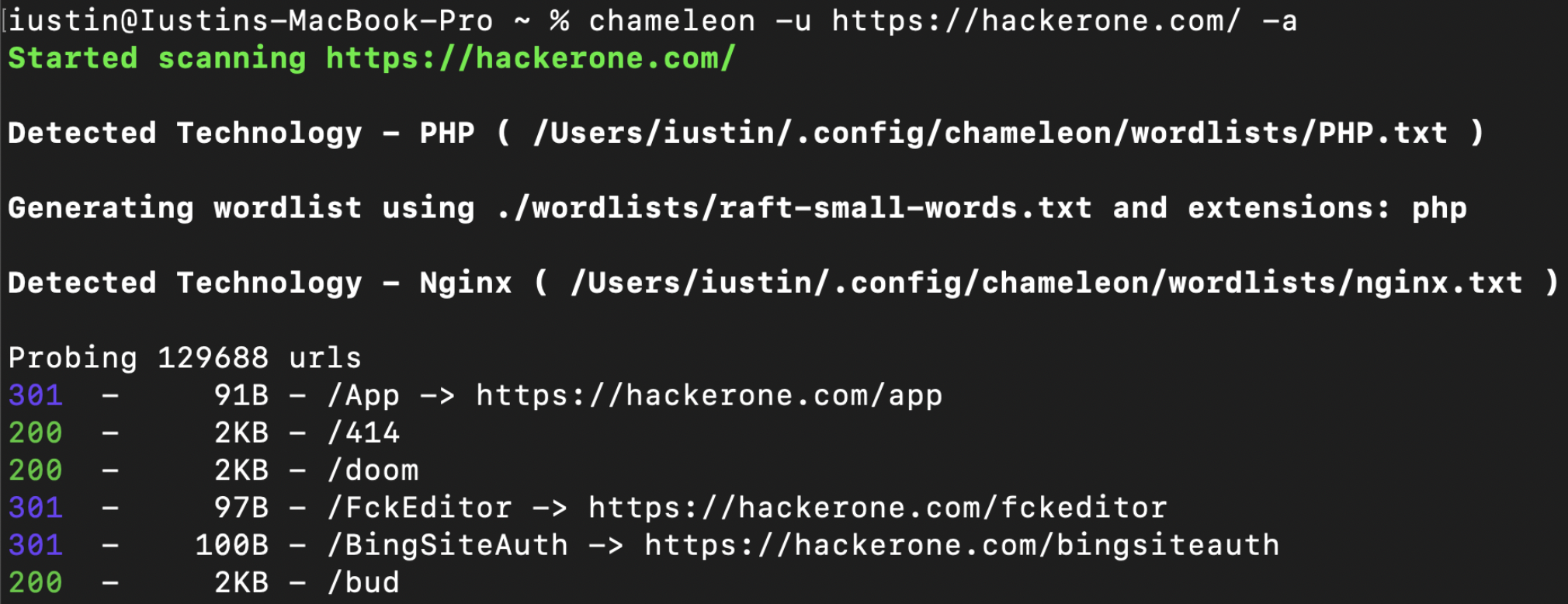
 iustin24/chameleon
प्रौद्योगिकी-जागरूक वेब सामग्री डिस्कवरी स्कैनर: Wappalyzer फ़िंगरप्रिंट का पता लगाता है, वर्डलिस्ट/एक्सटेंशन को अनुकूलित करता है, और पेंटेस्टिंग तथा बग बाउंटी के लिए तेज़ डायरेक्ट्री ब्रूटफ़ोर्स करता है।

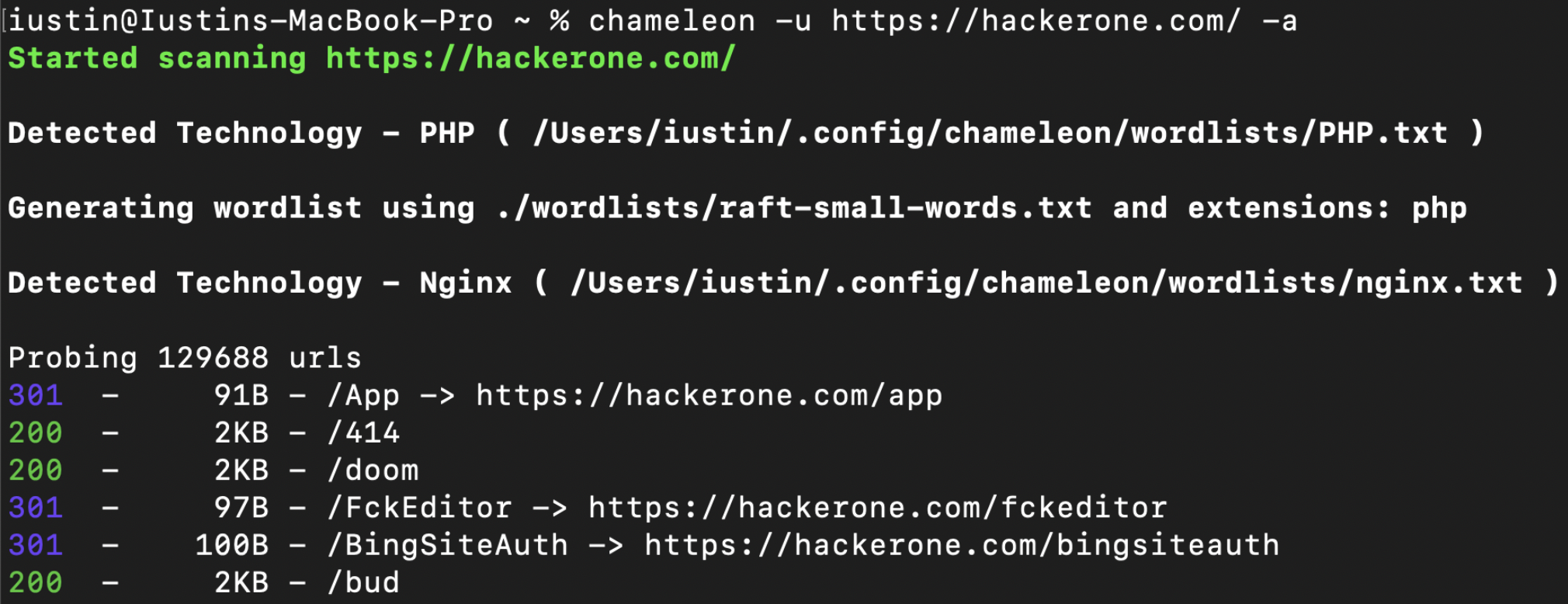
Chameleon, wappalyzer के प्रौद्योगिकी फिंगरप्रिंट्स के सेट के साथ-साथ प्रत्येक पहचानी गई तकनीक के अनुरूप कस्टम वर्डलिस्ट का उपयोग करके बेहतर सामग्री खोज प्रदान करता है।
यह टूल अत्यधिक अनुकूलन योग्य है और उपयोगकर्ताओं को अपनी स्वयं की कस्टम वर्डलिस्ट, एक्सटेंशन या फिंगरप्रिंट जोड़ने की अनुमति देता है।
पूर्ण दस्तावेज़ निम्नलिखित पर उपलब्ध है: https://youst.in/posts/context-aware-conent-discovery-with-chameleon/
curl -sL https://raw.githubusercontent.com/iustin24/chameleon/master/install.sh | bash
स्क्रिप्ट चलाने पर ~/.config/chameleon/ निर्देशिका बन जाएगी और कॉन्फ़िग फ़ाइल तथा कस्टम वर्डलिस्ट डाउनलोड हो जाएँगी।
> chameleon --url https://example.com -a
OPTIONS:
    -a, --tech-detect
            Automatically detect technologies with wappalyzer and adapt wordlist

    -A, --auto-calibrate
            Automatically calibrate filtering options (default: false)

    -c, --mc <MATCHCODE>...
            Match HTTP status codes from response - Comma separated list [default:
            200,204,301,302,307,401,403,405]

    -C, --fc <FILTERCODE>...
            Filter HTTP status codes from response - Comma separated list

    -h, --help
            Print help information

    -i, --include tech <TECHS>
            Technology to be included, even if its not detected by wappalyzer. ( -i PHP,IIS )

    -J, --json
            Save the output as json

    -k, --config <CONFIG>
            Config file to use [default: ~/.config/chameleon/config.toml]

    -L, --hosts-file <HOSTS_FILE>
            List of hosts to scan

    -o, --output <OUTPUT>
            Save the output into a file

    -s, --ms <MATCHSIZE>...
            Match HTTP response size. Comma separated list of sizes

    -S, --fs <FILTERSIZE>...
            Filter HTTP response size. Comma separated list of sizes

    -t, --concurrency <CONCURRENCY>
            Number of concurrent threads ( default: 200 ) [default: 40]

    -T, --tech url <TECH_URL>
            URL which will be scanned for technologies. By default, this is the same as '-u',
            however it can be changed using '-T'

    -u, --url <URL>
            url to scan

    -U, --user-agent <USERAGENT>
            Change the value for the user-agent header [default: "Chameleon /
            https://github.com/iustin24/chameleon"]

    -V, --version
            Print version information

    -w, --wordlist <WORDLIST>
            Main wordlist to use for bruteforcing

    -W, --small-wordlist <SMALL_WORDLIST>
            Wordlist used to generate files by adding extensions ( FUZZ.%ext )

    -X, --methods <METHODS>...
            HTTP Methods to use. Comma separated list of sizes [default: GET]
Chameleon ~/.config/chameleon/config.yaml में स्थित कॉन्फ़िग फ़ाइल का उपयोग करता है।
यदि कोई वर्डलिस्ट प्रदान नहीं की गई है, तो chameleon कॉन्फ़िग फ़ाइल में निर्दिष्ट main_wordlist का उपयोग करेगा। ( डिफ़ॉल्ट: ~/.config/chameleon/wordlists/raft-medium-words.txt )
विशिष्ट एक्सटेंशन वाली तकनीकों का पता लगाते समय, chameleon इस प्रकार ( FUZZ.%ext ) एक वर्डलिस्ट उत्पन्न करेगा। Chameleon कॉन्फ़िग फ़ाइल में निर्दिष्ट small_wordlist का उपयोग करेगा। ( डिफ़ॉल्ट: ~/.config/chameleon/wordlists/raft-medium-words.txt )
प्रौद्योगिकी-विशिष्ट वर्डलिस्ट के साथ उदाहरण config.yaml:
# Technology Specific Wordlists:

Flask="~/.config/chameleon/wordlists/Flask.txt"
Java="~/.config/chameleon/wordlists/Java.txt"
Go="~/.config/chameleon/wordlists/GO.txt"
...
Chameleon https://github.com/iustin24/wappalyzer/blob/master/apps.json से फिंगरप्रिंट का उपयोग करता है।
आप apps.json से किसी तकनीक का नाम लेकर और उसे इस प्रकार कॉन्फ़िग फ़ाइल में जोड़कर नई प्रौद्योगिकी वर्डलिस्ट जोड़ सकते हैं:
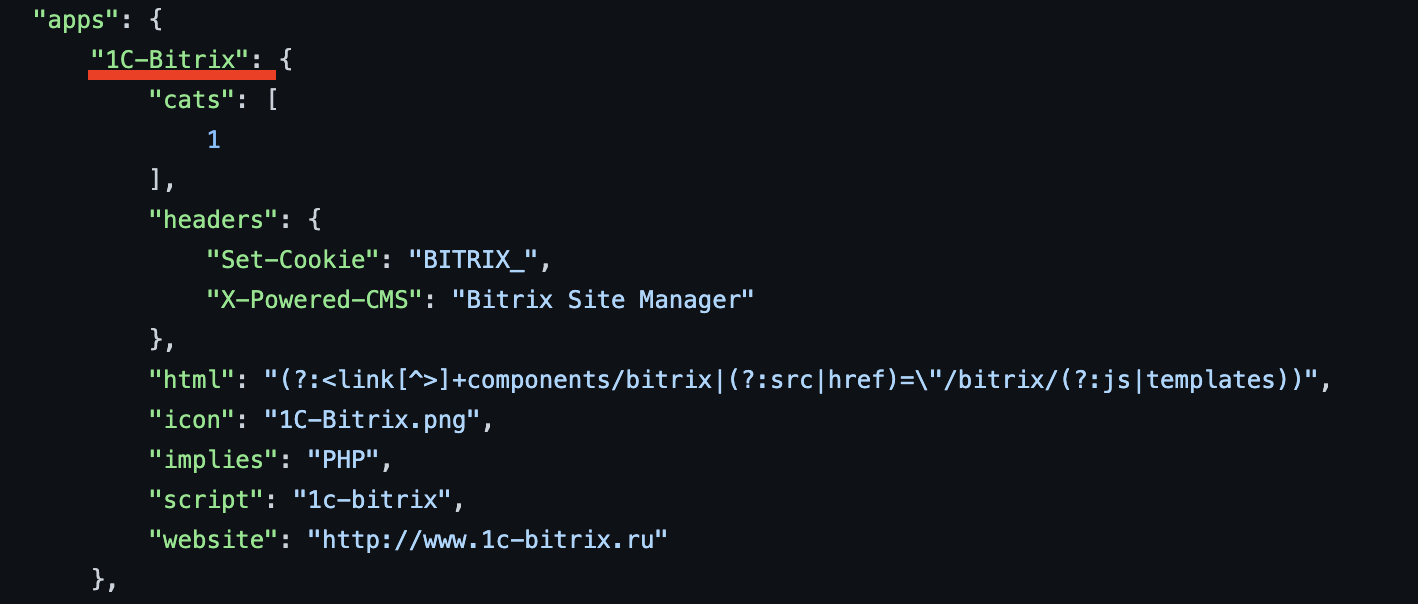
# Technology Specific Wordlists:

1C-Bitrix="~/.config/chameleon/wordlists/new_tech_wordlist.txt"
...
Chameleon पहचानी गई तकनीक से मेल खाने वाले विशिष्ट एक्सटेंशन का उपयोग करके वर्डलिस्ट उत्पन्न करता है। आप कॉन्फ़िग फ़ाइल में इस प्रकार एक्सटेंशन जोड़ / संशोधित कर सकते हैं:
# Technology specific Extensions

Microsoft_ASP_NET_ext="aspx,ashx,asmx,asp"
Java_ext="jsp"
CFML_ext="cfm"
Python_ext="py"
PHP_ext="php"
बेहतर तकनीक पहचान के लिए wappalyzer क्रेट में "implies" सुविधा का समर्थन जोड़ना।
फ़िल्टरिंग के लिए ऑटो कैलिब्रेशन जोड़ना
कस्टम हेडर जोड़ने का विकल्प जोड़ें।
epi052 - https://github.com/epi052/feroxfuzz/
