 gildasio/h2t
h2t (HTTP Hardening Tool) एक वेबसाइट को स्कैन करता है और लागू करने के लिए सुरक्षा हेडर सुझाता है।

h2t एक सरल उपकरण है जो सिसएडमिन को उनकी वेबसाइटों को हार्डन करने में मदद करता है।
अब तक h2t वेबसाइट हेडर्स की जाँच करता है और सुझाव देता है कि इसे कैसे बेहतर बनाया जाए।
$ git clone https://github.com/gildasio/h2t
$ cd h2t
$ pip install -r requirements.txt
$ ./h2t.py -h
... या Docker तरीका:
$ git clone https://github.com/gildasio/h2t
$ cd h2t
$ docker build -t h2t .
$ docker run --rm h2t -h
आप alias h2t='docker run --rm h2t' को एक फ़ाइल (जैसे ~/.bash_aliases) में रख सकते हैं और फिर इस प्रकार चला सकते हैं:
$ h2t -h
h2t में उप-कमांड हैं: list और scan।
$ ./h2t.py -h
usage: h2t.py [-h] {list,l,scan,s} ...

h2t - HTTP Hardening Tool

positional arguments:
  {list,l,scan,s}  sub-command help
    list (l)       show a list of available headers in h2t catalog (that can
                   be used in scan subcommand -H option)
    scan (s)       scan url to hardening headers

optional arguments:
  -h, --help       show this help message and exit
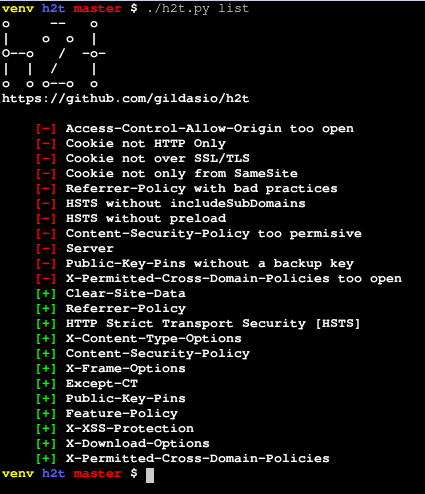
list उप-कमांड h2t में सूचीबद्ध सभी हेडर्स को सूचीबद्ध करता है और इसके बारे में जानकारी जैसे विवरण, अधिक जानकारी के लिंक और कैसे करें के लिंक दिखा सकता है।
$ ./h2t.py list -h
usage: h2t.py list [-h] [-p PRINT [PRINT ...]] [-B]
                   [-a | -H HEADERS [HEADERS ...]]

optional arguments:
  -h, --help            show this help message and exit
  -p PRINT [PRINT ...], --print PRINT [PRINT ...]
                        a list of additional information about the headers to
                        print. For now there are two options: description and
                        refs (you can use either or both)
  -B, --no-banner       don't print the h2t banner
  -a, --all             list all available headers [default]
  -H HEADERS [HEADERS ...], --headers HEADERS [HEADERS ...]
                        a list of headers to look for in the h2t catalog
scan उप-कमांड एक वेबसाइट पर उनके हेडर्स की खोज करता है।
$ ./h2t.py scan -h
usage: h2t.py scan [-h] [-v] [-a] [-g] [-b] [-H HEADERS [HEADERS ...]]
                   [-p PRINT [PRINT ...]]
                   [-i IGNORE_HEADERS [IGNORE_HEADERS ...]] [-B] [-E] [-n]
                   [-u USER_AGENT] [-r | -s]
                   url

positional arguments:
  url                   url to look for

optional arguments:
  -h, --help            show this help message and exit
  -v, --verbose         increase output verbosity: -v print response headers,
                        -vv print response and request headers
  -a, --all             scan all cataloged headers [default]
  -g, --good            scan good headers only
  -b, --bad             scan bad headers only
  -H HEADERS [HEADERS ...], --headers HEADERS [HEADERS ...]
                        scan only these headers (see available in list sub-
                        command)
  -p PRINT [PRINT ...], --print PRINT [PRINT ...]
                        a list of additional information about the headers to
                        print. For now there are two options: description and
                        refs (you can use either or both)
  -i IGNORE_HEADERS [IGNORE_HEADERS ...], --ignore-headers IGNORE_HEADERS [IGNORE_HEADERS ...]
                        a list of headers to ignore in the results
  -B, --no-banner       don't print the h2t banner
  -E, --no-explanation  don't print the h2t output explanation
  -o {normal,csv,json}, --output {normal,csv,json}
                        choose which output format to use (available: normal,
                        csv, json)
  -n, --no-redirect     don't follow http redirects
  -u USER_AGENT, --user-agent USER_AGENT
                        set user agent to scan request
  -k, --insecure        don't verify SSL certificate as valid
  -r, --recommendation  output only recommendations [default]
  -s, --status          output actual status (eg: existent headers only)
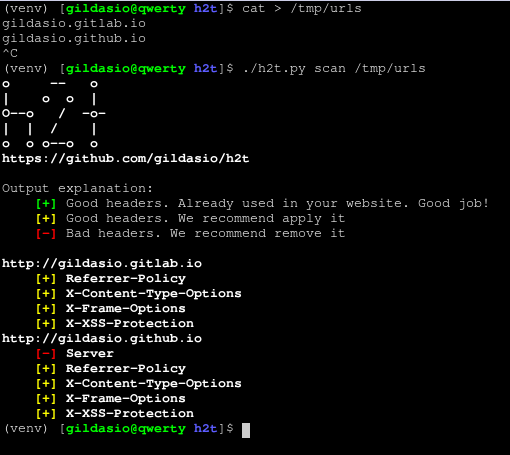
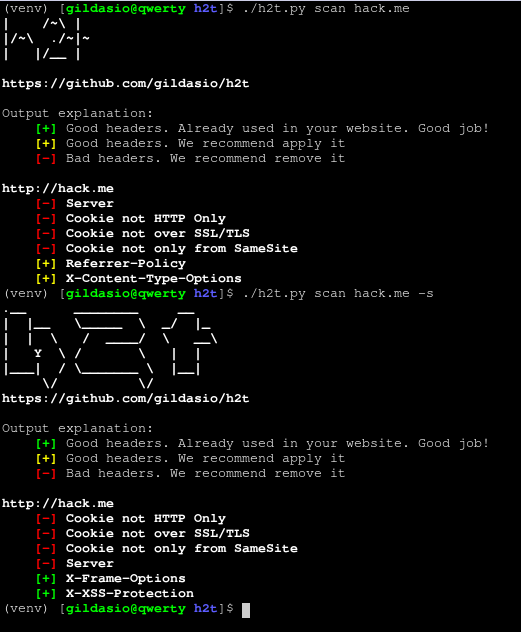
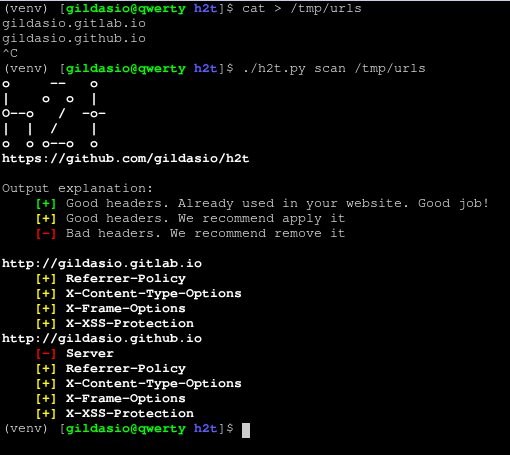
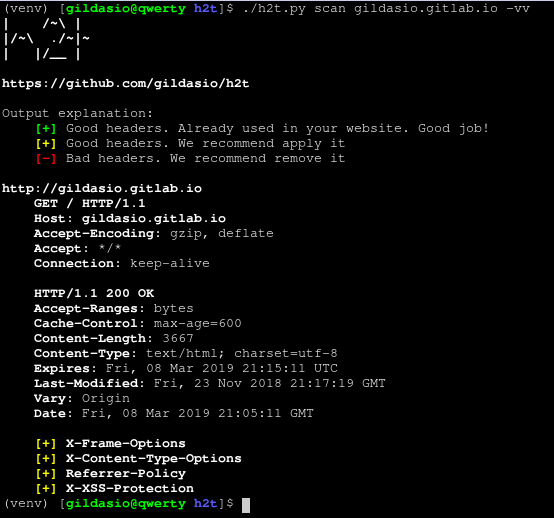
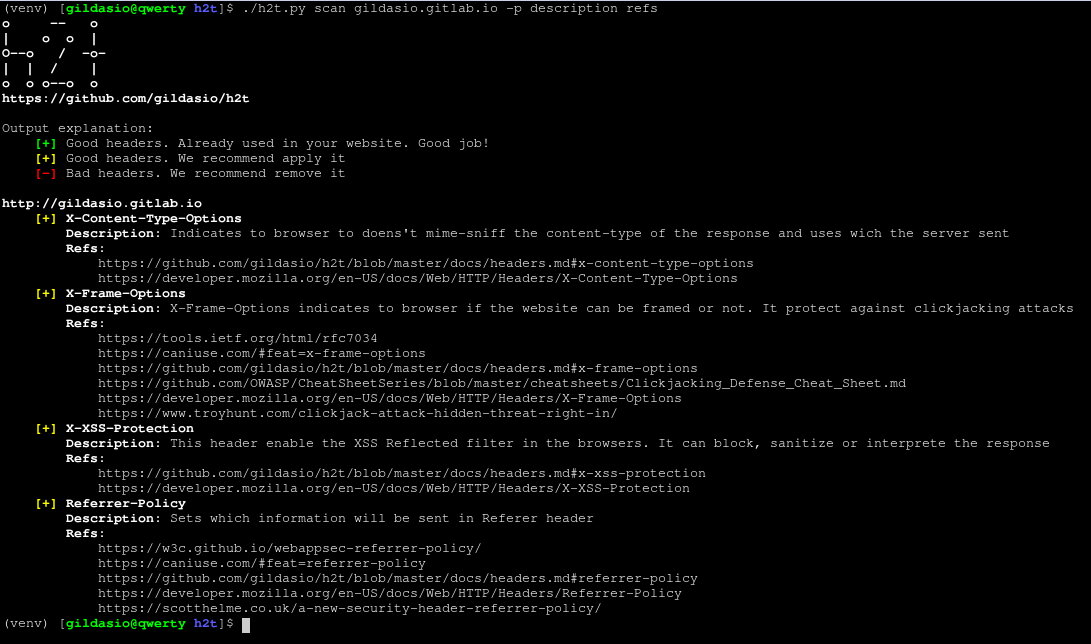
अभी के लिए आउटपुट केवल सामान्य मोड में है। इसे इस प्रकार समझें:
-s फ्लैग का उपयोग किया जाता है।उदाहरण:
योगदान दिशानिर्देशों के लिए CONTRIBUTING देखें।
