 eth0izzle/bucket-stream
सर्टिफिकेट ट्रांसपेरेंसी लॉग्स देखकर दिलचस्प Amazon S3 बक्सेट्स खोजें।

प्रमाणपत्र पारदर्शिता लॉग को देखकर दिलचस्प Amazon S3 बकेट खोजें।
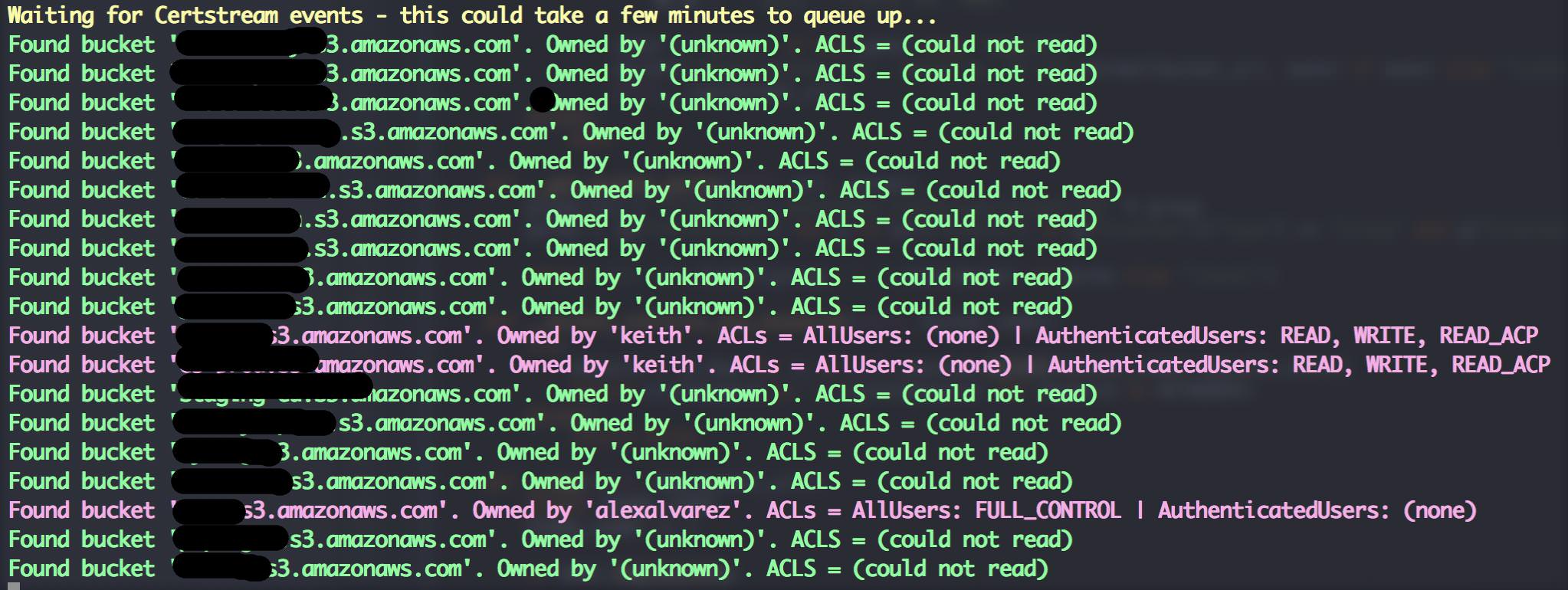
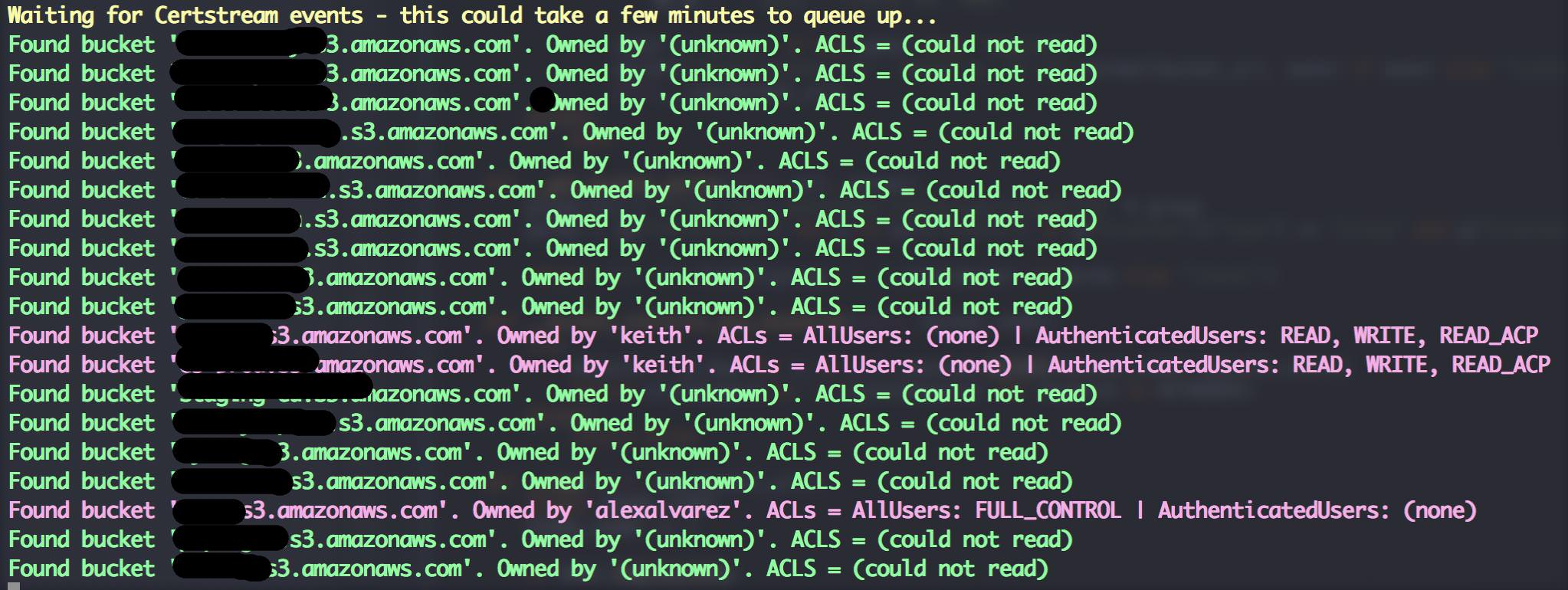
यह टूल सर्टस्ट्रीम (certstream) के माध्यम से विभिन्न प्रमाणपत्र पारदर्शिता लॉग को सुनता है और प्रमाणपत्रों के डोमेन नामों की विविधताओं (permutations) से सार्वजनिक S3 बकेट खोजने का प्रयास करता है।
जिम्मेदार बनें। मैंने मुख्य रूप से यह टूल सार्वजनिक S3 बकेट से जुड़े जोखिमों को उजागर करने और सामान्य शब्दकोश-आधारित हमलों से अलग एक दृष्टिकोण देने के लिए बनाया है। यदि आप S3 बकेट का उपयोग करते हैं तो कुछ त्वरित सुझाव:
company-backup.s3.amazonaws.com का उपयोग करने की कोई आवश्यकता नहीं है।विचार के लिए मेरे अच्छे मित्र David (@riskobscurity) का धन्यवाद।
Python 3.4+ और pip3 आवश्यक हैं। फिर बस:
git clone https://github.com/eth0izzle/bucket-stream.gitpip3 install virtualenv && virtualenv .virtualenv && source .virtualenv/bin/activate के साथ virtualenv बनाएंpip3 install -r requirements.txtpython3 bucket-stream.pyबस python3 bucket-stream.py चलाएं।
यदि आप config.yaml में AWS एक्सेस और गुप्त कुंजियाँ प्रदान करते हैं, तो Bucket Stream प्रमाणित बकेट तक पहुँचने और बकेट के स्वामी की पहचान करने का प्रयास करेगा। **अप्रमाणित उपयोगकर्ताओं की दर गंभीर रूप से सीमित है (severely rate limited)।
usage: python bucket-stream.py

Find interesting Amazon S3 Buckets by watching certificate transparency logs.

optional arguments:
  -h, --help            Show this help message and exit
  --only-interesting    Only log 'interesting' buckets whose contents match
                        anything within keywords.txt (default: False)
  --skip-lets-encrypt   Skip certs (and thus listed domains) issued by Let's
                        Encrypt CA (default: False)
  -t , --threads        Number of threads to spawn. More threads = more power.
                        Limited to 5 threads if unauthenticated.
                        (default: 20)
  --ignore-rate-limiting
                        If you ignore rate limits not all buckets will be
                        checked (default: False)
  -l, --log             Log found buckets to a file buckets.log (default:
                        False)
  -s, --source          Data source to check for bucket permutations. Uses
                        certificate transparency logs if not specified.
                        (default: None)
  -p, --permutations    Path of file containing a list of permutations to try
                        (see permutations/ dir). (default: permutations\default.txt)
कुछ भी होता हुआ प्रतीत नहीं होता
धैर्य रखें! कभी-कभी प्रमाणपत्र पारदर्शिता लॉग कुछ मिनटों के लिए शांत हो सकते हैं। आदर्श रूप से config.yaml में AWS गुप्त जानकारी प्रदान करें क्योंकि इससे जाँच की दर काफी बढ़ जाती है।
मुझे कुछ अत्यधिक गोपनीय मिला
रिपोर्ट करें - कृपया! आप आमतौर पर बकेट के नाम या कुछ त्वरित टोह लेकर स्वामी का पता लगा सकते हैं। यदि नहीं, तो Amazon की सहायता टीमों से संपर्क करें।
git checkout -b my-new-featuregit commit -am 'Add some feature'git push origin my-new-featureMIT. देखें LICENSE
