 eskatos/creadur-rat-gradle
Apache RAT (रिलीज़ ऑडिट टूल) Gradle प्लगइन


यह प्लगइन लाइसेंस पर केंद्रित Apache RAT रिलीज़ ऑडिट टूल को चलाने की अनुमति देता है।
अपने build.gradle(.kts) फ़ाइल में:
plugins {
    id("org.nosphere.apache.rat") version "0.8.1"
}
प्लगइन एक rat नामक कार्य पंजीकृत करता है जिसे आप अपनी build.gradle(.kts) फ़ाइल में कॉन्फ़िगर कर सकते हैं:
tasks.rat {

    // Use the default RAT license header matchers, defaults to `true`
    addDefaultMatchers.set(false)

    // Add custom substring license header matchers
    substringMatcher("family", "category", "pattern-1", "pattern-2")

    // Declare approved license families, if used, any non-declared family won't be approved
    approvedLicense("MIT")

    // Input directory, defaults to '.'
    inputDir.set("some/path")

    // List of Gradle exclude directives, defaults to ['**/.gradle/**']
    excludes.add("**/build/**")

    // RatTask 0.5.0+ implements PatternFilterable
    exclude { it.file in configurations.someConf.files }

    // Rat excludes file, one directive per line
    excludeFile.set(layout.projectDirectory.file(".rat-excludes.txt"))

    // XML, TXT and HTML reports directory, defaults to 'build/reports/rat'
    reportDir.set(file("some/other/path"))

    // Custom XSL stylesheet for the HTML report
    stylesheet.set(file("custom/rat-html-stylesheet.xsl"))

    // Fail the build on rat errors, defaults to true
    failOnError.set(false)
}
rat {

    // Input directory, defaults to '.'
    inputDir.set(file("some/path"))

    // List of Gradle exclude directives, defaults to ['**/.gradle/**']
    excludes.add("**/build/**")

    // Rat excludes file, one directive per line
    excludeFile.set(layout.projectDirectory.file(".rat-excludes.txt"))

    // XML, TXT and HTML reports directory, defaults to 'build/reports/rat'
    reportDir.set(file("some/other/path"))

    // Custom XSL stylesheet for the HTML report
    stylesheet.set(file("custom/rat-html-stylesheet.xsl"))

    // Fail the build on rat errors, defaults to true
    failOnError.set(false)

    // Prints the list of files with unapproved licences to the console, defaults to false
    verbose.set(true)
}
आप Gradle को कॉल करके rat कार्य चला सकते हैं:
gradle rat
यदि प्रोजेक्ट में check कार्य है, तो rat कार्य स्वचालित रूप से पूर्व पर निर्भर के रूप में पंजीकृत हो जाता है।
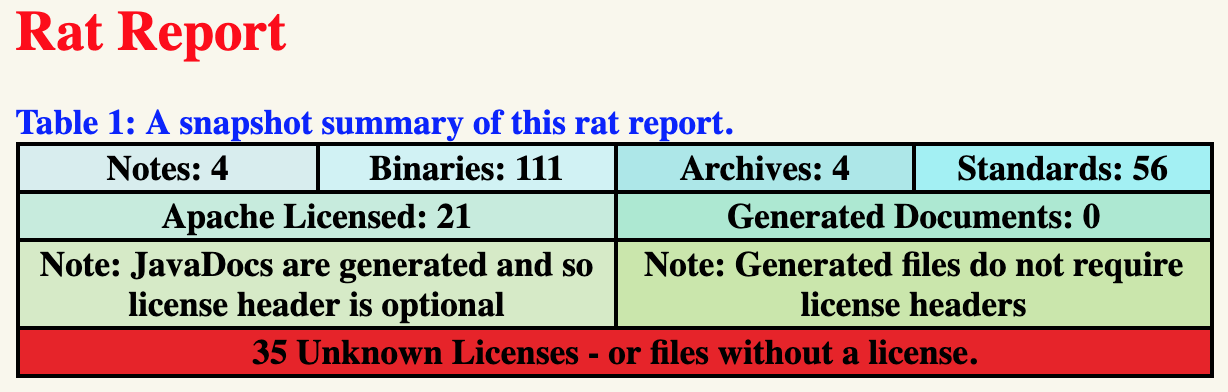
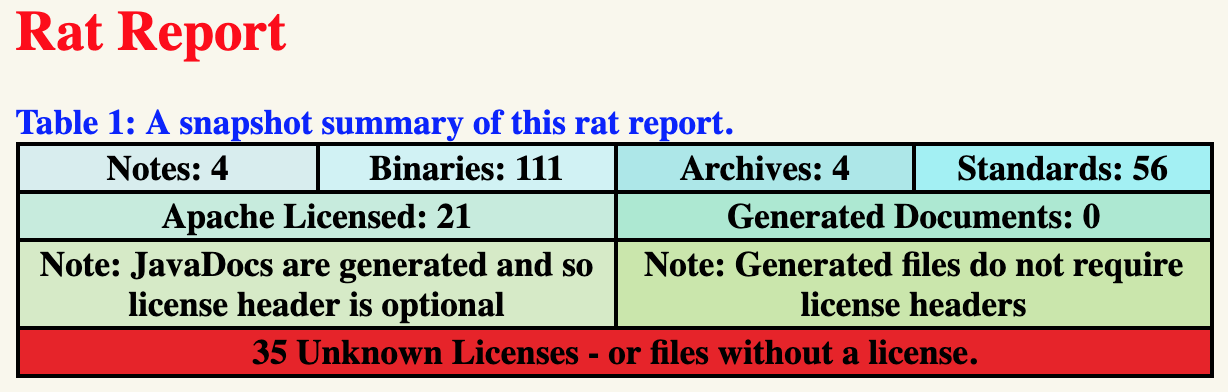
जब RAT ऑडिट विफल होता है, तो HTML रिपोर्ट का एक क्लिक करने योग्य URL प्रिंट हो जाएगा:
FAILURE: Build failed with an exception.

* What went wrong:
Execution failed for task ':rat'.
> Apache Rat audit failure - 35 unapproved licenses
    See file:///path/to/build/reports/rat/index.html
| प्लगइन | न्यूनतम Java | न्यूनतम Gradle | अधिकतम Gradle | कॉन्फ़िगरेशन कैश | बिल्ड कैश |
|---|---|---|---|---|---|
0.8.1 | 1.8 | 6.0 | 8.x | 🟢 | 🟢 |
0.8.0 | 1.8 | 6.0 | 8.x | 🟡 | 🟢 |
0.7.1 | 1.8 | 6.0 | 7.x | 🟡 | 🟢 |
0.7.0 | 1.8 | 6.0 | 7.x | 🟡 | 🟢 |
0.6.0 | 1.6 | 4.7 | 6.x | 🟡 | 🟢 |
0.5.3 | 1.6 | 4.7 | 6.x | 🔴 | 🟢 |
0.5.2 | 1.6 | 4.7 | 6.x | 🔴 | 🟢 |
0.5.1 | 1.6 | 4.7 | 5.x | 🔴 | 🟢 |
0.5.0 | 1.6 | 4.7 | 5.x | 🔴 | 🟢 |
0.4.0 | 1.6 | 4.7 | 5.x | 🔴 | 🟢 |
0.3.1 | 1.6 | 2.14 | 4.x | 🔴 | 🟢 |
0.3.0 | 1.6 | 2.14 | 4.x | 🔴 | 🟢 |
0.2.0 | 1.6 | 2.14 | 4.x | 🔴 | 🟢 |
0.1.0 | 1.6 | 2.14 | 4.x | 🔴 | 🟢 |
