 edoardottt/scilla
सूचना संग्रह उपकरण - DNS / सबडोमेन / पोर्ट / निर्देशिकाओं की गणना

<p align="center">
<img src="https://raw.githubusercontent.com/edoardottt/images/main/scilla/logo.png"><br>
<b>🏴☠️ सूचना संग्रहण उपकरण 🏴☠️ - DNS / सबडोमेन / पोर्ट / निर्देशिका गणना</b><br>
<br>
<!-- workflows -->
<a href="https://github.com/edoardottt/scilla/actions">
<img src="https://github.com/edoardottt/scilla/actions/workflows/go.yml/badge.svg" alt="workflows" />
</a>
<br>
<sub>
edoardottt द्वारा 💙 के साथ कोडित
</sub>
<br>
<!--Tweet button-->
<a href="https://twitter.com/intent/tweet?url=https%3A%2F%2Fgithub.com%2Fedoardottt%2Fscilla%20&text=Information%20Gathering%20tool%21&hashtags=pentesting%2Clinux%2Cgolang%2Cnetwork" target="_blank">Twitter पर साझा करें!
</a>
</p>
<p align="center">
<a href="#installation-">इंस्टॉल करें</a> •
<a href="#get-started-">शुरू करें</a> •
<a href="#examples-">उदाहरण</a> •
<a href="#changelog-">चेंजलॉग</a> •
<a href="#contributing-">योगदान दें</a> •
<a href="#license-">लाइसेंस</a>
</p>
<!--[](https://asciinema.org/a/406707)-->
<p align="center">
<img src="https://raw.githubusercontent.com/edoardottt/images/main/scilla/scilla.gif">
</p>
इंस्टॉलेशन 📡
----------
### Homebrew
```console
brew install scilla
```
### Snap
```console
sudo snap install scilla
```
### Golang
```console
go install -v github.com/edoardottt/scilla/cmd/scilla@latest
```
### स्रोत से निर्माण
आपको [Go](https://go.dev/) (>=1.23) की आवश्यकता होगी
<details>
<summary>Linux और Windows के लिए स्रोत से निर्माण</summary>
#### Linux
```console
git clone https://github.com/edoardottt/scilla.git
cd scilla
go get ./...
make linux # (to install)
make unlinux # (to uninstall)
```
यदि आप API keys का उपयोग करना चाहते हैं तो `~/.config/scilla/keys.yaml` फ़ाइल को संपादित करें।
One-liner: `git clone https://github.com/edoardottt/scilla.git && cd scilla && go get ./... && make linux`
#### Windows
ध्यान दें कि executable केवल cariddi फ़ोल्डर में ही काम करता है ([Alias?](https://github.com/edoardottt/scilla/issues/10))।
```console
git clone https://github.com/edoardottt/scilla.git
cd scilla
.\make.bat windows # (to install)
.\make.bat unwindows # (to uninstall)
```
यदि आप API keys का उपयोग करना चाहते हैं तो एक `keys.yaml` फ़ाइल बनाएँ।
</details>
### Docker का उपयोग करना
```shell
docker build -t scilla .
docker run scilla help
```
उदाहरण 💡
----------
- DNS गणना:
- `scilla dns -target example.com`
- `scilla dns -oj output -target example.com`
- `scilla dns -oh output -target example.com`
- `scilla dns -ot output -target example.com`
- `scilla dns -plain -target example.com`
- सबडोमेन गणना:
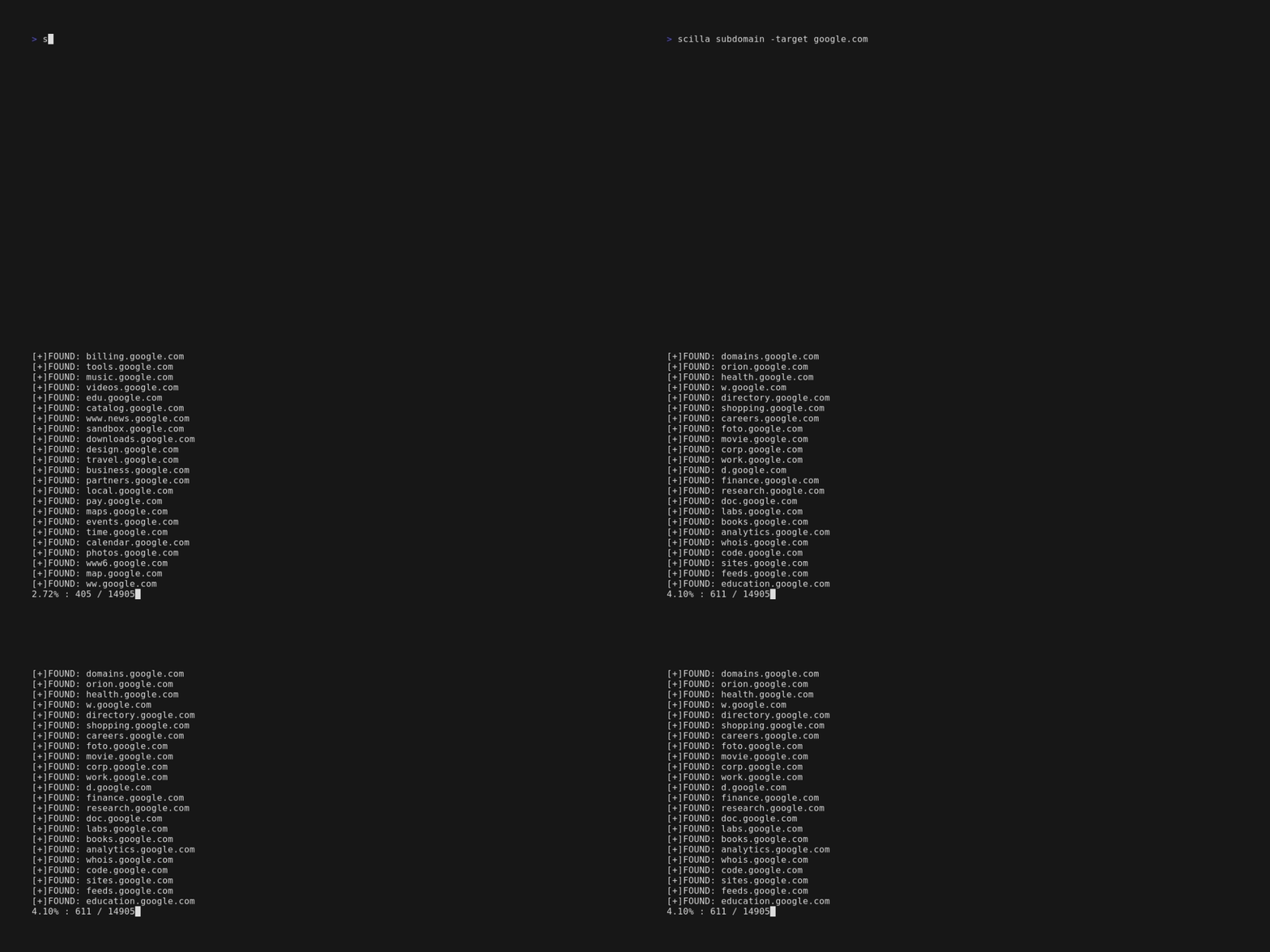
- `scilla subdomain -target example.com`
- `scilla subdomain -w wordlist.txt -target example.com`
- `scilla subdomain -oj output -target example.com`
- `scilla subdomain -oh output -target example.com`
- `scilla subdomain -ot output -target example.com`
- `scilla subdomain -i 400 -target example.com`
- `scilla subdomain -i 4** -target example.com`
- `scilla subdomain -c -target example.com`
- `scilla subdomain -db -target example.com`
- `scilla subdomain -plain -target example.com`
- `scilla subdomain -db -no-check -target example.com`
- `scilla subdomain -db -vt -target example.com`
- `scilla subdomain -db -bw -target example.com`
- `scilla subdomain -ua "CustomUA" -target example.com`
- `scilla subdomain -rua -target example.com`
- `scilla subdomain -dns 8.8.8.8 -target example.com`
- `scilla subdomain -alive -target example.com`
- डायरेक्टरी गणना:
- `scilla dir -target example.com`
- `scilla dir -w wordlist.txt -target example.com`
- `scilla dir -oj output -target example.com`
- `scilla dir -oh output -target example.com`
- `scilla dir -ot output -target example.com`
- `scilla dir -i 500,401 -target example.com`
- `scilla dir -i 5**,401 -target example.com`
- `scilla dir -c -target example.com`
- `scilla dir -plain -target example.com`
- `scilla dir -nr -target example.com`
- `scilla dir -ua "CustomUA" -target example.com`
- `scilla dir -rua -target example.com`
- पोर्ट गणना:
- डिफ़ॉल्ट (सभी पोर्ट, अर्थात 1-65635) `scilla port -target example.com`
- पोर्ट रेंज निर्दिष्ट करना `scilla port -p 20-90 -target example.com`
- प्रारंभिक पोर्ट निर्दिष्ट करना (अंतिम तक) `scilla port -p 20- -target example.com`
- अंतिम पोर्ट निर्दिष्ट करना (पहले से) `scilla port -p -90 -target example.com`
- कई पोर्ट निर्दिष्ट करना `scilla port -p 21,25,80 -target example.com`
- सामान्य पोर्ट निर्दिष्ट करना `scilla port -common -target example.com`
- एकल पोर्ट निर्दिष्ट करना `scilla port -p 80 -target example.com`
- आउटपुट प्रारूप निर्दिष्ट करना (json)`scilla port -oj output -target example.com`
- आउटपुट प्रारूप निर्दिष्ट करना (html)`scilla port -oh output -target example.com`
- आउटपुट प्रारूप निर्दिष्ट करना (txt)`scilla port -ot output -target example.com`
- केवल परिणाम प्रिंट करें `scilla port -plain -target example.com`
- पूर्ण रिपोर्ट:
- डिफ़ॉल्ट (सभी पोर्ट, अर्थात् 1-65635) `scilla report -target example.com`
- पोर्ट रेंज निर्दिष्ट करना `scilla report -p 20-90 -target example.com`
- प्रारंभिक पोर्ट निर्दिष्ट करना (अंतिम तक) `scilla report -p 20- -target example.com`
- अंतिम पोर्ट निर्दिष्ट करना (पहले से) `scilla report -p -90 -target example.com`
- एकल पोर्ट निर्दिष्ट करना `scilla report -p 80 -target example.com`
- कई पोर्ट निर्दिष्ट करना `scilla report -p 21,25,80 -target example.com`
- आउटपुट फ़ॉर्मेट निर्दिष्ट करना (json) `scilla report -oj output -target example.com`
- आउटपुट फ़ॉर्मेट निर्दिष्ट करना (html) `scilla report -oh output -target example.com`
- आउटपुट फ़ॉर्मेट निर्दिष्ट करना (txt) `scilla report -ot output -target example.com`
- डायरेक्टरीज़ वर्डलिस्ट निर्दिष्ट करना `scilla report -wd dirs.txt -target example.com`
- सबडोमेन वर्डलिस्ट निर्दिष्ट करना `scilla report -ws subdomains.txt -target example.com`
- डायरेक्टरीज़ स्कैनिंग में अनदेखा किए जाने वाले स्टेटस कोड निर्दिष्ट करना `scilla report -id 500,501,502 -target example.com`
- सबडोमेन स्कैनिंग में अनदेखा किए जाने वाले स्टेटस कोड निर्दिष्ट करना `scilla report -is 500,501,502 -target example.com`
- डायरेक्टरीज़ स्कैनिंग में अनदेखा किए जाने वाले स्टेटस कोड क्लासेस निर्दिष्ट करना `scilla report -id 5**,4** -target example.com`
- सबडोमेन स्कैनिंग में अनदेखा किए जाने वाले स्टेटस कोड क्लासेस निर्दिष्ट करना `scilla report -is 5**,4** -target example.com`
- डायरेक्टरीज़ एन्यूमरेशन के लिए एक वेब क्रॉलर का भी उपयोग करें `scilla report -cd -target example.com`
- सबडोमेन एन्यूमरेशन के लिए एक वेब क्रॉलर का भी उपयोग करें `scilla report -cs -target example.com`
- सबडोमेन एन्यूमरेशन के लिए एक सार्वजनिक डेटाबेस का भी उपयोग करें `scilla report -db -target example.com`
- सामान्य पोर्ट निर्दिष्ट करना `scilla report -common -target example.com`
- रीडायरेक्ट का पालन न करें `scilla report -nr -target example.com`
- सबडोमेन स्रोत के रूप में VirusTotal का उपयोग करें `scilla report -db -vt -target example.com`
- User Agent सेट करें `scilla report -ua "CustomUA" -target example.com`
- प्रत्येक अनुरोध के लिए एक रैंडम user agent जनरेट करें `scilla report -rua -target example.com`
- सबडोमेन को रिज़ॉल्व करने के लिए DNS IP सेट करें `scilla report -dns 8.8.8.8 -target example.com`
- यह भी जाँचें कि सबडोमेन सक्रिय (alive) हैं या नहीं `scilla report -alive -target example.com`
शुरू करें 🎉
----------
`scilla help` कमांड लाइन में सहायता प्रिंट करता है।
```
usage: scilla subcommand { options }
Available subcommands:
- dns [-oj JSON output file]
[-oh HTML output file]
[-ot TXT output file]
[-plain Print only results]
-target <target (URL/IP)> REQUIRED
- port [-p <start-end> or ports divided by comma]
[-oj JSON output file]
[-oh HTML output file]
[-ot TXT output file]
[-common scan common ports]
[-plain Print only results]
-target <target (URL/IP)> REQUIRED
- subdomain [-w wordlist]
[-oj JSON output file]
[-oh HTML output file]
[-ot TXT output file]
[-i ignore status codes]
[-c use also a web crawler]
[-db use also a public database]
[-plain Print only results]
[-db -no-check Don't check status codes for subdomains]
[-db -vt Use VirusTotal as subdomains source]
[-db -bw Use BuiltWith as subdomains source]
[-ua Set the User Agent]
[-rua Generate a random user agent for each request]
[-dns Set DNS IP to resolve the subdomains]
[-alive Check also if the subdomains are alive]
-target <target (URL)> REQUIRED
- dir [-w wordlist]
[-oj JSON output file]
[-oh HTML output file]
[-ot TXT output file]
[-i ignore status codes]
[-c use also a web crawler]
[-plain Print only results]
[-nr No follow redirects]
[-ua Set the User Agent]
[-rua Generate a random user agent for each request]
-target <target (URL/IP)> REQUIRED
- report [-p <start-end> or ports divided by comma]
[-ws subdomains wordlist]
[-wd directories wordlist]
[-oj JSON output file]
[-oh HTML output file]
[-ot TXT output file]
[-id ignore status codes in directories scanning]
[-is ignore status codes in subdomains scanning]
[-cd use also a web crawler for directories scanning]
[-cs use also a web crawler for subdomains scanning]
[-db use also a public database for subdomains scanning]
[-common scan common ports]
[-nr No follow redirects]
[-db -vt Use VirusTotal as subdomains source]
[-ua Set the User Agent]
[-rua Generate a random user agent for each request]
[-dns Set DNS IP to resolve the subdomains]
[-alive Check also if the subdomains are alive]
-target <target (URL)> REQUIRED
- help
- examples
```
Changelog 📌
-------
प्रत्येक रिलीज़ के लिए विस्तृत परिवर्तन [release notes](https://github.com/edoardottt/scilla/releases) में प्रलेखित हैं।
Contributing 🛠
-------
बस एक [issue](https://github.com/edoardottt/scilla/issues) / [pull request](https://github.com/edoardottt/scilla/pulls) खोलें।
pull request खोलने से पहले, [golangci-lint](https://golangci-lint.run/usage/install/) डाउनलोड करें और चलाएँ
```bash
golangci-lint run
```
अगर कोई त्रुटि नहीं है, तो आगे बढ़ें :)
समाचार में 📰
-------
- [Kali Linux Tutorials](https://kalilinuxtutorials.com/scilla/)
- [GeeksForGeeks.org](https://www.geeksforgeeks.org/scilla-information-gathering-dns-subdomain-port-enumeration/)
- [Brisk Infosec](https://www.briskinfosec.com/tooloftheday/toolofthedaydetail/Scilla)
- [Kalitut](https://kalitut.com/scilla-nformation-gathering-tool/)
लाइसेंस 📝
-------
यह रिपॉज़िटरी [GNU General Public License v3.0](https://github.com/edoardottt/scilla/blob/main/LICENSE) के अंतर्गत है।
मुझसे संपर्क करने के लिए [edoardottt.com](https://edoardottt.com/)।