 ecomtech-oss/pisc
सार्वजनिक OCI-इमेज (डॉकर इमेज) सुरक्षा जाँचकर्ता

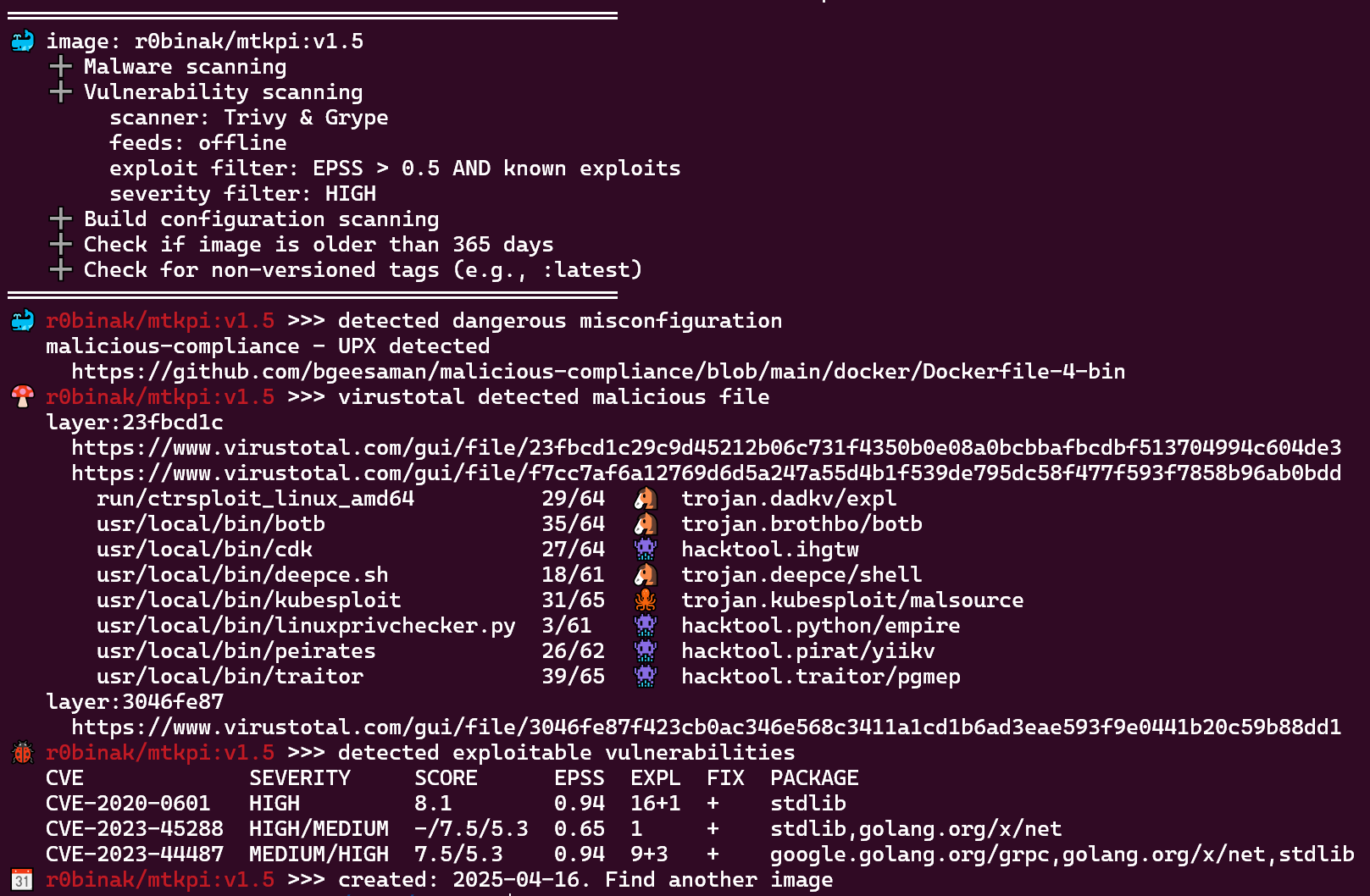
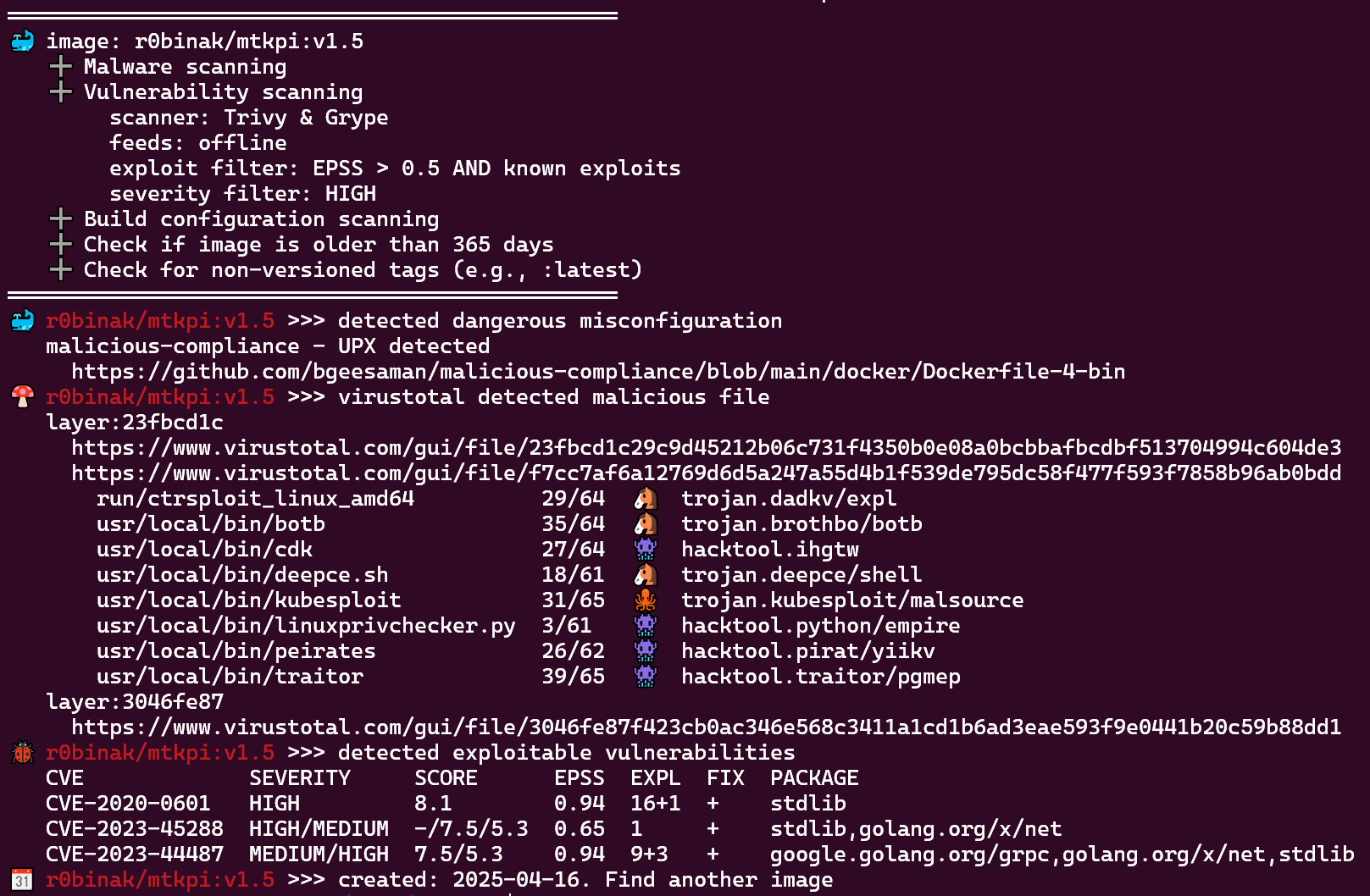
PISC (सार्वजनिक OCI-इमेज या डॉकर-इमेज सुरक्षा जाँचकर्ता) एक कमांड-लाइन उपकरण है जो OCI कंटेनर इमेज की सुरक्षा का आकलन करने के लिए है।
यदि निम्नलिखित में से कोई भी शर्त पूरी होती है तो कोड 1 के साथ बाहर निकलता है:
इसका उपयोग निजी वातावरण में चलाने या CI/CD पाइपलाइन में बेस इमेज के रूप में उपयोग करने से पहले सार्वजनिक OCI इमेज की सुरक्षा की स्वचालित रूप से जाँच करने के लिए किया जा सकता है।
API कुंजी प्राप्त करें virustotal के लिए। मानक मुफ्त अंतिम-उपयोगकर्ता खाते की सीमाएँ हैं।
docker run kapistka/pisc:latest /bin/bash ./scan.sh -delm --virustotal-key <virustotal-api-key> -i r0binak/mtkpi:v1.5
docker run kapistka/pisc:latest-feeds /bin/bash ./scan.sh -delm --offline-feeds --virustotal-key <virustotal-api-key> -i r0binak/mtkpi:v1.5
निर्भरताओं की सूची के लिए Dockerfile देखें। आपको अपने वितरण के आधार पर trivy, grype, skopeo, jq, और अन्य पैकेज स्थापित करने होंगे।
Usage:
  scan.sh [flags] [-i IMAGE | -f FILE | --tar TARFILE]

Flags:
  -d, --date                      Check image age against threshold (default: 365 days).
  --d-days <int>                  Custom threshold for build date check (in days). Example: '--d-days 180'.
  -e, --exploits                  Check for vulnerabilities with known exploits (using Trivy + Grype + inthewild.io + empiricalsecurity.com).
  --epss-and                      Use AND logic to combine EPSS score and exploit presence. If disabled, OR logic is applied (default: OR).
  --epss-min <float>              Minimum EPSS score threshold used for filtering vulnerabilities (default: 0.5).
  -f, --file <string>             Batch scan images from file. Example: '-f images.txt'.
  -h, --help                      Display this help message.
  --ignore-errors                 Ignore errors from external tools and continue execution.
  -i, --image <string>            Single image to scan. Example: '-i r0binak/mtkpi:v1.4'.
  -l, --latest                    Detect non-versioned tags (e.g., ':latest').
  -m, --misconfig                 Scan for dangerous build misconfigurations.
  --offline-feeds                 Use a self-contained offline image with pre-downloaded vulnerability feeds (e.g., :latest-feeds).
  --scanner [trivy|grype|all]     Choose which scanner to use: Trivy, Grype, or both (default: all)
  --severity-min <string>         Minimal severity of vulnerabilities [UNKNOWN|LOW|MEDIUM|HIGH|CRITICAL] default [HIGH]
  --show-exploits                 Show exploit details
  --tar <string>                  Scan local TAR archive of image layers. Example: '--tar /path/to/private-image.tar'.
  --trivy-server <string>         Trivy server endpoint URL. Example: '--trivy-server http://trivy.something.io:8080'.
  --trivy-token <string>          Authentication token for Trivy server. Example: '--trivy-token 0123456789abZ'.
  -v, --version                   Display version.
  --virustotal-key <string>       VirusTotal API key for malware scanning. Example: '--virustotal-key 0123456789abcdef'.
  --vulners-key <string>          Vulners.com API key (alternative to inthewild.io). Example: '--vulners-key 0123456789ABCDXYZ'.

Additional Notes:
- To authenticate with a registry, refer to 'scan-download-unpack.sh#L14'.
- To configure exclusions for specific CVEs or other criteria, see 'check-exclusion.sh#L5'.
यह उपयोगिता कंटेनर इमेज को निजी रजिस्ट्री में धकेलने से पहले उन पर सुरक्षा स्कैन करने के लिए CI पाइपलाइन में एकीकृत की जा सकती है। इस चरण को इमेज हस्ताक्षर और स्वचालित रजिस्ट्री पुशिंग के साथ जोड़कर एक सुरक्षित DevSecOps वर्कफ़्लो बनाएँ। नीचे एक उदाहरण कॉन्फ़िगरेशन दिया गया है:
security_scan:
  stage: security
  image: $SECURITY_IMAGE_FEEDS
  script:
    - |
      /bin/bash /home/nonroot/scan.sh -delm --offline-feeds --virustotal-key $VIRUSTOTAL_API_KEY -f ${NEW_IMAGES_FILE}

      # Auto-approve: If the scan fails (exit code >0), the pipeline stops before reaching this point.
  rules:
    - if: $CI_PIPELINE_SOURCE == 'merge_request_event'
# CVE-2024-3094 (XZ Utils) exploit
./scan.sh --virustotal-key <virustotal-api-key> -i r0binak/xzk8s:v1.1
════════════════════════════════════════
🍄 r0binak/xzk8s:v1.1 >>> virustotal detected malicious file
   layer:0f28dfeb
     https://www.virustotal.com/gui/file/0f28dfebbf3451ccfe3d5b11d17bc38cc8d1c4e721b842969466dc7989d835e3
     https://www.virustotal.com/gui/file/dc24581c3500b9640e03c7a4c14cd7c22f88c533b831a7f6a49aaf3ba39fcde4
   layer:230cc513
     https://www.virustotal.com/gui/file/230cc513debf36c5294ba6dd2babd27934bb231362cd8d916ea1c58e9495d38f
     https://www.virustotal.com/gui/file/935cfccfa8d31d0e03f2162e9b46b7f9df77db64efa2e4cfb4dbaebdf94be6d3
       root/liblzma.so.5.6.0.patch  37/64  🐴  trojan.xzbackdoor/cve20243094
# vulnerabilities: trivy + grype + epss + exploits (IngressNightmare)
./scan.sh -e -i registry.k8s.io/ingress-nginx/controller:v1.11.2
════════════════════════════════════════════════
🐞 registry.k8s.io/ingress-nginx/controller:v1.11.2 >>> detected exploitable vulnerabilities
   CVE            SEVERITY  SCORE  EPSS  EXPL  FIX  PACKAGE
   CVE-2025-1974  CRITICAL  9.8    0.87  0     +    k8s.io/ingress-nginx
📆 registry.k8s.io/ingress-nginx/controller:v1.11.2 >>> created: 2024-08-15. Last update: 2025-06-04
💡 registry.k8s.io/ingress-nginx/controller:v1.11.2 >>> use a newer tags:
   v1.11.3  v1.11.4         v1.11.5  v1.11.6  v1.11.7
   v1.12.0  v1.12.0-beta.0  v1.12.1  v1.12.2  v1.12.3
# dangerous image build misconfiguration cve-2024-21626
./scan.sh -m -i r0binak/cve-2024-21626:v4
════════════════════════════════════════
🐳 r0binak/cve-2024-21626:v4 >>> detected dangerous misconfiguration
   CVE-2024-21626 runC Escape
     https://nitroc.org/en/posts/cve-2024-21626-illustrated/
