 david942j/seccomp-tools
सेकॉम्प विश्लेषण के लिए शक्तिशाली उपकरण प्रदान करें।







seccomp विश्लेषण के लिए शक्तिशाली उपकरण।
यह परियोजना मुख्य रूप से (लेकिन विशेष रूप से नहीं) CTF pwn चुनौतियों में seccomp सैंडबॉक्स का विश्लेषण करने के लिए है। कुछ विशेषताएँ CTF-विशिष्ट हैं, लेकिन वे वास्तविक दुनिया के seccomp फ़िल्टर का विश्लेषण करने के लिए भी उतनी ही उपयोगी हैं।
RubyGems.org पर उपलब्ध है!``` $ gem install seccomp-tools
यदि संकलन विफल हो जाए, तो प्रयास करें:```
sudo apt install gcc ruby-dev make
फिर seccomp-tools को दोबारा इंस्टॉल करें।
$ seccomp-tools --help
$ seccomp-tools dump --help
-c "./bin > /dev/null" to keep the program output out of the result.### dump
`ptrace` syscall का उपयोग करके किसी executable से seccomp BPF को dump करता है।
नोट: target executable वास्तव में चलाया जाता है, इसलिए अविश्वसनीय binaries के साथ सावधान रहें।```bash
$ file spec/binary/twctf-2016-diary
# spec/binary/twctf-2016-diary: ELF 64-bit LSB executable, x86-64, version 1 (SYSV), dynamically linked, interpreter /lib64/ld-linux-x86-64.so.2, for GNU/Linux 2.6.24, BuildID[sha1]=3648e29153ac0259a0b7c3e25537a5334f50107f, not stripped
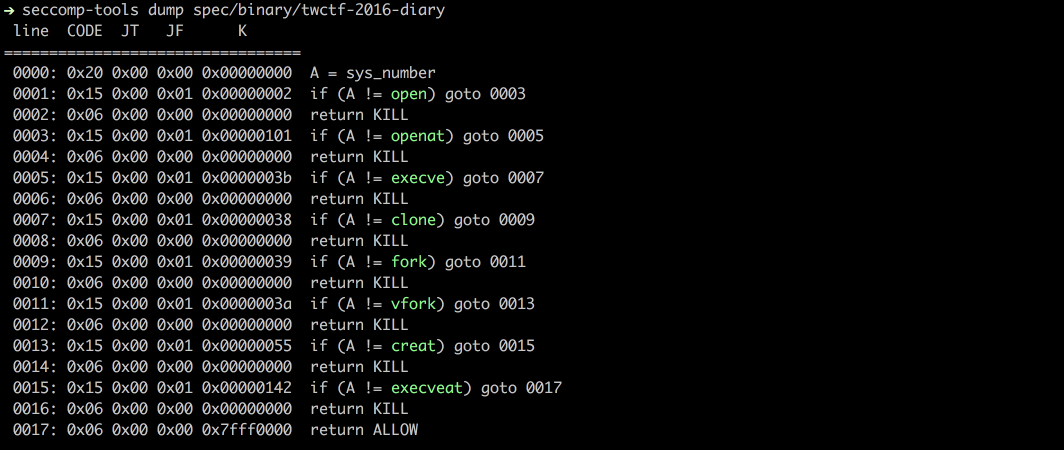
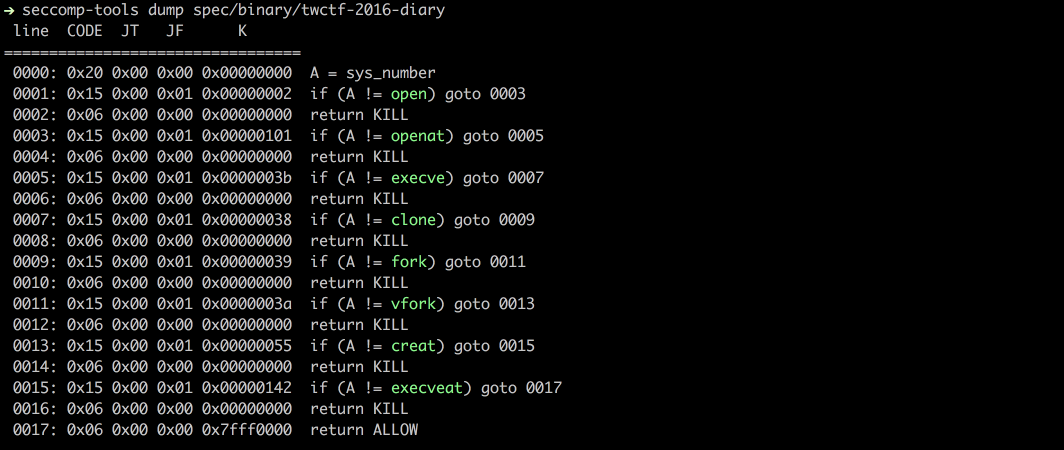
$ seccomp-tools dump spec/binary/twctf-2016-diary
# line CODE JT JF K
# =================================
# 0000: 0x20 0x00 0x00 0x00000000 A = sys_number
# 0001: 0x15 0x00 0x01 0x00000002 if (A != open) goto 0003
# 0002: 0x06 0x00 0x00 0x00000000 return KILL
# 0003: 0x15 0x00 0x01 0x00000101 if (A != openat) goto 0005
# 0004: 0x06 0x00 0x00 0x00000000 return KILL
# 0005: 0x15 0x00 0x01 0x0000003b if (A != execve) goto 0007
# 0006: 0x06 0x00 0x00 0x00000000 return KILL
# 0007: 0x15 0x00 0x01 0x00000038 if (A != clone) goto 0009
# 0008: 0x06 0x00 0x00 0x00000000 return KILL
# 0009: 0x15 0x00 0x01 0x00000039 if (A != fork) goto 0011
# 0010: 0x06 0x00 0x00 0x00000000 return KILL
# 0011: 0x15 0x00 0x01 0x0000003a if (A != vfork) goto 0013
# 0012: 0x06 0x00 0x00 0x00000000 return KILL
# 0013: 0x15 0x00 0x01 0x00000055 if (A != creat) goto 0015
# 0014: 0x06 0x00 0x00 0x00000000 return KILL
# 0015: 0x15 0x00 0x01 0x00000142 if (A != execveat) goto 0017
# 0016: 0x06 0x00 0x00 0x00000000 return KILL
# 0017: 0x06 0x00 0x00 0x7fff0000 return ALLOW
$ seccomp-tools dump spec/binary/twctf-2016-diary -f inspect
# "\x20\x00\x00\x00\x00\x00\x00\x00\x15\x00\x00\x01\x02\x00\x00\x00\x06\x00\x00\x00\x00\x00\x00\x00\x15\x00\x00\x01\x01\x01\x00\x00\x06\x00\x00\x00\x00\x00\x00\x00\x15\x00\x00\x01\x3B\x00\x00\x00\x06\x00\x00\x00\x00\x00\x00\x00\x15\x00\x00\x01\x38\x00\x00\x00\x06\x00\x00\x00\x00\x00\x00\x00\x15\x00\x00\x01\x39\x00\x00\x00\x06\x00\x00\x00\x00\x00\x00\x00\x15\x00\x00\x01\x3A\x00\x00\x00\x06\x00\x00\x00\x00\x00\x00\x00\x15\x00\x00\x01\x55\x00\x00\x00\x06\x00\x00\x00\x00\x00\x00\x00\x15\x00\x00\x01\x42\x01\x00\x00\x06\x00\x00\x00\x00\x00\x00\x00\x06\x00\x00\x00\x00\x00\xFF\x7F"
$ seccomp-tools dump spec/binary/twctf-2016-diary -f raw | xxd
# 00000000: 2000 0000 0000 0000 1500 0001 0200 0000 ...............
# 00000010: 0600 0000 0000 0000 1500 0001 0101 0000 ................
# 00000020: 0600 0000 0000 0000 1500 0001 3b00 0000 ............;...
# 00000030: 0600 0000 0000 0000 1500 0001 3800 0000 ............8...
# 00000040: 0600 0000 0000 0000 1500 0001 3900 0000 ............9...
# 00000050: 0600 0000 0000 0000 1500 0001 3a00 0000 ............:...
# 00000060: 0600 0000 0000 0000 1500 0001 5500 0000 ............U...
# 00000070: 0600 0000 0000 0000 1500 0001 4201 0000 ............B...
# 00000080: 0600 0000 0000 0000 0600 0000 0000 ff7f ................
कच्चे seccomp BPF को पढ़ने योग्य प्रारूप में डिसअसेंबल करता है।```bash $ xxd spec/data/twctf-2016-diary.bpf | head -n 3
$ seccomp-tools disasm spec/data/twctf-2016-diary.bpf
### asm

seccomp नियमों को रॉ बाइट्स में असेंबल करता है।
यह तब उपयोगी है जब आप अपने खुद के seccomp नियम लिखना चाहते हैं।

जंप लेबल और syscall नामों का समर्थन करता है। नीचे दिए गए उदाहरण देखें।```bash
$ seccomp-tools asm
# asm - Seccomp bpf assembler.
#
# Usage: seccomp-tools asm IN_FILE [options]
#     -o, --output FILE                Write output to FILE instead of stdout.
#     -f, --format FORMAT              Output format. FORMAT can only be one of <inspect|raw|c_array|c_source|assembly>.
#                                      Default: inspect
#     -a, --arch ARCH                  Specify architecture.
#                                      Supported architectures are <aarch64|amd64|i386|riscv64|s390x>.
#                                      Default: auto-detected from the host machine.
#                                      Set it when the filter targets an architecture other than the host.

# Input file for asm
$ cat spec/data/libseccomp.asm
# # check if arch is X86_64
# A = arch
# A == ARCH_X86_64 ? next : dead
# A = sys_number
# A >= 0x40000000 ? dead : next
# A == write ? ok : next
# A == close ? ok : next
# A == dup ? ok : next
# A == exit ? ok : next
# return ERRNO(5)
# ok:
# return ALLOW
# dead:
# return KILL

$ seccomp-tools asm spec/data/libseccomp.asm
# " \x00\x00\x00\x04\x00\x00\x00\x15\x00\x00\b>\x00\x00\xC0 \x00\x00\x00\x00\x00\x00\x005\x00\x06\x00\x00\x00\x00@\x15\x00\x04\x00\x01\x00\x00\x00\x15\x00\x03\x00\x03\x00\x00\x00\x15\x00\x02\x00 \x00\x00\x00\x15\x00\x01\x00<\x00\x00\x00\x06\x00\x00\x00\x05\x00\x05\x00\x06\x00\x00\x00\x00\x00\xFF\x7F\x06\x00\x00\x00\x00\x00\x00\x00"

$ seccomp-tools asm spec/data/libseccomp.asm -f c_source
# #include <linux/seccomp.h>
# #include <stdio.h>
# #include <stdlib.h>
# #include <sys/prctl.h>
#
# static void install_seccomp() {
#   static unsigned char filter[] = {32,0,0,0,4,0,0,0,21,0,0,8,62,0,0,192,32,0,0,0,0,0,0,0,53,0,6,0,0,0,0,64,21,0,4,0,1,0,0,0,21,0,3,0,3,0,0,0,21,0,2,0,32,0,0,0,21,0,1,0,60,0,0,0,6,0,0,0,5,0,5,0,6,0,0,0,0,0,255,127,6,0,0,0,0,0,0,0};
#   struct prog {
#     unsigned short len;
#     unsigned char *filter;
#   } rule = {
#     .len = sizeof(filter) >> 3,
#     .filter = filter
#   };
#   if(prctl(PR_SET_NO_NEW_PRIVS, 1, 0, 0, 0) < 0) { perror("prctl(PR_SET_NO_NEW_PRIVS)"); exit(2); }
#   if(prctl(PR_SET_SECCOMP, SECCOMP_MODE_FILTER, &rule) < 0) { perror("prctl(PR_SET_SECCOMP)"); exit(2); }
# }

$ seccomp-tools asm spec/data/libseccomp.asm -f assembly
# install_seccomp:
#   push   rbp
#   mov    rbp, rsp
#   push   38
#   pop    rdi
#   push   0x1
#   pop    rsi
#   xor    eax, eax
#   mov    al, 0x9d
#   syscall
#   push   22
#   pop    rdi
#   lea    rdx, [rip + _filter]
#   push   rdx /* .filter */
#   push   _filter_end - _filter >> 3 /* .len */
#   mov    rdx, rsp
#   push   0x2
#   pop    rsi
#   xor    eax, eax
#   mov    al, 0x9d
#   syscall
#   leave
#   ret
# _filter:
# .ascii "\040\000\000\000\004\000\000\000\025\000\000\010\076\000\000\300\040\000\000\000\000\000\000\000\065\000\006\000\000\000\000\100\025\000\004\000\001\000\000\000\025\000\003\000\003\000\000\000\025\000\002\000\040\000\000\000\025\000\001\000\074\000\000\000\006\000\000\000\005\000\005\000\006\000\000\000\000\000\377\177\006\000\000\000\000\000\000\000"
# _filter_end:


# let's asm then disasm!
$ seccomp-tools asm spec/data/libseccomp.asm -f raw | seccomp-tools disasm -
#  line  CODE  JT   JF      K
# =================================
#  0000: 0x20 0x00 0x00 0x00000004  A = arch
#  0001: 0x15 0x00 0x08 0xc000003e  if (A != ARCH_X86_64) goto 0010
#  0002: 0x20 0x00 0x00 0x00000000  A = sys_number
#  0003: 0x35 0x06 0x00 0x40000000  if (A >= 0x40000000) goto 0010
#  0004: 0x15 0x04 0x00 0x00000001  if (A == write) goto 0009
#  0005: 0x15 0x03 0x00 0x00000003  if (A == close) goto 0009
#  0006: 0x15 0x02 0x00 0x00000020  if (A == dup) goto 0009
#  0007: 0x15 0x01 0x00 0x0000003c  if (A == exit) goto 0009
#  0008: 0x06 0x00 0x00 0x00050005  return ERRNO(5)
#  0009: 0x06 0x00 0x00 0x7fff0000  return ALLOW
#  0010: 0x06 0x00 0x00 0x00000000  return KILL
चूँकि v1.6.0 [अभी तक जारी नहीं हुआ], asm ने yacc-आधारित पार्सर पर स्विच कर दिया है, जो अधिक लचीला और सहज सिंटैक्स की अनुमति देता है!```bash
$ cat spec/data/example.asm
$ seccomp-tools asm spec/data/example.asm -f raw | seccomp-tools disasm -
`seccomp-tools disasm <file> --asm-able` का आउटपुट `asm` के लिए मान्य इनपुट है:```bash
$ seccomp-tools disasm spec/data/x32.bpf --asm-able
# 0000: A = arch
# 0001: if (A != ARCH_X86_64) goto 0011
# 0002: A = sys_number
# 0003: if (A < 0x40000000) goto 0011
# 0004: if (A == x32_read) goto 0011
# 0005: if (A == x32_write) goto 0011
# 0006: if (A == x32_iopl) goto 0011
# 0007: if (A != x32_mmap) goto 0011
# 0008: A = args[0]
# 0009: if (A == 0x0) goto 0011
# 0010: return ERRNO(5)
# 0011: return ALLOW


# disasm then asm then disasm!
$ seccomp-tools disasm spec/data/x32.bpf --asm-able | seccomp-tools asm - -f raw | seccomp-tools disasm -
#  line  CODE  JT   JF      K
# =================================
#  0000: 0x20 0x00 0x00 0x00000004  A = arch
#  0001: 0x15 0x00 0x09 0xc000003e  if (A != ARCH_X86_64) goto 0011
#  0002: 0x20 0x00 0x00 0x00000000  A = sys_number
#  0003: 0x35 0x00 0x07 0x40000000  if (A < 0x40000000) goto 0011
#  0004: 0x15 0x06 0x00 0x40000000  if (A == x32_read) goto 0011
#  0005: 0x15 0x05 0x00 0x40000001  if (A == x32_write) goto 0011
#  0006: 0x15 0x04 0x00 0x400000ac  if (A == x32_iopl) goto 0011
#  0007: 0x15 0x00 0x03 0x40000009  if (A != x32_mmap) goto 0011
#  0008: 0x20 0x00 0x00 0x00000010  A = addr # x32_mmap(addr, len, prot, flags, fd, pgoff)
#  0009: 0x15 0x01 0x00 0x00000000  if (A == 0x0) goto 0011
#  0010: 0x06 0x00 0x00 0x00050005  return ERRNO(5)
#  0011: 0x06 0x00 0x00 0x7fff0000  return ALLOW
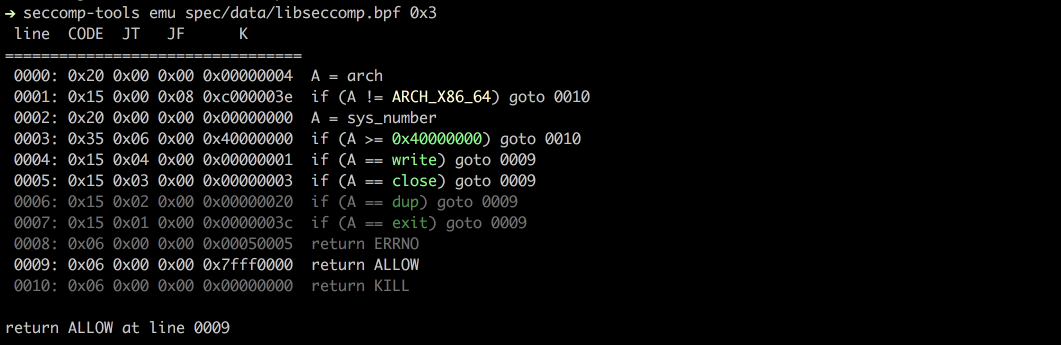
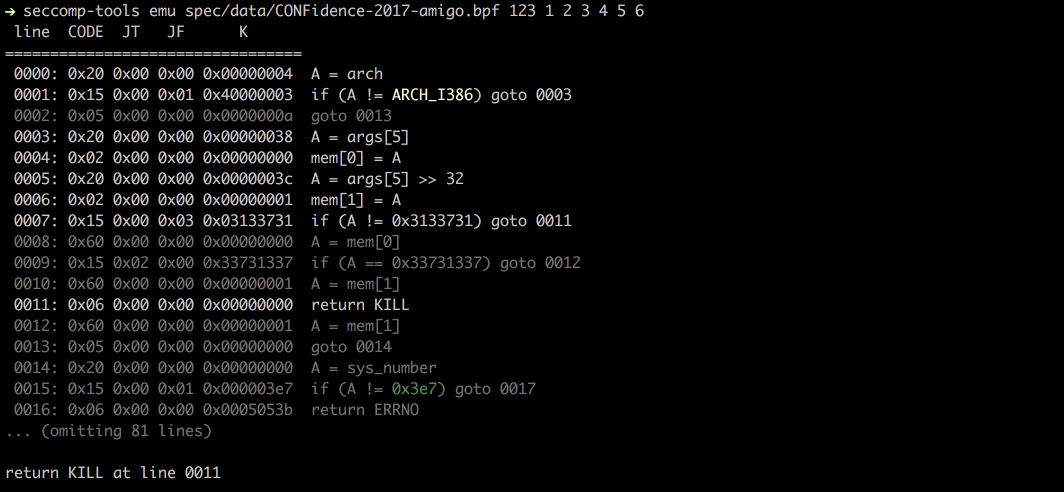
दिए गए sys_nr, arg0, arg1, आदि के आधार पर seccomp का अनुकरण करता है।```bash
$ seccomp-tools emu --help
$ seccomp-tools emu spec/data/libseccomp.bpf write 0x3
### व्याख्या

पूरे फ़िल्टर को प्रति-एक्शन नीति के रूप में सारांशित करता है: कौन से syscalls `ALLOW`, `KILL`, `ERRNO`, आदि में समाप्त होते हैं,
और किन तर्क बाधाओं के अंतर्गत। इनपुट एक डंप की गई BPF फ़ाइल, एक निष्पादन योग्य (इसका seccomp पहले डंप किया जाता है, जैसे `dump`), या `--pid` के माध्यम से एक चल रही प्रक्रिया हो सकती है।```bash
$ seccomp-tools explain --help
# explain - Summarize a seccomp filter as a per-action policy.
#
# Usage: seccomp-tools explain [options] [BPF_FILE|EXEC]
#     -c, --sh-exec <command>          Executes the given command (via sh) and explains its seccomp.
#                                      Use this to pass arguments or pipe things to the executable.
#                                      e.g. use `-c "./bin > /dev/null"` to keep the program output out of the result.
#                                      Takes precedence over the positional argument.
#     -l, --limit LIMIT                Explain only the first LIMIT installed filters.
#                                      Only meaningful when the input is an executable or --pid. Default: 1
#                                      An executable is killed once it reaches LIMIT.
#     -p, --pid PID                    Explain the seccomp filters installed on an existing process.
#                                      You must have CAP_SYS_ADMIN (e.g. be root) to use this option.
#     -t, --timeout SEC                Timeout (seconds) for the execution. Default: no timeout
#                                      This option is ignored when --pid is given.
#     -a, --arch ARCH                  Specify architecture.
#                                      Supported architectures are <aarch64|amd64|i386|riscv64|s390x>.
#                                      Default: auto-detected from the host machine.
#                                      Set it when the filter targets an architecture other than the host.
#                                      With an executable or --pid the architecture is auto-detected instead.

$ seccomp-tools explain spec/data/libseccomp.bpf -a amd64
# Seccomp policy for spec/data/libseccomp.bpf
#
# Architecture: amd64
#
#   ALLOW:
#     write, close, dup, exit
#
#   ERRNO(5):
#     <default> (any other syscall)
#
#   KILL:
#     sys_number >= 0x40000000  (x32 ABI)
#
# Other architectures: KILL
एक अधिक जटिल उदाहरण - 0CTF/TCTF 2023 "Nothing is True" फ़िल्टर, जिसमें अलग-अलग 32/64-बिट
अनुमतियाँ (allowlists) और open, mmap तथा execve पर तर्क जाँच (argument checks) शामिल हैं:```bash
$ seccomp-tools explain spec/data/tctf-2023-nothing-is-true.bpf -a amd64
### ऑडिट

कमजोरियों और संभावित बच निकलने के रास्तों के लिए एक फ़िल्टर को स्कैन करता है - एक गायब आर्किटेक्चर या x32 गार्ड, एक अनुमेय (डेनीलिस्ट) डिफ़ॉल्ट, समतुल्य-सिस्कॉल अंतराल (जैसे `execve` ब्लॉक किया गया लेकिन `execveat` नहीं), एक ओपन/रीड/राइट चेन, या `ALLOW` के रूप में पहुंच योग्य खतरनाक सिस्कॉल - और प्रत्येक को गंभीरता के साथ रिपोर्ट करता है। यह हर समर्थित आर्किटेक्चर पर चलता है (आर्किटेक्चर-विशिष्ट विशेषताएं जैसे amd64 का x32 केवल वहीं लागू होती हैं जहां वे मौजूद हैं), और `explain` के समान इनपुट लेता है (एक BPF फ़ाइल, एक निष्पादन योग्य, या `--pid`)।```bash
$ seccomp-tools audit --help
# audit - Assess a seccomp filter for weaknesses and escape routes.
#
# Usage: seccomp-tools audit [options] [BPF_FILE|EXEC]
#     -c, --sh-exec <command>          Executes the given command (via sh) and audits its seccomp.
#                                      Use this to pass arguments or pipe things to the executable.
#                                      e.g. use `-c "./bin > /dev/null"` to keep the program output out of the result.
#                                      Takes precedence over the positional argument.
#     -l, --limit LIMIT                Audit only the first LIMIT installed filters.
#                                      Only meaningful when the input is an executable or --pid. Default: 1
#                                      An executable is killed once it reaches LIMIT.
#     -p, --pid PID                    Audit the seccomp filters installed on an existing process.
#                                      You must have CAP_SYS_ADMIN (e.g. be root) to use this option.
#     -t, --timeout SEC                Timeout (seconds) for the execution. Default: no timeout
#                                      This option is ignored when --pid is given.
#     -a, --arch ARCH                  Specify architecture.
#                                      Supported architectures are <aarch64|amd64|i386|riscv64|s390x>.
#                                      Default: auto-detected from the host machine.
#                                      Set it when the filter targets an architecture other than the host.
#                                      With an executable or --pid the architecture is auto-detected instead.
#     -f, --format FORMAT              Output format, one of <human|json>.
#                                      Default: human
डेनीलिस्ट का ऑडिट करना जिसमें कई एस्केप रूट हैं (TokyoWesterns CTF 2016 "diary" फ़िल्टर):```bash $ seccomp-tools audit spec/data/twctf-2016-diary.bpf -a amd64
`--format json` का उपयोग CI या टूलिंग के लिए करें:```bash
$ seccomp-tools audit spec/data/gctf-2019-quals-caas.bpf -a amd64 -f json
# {
#   "stacked_filters": 1,
#   "reports": [
#     {
#       "source": "spec/data/gctf-2019-quals-caas.bpf",
#       "arches": [
#         "amd64"
#       ],
#       "truncated": false,
#       "findings": [
#         {
#           "id": "dangerous-allow",
#           "severity": "medium",
#           "title": "connect is allowed",
#           "detail": "connect reaches ALLOW - network access (exfiltration).",
#           "arch": "amd64",
#           "syscalls": [
#             "connect"
#           ],
#           "condition": null,
#           "remediation": "Block connect unless the program genuinely needs it."
#         },
#         {
#           "id": "dangerous-allow",
#           "severity": "medium",
#           "title": "socket is allowed",
#           "detail": "socket reaches ALLOW - network access (exfiltration).",
#           "arch": "amd64",
#           "syscalls": [
#             "socket"
#           ],
#           "condition": "family == 0x2 && type == 0x1 && protocol == 0x0",
#           "remediation": "Block socket unless the program genuinely needs it."
#         }
#       ]
#     }
#   ]
# }
seccomp-tools completion <bash|zsh|fish> दिए गए शेल के लिए एक कम्प्लीशन स्क्रिप्ट प्रिंट करता है। इसे अपने शेल के स्टार्टअप फ़ाइल से लोड करें:```bash
eval "$(seccomp-tools completion bash)"
compinit)eval "$(seccomp-tools completion zsh)"
seccomp-tools completion fish | source
इसे हर बार मूल्यांकन करने की स्टार्टअप लागत से बचने के लिए, स्क्रिप्ट को उस डायरेक्टरी में लिखें जहाँ से आपका शेल कम्प्लीशन लोड करता है, जैसे `seccomp-tools completion zsh > "${fpath[1]}/_seccomp-tools"`।
## स्क्रीनशॉट
### डंप
### एमु
## समर्थित आर्किटेक्चर
- [x] x86_64
- [x] x32
- [x] x86
- [x] arm64 (@saagarjha)
- [x] s390x (@iii-i)
- [x] riscv64
अधिक आर्किटेक्चर के लिए समर्थन जोड़ने वाले पुल रिक्वेस्ट का स्वागत है!
## विकास
मैं आपके Ruby वातावरण को प्रबंधित करने के लिए [rbenv](https://github.com/rbenv/rbenv) का उपयोग करने की सलाह देता हूँ।
### सेटअप
- bundler इंस्टॉल करें
- `$ gem install bundler`
- सोर्स क्लोन करें
- `$ git clone https://github.com/david942j/seccomp-tools && cd seccomp-tools`
- डिपेंडेंसी इंस्टॉल करें
- `$ bundle install`
### टेस्ट चलाएँ
`$ bundle exec rake`
## मुझे आपकी ज़रूरत है
कोई भी सुझाव या फीचर अनुरोध स्वागत योग्य है!
बेझिझक इश्यू फाइल करें या पुल रिक्वेस्ट भेजें।
और अगर आपको यह प्रोजेक्ट पसंद है, तो इसे [स्टार](https://github.com/david942j/seccomp-tools/stargazers) देने पर विचार करें :grimacing:

