 cybercx-sta/purpleops
एक ओपन-सोर्स सेल्फ-होस्टेड पर्पल टीम प्रबंधन वेब एप्लिकेशन।




मुख्य विशेषताएँ • स्थापना • हमसे संपर्क करें • श्रेय • लाइसेंस
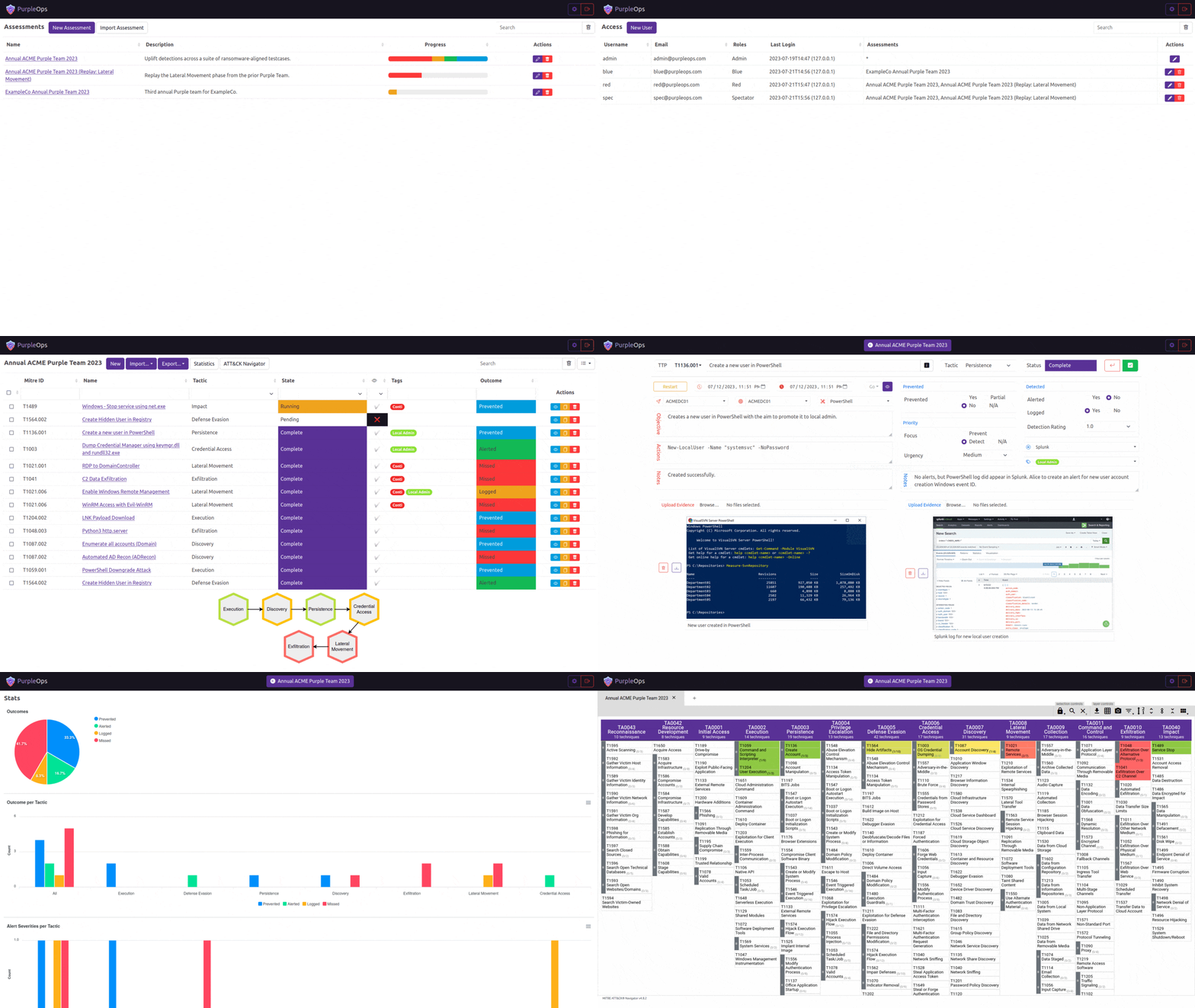
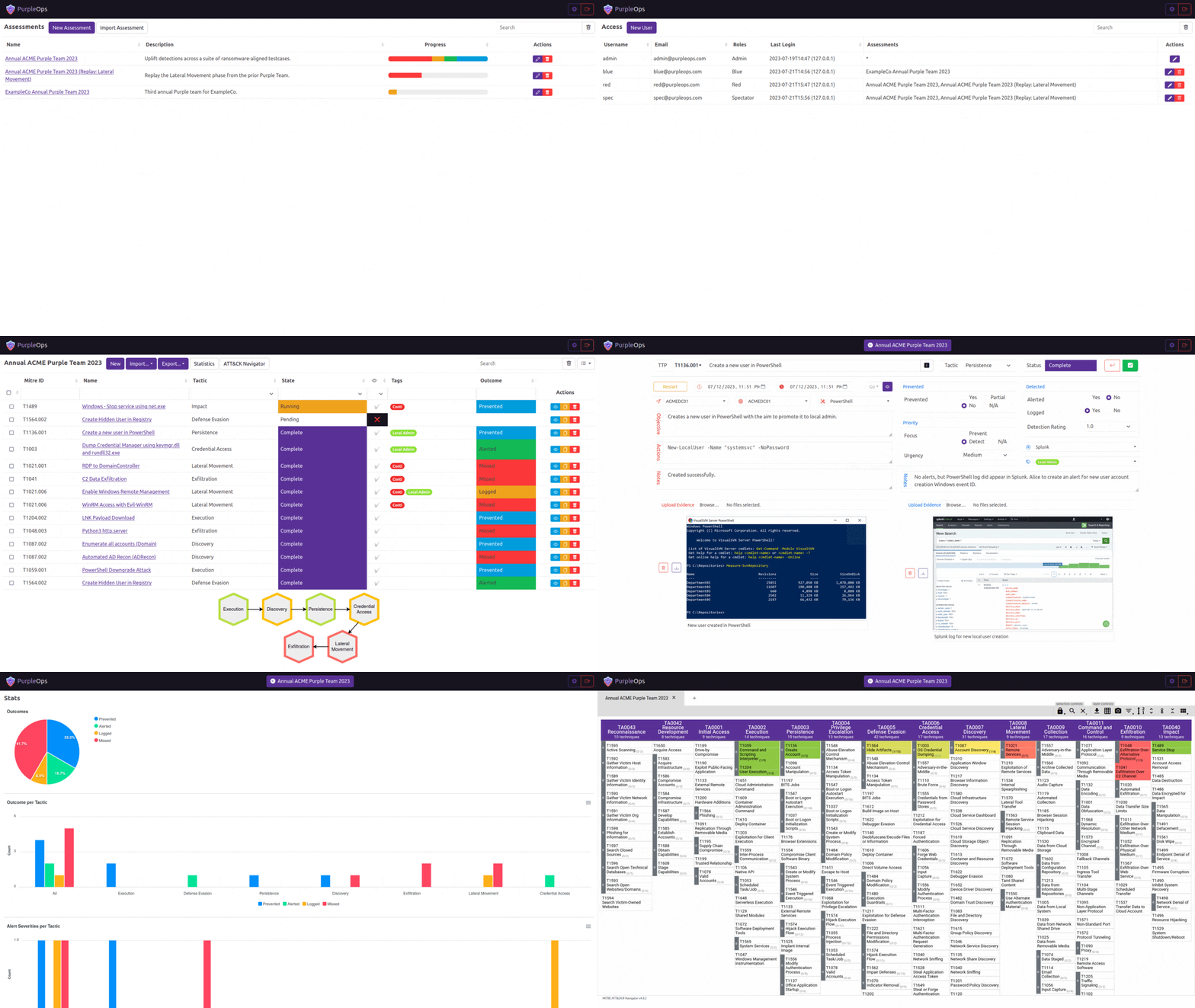
PurpleOps कैसे अलग है:
# Clone this repository
$ git clone https://github.com/CyberCX-STA/PurpleOps

# Go into the repository
$ cd PurpleOps

# Alter PurpleOps settings (if you want to customize anything but should work out the box)
$ nano .env

# Run the app with docker (add `-d` to run in background)
$ sudo docker compose up

# PurpleOps should now by available on http://localhost:5000, it is recommended to add a reverse proxy such as nginx or Apache in front of it if you want to expose this to the outside world.
# Install docker-compose
sudo apt install docker-compose -y

# Clone this repository
$ git clone https://github.com/CyberCX-STA/PurpleOps

# Go into the repository
$ cd PurpleOps

# Alter PurpleOps settings (if you want to customize anything but should work out the box)
$ nano .env

# Run the app with docker (add `-d` to run in background)
$ sudo docker-compose up

# PurpleOps should now by available on http://localhost:5000, it is recommended to add a reverse proxy such as nginx or Apache in front of it if you want to expose this to the outside world.
# Alternatively
$ sudo docker run --name mongodb -d -p 27017:27017 mongo
$ pip3 install -r requirements.txt
$ python3 seeder.py
$ python3 purpleops.py
अपने FQDN से purpleops.example.com को 2 बार बदलें और सुनिश्चित करें कि आपका बॉक्स पूरे इंटरनेट पर 80/443 पर खुला है।
sudo apt install nginx certbot python3-certbot-nginx -y
sudo nano /etc/nginx/sites-available/purpleops # Paste below file
sudo ln -s /etc/nginx/sites-available/purpleops /etc/nginx/sites-enabled/
sudo certbot --nginx -d purpleops.example.com
sudo service nginx restart
server {
  listen 80;
  server_name purpleops.example.com;

  location / {
      proxy_pass http://localhost:5000;
      proxy_set_header Host $host;
      proxy_set_header X-Real-IP $remote_addr;
  }
}
sudo apt install ufw -y
sudo ufw allow 22
sudo ufw deny 80
sudo ufw deny 443
sudo ufw insert 1 allow from 100.100.100.100/24 to any port 443
sudo ufw enable
sudo docker exec -it purpleops flask --app purpleops.py shell
from model import User; user = User.objects(email="[email protected]").first(); user.tf_totp_secret = None; user.save()
हमें आपसे सुनकर बहुत खुशी होगी, अगर कुछ टूटा हुआ है या इसे बेहतर बनाने का कोई विचार है तो एक टिकट जोड़ें या हमसे PurpleOps Discord पर जुड़ें या हमें [email protected] पर ईमेल करें | @_w_m__
Apache
