 ayushpriya10/imdshift
AWS वर्कलोड्स को IMDSv1 से IMDSv2 में स्वचालित रूप से स्थानांतरित करके SSRF हमलों को कम करता है। EC2, ECS, EKS, Lightsail और अन्य पर IMDSv1 उपयोग का पता लगाता है, साथ ही हॉप लिमिट अपडेट और SCP अनुशंसाएँ प्रदान करता है।

AWS वर्कलोड जो मेटाडेटा एंडपॉइंट पर निर्भर करते हैं, वे सर्वर-साइड रिक्वेस्ट फॉरजरी (SSRF) हमलों के प्रति संवेदनशील होते हैं। IMDShift व्यापक क्षमताओं के साथ सभी वर्कलोड को IMDSv2 में माइग्रेट करने की प्रक्रिया को स्वचालित करता है, जो इन हमलों से बचाव के लिए उन्नत सुरक्षा उपायों को लागू करता है।
MetadataNoToken CloudWatch मीट्रिक का उपयोग करके IMDSv1 का उपयोग करने वाले संसाधनों की पहचान करनाMetabadger एक पुराना उपकरण है जिसका उपयोग AWS EC2 वर्कलोड को IMDSv2 में माइग्रेट करने की सुविधा के लिए किया जाता था।
IMDShift Metabadger की क्षमताओं में कई सुधार करता है:
git clone https://github.com/ayushpriya10/imdshift.git
cd imdshift/
python3 -m pip install .
git clone https://github.com/ayushpriya10/imdshift.git
cd imdshift/
python3 -m pip install -e .
Options:
  --services TEXT             This flag specifies services scan for IMDSv1
                              usage from [EC2, Sagemaker, ASG (Auto Scaling
                              Groups), Lightsail, ECS, EKS, Beanstalk].
                              Format: "--services EC2,Sagemaker,ASG"
  --include-regions TEXT      This flag specifies regions explicitly to
                              include scan for IMDSv1 usage. Format: "--
                              include-regions ap-south-1,ap-southeast-1"
  --exclude-regions TEXT      This flag specifies regions to exclude from the
                              scan explicitly. Format: "--exclude-regions ap-
                              south-1,ap-southeast-1"
  --migrate                   This boolean flag enables IMDShift to perform
                              the migration, defaults to "False". Format: "--
                              migrate"
  --update-hop-limit INTEGER  This flag specifies if the hop limit should be
                              updated and with what value. It is recommended
                              to set the hop limit to "2" to enable containers
                              to be able to work with the IMDS endpoint. If
                              this flag is not passed, hop limit is not
                              updated during migration. Format: "--update-hop-
                              limit 3"
  --enable-imds               This boolean flag enables IMDShift to enable the
                              metadata endpoint for resources that have it
                              disabled and then perform the migration,
                              defaults to "False". Format: "--enable-imds"
  --profile TEXT              This allows you to use any profile from your
                              ~/.aws/credentials file. Format: "--profile
                              prod-env"
  --role-arn TEXT             This flag let's you assume a role via aws sts.
                              Format: "--role-arn
                              arn:aws:sts::111111111:role/John"
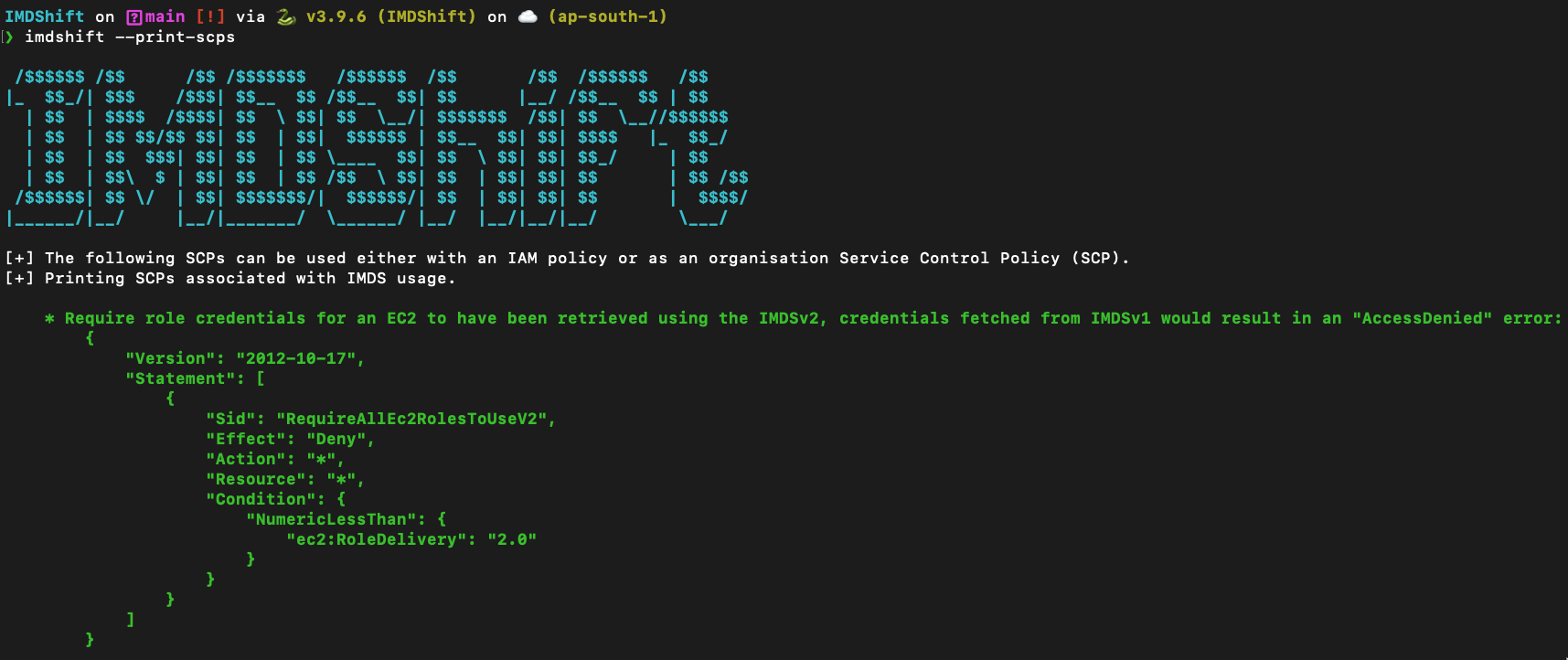
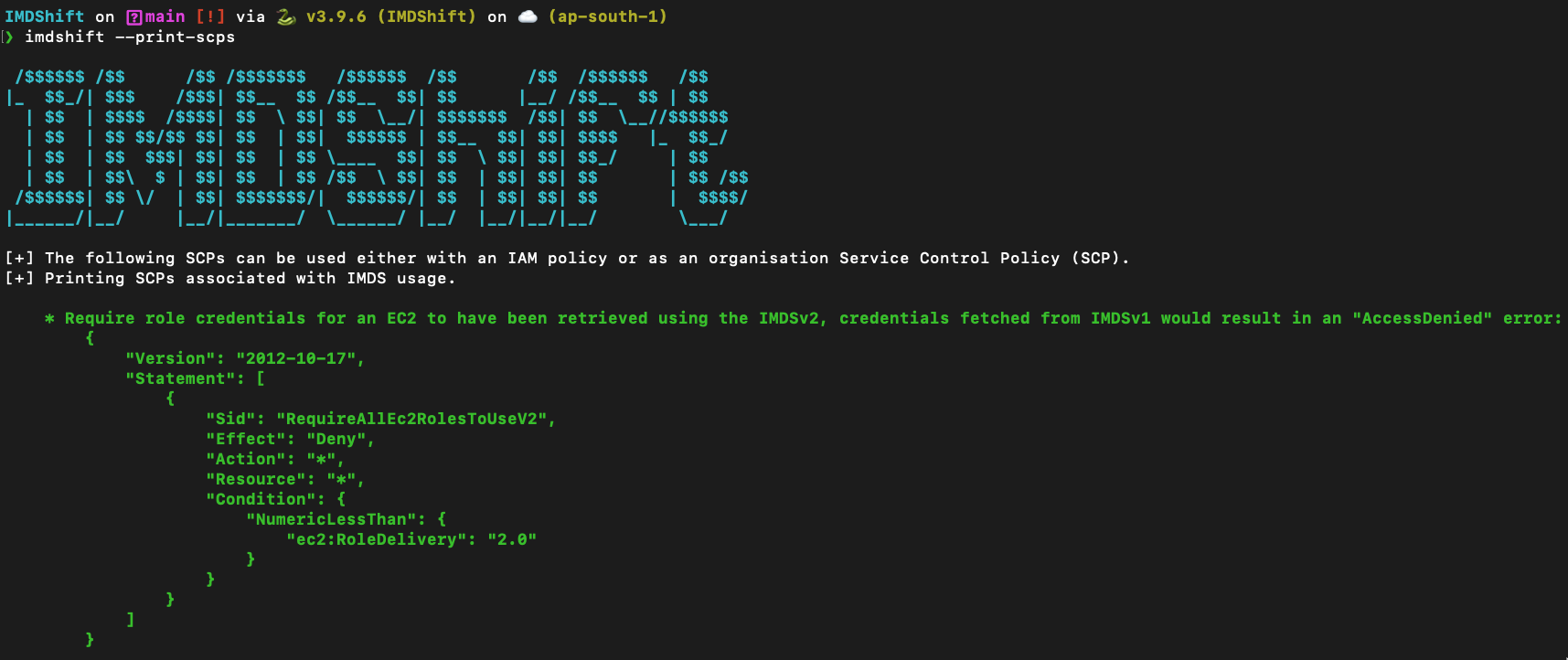
  --print-scps                This boolean flag prints Service Control
                              Policies (SCPs) that can be used to control IMDS
                              usage, like deny access for credentials fetched
                              from IMDSv2 or deny creation of resources with
                              IMDSv1, defaults to "False". Format: "--print-
                              scps"
  --check-imds-usage          This boolean flag launches a scan to identify
                              how many instances are using IMDSv1 in specified
                              regions, during the last 30 days, by using the
                              "MetadataNoToken" CloudWatch metric, defaults to
                              "False". Format: "--check-imds-usage"
  --help                      Show this message and exit.
