 ashfn/islechat
SSH द्वारा संचालित छोटा चैट सर्वर

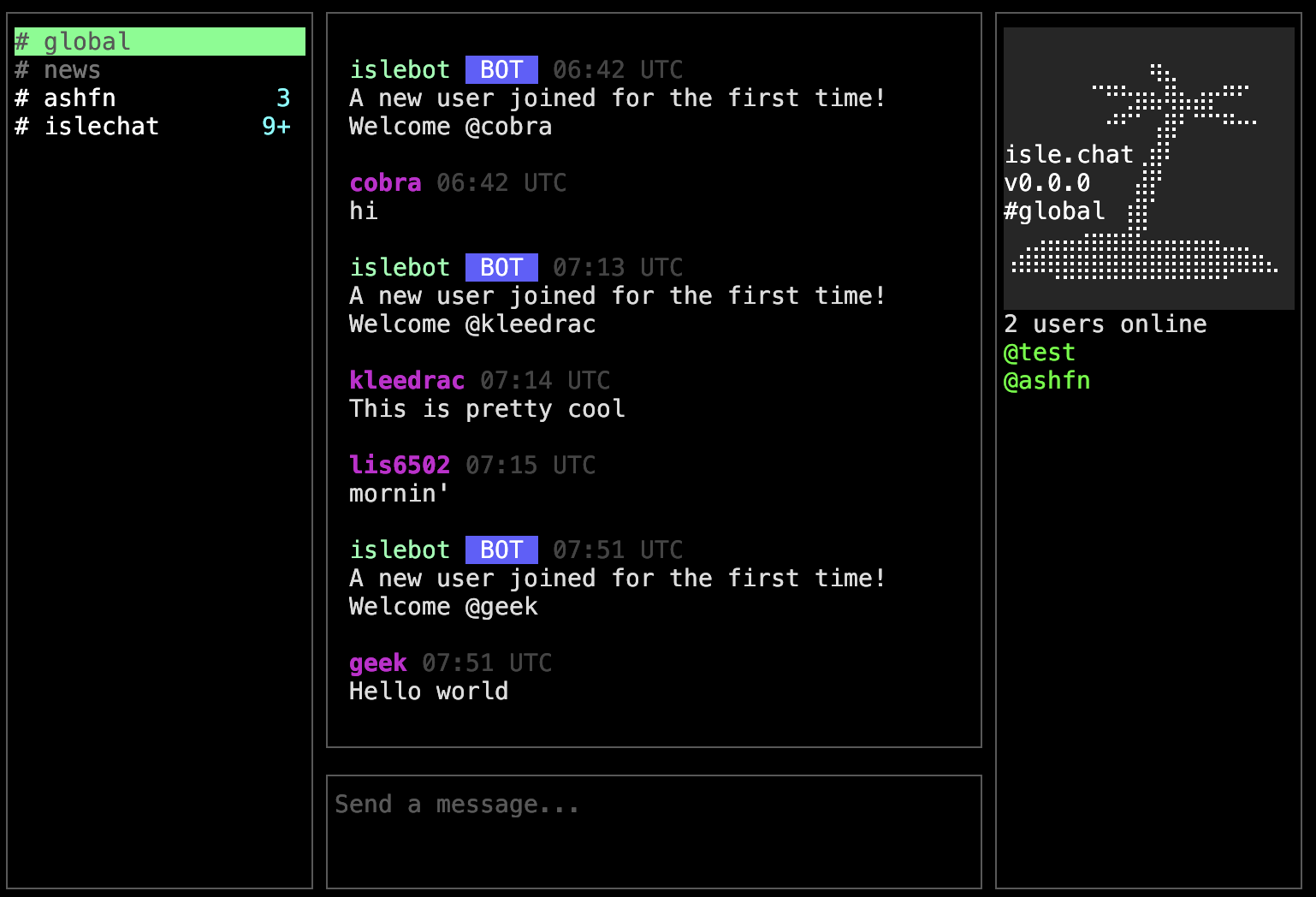
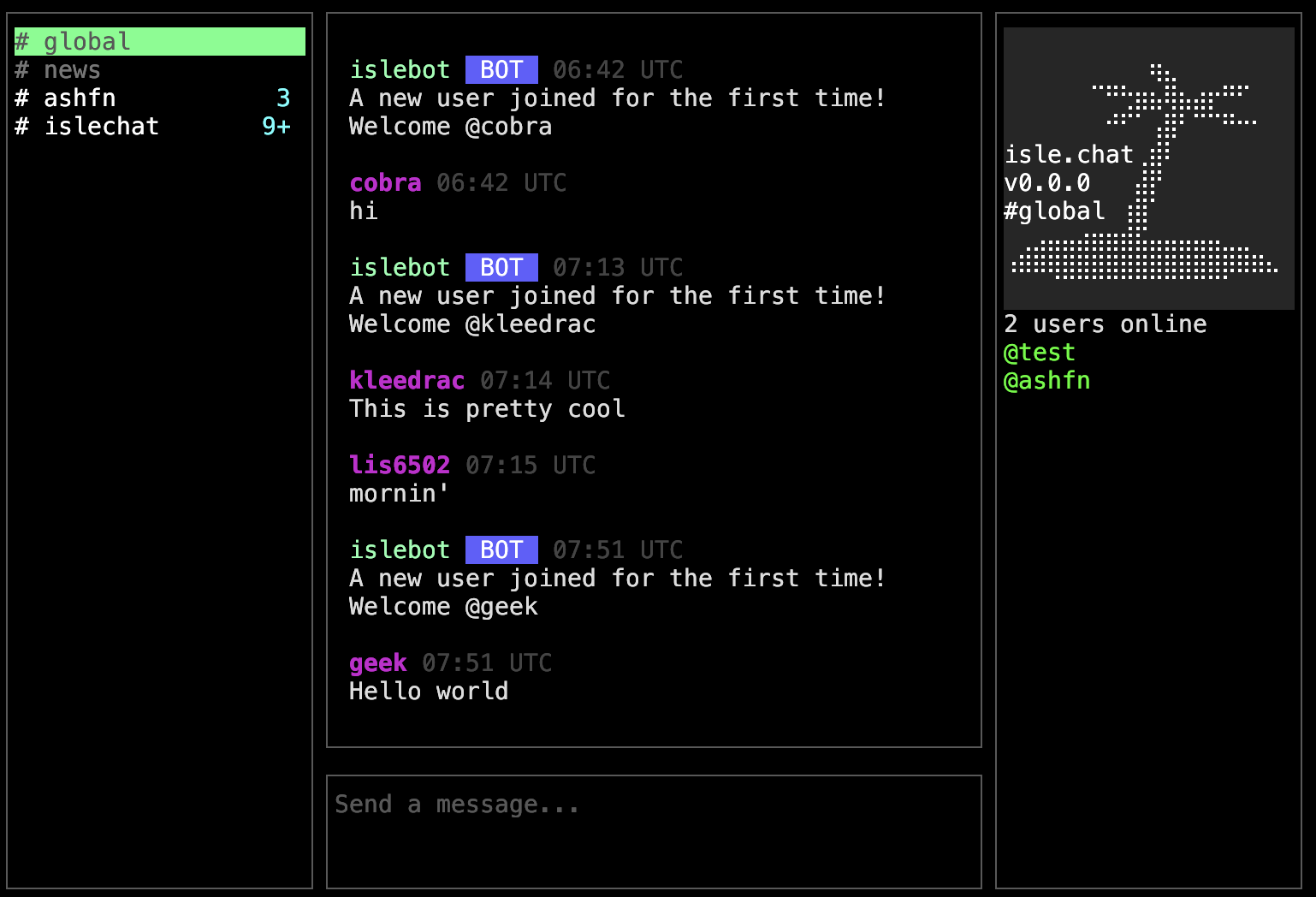
एक ssh संचालित चैट सर्वर जिसमें सार्वजनिक और निजी (केवल-आमंत्रण) चैनल हैं
प्रत्येक चैनल का एक स्वामी होता है जो उसका बैनर बदल सकता है और उपयोगकर्ताओं को आमंत्रित कर सकता है (यदि यह सार्वजनिक है तो कोई भी शामिल हो सकता है)
इसे डेमो करें
ssh [email protected]
यह प्रोजेक्ट अभी बहुत नया है इसलिए किसी भी महत्वपूर्ण काम के लिए इस पर भरोसा न करें
अभी के लिए कोड सब एक फ़ाइल main.go में है, लेकिन मैं इसे साफ करने और विभाजित करने की योजना बना रहा हूँ, विशेष रूप से कमांड लॉजिक को
charm bubbletea/wish स्टैक का उपयोग करके बनाया गया है
आप या तो go build का उपयोग करके स्वयं बाइनरी बना सकते हैं या डॉकर का उपयोग कर सकते हैं।
docker run -t -i -p 2222:2222 -e CLICOLOR_FORCE=1 -e COLORTERM=truecolor -e TERM=xterm-256color --tmpfs /tmp -v ./ssh_keys/id_ed25519:/home/islechat/app/.ssh/id_ed25519:ro -v ./config.toml:/home/islechat/config.toml ashfn0/islechat
इसके अतिरिक्त एक docker-compose फ़ाइल इस रिपॉजिटरी में है। config.toml फ़ाइल का प्रारूप है:
Host = "0.0.0.0"
Port = "2222"
ServerName = "isle.chat" # Name of the server
AdminUsername = "admin" # Admin's username (Can post in the announcement channel)
BotUsername = "islebot" # Username of the bot for system messages
GlobalBanner = "banner" # Banner used for the #global channel
AnnouncementChannel = "news" # Name of read-only announcement channel
DefaultBanner = "banner" # Default banner for new channels
WelcomeMessage = "A new user joined for the first time! Welcome @%s. Run /help for information" # Message sent when a user joins. %s is the username of the user
FilterPublicMessages = false # Whether or not public messages should be filtered for profanity
RegistrationHeader = "isle.chat registration   " # Text shown at top of registration page
DatabaseMode = "sqlite" # Either sqlite or postgres
PostgresHost = "postgres"
PostgresUser = "islechat"
PostgresPassword = "password"
PostgresDBName = "islechat"
PostgresPort = "5432"
PostgresSSL = "disable"
SSH कुंजी इस पथ से उपयोग की जाती है: .ssh/id_ed25519" (यदि आप एक निर्दिष्ट नहीं करते हैं तो वे स्वतः बना दी जाएँगी)।
यदि आप चाहते हैं कि आईपी आधारित टाइमज़ोन पहचान काम करे, तो आपको वेबसाइट से GeoLite2-City.mmdb डाउनलोड करना होगा (आपको बस एक खाता बनाना है, यह मुफ़्त है) और इसे समय-समय पर अपडेट करते रहना होगा।
