हैकिंग, पेनटेस्ट और साइबर सुरक्षा उपकरण आपके सुरक्षा शस्त्रागार के लिए!
OffensivePipeline — OfensivePipeline आपको C# टूल्स को डाउनलोड और बिल्ड करने की अनुमति देता है, रेड टीम अभ्यासों के लिए उनकी एवेज़न को बेहतर बनाने हेतु कुछ संशोधन लागू करता है। | Kitploit
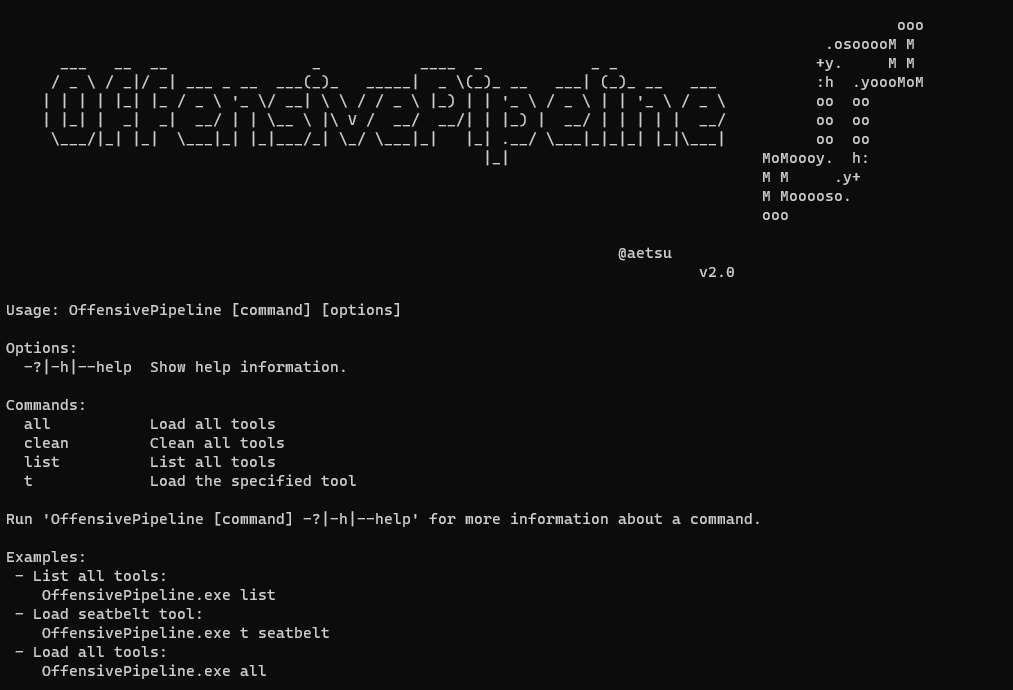
OfensivePipeline आपको C# टूल्स को डाउनलोड और बिल्ड करने की अनुमति देता है, रेड टीम अभ्यासों के लिए उनकी एवेज़न को बेहतर बनाने हेतु कुछ संशोधन लागू करता है।
OffensivePipeline आपको C# टूल को डाउनलोड और बिल्ड करने की अनुमति देता है, और Red Team अभ्यासों के लिए उनकी चोरी-छिपे बने रहने की क्षमता (evasion) को बेहतर बनाने हेतु कुछ संशोधन लागू करता है।
OffensivePipeline का एक सामान्य उपयोग Git रिपॉजिटरी से एक टूल डाउनलोड करना, प्रोजेक्ट में कुछ मानों को रैंडमाइज़ करना, उसे बिल्ड करना, परिणामी बाइनरी को अस्पष्ट (obfuscate) करना और एक शेलकोड जनरेट करना है।
विशेषताएँ
वर्तमान में केवल C# (.Net Framework) प्रोजेक्ट को सपोर्ट करता है
सार्वजनिक और निजी (आपको क्रेडेंशियल्स की आवश्यकता होगी :D) Git रिपॉजिटरी को क्लोन करने की अनुमति देता है
स्थानीय फ़ोल्डरों के साथ काम करने की अनुमति देता है
प्रोजेक्ट GUID को रैंडमाइज़ करता है
AssemblyInfo में निहित एप्लिकेशन जानकारी को रैंडमाइज़ करता है
C# प्रोजेक्ट को बिल्ड करता है
उत्पन्न बाइनरी को अस्पष्ट (obfuscate) करता है
बाइनरी से शेलकोड जनरेट करता है
YML टेम्पलेट्स में 79 टूल पैरामीटराइज़्ड हैं (हो सकता है कि सभी काम न करें :D)
YML टेम्पलेट का उपयोग करके नए टूल जोड़े जा सकते हैं
नए प्लगइन जोड़ना आसान होना चाहिए...
संस्करण 2.0 में नया क्या है
लगभग पूरा कोड पुनर्लेखन (नए bugs?)
निजी रिपॉजिटरी से क्लोनिंग संभव (GitHub authToken के माध्यम से प्रमाणीकरण)
रिमोट रिपॉजिटरी से क्लोन करने के बजाय स्थानीय फ़ोल्डर कॉपी करने की संभावना
Raw Payload: C:\OffensivePipeline\Output\Rubeus_vh00nc50xud\ConfuserEx\Donut\Rubeus.bin
B64 Payload: C:\OffensivePipeline\Output\Rubeus_vh00nc50xud\ConfuserEx\Donut\Rubeus.bin.b64
root@kitploit:~
            [+] No errors!


[+] Generating Sha256 hashes
            Output file: C:\OffensivePipeline\Output\Rubeus_vh00nc50xud
root@kitploit:~
SUMMARY
Rubeus
- RandomGuid: OK
- RandomAssemblyInfo: OK
- BuildCsharp: OK
- ConfuserEx: OK
- Donut: OK
root@kitploit:~
## प्लगइन्स

- **RandomGuid**: *.sln*, *.csproj* और *AssemblyInfo.cs* फ़ाइलों में GUID को रैंडमाइज़ करें
- **RandomAssemblyInfo**: *AssemblyInfo.cs* में परिभाषित मानों को रैंडमाइज़ करें
- **BuildCsharp**: C# प्रोजेक्ट बनाएं
- **ConfuserEx**: C# टूल्स को अस्पष्ट (obfuscate) करें
- **Donut**: शेलकोड उत्पन्न करने के लिए Donut का उपयोग करें। उत्पन्न शेलकोड बिना पैरामीटर के होता है, भविष्य के रिलीज़ में इसे बदला जा सकता है।

## रिमोट गिट से एक टूल जोड़ें

टूल डाउनलोड करने की स्क्रिप्ट **Tools** फ़ोल्डर में ***yml*** प्रारूप में हैं। नए टूल को निम्न प्रारूप के साथ नई *yml* फ़ाइलें बनाकर जोड़ा जा सकता है:

- *Rubeus.yml* फ़ाइल:```yml
tool:
  - name: Rubeus
    description: Rubeus is a C# toolset for raw Kerberos interaction and abuses
    gitLink: https://github.com/GhostPack/Rubeus
    solutionPath: Rubeus\Rubeus.sln
    language: c#
    plugins: RandomGuid, RandomAssemblyInfo, BuildCsharp, ConfuserEx, Donut
    authUser:
    authToken:
    toolArguments:
जहाँ:
Name: उपकरण का नाम
Description: उपकरण विवरण
GitLink: क्लोन करने के लिए गिट लिंक
SolutionPath: समाधान (sln फ़ाइल) पथ
Language: उपयोग की गई भाषा (वर्तमान में केवल c# समर्थित है)
Plugins: इस उपकरण निर्माण प्रक्रिया पर उपयोग करने के लिए प्लगइन्स
AuthUser: गिटहब से उपयोगकर्ता नाम (सार्वजनिक रिपॉजिटरी के लिए उपयोग नहीं किया जाता)
AuthToken: गिटहब से प्रमाणीकरण टोकन (सार्वजनिक रिपॉजिटरी के लिए उपयोग नहीं किया जाता)
जहां:

- Name: टूल का नाम
- Description: टूल का विवरण
- GitLink: क्लोन करने के लिए गिट से लिंक
- SolutionPath: समाधान (*.sln* फ़ाइल) पथ
- Language: उपयोग की गई भाषा (वर्तमान में केवल C# समर्थित है)
- Plugins: इस टूल बिल्ड प्रक्रिया पर उपयोग करने के लिए प्लगइन्स
- AuthUser: GitHub से उपयोगकर्ता नाम
- AuthToken: GitHub से ऑथ टोकन (GitHub पर दस्तावेज़ीकृत: [व्यक्तिगत एक्सेस टोकन बनाना](https://docs.github.com/en/authentication/keeping-your-account-and-data-secure/creating-a-personal-access-token
))
- toolArguments: डोनट शेलकोड में एम्बेड किए जाने वाले तर्क

## स्थानीय गिट फ़ोल्डर से एक टूल जोड़ें```yml
tool:
  - name: SeatbeltLocal
    description: Seatbelt is a C# project that performs a number of security oriented host-survey "safety checks" relevant from both offensive and defensive security perspectives.
    gitLink: C:\Users\alpha\Desktop\SeatbeltLocal
    solutionPath: SeatbeltLocal\Seatbelt.sln
    language: c#
    plugins: RandomGuid, RandomAssemblyInfo, BuildCsharp, ConfuserEx, Donut
    authUser:
    authToken:
    toolArguments:
जहाँ:
नाम: उपकरण का नाम
विवरण: उपकरण विवरण
GitLink: जहाँ उपकरण स्थित है वह पथ
SolutionPath: समाधान (sln फ़ाइल) पथ
भाषा: प्रयुक्त भाषा (वर्तमान में केवल c# समर्थित है)
प्लगइन्स: इस उपकरण निर्माण प्रक्रिया पर उपयोगकर्ता के लिए प्लगइन्स
AuthUser: github से उपयोगकर्ता नाम (स्थानीय रिपॉजिटरी के लिए उपयोग नहीं किया जाता)
AuthToken: github से प्रमाणीकरण टोकन (स्थानीय रिपॉजिटरी के लिए उपयोग नहीं किया जाता)
toolArguments: डोनट शेलकोड में एम्बेड किए जाने वाले तर्क
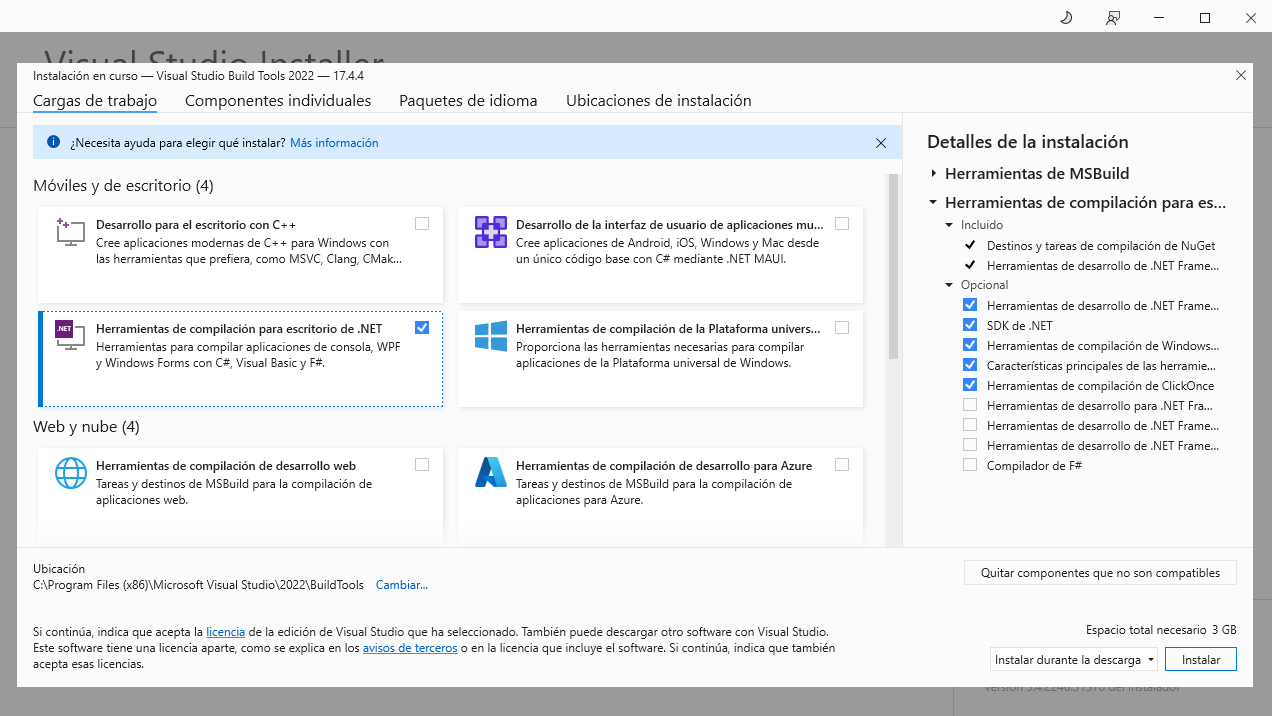
रिलीज संस्करण के लिए आवश्यकताएँ (Visual Studio 2019/2022 आवश्यक नहीं है)
विवरण: SafetyKatz का यह संशोधित फोर्क सीधे gentilkiwi GitHub रेपो से Mimikatz का नवीनतम प्री-कम्पाइल्ड रिलीज गतिशील रूप से प्राप्त करता है, पहचाने गए हस्ताक्षरों पर रनटाइम पैचिंग करता है और इसे मेमोरी में लाने के लिए SharpSploit DInvoke का उपयोग करता है।
विवरण: PrinterNightmare बग का दुरुपयोग करके एक साझा नेटवर्क प्रिंटर स्थापित करने के लिए C# उपकरण ताकि अन्य नेटवर्क मशीनों को आसान विशेषाधिकार वृद्धि मिल सके!
विवरण: Enumerate Domain Data को PowerView के समान लेकिन .NET में डिज़ाइन किया गया है। PowerView मूलतः अंतिम डोमेन गणना उपकरण है, और हम एक .NET कार्यान्वयन चाहते थे जिस पर हमने स्वयं काम किया। यह उपकरण बड़े पैमाने पर मौजूदा परियोजनाओं की एक विस्तृत श्रृंखला में विभिन्न कार्यक्षमताओं के कार्यान्वयन को देखकर और उन्हें EDD में संयोजित करके बनाया गया था।
विवरण: PurpleSharp एक ओपन सोर्स प्रतिद्वंद्वी सिमुलेशन उपकरण है जो C# में लिखा गया है और Windows सक्रिय निर्देशिका वातावरण में प्रतिद्वंद्वी तकनीकों को निष्पादित करता है
विवरण: Seatbelt एक C# प्रोजेक्ट है जो आक्रामक और रक्षात्मक दोनों सुरक्षा दृष्टिकोणों से प्रासंगिक कई सुरक्षा-उन्मुख होस्ट-सर्वेक्षण "सुरक्षा जाँच" करता है।
विवरण: SharpChromium Google Chrome, Microsoft Edge, और Microsoft Edge Beta से डेटा प्राप्त करने के लिए एक .NET 4.0+ CLR प्रोजेक्ट है। वर्तमान में, यह निकाल सकता है
विवरण: SharpCloud Amazon Web Services, Microsoft Azure, और Google Compute से संबंधित क्रेडेंशियल फ़ाइलों के अस्तित्व की जाँच करने के लिए एक सरल C# उपयोगिता है।
विवरण: SharpDir एक सरल कोड सेट है जो dir.exe के समान SMB प्रक्रिया का उपयोग करके स्थानीय और दूरस्थ फ़ाइल सिस्टम दोनों में फ़ाइलों की खोज करता है, जो TCP पोर्ट 445 का उपयोग करता है
विवरण: चल रही प्रक्रियाओं, प्रक्रिया मेटाडेटा, आपकी वर्तमान प्रक्रिया में लोड की गई DLL और प्रत्येक DLL के मेटाडेटा, सामान्य इंस्टॉल निर्देशिकाएँ, स्थापित सेवाएँ और प्रत्येक सेवा बाइनरी का मेटाडेटा, स्थापित ड्राइवर और प्रत्येक ड्राइवर का मेटाडेटा, ये सभी AV, EDR और लॉगिंग टूल जैसे ज्ञात रक्षात्मक उत्पादों की उपस्थिति के लिए जाँच करता है।
विवरण: SharpGPOAbuse C# में लिखा गया एक .NET एप्लिकेशन है जिसका उपयोग उस GPO द्वारा नियंत्रित ऑब्जेक्ट्स से समझौता करने के लिए समूह नीति ऑब्जेक्ट (GPO) पर उपयोगकर्ता के संपादन अधिकारों का लाभ उठाने के लिए किया जा सकता है।
विवरण: यह प्रोजेक्ट lsass को पार्स या मिनीडंप करने के लिए lsass के खुले हैंडल का पुन: उपयोग करता है, इसलिए आपको इसके साथ इंटरैक्ट करने के लिए अपने स्वयं के lsass हैंडल का उपयोग करने की आवश्यकता नहीं है। (Dinvoke-संस्करण)
विवरण: SharpHose एक C# पासवर्ड स्प्रेइंग उपकरण है जो तेज़, सुरक्षित और Cobalt Strike के execute-assembly पर उपयोग करने योग्य होने के लिए डिज़ाइन किया गया है।
विवरण: यह निष्पादन योग्य Cobalt Strike सत्र के भीतर execute-assembly का उपयोग करके निष्पादित करने के लिए बनाया गया है। यह सक्रिय निर्देशिका से LAPS पासवर्ड प्राप्त करेगा।
विवरण: मेमोरी से LSASS प्रक्रिया का मिनीडंप बनाएँ (Windows 10 - Windows Server 2016)। पूरी प्रक्रिया AV/EDR डिटेक्शन से बचने के लिए डायनामिक API कॉल, डायरेक्ट सिस्कॉल और नेटिव API अनहुकिंग का उपयोग करती है।
विवरण: यह प्रोजेक्ट उपयोगकर्ता प्रतिरूपण के लिए स्थानीय नामित पाइप पर प्रमाणीकरण के लिए Pass-the-Hash का उपयोग करने का एक C# उपकरण है। इसका उपयोग करने के लिए आपको स्थानीय व्यवस्थापक या SEImpersonate अधिकारों की आवश्यकता है।
विवरण: SharpReg एक सरल कोड सेट है जो reg.exe के समान SMB प्रक्रिया का उपयोग करके रिमोट रजिस्ट्री सेवा API के साथ इंटरैक्ट करता है, जो TCP पोर्ट 445 का उपयोग करता है
विवरण: SharpSCCM एक पोस्ट-एक्सप्लॉइटेशन उपकरण है जिसे SCCM प्रशासन कंसोल GUI तक पहुँच की आवश्यकता के बिना पार्श्व आंदोलन और क्रेडेंशियल संग्रह के लिए Microsoft एंडपॉइंट कॉन्फ़िगरेशन मैनेजर (उर्फ ConfigMgr, पूर्व में SCCM) का लाभ उठाने के लिए डिज़ाइन किया गया है।
विवरण: SharpSphere लाल टीम के सदस्यों को vCenter द्वारा प्रबंधित वर्चुअल मशीनों के गेस्ट ऑपरेटिंग सिस्टम के साथ आसानी से इंटरैक्ट करने की क्षमता देता है
विवरण: SharpSpray LDAP का उपयोग करके डोमेन के सभी उपयोगकर्ताओं के खिलाफ पासवर्ड स्प्रेइंग हमला करने के लिए एक सरल कोड सेट है और Cobalt Strike के साथ संगत है।
विवरण: SharpSvc एक सरल कोड सेट है जो sc.exe के समान DCERPC प्रक्रिया का उपयोग करके SC मैनेजर API के साथ इंटरैक्ट करता है, जो TCP पोर्ट 135 के साथ खुलता है और उसके बाद एक अस्थायी TCP पोर्ट का उपयोग होता है
विवरण: SharpTask एक सरल कोड सेट है जो schtasks.exe के समान DCERPC प्रक्रिया का उपयोग करके टास्क शेड्यूलर सेवा API के साथ इंटरैक्ट करता है, जो TCP पोर्ट 135 के साथ खुलता है और उसके बाद एक अस्थायी TCP पोर्ट का उपयोग होता है।
विवरण: CVE-2020-1472, उर्फ Zerologon के लिए एक शोषण। यह उपकरण प्रमाणीकरण बाईपास प्राप्त करने के लिए Netlogon में एक क्रिप्टोग्राफिक कमजोरी का शोषण करता है।
विवरण: जबकि Sysmon के ड्राइवर को इंस्टॉलेशन के समय नाम बदला जा सकता है, यह हमेशा ऊंचाई 385201 पर लोड होता है। इस उपकरण का उद्देश्य इस धारणा को चुनौती देना है कि हमारे रक्षात्मक उपकरण हमेशा ईवेंट एकत्र कर रहे हैं।
विवरण: Snaffler पेंटेस्टर्स और रेड टीमर्स के लिए एक उपकरण है जो भयानक उबाऊ घास के ढेर (एक बड़े Windows/AD वातावरण) में स्वादिष्ट कैंडी सुइयों (ज्यादातर क्रेडेंशियल, लेकिन यह लचीला है) खोजने में मदद करता है।
विवरण: Whisker एक C# उपकरण है जो उनके msDS-KeyCredentialLink विशेषता में हेरफेर करके सक्रिय निर्देशिका उपयोगकर्ता और कंप्यूटर खातों को अपने कब्जे में लेने के लिए है, प्रभावी रूप से लक्ष्य खाते में "शैडो क्रेडेंशियल्स" जोड़ता है।
विवरण: Whisker एक C# उपकरण है जो उनके msDS-KeyCredentialLink विशेषता में हेरफेर करके सक्रिय निर्देशिका उपयोगकर्ता और कंप्यूटर खातों को अपने कब्जे में लेने के लिए है।
 aetsu/offensivepipeline