 ritwick7/sudostamp
Approve sudo on a Linux workstation with a fingerprint on your Android phone. LAN only; the ECDSA key never leaves the phone's TEE and speaks the ssh-agent protocol to pam_rssh.

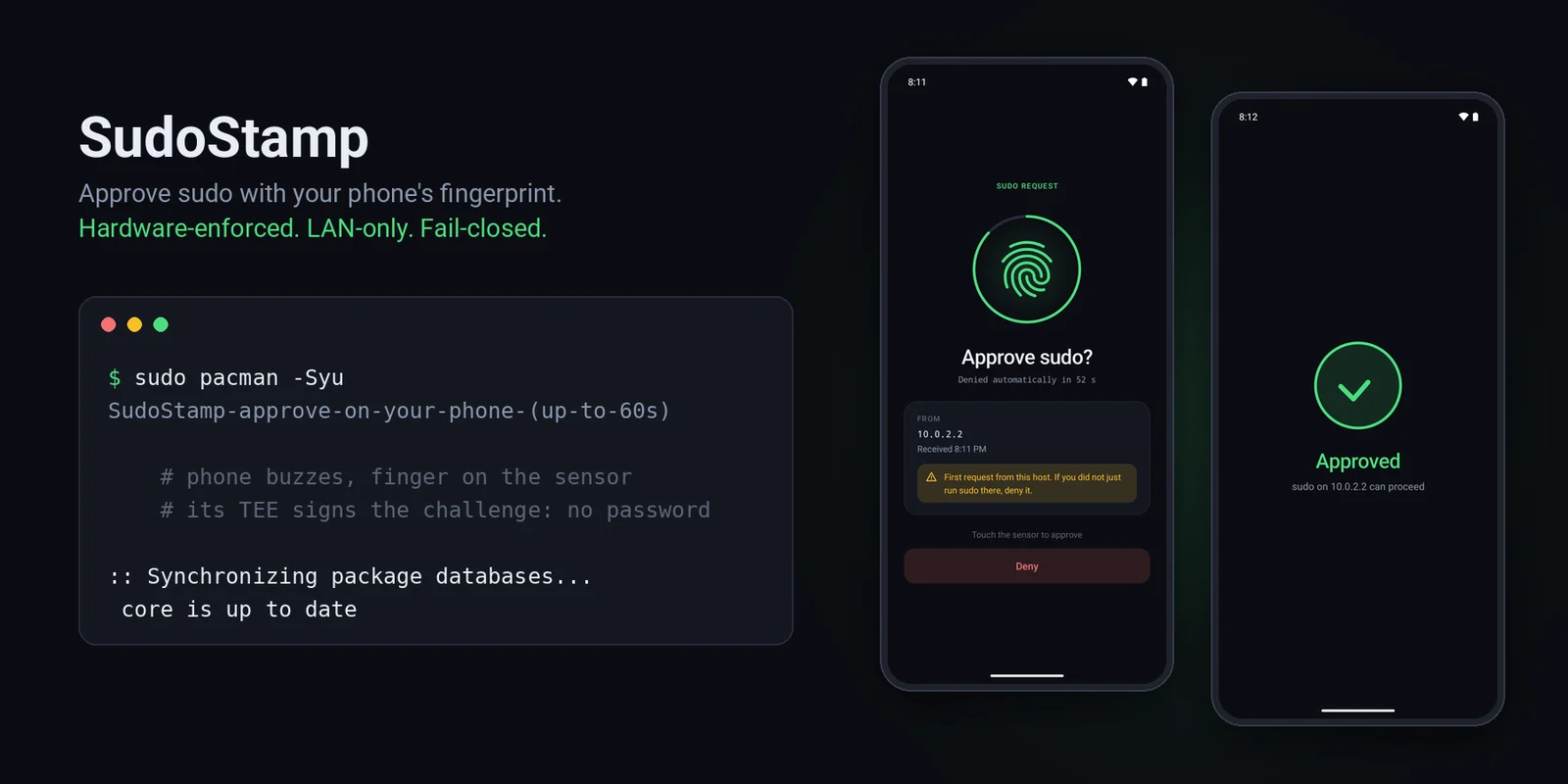







Approve sudo on your Linux machine by touching your Android phone's fingerprint sensor.
Type sudo, your phone buzzes, you touch the sensor, the command runs. No password typed, nothing
in the cloud: the phone answers over your LAN, and the fingerprint is enforced by the phone's secure
hardware (TEE / StrongBox), not by app code. If anything goes wrong (phone off, out of range, you
tap Deny, 60 seconds pass) sudo simply falls back to your ordinary password prompt. It can make
sudo more convenient; it cannot lock you out.
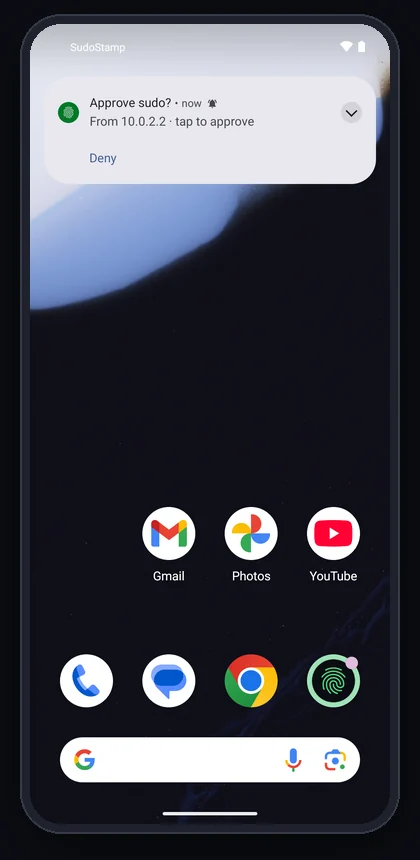 1. sudo on the host The phone pops up who is asking. Deny works right from here. |
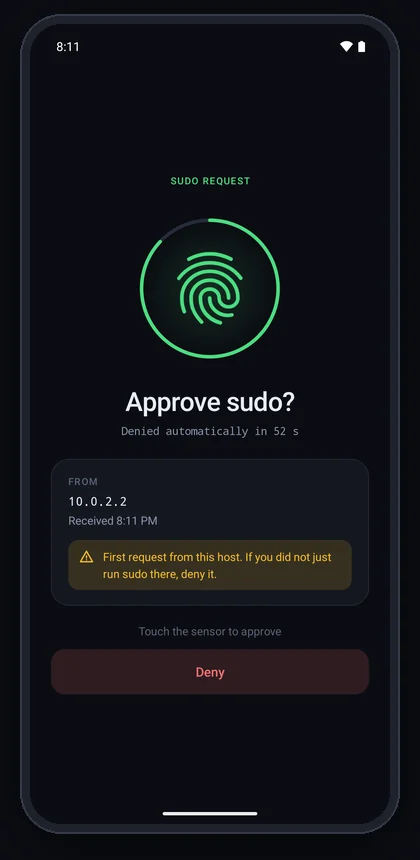 2. Tap it A countdown, the host and time, a warning for never-seen hosts. Then the system fingerprint prompt. |
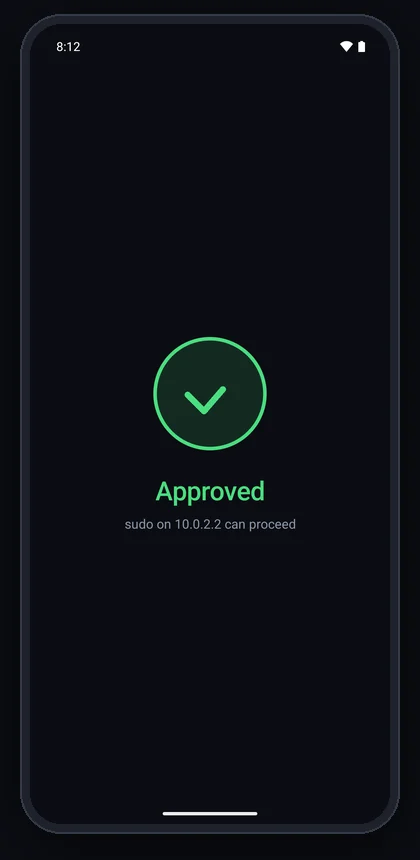 3. Touch the sensor The TEE signs, sudo proceeds, the app closes itself. |
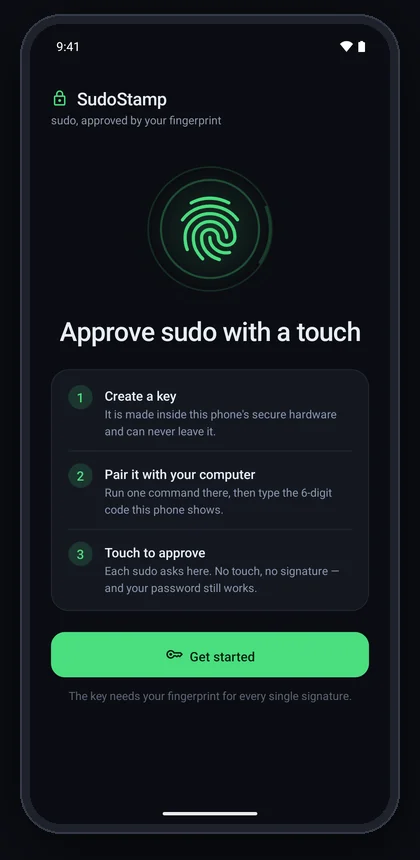 First run Three steps and one button. Offers fingerprint enrollment if the phone has none. |
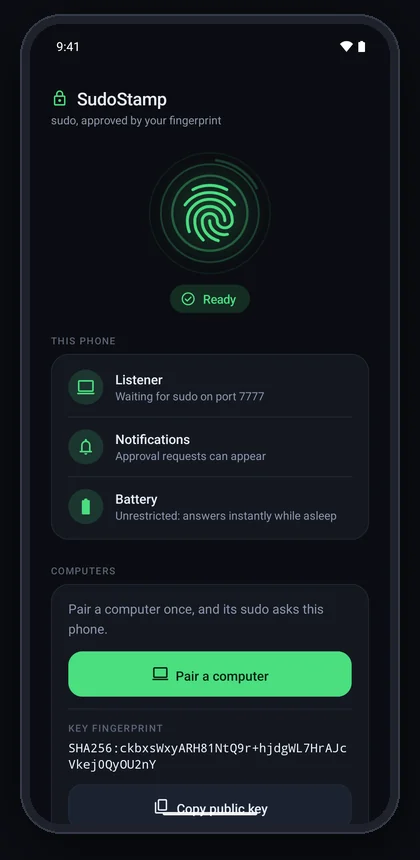 Setup A live checklist: listener, notifications, battery, Do Not Disturb. "Ready" only when all pass. |
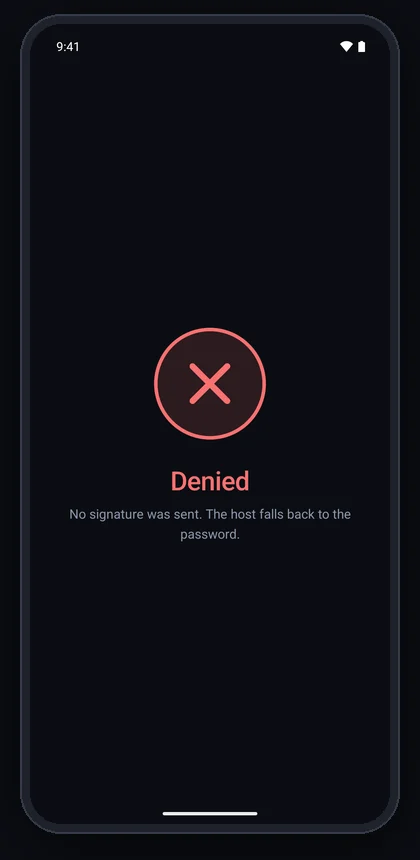 Denied or timed out No signature leaves the phone; the host asks for the password. |
Screenshots from a Pixel 7 emulator (hence 10.0.2.2, the emulator's host). The
system fingerprint sheet that appears over step 2 is a secure window and does not show in
screenshots.
sudo on the host
  -> PAM: pam_rssh (third-party) dials the phone over the LAN, as an ssh-agent
  -> phone: "Approve sudo on edith?"                      (notification)
  -> tap -> BiometricPrompt -> fingerprint
  -> the phone's TEE signs pam_rssh's fresh 32-byte challenge, with the key it made for edith
  -> pam_rssh verifies against the pinned public key -> sudo proceeds
pam_rssh's, an existing,
maintained module. The one helper of ours on the authentication path (a 4-second reachability
check) can only make sudo fall back to the password sooner, never grant anything.setUserAuthenticationParameters(0, AUTH_BIOMETRIC_STRONG): a fresh strong biometric for
every signature, enforced inside the TEE (or StrongBox). Malware on the phone cannot sign
without your finger either, and the key cannot be exported.setup verifies it against Google's
attestation roots (kept in this repository) and prints Key attested: StrongBox or TEE. It
does not take the phone's word for it.SECURITY.md has the full threat model, including what it does not protect against. docs/DESIGN.md has the design and the reasoning behind it.
Review status. SudoStamp was written with an AI assistant and has been through an AI-run
security audit, whose findings are fixed in 1.4.0 — but no human security professional has
reviewed it yet. It sits in front of sudo: read SECURITY.md
before you rely on it. Reviews are very welcome.
pam_rssh with it: a package where one exists, otherwise
built from a pinned, verified commit.Découvrez les outils les plus utilisés par notre communauté.
Pas encore de données de popularité.
