 thewhiteh4t/seeker
Localisez précisément les smartphones grâce à l'ingénierie sociale




Disponible en




Le concept derrière Seeker est simple : tout comme on héberge des pages de phishing pour obtenir des identifiants, pourquoi ne pas héberger une fausse page qui demande votre localisation, comme le font de nombreux sites web populaires basés sur la localisation ? Lisez plus sur le blog de thewhiteh4t. Seeker héberge un faux site web qui demande l'autorisation de localisation et, si la cible l'autorise, nous pouvons obtenir :
En plus des informations de localisation, nous obtenons également des informations sur l'appareil sans aucune autorisation :
Une reconnaissance automatique de l'adresse IP est effectuée après la réception des informations ci-dessus.
Cet outil est une preuve de concept et est destiné uniquement à des fins éducatives. Seeker montre quelles données un site web malveillant peut collecter sur vous et vos appareils, et pourquoi vous ne devriez pas cliquer sur des liens aléatoires et autoriser des permissions critiques telles que la localisation, etc.
D'autres outils et services proposent une géolocalisation IP qui n'est PAS précise du tout et ne donne pas la localisation de la cible, mais plutôt la localisation approximative du FAI.
Seeker utilise l'API HTML et demande l'autorisation de localisation, puis récupère la longitude et la latitude à l'aide du matériel GPS présent dans l'appareil. Seeker fonctionne donc mieux avec les smartphones. Si le matériel GPS n'est pas présent, comme sur un ordinateur portable, Seeker utilise la géolocalisation IP ou cherche des coordonnées mises en cache.
En général, si un utilisateur accepte l'autorisation de localisation, la précision des informations reçues est d'environ 30 mètres.
La précision dépend de multiples facteurs que vous pouvez ou non contrôler, tels que :
Modèles disponibles :
Créez votre propre modèle ! Les étapes pour créer votre modèle sont décrites dans ce guide
Une fois votre modèle prêt, n'oubliez pas de le proposer à la communauté via une PR (pull request)
git clone https://github.com/thewhiteh4t/seeker.git
cd seeker/
chmod +x install.sh
./install.sh
sudo pacman -S seeker
docker pull thewhiteh4t/seeker
git clone https://github.com/thewhiteh4t/seeker.git
cd seeker/
python3 seeker.py
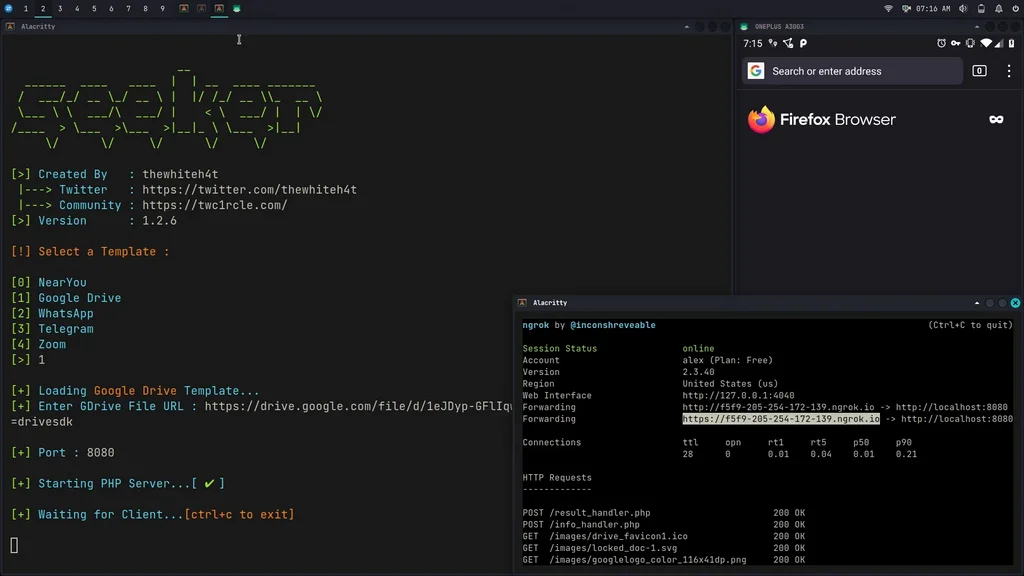
Pour utiliser le mode tunnel, installez ngrok en exécutant cette commande dans le terminal :
brew install ngrok/ngrok/ngrok

ngrok http 8080
python3 seeker.py -h

usage: seeker.py [-h] [-k KML] [-p PORT] [-u] [-v] [-t TEMPLATE] [-d] [--telegram token:chatId] [--webhook WEBHOOK]

options:
  -h, --help                            show this help message and exit
  -k KML, --kml KML                     KML filename
  -p PORT, --port PORT                  Web server port [ Default : 8080 ]
  -u, --update                          Check for updates
  -v, --version                         Prints version
  -t TEMPLATE, --template TEMPLATE      Auto choose the template with the given index
  -d, --debugHTTP                       Disable auto http --> https redirection for testing purposes
                                        (only works for the templates having index_temp.html file)
  --telegram                            Send info to a telegram bot, provide telegram token and chat to use
                                        format = token:chatId separated by a colon
  --webhook                             Send events to a webhook endpoint to be processed
                                        Note : endpoint must be unauthenticated and accept POST request

#########################
# Environment Variables #
#########################

Some of the options above can also be enabled via environment variables, to ease deployment.
Other parameters can be provided via environment variables to avoid interactive mode.
