 poshbotio/poshbot
Framework de bots basé sur PowerShell

| Azure Pipelines | GitHub Actions | Documentation | PS Gallery | License |
|---|---|---|---|---|
 |  |  |
PoshBot est un projet open source sous licence MIT. Le développement continu est rendu possible grâce au soutien des sponsors. Si vous souhaitez devenir sponsor, vous pouvez le faire via GitHub Sponsors ou Patreon.

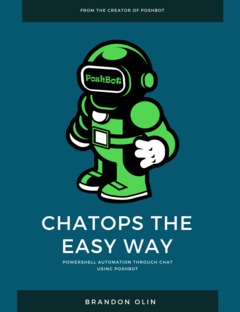
Envie de guides approfondis ? Consultez ChatOps the Easy Way sur Leanpub !
PoshBot est un bot de chat écrit en PowerShell. Il utilise intensivement les classes introduites dans PowerShell 5.0. Les modules PowerShell sont chargés dans PoshBot et deviennent instantanément disponibles en tant que commandes du bot. PoshBot prend actuellement en charge la connexion à Slack pour vous offrir une superbe expérience ChatOps.
À peu près tout ce que vous voulez :) Non, sérieusement. PoshBot exécute des fonctions ou des cmdlets à partir de modules PowerShell. Utilisez PoshBot pour vous connecter à des serveurs et signaler leur état, déployer du code, exécuter des runbooks, interroger des API, etc. Si vous pouvez l'écrire en PowerShell, PoshBot peut l'exécuter.
La documentation détaillée est disponible sur ReadTheDocs.
Voir Compiler PoshBot pour la documentation sur la compilation de PoshBot à partir des sources.
Les modifications détaillées pour chaque version sont documentées dans les notes de version.
Pour commencer dès maintenant, obtenez un SLACK-API-TOKEN pour votre bot :
https://my.slack.com/services/new/bot
# Installer le module depuis PSGallery
Install-Module -Name PoshBot -Repository PSGallery

# Importer le module
Import-Module -Name PoshBot

# Créer une configuration de bot
$botParams = @{
    Name = 'name'
    BotAdmins = @('<SLACK-CHAT-HANDLE>')
    CommandPrefix = '!'
    LogLevel = 'Info'
    BackendConfiguration = @{
        Name = 'SlackBackend'
        Token = '<SLACK-API-TOKEN>'
    }
    AlternateCommandPrefixes = 'bender', 'hal'
}

$myBotConfig = New-PoshBotConfiguration @botParams

# Démarrer une nouvelle instance de PoshBot en mode interactif ou dans un job.
Start-PoshBot -Configuration $myBotConfig #-AsJob
Utilisation de base :
# Créer un backend Slack
$backendConfig = @{Name = 'SlackBackend'; Token = '<SLACK-API-TOKEN>'}
$backend = New-PoshBotSlackBackend -Configuration $backendConfig

# Créer une configuration PoshBot
$pbc = New-PoshBotConfiguration -BotAdmins @('<MY-SLACK-HANDLE>') -BackendConfiguration $backendConfig

# Sauvegarder la configuration
Save-PoshBotConfiguration -InputObject $pbc -Path .\PoshBotConfig.psd1

# Charger la configuration
$pbc = Get-PoshBotConfiguration -Path .\PoshBotConfig.psd1

# Créer une instance du bot
$bot = New-PoshBotInstance -Configuration $pbc -Backend $backend

# Démarrer le bot
$bot.Start()

# Commandes disponibles
Get-Command -Module PoshBot

CommandType     Name                                               Version    Source
-----------     ----                                               -------    ------
Function        Get-PoshBot                                        0.12.0     poshbot
Function        Get-PoshBotConfiguration                           0.12.0     poshbot
Function        Get-PoshBotStatefulData                            0.12.0     poshbot
Function        New-PoshBotCardResponse                            0.12.0     poshbot
Function        New-PoshBotConfiguration                           0.12.0     poshbot
Function        New-PoshBotDiscordBackend                          0.12.0     poshbot
Function        New-PoshBotFileUpload                              0.12.0     poshbot
Function        New-PoshBotInstance                                0.12.0     poshbot
Function        New-PoshBotMiddlewareHook                          0.12.0     poshbot
Function        New-PoshBotScheduledTask                           0.12.0     poshbot
Function        New-PoshBotSlackBackend                            0.12.0     poshbot
Function        New-PoshBotTeamsBackend                            0.12.0     poshbot
Function        New-PoshBotTextResponse                            0.12.0     poshbot
Function        Remove-PoshBotStatefulData                         0.12.0     poshbot
Function        Save-PoshBotConfiguration                          0.12.0     poshbot
Function        Set-PoshBotStatefulData                            0.12.0     poshbot
Function        Start-PoshBot                                      0.12.0     poshbot
Function        Stop-Poshbot                                       0.12.0     poshbot
