
Skip to content
KitploitKITPLOIT
OutilsExploitsBlog
Log in
Soumettre
OutilsExploitsBlog
Soumettre

Outils de Hacking, PenTest et Cybersécurité pour votre Arsenal de Sécurité !

Kitploit est un répertoire d'outils de hacking, de cybersécurité et de pentesting. Découvrez les dernières mises à jour des projets pour trouver des vulnérabilités, analyser des systèmes, automatiser les tests et renforcer votre sécurité.

··Flux·Contact·Confidentialité·© 2026 Kitploit

Répertoire d'outils

Catégories

Voir toutes les catégories
Loading categories
SafeGuard — CLI Encryption tool written in Go | Kitploit
Outils/GitHubGitHub/pingminus/safeguard
Encryption/Decryption ToolsCryptographyLearning & EducationLearning Paths & Courses
GitHubpingminus/safeguard

SafeGuard

CLI Encryption tool written in Go

Voir le dépôt
6119il y a 18 joursPas encore vérifié

Populaires

Voir tout →

Découvrez les outils les plus utilisés par notre communauté.

Explorer tous les outils

Parcourez notre collection d'outils

Voir tous les outils →
Partager
Contenu non disponible dans la langue demandée. Affichage de la version anglaise.
Safeguard Logo
./safeguard --version
1.0

Safeguard-Terminal


Safeguard is a fast, lightweight, cross-platform command-line file encryption tool written in Go.

Security Notice

This project is a learning-oriented file encryption tool.

While it uses standard cryptographic primitives from Go’s standard library (e.g. AES-GCM for authenticated encryption), it does not use a modern, memory-hard password key derivation function such as Argon2 or scrypt.

Instead, keys are derived using a lightweight, standard-library-only method. This means:

  • The encryption is secure against casual inspection
  • Integrity and tampering are detected
  • Passwords are not strongly protected against determined brute-force or GPU-based attacks

Do NOT use this tool fr your key is in plaintext and is getting saved in your terminal history

Intended use:

  • Learning and experimentation
  • Personal or low-risk file protection
  • Open-source collaboration and improvement

Installation

Build (req. Go)

git clone https://github.com/pingplus/SafeGuard.git
cd SafeGuard
go build

Usage

General syntax:

./safeguard <file> <action> <cipher> [options]

Actions:

  • --encrypt or e Encrypt a file
  • --decrypt or d Decrypt a file
  • --decrypt-directory or de Decrypt a whole directory (decrypting directory not available yet sorry :( )

Options:

  • --inplace decrypt/encrypt a file in place (experimental)
  • --key add key
  • --output specify the output name

Supported ciphers:

./safeguard --list-ciphers
[i] Available ciphers:
  xor
  caesar
  aes

AES

Encrypt a file:

./safeguard secret.txt e aes --key "your-strong-password"
# or
./safeguard secret.txt --encrypt aes --key "your-strong-password" --output secret.txt.aes

Decrypt a file:

./safeguard secret.txt d aes --key "your-strong-password"
# or
./safeguard secret.txt --decrypt aes --key "your-strong-password" --output secret.txt.dec

More

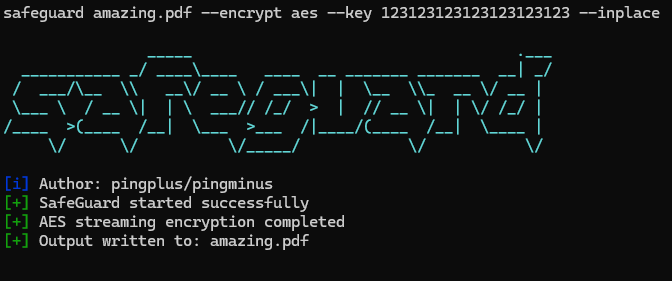
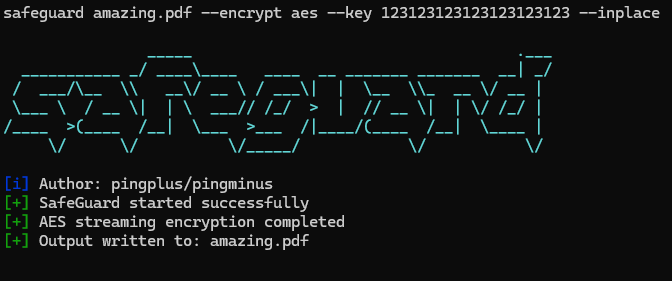
  • Encrypt with AES and write in place:
./safeguard secrets.txt e aes --key "123123123123123123123123" --inplace
# -> creates secrets.txt but encrypted
  • Decrypt with AES and specify output file :
./safeguard secrets.txt.aes d aes --key "123123123123123123123123" --output secrets_decrypted.txt
Télécharger l’outil