 orange-cyberdefense/graphcat
Générer des graphiques et diagrammes basés sur les résultats de craquage de mots de passe

Script simple pour générer des graphiques et diagrammes à partir des fichiers potfile (hashcat et john) et ntds.
git clone https://github.com/Orange-Cyberdefense/graphcat
cd graphcat
pip install .
$ graphcat.py -h
usage: graphcat.py [-h] -potfile hashcat.potfile -hashfile hashfile.txt [-john] [-format FORMAT] [-export-charts] [-output-dir OUTPUT_DIR] [-debug]

Password Cracking Graph Reporting

options:
  -h, --help            show this help message and exit
  -potfile hashcat.potfile
                        Hashcat Potfile
  -hashfile hashfile.txt
                        File containing hashes (one per line)
  -john                 John potfile
  -format FORMAT        hashfile format (default 3): 1 for hash; 2 for username:hash; 3 for secretsdump (username:uid:lm:ntlm)
  -export-charts        Output also charts in png
  -output-dir OUTPUT_DIR
                        Output directory
  -debug                Turn DEBUG output ON
Graphcat nécessite simplement un potfile avec -potfile (par défaut hashcat, mais vous pouvez utiliser -john pour soumettre un potfile de John) et un fichier de hachage avec -hashfile. Le fichier de hachage doit être dans un format spécifique parmi les 3 formats disponibles avec le drapeau -format. Par défaut, c'est Secretsdump.
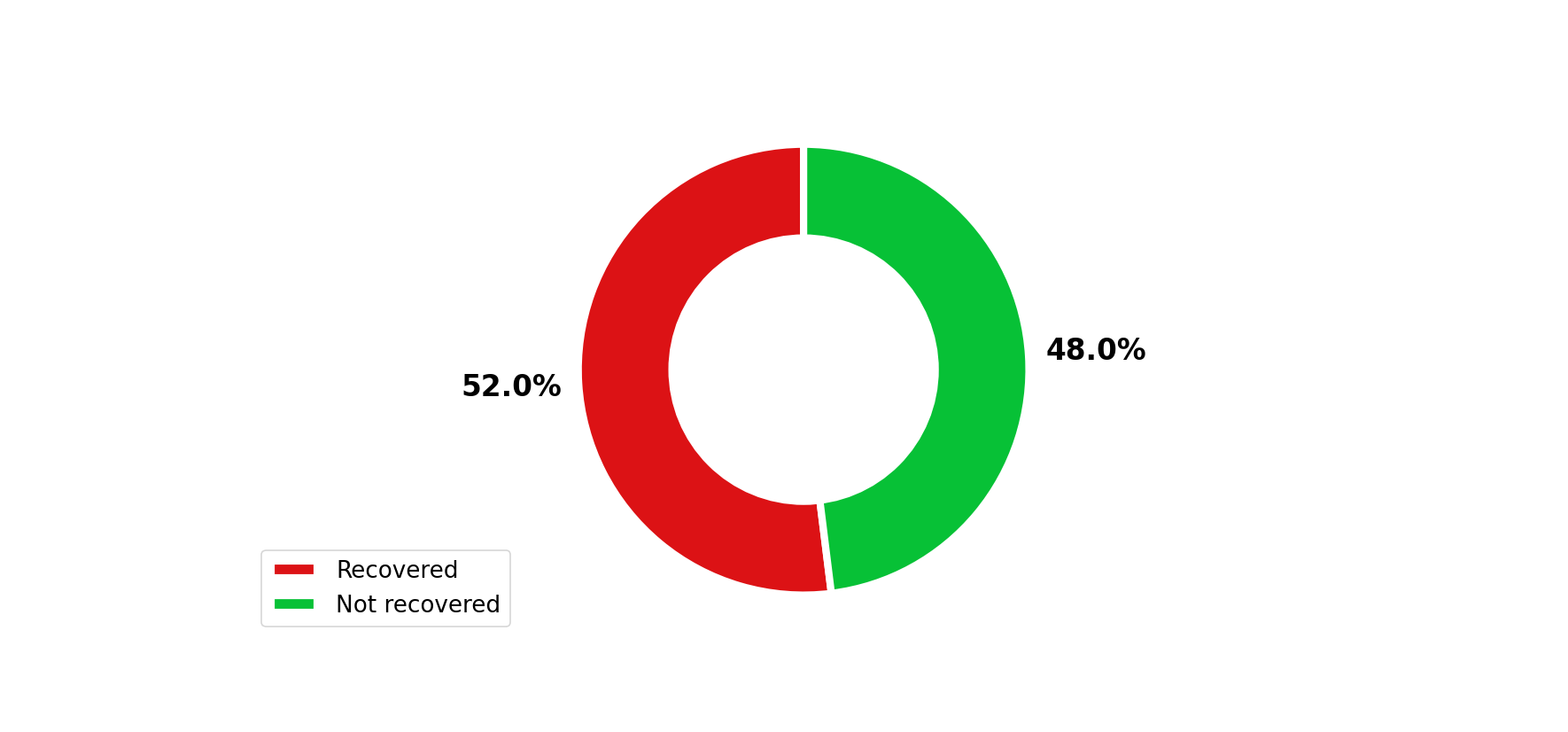
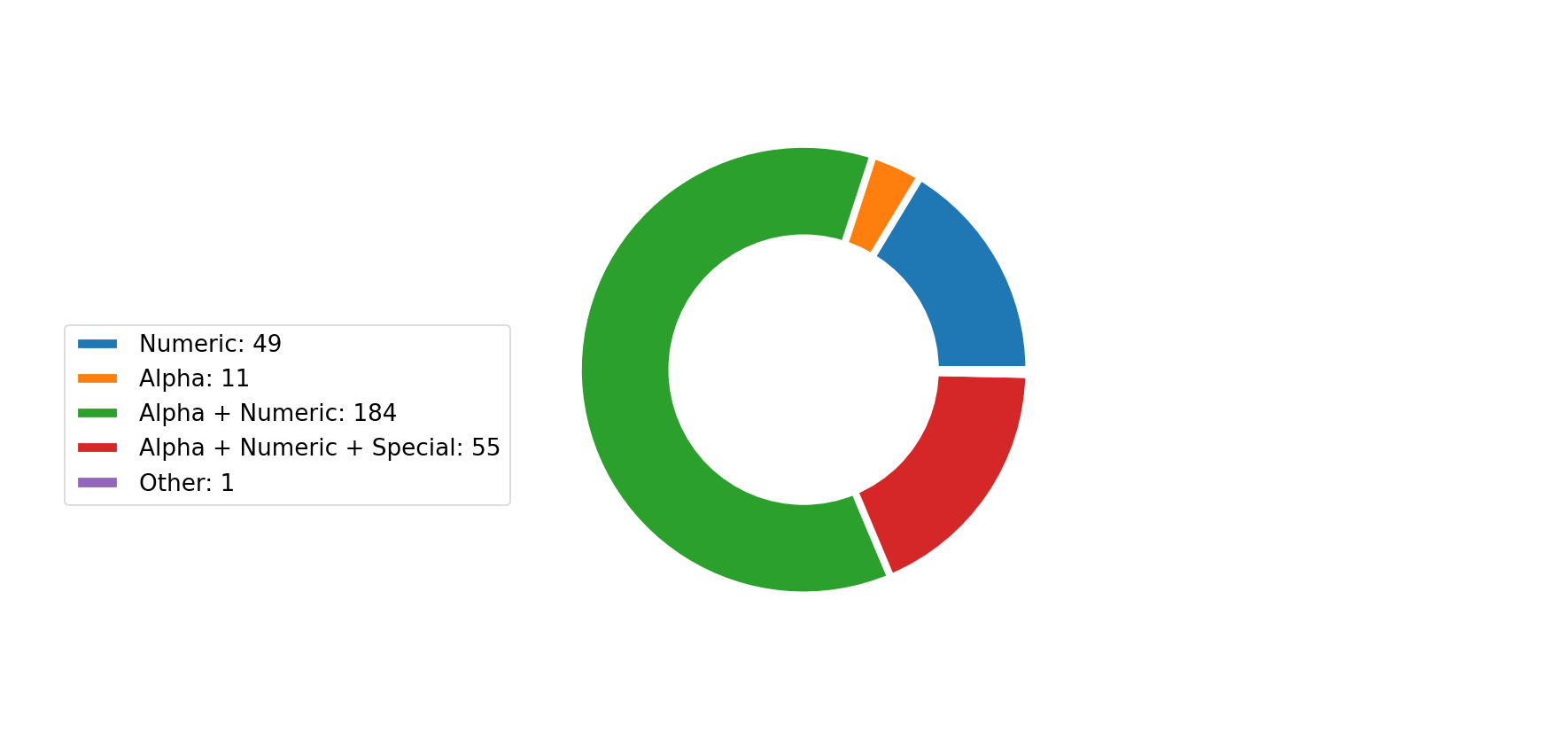
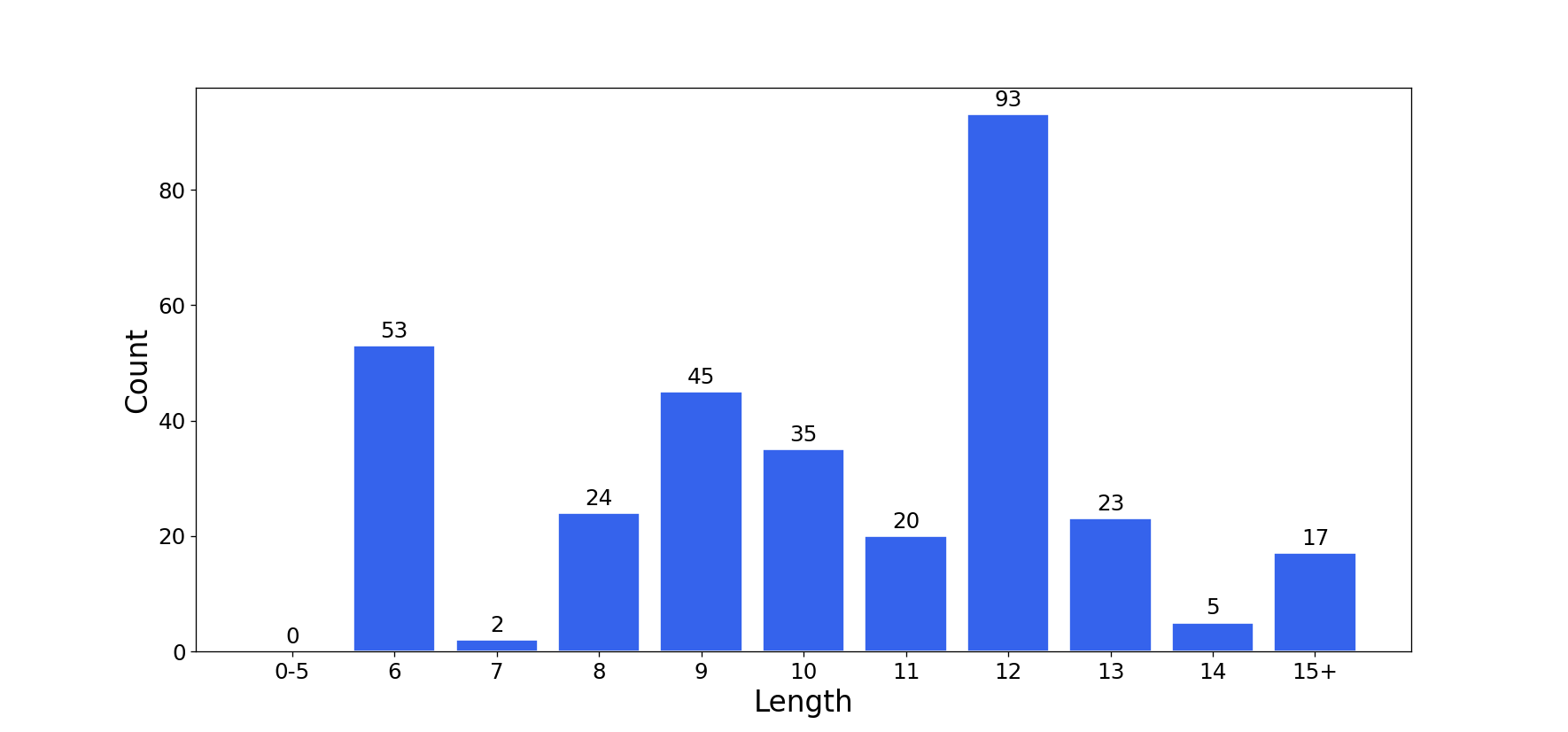
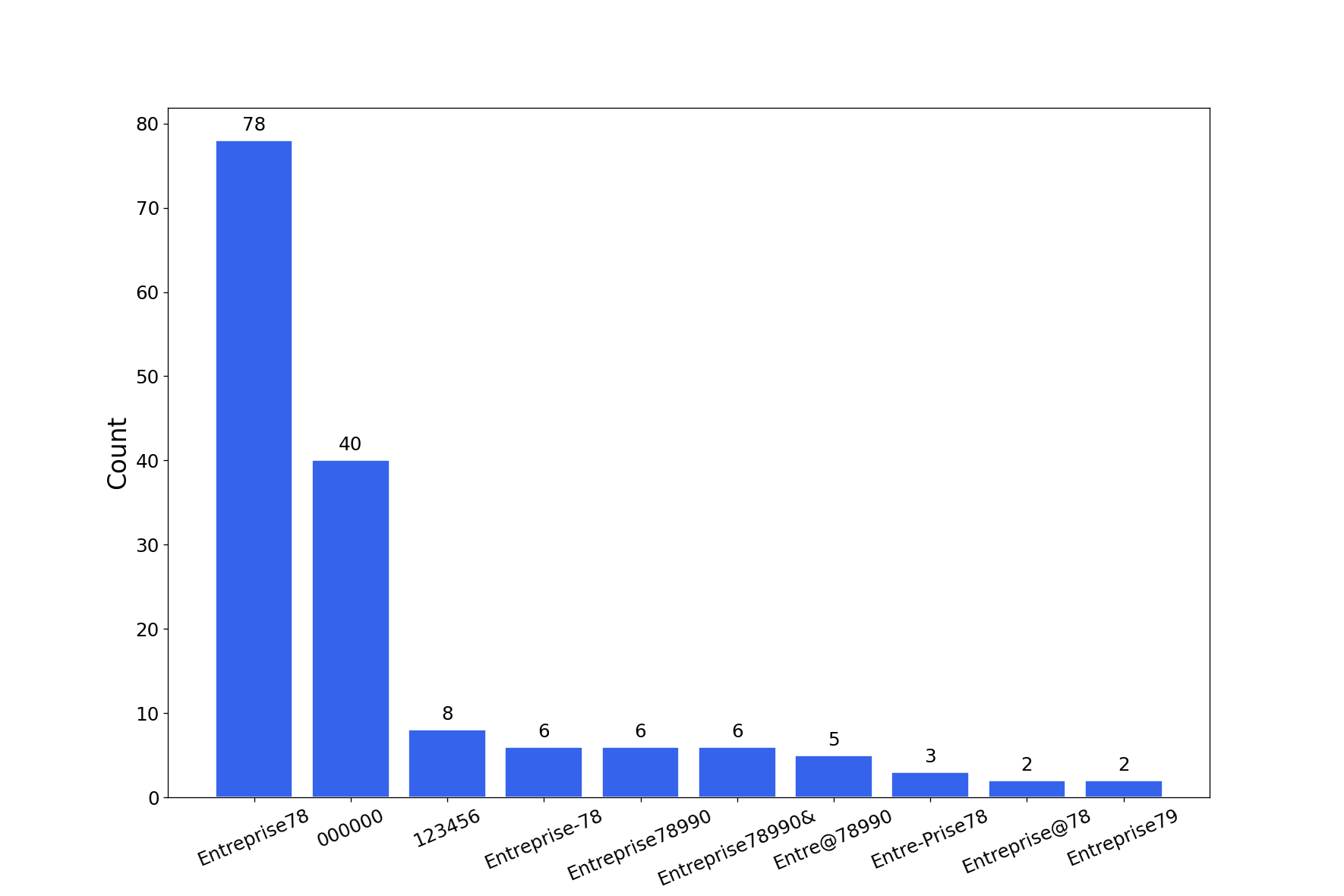
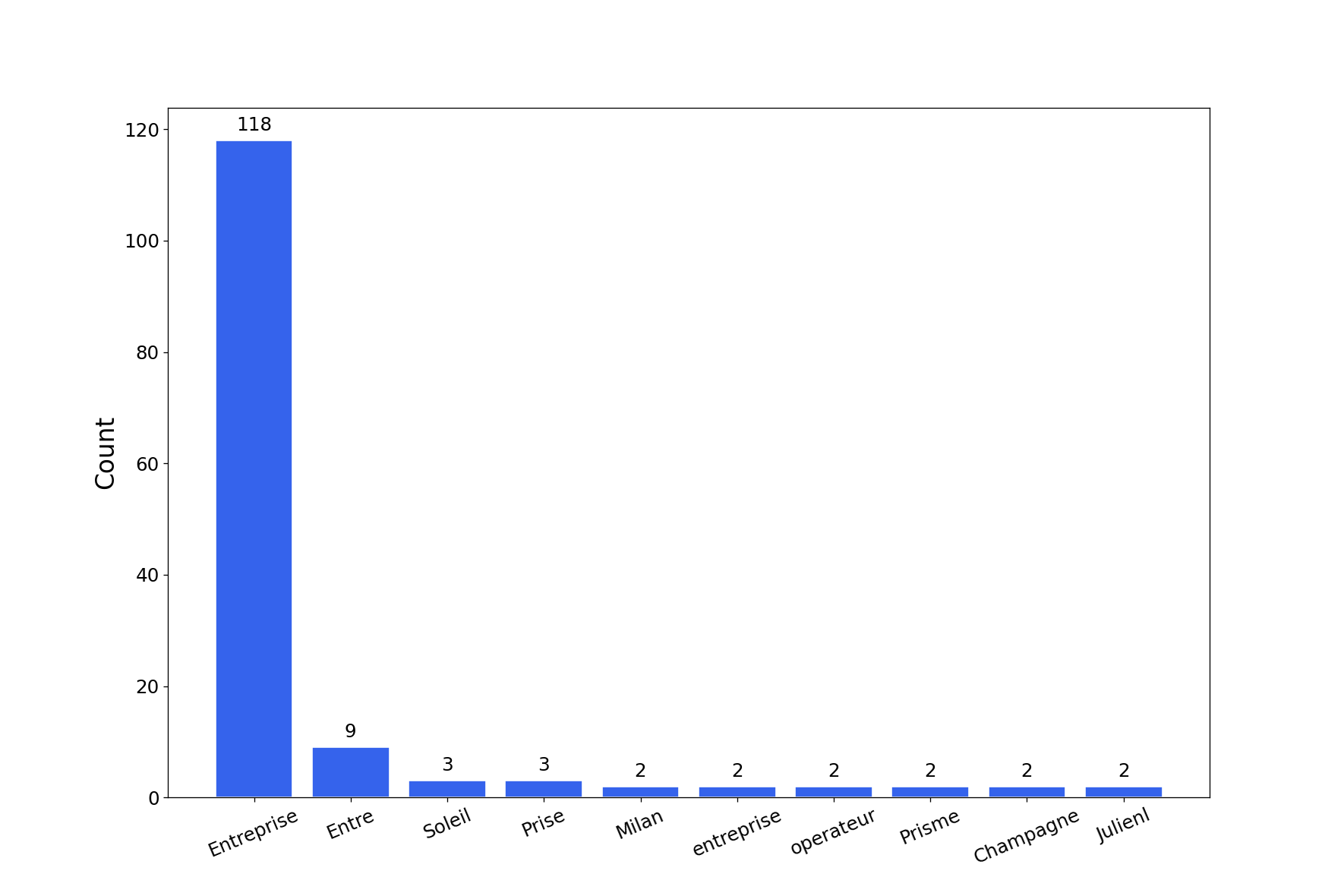
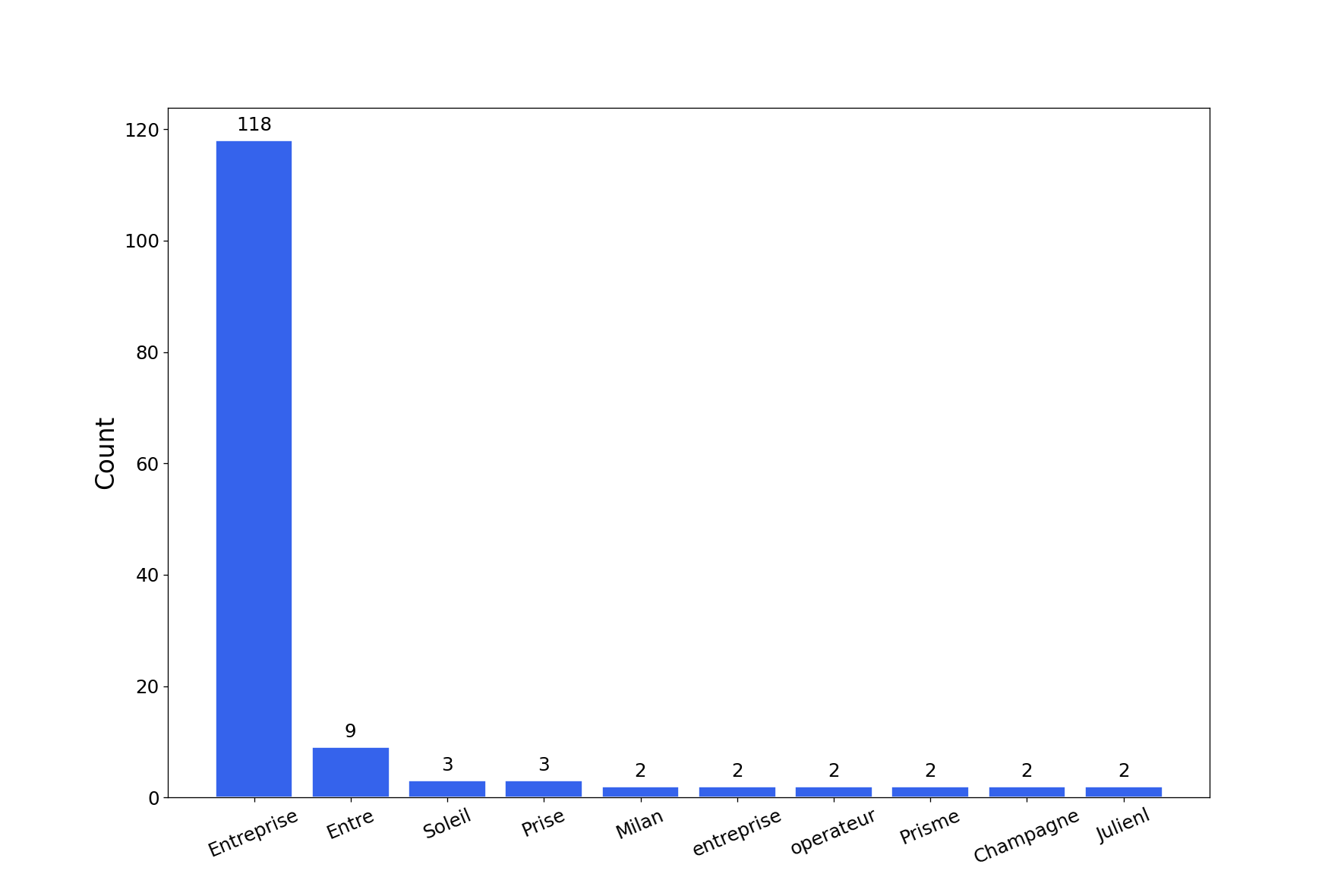
L'outil génère un rapport avec plusieurs graphiques de craquage de mots de passe. Vous pouvez obtenir des graphiques en png avec le drapeau -export-charts.
$ graphcat.py -hashfile entreprise.local.ntds -potfile hashcat.pot
[-] Parsing potfile
[-] 164 entries in potfile
[-] Parsing hashfile
[-] 1600 entries in hashfile
[-] Generating graphs...
[-] Generating report...
[-] Report available at graphcat_1672941324.pdf
1 : Uniquement le hash
aad3b435b51404eeaad3b435b51404ee
aad3b435b51404eeaad3b435b51404ee
aad3b435b51404eeaad3b435b51404ee
2 : Nom d'utilisateur + Hash
test1:aad3b435b51404eeaad3b435b51404ee
test2:aad3b435b51404eeaad3b435b51404ee
test3:aad3b435b51404eeaad3b435b51404ee
3 : Secretsdump
waza.local\test1:4268:aad3b435b51404eeaad3b435b51404ee:aad3b435b51404eeaad3b435b51404ee:::
waza.local\test2:4269:aad3b435b51404eeaad3b435b51404ee:aad3b435b51404eeaad3b435b51404ee:::
waza.local\test3:4270:aad3b435b51404eeaad3b435b51404ee:aad3b435b51404eeaad3b435b51404ee:::
Si un hachage apparaît plus d'une fois dans le fichier de hachage, il sera compté autant de fois.
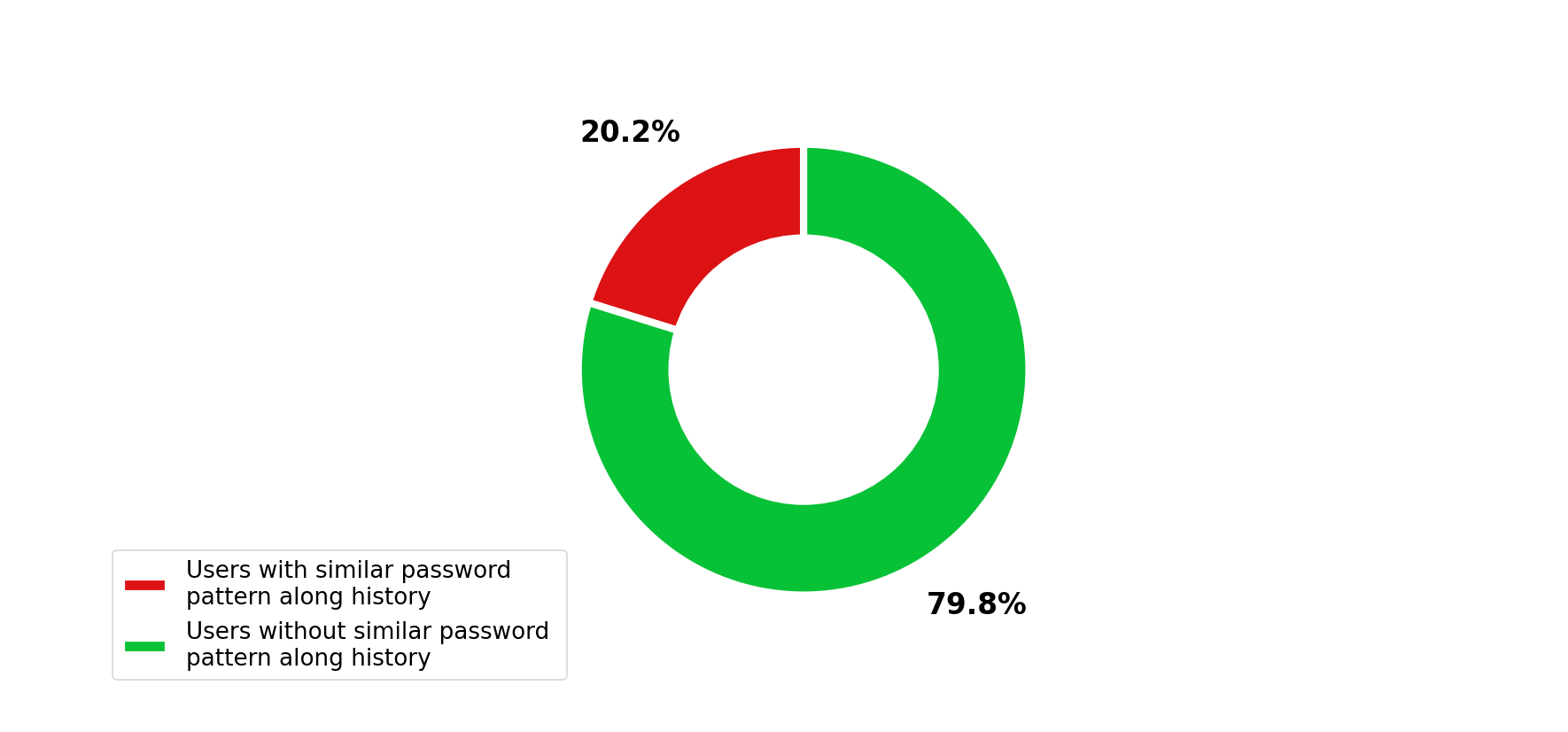
De plus, si vous soumettez un secretsdump avec l'historique des mots de passe (-history dans la commande secretsdump), il analysera la similarité dans l'historique des mots de passe.