 emrekybs/hawkopsec
Outil de durcissement OPSEC et d'anonymat Linux en un clic


Boîte à outils de durcissement OPSEC et d'anonymat Linux en un clic


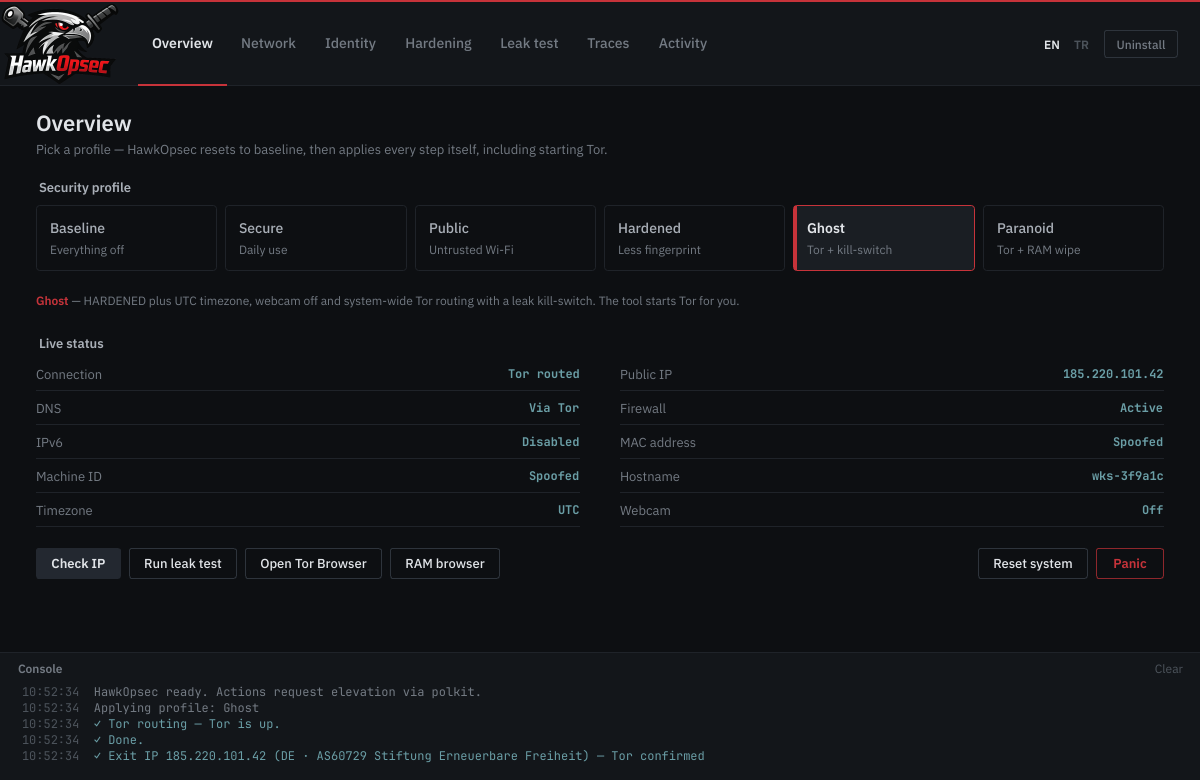
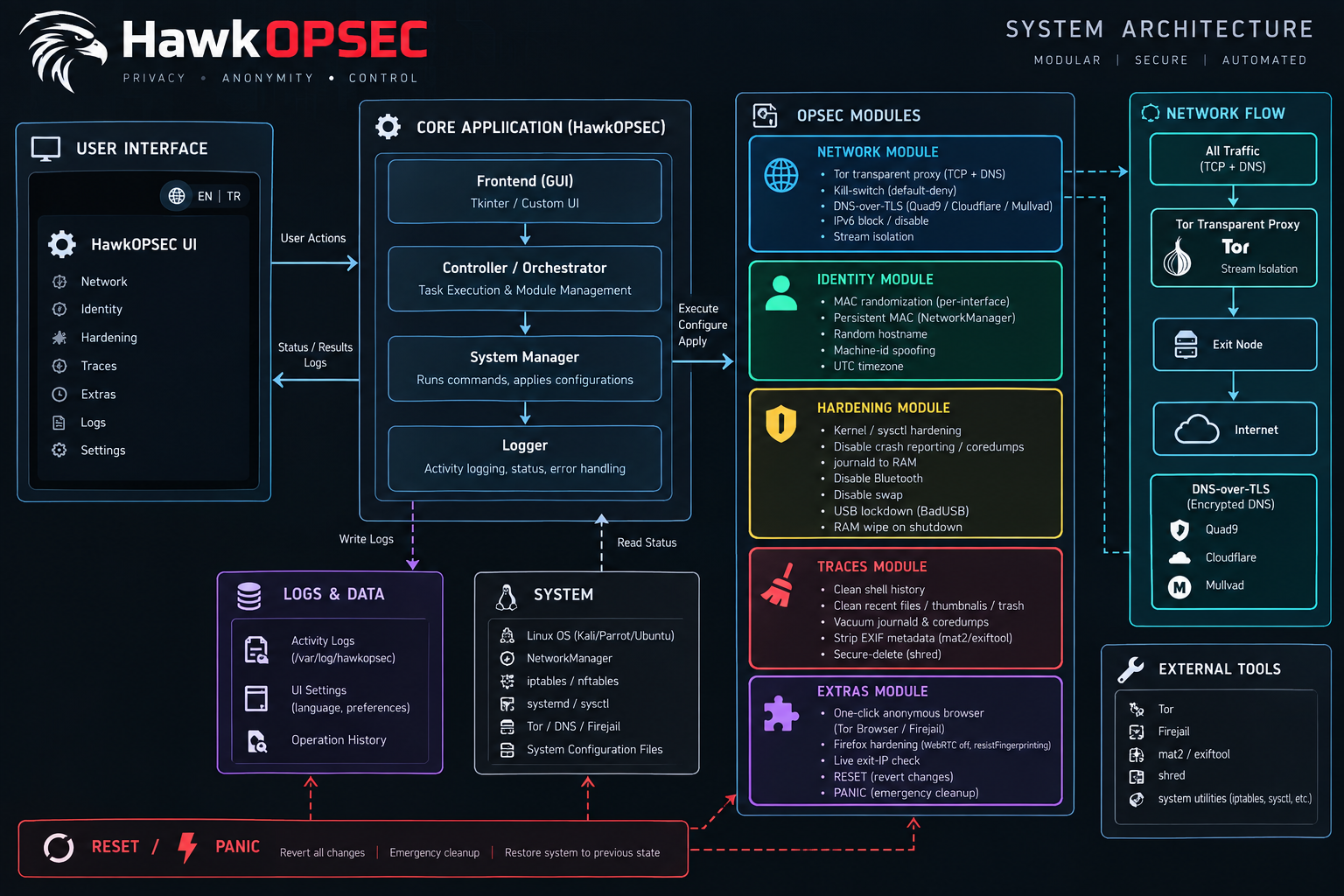
Choisissez un profil et HawkOpsec démarre Tor, chiffre le DNS, usurpe votre identité, durcit le noyau et vérifie les fuites DNS / IP — Reset system rétablit tout.
Avec pipx
# Debian / Ubuntu / Kali / Mint
sudo apt install -y pipx tor nftables policykit-1 iproute2 rfkill
# Arch
sudo pacman -S --needed python-pipx tor nftables polkit iproute2 rfkill

pipx install hawkopsec
sudo "$(command -v hawkopsec-setup)"
hawkopsec
Depuis GitHub (une seule commande)
# Debian / Ubuntu / Kali / Mint
sudo apt install -y git python3-pyqt6 tor nftables policykit-1 iproute2 rfkill && git clone https://github.com/emrekybs/hawkopsec.git && cd hawkopsec && sudo ./packaging/install.sh && hawkopsec
# Arch
sudo pacman -S --needed git python-pyqt6 tor nftables polkit iproute2 rfkill && git clone https://github.com/emrekybs/hawkopsec.git && cd hawkopsec && sudo ./packaging/install.sh && hawkopsec
Après l'installation, lancez HawkOpsec depuis le menu des applications ou exécutez hawkopsec.
Test de fuite depuis le terminal (DNS, IP, IPv6, WebRTC/STUN, kill-switch) :
hawkopsec-leaktest # add --all for the dark-web checklist, --json for scripts
MIT — voir LICENSE.
