
Skip to content
KitploitKITPLOIT
OutilsExploitsBlog
Log in
Soumettre
OutilsExploitsBlog
Soumettre

Outils de Hacking, PenTest et Cybersécurité pour votre Arsenal de Sécurité !

Kitploit est un répertoire d'outils de hacking, de cybersécurité et de pentesting. Découvrez les dernières mises à jour des projets pour trouver des vulnérabilités, analyser des systèmes, automatiser les tests et renforcer votre sécurité.

··Flux·Contact·Confidentialité·© 2026 Kitploit

Répertoire d'outils

Catégories

Voir toutes les catégories
Loading categories
rustnet — Per-process network monitoring for your terminal with deep packet inspection. Cross-platform, sandboxed. | Kitploit
Outils/GitHubGitHub/domcyrus/rustnet
Packet Sniffing & AnalysisContainer SecurityForensicsInformation GatheringCloud SecurityThreat IntelligenceDNS AnalysisLog Analysis
GitHubdomcyrus/rustnet

rustnet

Per-process network monitoring for your terminal with deep packet inspection. Cross-platform, sandboxed.


Voir le dépôt
4.8k22338il y a 1 jourVérifié par Kitploit
Site web

Populaires

Voir tout →

Découvrez les outils les plus utilisés par notre communauté.

Explorer tous les outils

Parcourez notre collection d'outils

Voir tous les outils →
Partager
Contenu non disponible dans la langue demandée. Affichage de la version anglaise.

RustNet logo

RustNet

Built with Ratatui Build status Crates.io version Latest release Apache 2.0 license

English | 简体中文 | 日本語

RustNet is a terminal network monitor that shows live TCP, UDP, and QUIC connections with process attribution when available. It runs on Linux, macOS, Windows, and FreeBSD.

Install

On macOS or Linux with Homebrew:

brew install rustnet

Packet capture needs platform-specific permissions. See the installation guide for Linux capabilities, macOS PKTAP and BPF access, other package managers, and troubleshooting.

Release status: The highlights, GIF, and screenshots below reflect v1.6.0. The guides linked from main may also describe unreleased changes. For the installed release, use the v1.6.0 documentation and check rustnet --version and rustnet --help.

Demo

RustNet demo

Highlights

  • Shows connection state, traffic, application protocol, and available process information in a terminal UI that works over SSH.
  • Identifies protocols such as HTTP, TLS/SNI, DNS, SSH, and QUIC through packet inspection.
  • Filters connections by process, address, port, protocol, and more.
  • Exports captures as PCAP or PCAPNG with best-effort annotations for analysis in Wireshark.
  • Reduces privileges after startup and uses platform sandboxing where supported.

See the usage guide, architecture guide, and security guide for feature details.

Screenshots

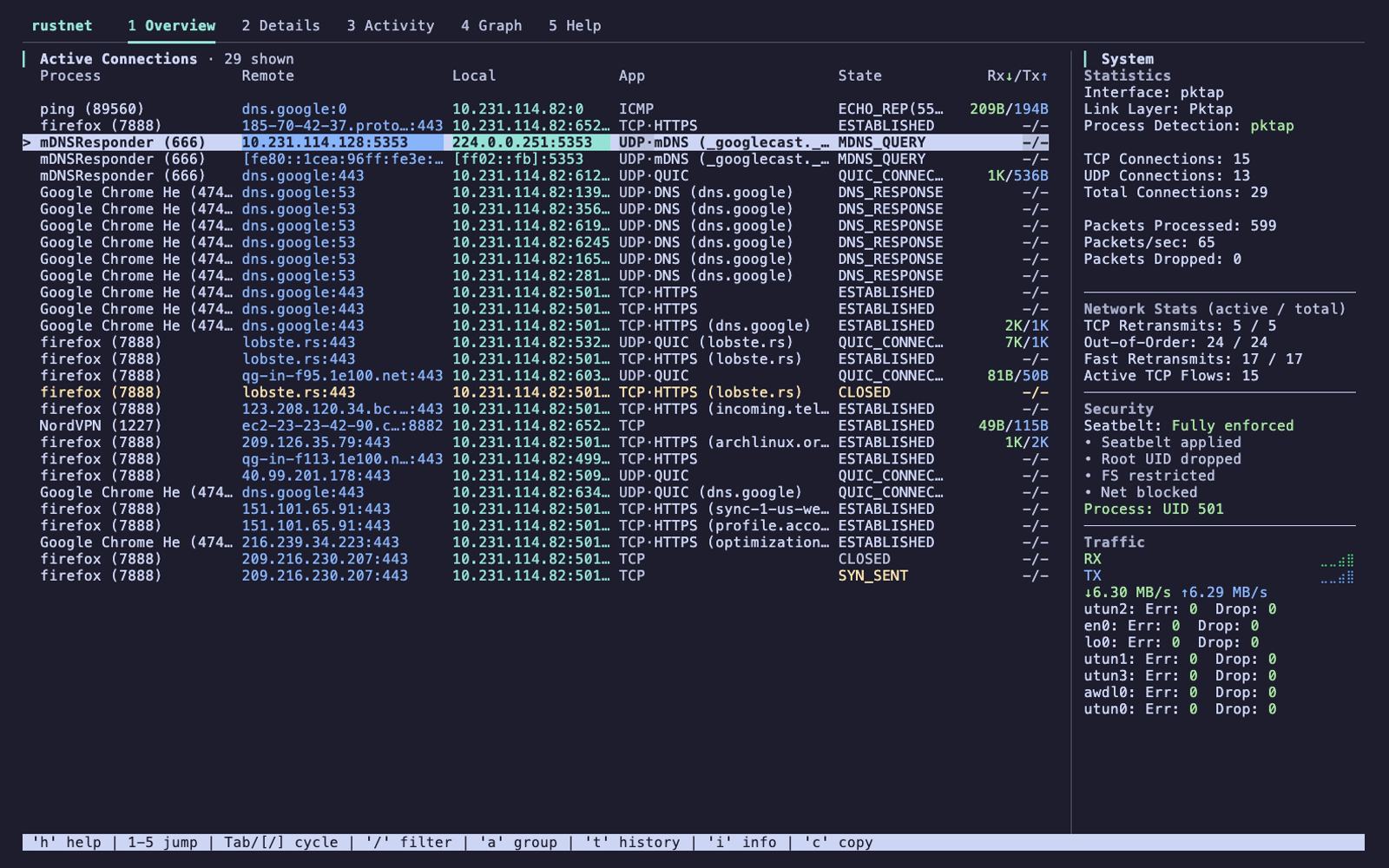
Overview
Live connections and traffic
RustNet Overview
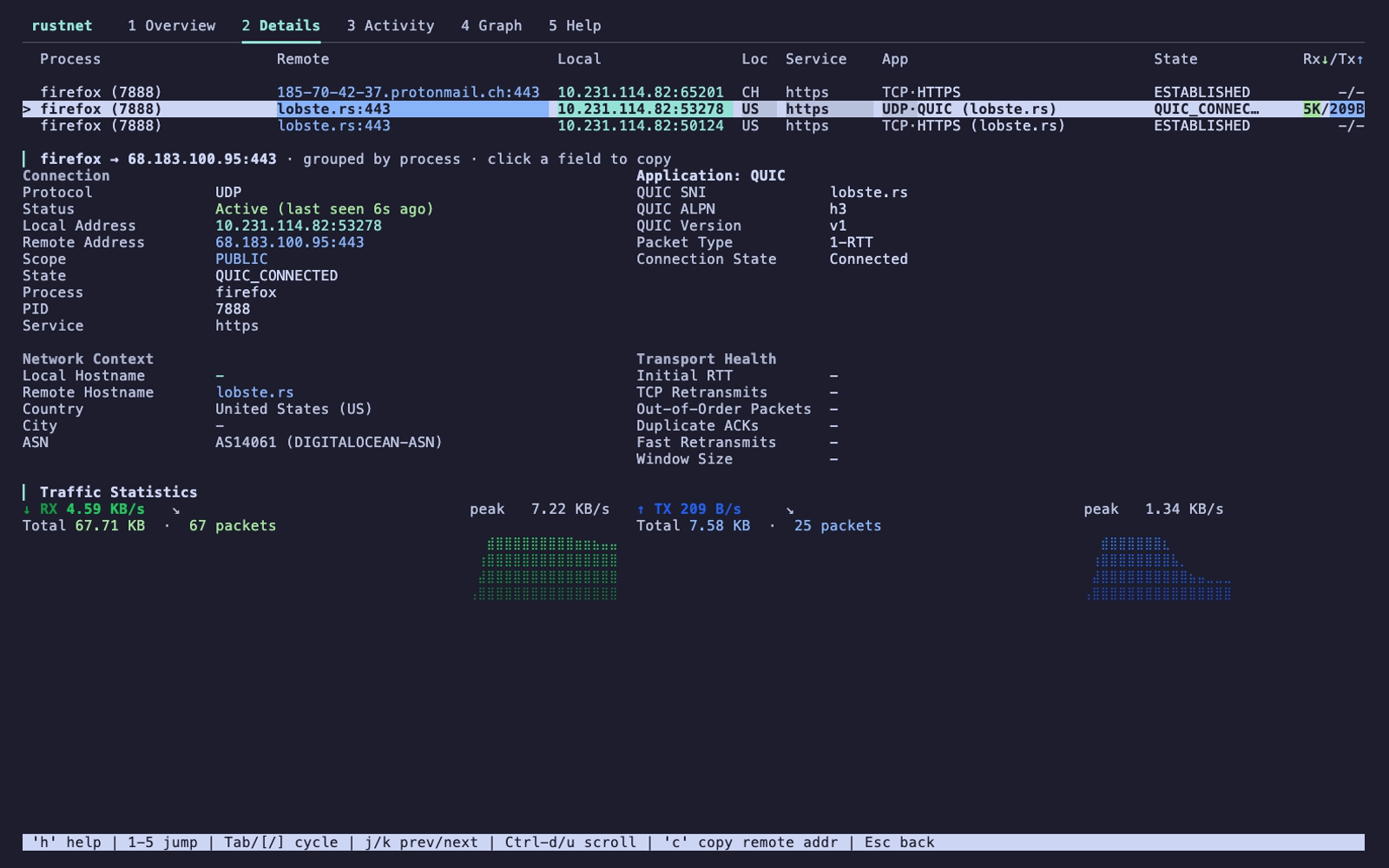
Details
Process, protocol, and peer information
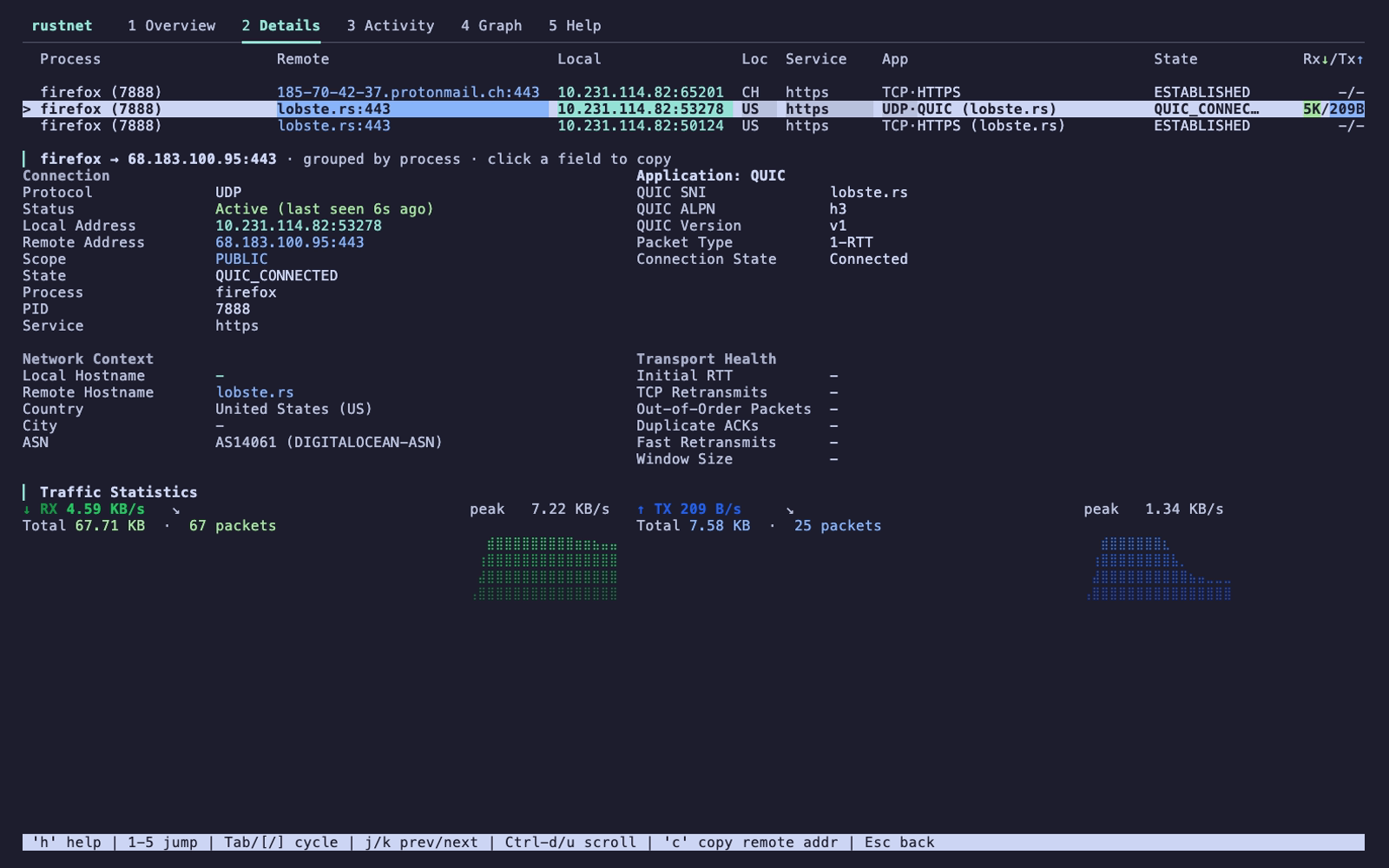
RustNet Details
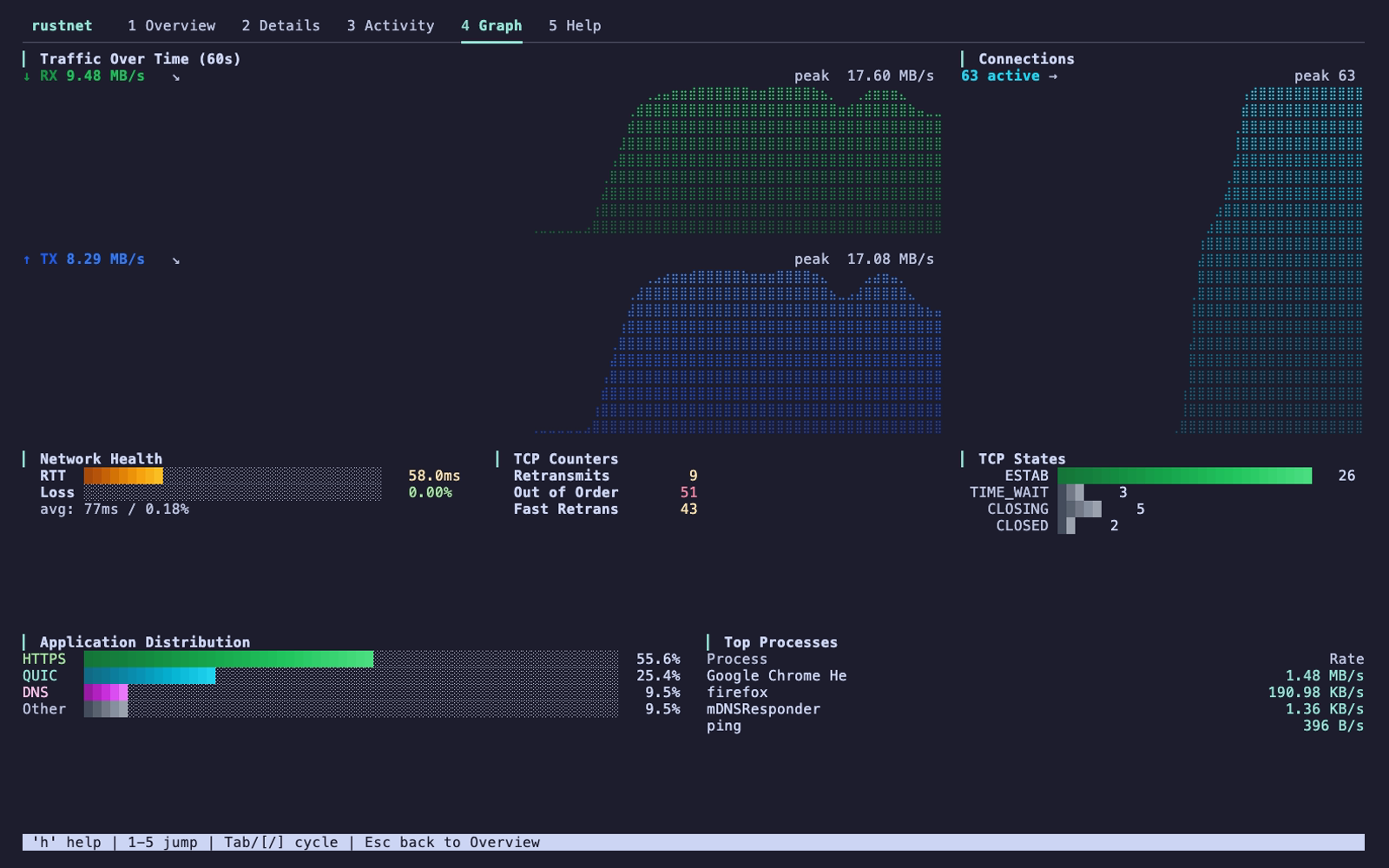
Graph
Traffic and application charts
RustNet Graph
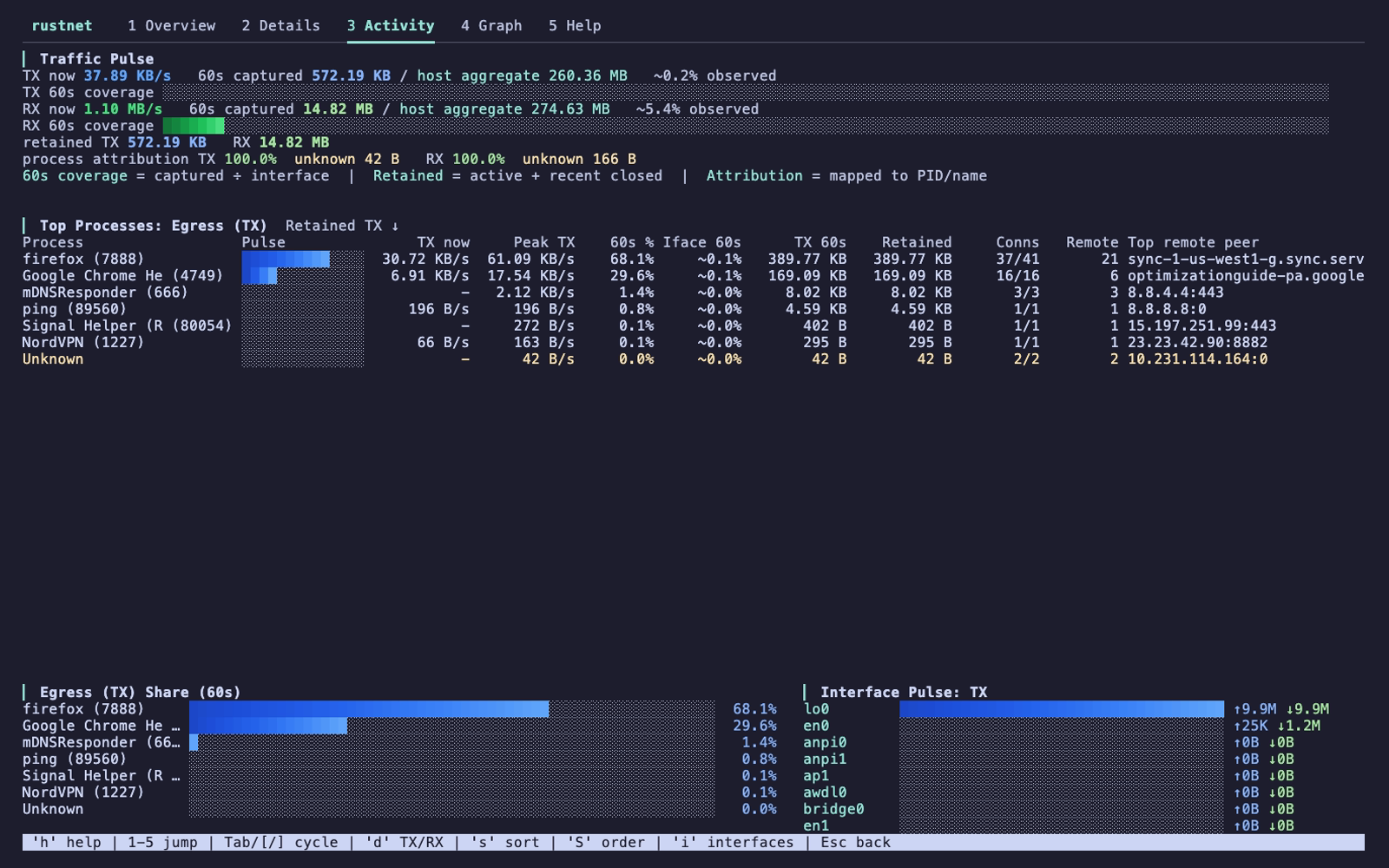
Activity
Traffic by process
RustNet Activity

Other installation methods

PlatformCommand
Ubuntu 22.04+ / Linux Mint 21+sudo add-apt-repository ppa:domcyrus/rustnet
sudo apt update && sudo apt install rustnet
Fedora 42+sudo dnf copr enable domcyrus/rustnet
sudo dnf install rustnet
Arch Linuxsudo pacman -S rustnet
Windowschoco install rustnet or scoop install rustnet
Cargocargo install rustnet-monitor
Nix / NixOSnix-shell -p rustnet

Windows also requires Npcap. For v1.6.0, enable its "WinPcap API compatible mode". For openSUSE, Pop!_OS, FreeBSD, Docker, and source builds, see the installation guide.

Run

On Linux, after configuring capabilities:

rustnet

On macOS, PKTAP requires sudo. With BPF access configured, RustNet can run without it but uses lsof for process detection.

Press / to filter connections, Enter to inspect one, and q to quit. See the usage guide for interface selection, options, controls, filters, and exports.

Documentation

  • Installation: platforms, permissions, and troubleshooting
  • Usage: controls, filtering, automation, and capture exports
  • Security: sandboxing and privilege management
  • Architecture: platform backends and performance
  • Kubernetes and containers: attribution and capture exports
  • Changelog: releases and upcoming changes
  • Contributing: how to contribute

RustNet uses ratatui for its terminal UI and libpcap/Npcap for packet capture. See CONTRIBUTORS.md for project contributors.

Licensed under Apache License 2.0.

Télécharger l’outil