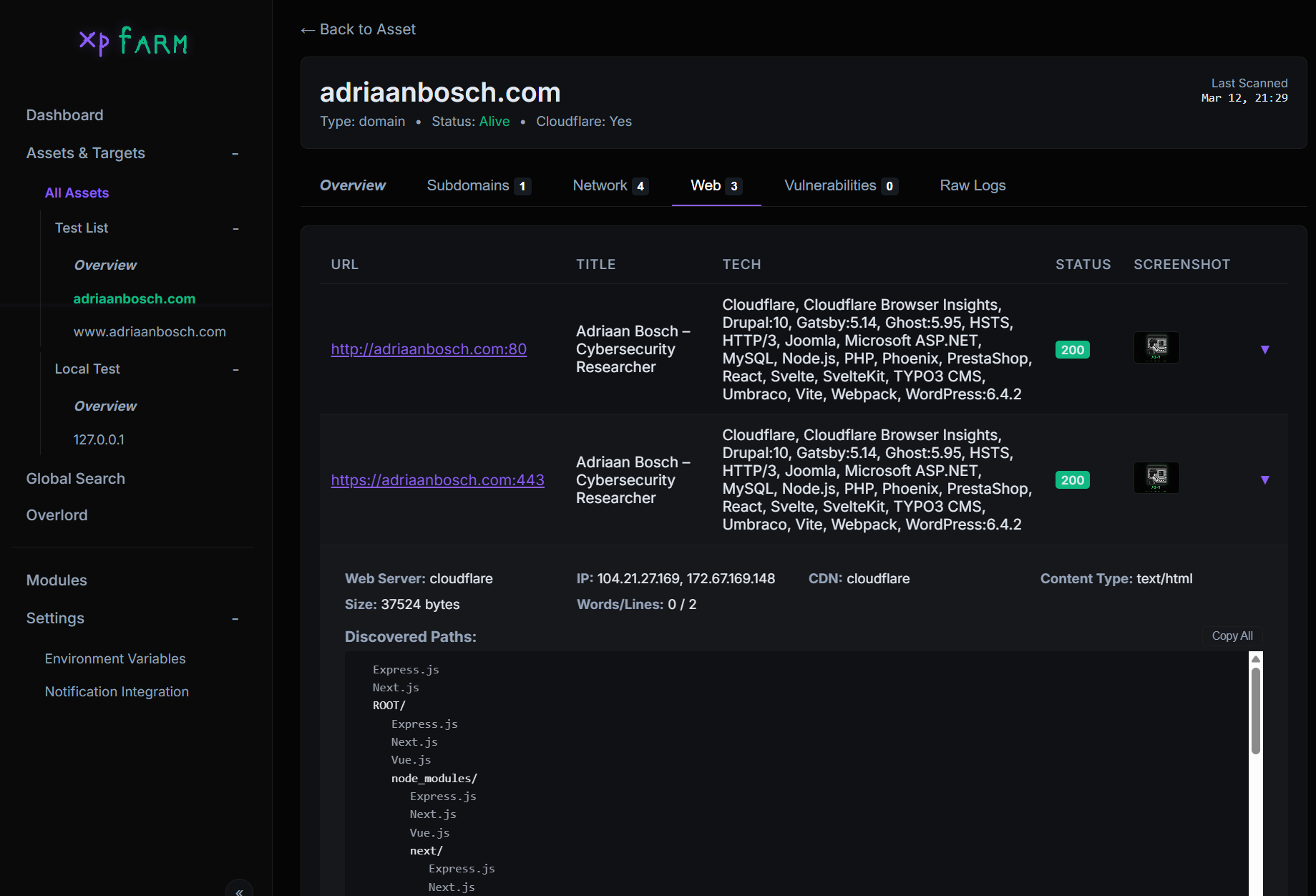

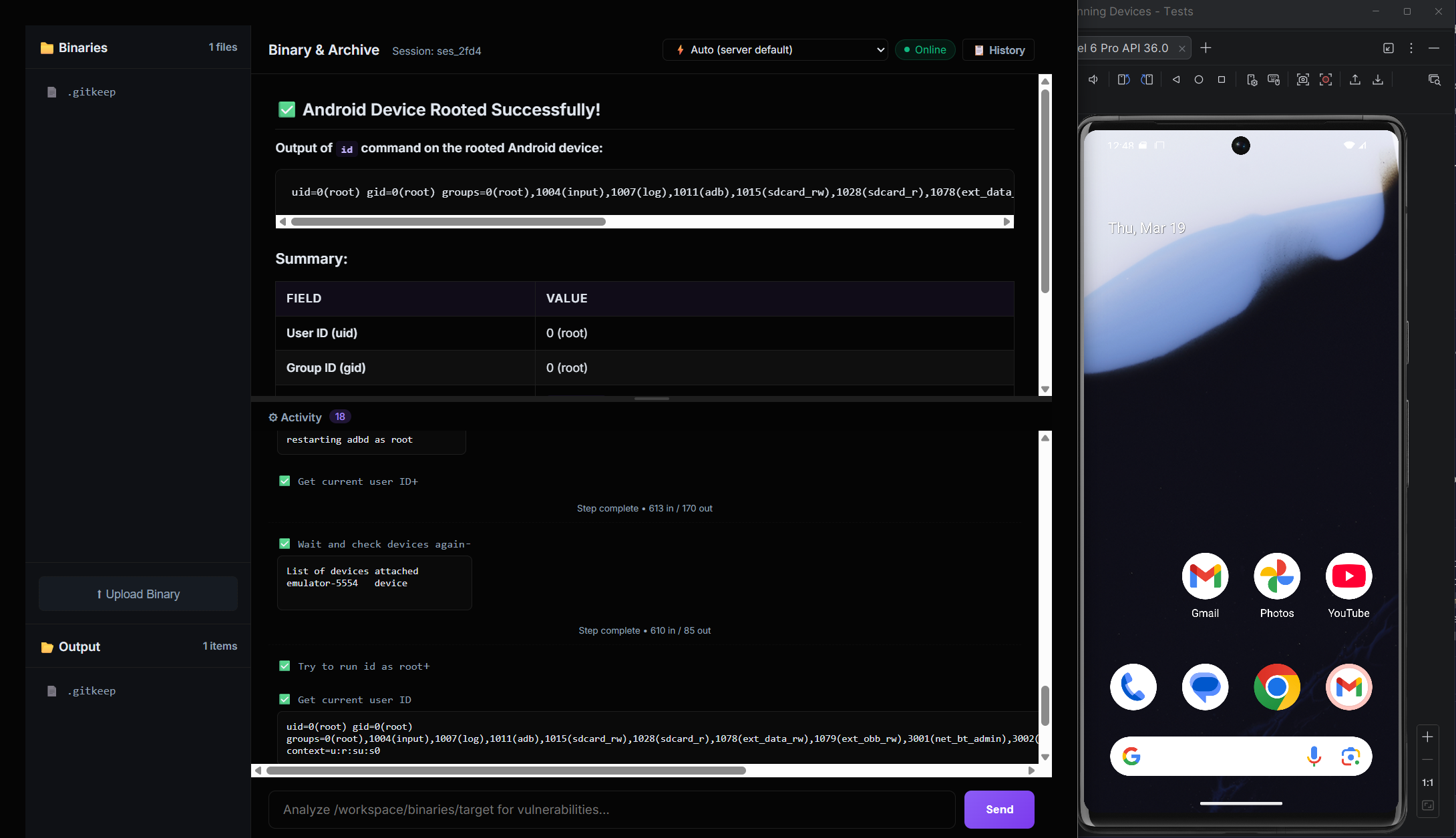
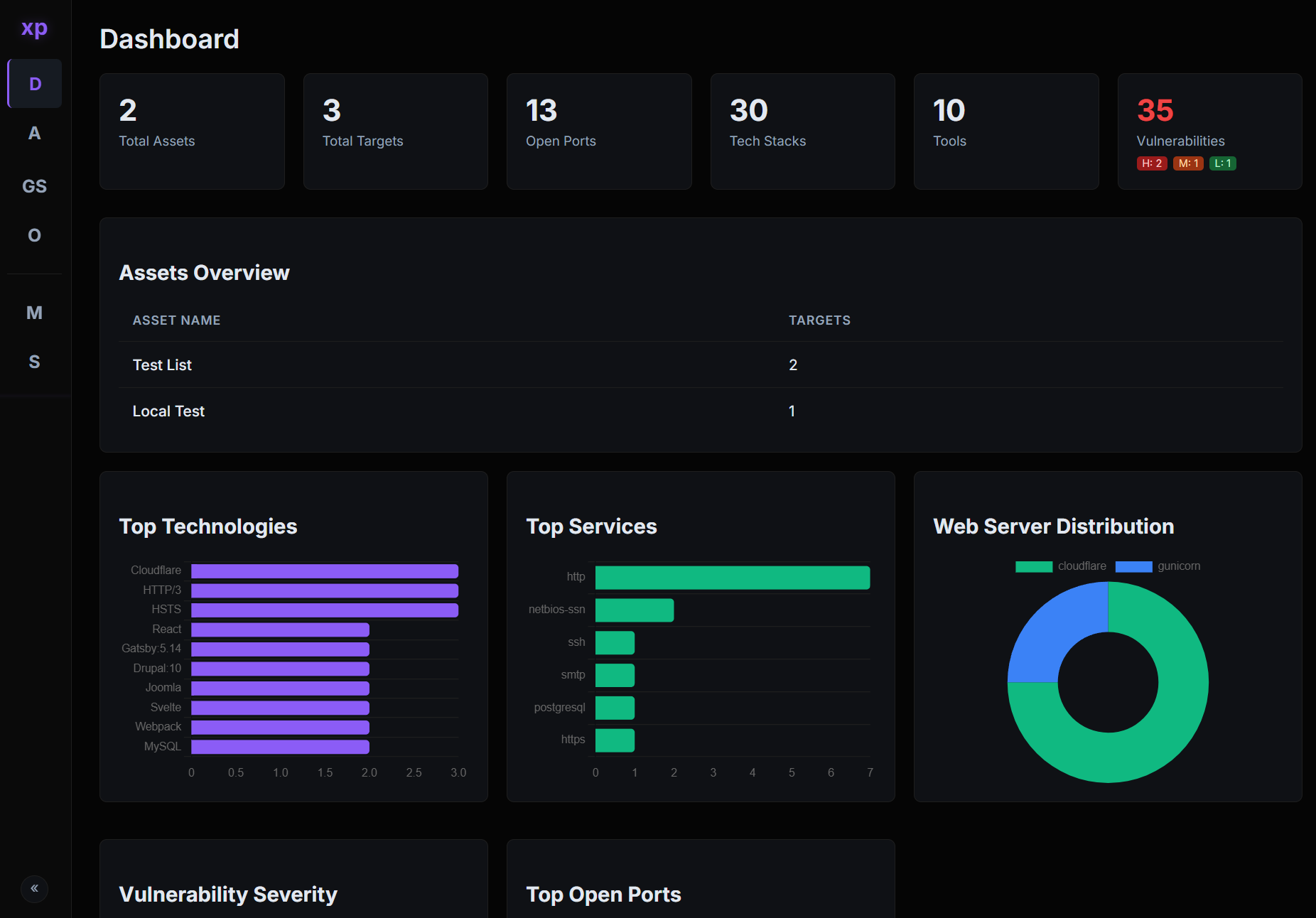
Expérience gratuite sur le bug bounty, scan de vulnérabilités en intégrant des outils bien maintenus, pour effectuer des tests automatisés. Aux côtés d'agents IA pour l'analyse binaire, ce qui inclut la connexion à un Android externe ou à un émulateur pour effectuer une analyse dynamique.
Un scanner de vulnérabilités open-source qui encapsule des outils de sécurité open-source bien connus derrière une interface web unique.
| Section | Description |
|---|---|
| Pourquoi | Motivation et philosophie derrière XPFarm |
| Outils intégrés | Les 10 outils open-source orchestrés par XPFarm |
| Schéma d'architecture | Architecture complète du système, pipeline de scan, flux de données et sous-système IA |
| Overlord - Analyse binaire IA | Agent IA intégré pour l'analyse binaire/malware |
| Configuration | Instructions de construction et déploiement (Docker / source) |
| Captures d'écran aléatoires | Captures d'écran de l'interface des scans et des logs |
| TODO | Fonctionnalités prévues et feuille de route |
flowchart TB
    subgraph ENTRY["Entrypoint - main.go"]
        M1["Parse Flags<br/>-debug mode"]
        M2["InitDB<br/>SQLite + WAL + GORM"]
        M3["InitModules<br/>Register 10 tool wrappers"]
        M4["Health Check<br/>Auto-install missing tools"]
        M5["RunUpdates<br/>-up flag on all PD tools"]
        M6["CheckAndIndexTemplates<br/>Nuclei template versioning"]
        M7["StartServer<br/>Gin on :8888"]
        M1 --> M2 --> M3 --> M4 --> M5 --> M6 --> M7
    end

    subgraph UI_LAYER["Web UI - internal/ui/server.go"]
        direction TB
        GIN["Gin HTTP Server<br/>Embedded templates + static"]

        subgraph Pages["HTML Pages"]
            P1["Dashboard"]
            P2["Assets"]
            P3["Asset Details"]
            P4["Target Details"]
            P5["Modules"]
            P6["Settings"]
            P7["Overlord Chat"]
            P8["Overlord Binary"]
            P9["Search"]
            P10["Advanced Scan"]
            P11["Scan Settings"]
        end

        subgraph REST["REST API"]
            direction LR
            A1["POST /api/scan"]
            A2["POST /api/search"]
            A3["GET/POST /api/overlord/*"]
            A4["POST /assets/create|delete"]
            A5["POST /settings/*"]
            A6["GET /api/active-scans"]
            A7["POST /api/search/save|delete"]
            A8["GET /api/overlord/events<br/>SSE Proxy"]
        end

        GIN --> Pages
        GIN --> REST
    end

    subgraph SCAN_ENGINE["Scan Engine - internal/core/"]
        direction TB
        SM["ScanManager<br/>Singleton, mutex-guarded<br/>Active scan tracking"]

        subgraph PIPELINE["8-Stage Scanning Pipeline - manager.go"]
            direction TB
            S0["Target Input<br/>ParseTarget + NormalizeToHostname"]
            S1["Stage 1: Subfinder<br/>Subdomain Discovery"]
            S2["Stage 2: Filter & Save<br/>ResolveAndCheck per subdomain<br/>Cloudflare / Localhost / Alive"]
            S3["Stage 3: Naabu<br/>Port Scanning<br/>5-worker pool via channel"]
            S4["Stage 4: Nmap<br/>Service Enumeration<br/>Version + Script detection"]
            S5["Stage 5: Httpx<br/>HTTP Probing<br/>Rich metadata extraction"]
            S6["Stage 6: Parallel Web Processing"]
            S7["Stage 7: CVEMap<br/>CVE lookup by product/tech"]
            S8["Stage 8: Nuclei<br/>Vulnerability Scanning"]

            S0 --> S1 --> S2 --> S3 --> S4 --> S5 --> S6 --> S7 --> S8
        end

        subgraph STAGE6_DETAIL["Stage 6 - Parallel Web Asset Processing"]
            direction LR
            GW["Gowitness<br/>Screenshots"]
            KAT["Katana<br/>JS Crawling, depth=5"]
            UF["URLFinder<br/>URL Discovery"]
            WAP["Wappalyzer<br/>Tech Detection<br/>Header + Body analysis"]
        end

        subgraph NUCLEI_PLAN["Stage 8 - Nuclei Scan Plan"]
            direction TB
            NP1["BuildNucleiPlan<br/>serviceTagMap lookup"]
            NP2["Network Scans<br/>Per-port, service tags"]
            NP3["Web Auto Scan<br/>-as wappalyzer mode"]
            NP4["Fallback Scan<br/>Unmapped services"]
            NP5["Enabled Mode<br/>Custom template workflow"]
            NP1 --> NP2
            NP1 --> NP3
            NP1 --> NP4
            NP1 --> NP5
        end

        subgraph RESOLVE["Target Resolution - target.go"]
            direction LR
            R1["ParseTarget<br/>IP / CIDR / Domain / URL"]
            R2["ResolveAndCheck<br/>DNS + Cloudflare + Localhost"]
            R3["DNS Cache<br/>sync.Map, 5min TTL"]
            R1 --> R2 --> R3
        end

        subgraph SEARCH["Search Engine - search.go"]
            SRCH["GlobalSearch<br/>Regex filter engine<br/>SQL joins across 5 tables<br/>AND/OR/Negate chaining"]
        end

        subgraph TEMPLATE_IDX["Template Indexer - template_indexer.go"]
            TI["IndexNucleiTemplates<br/>Walk filesystem, batch upsert<br/>Version-tracked re-index"]
        end

        SM --> PIPELINE
        S6 --> STAGE6_DETAIL
        S8 --> NUCLEI_PLAN
    end

    subgraph MODULES["Module System - internal/modules/"]
        direction TB
        IFACE["Module Interface<br/>Name / Description<br/>CheckInstalled / Install / Run"]

        subgraph REGISTRY["Registry - 10 Registered Modules"]
            direction LR
            T1["Subfinder<br/>Subdomain enum"]
            T2["Naabu<br/>Port scan"]
            T3["Nmap<br/>Service detection"]
            T4["Httpx<br/>HTTP probe"]
            T5["Gowitness<br/>Screenshots"]
            T6["Katana<br/>Web crawling"]
            T7["URLFinder<br/>URL discovery"]
            T8["Wappalyzer<br/>Tech fingerprint"]
            T9["Nuclei<br/>Vuln scanning"]
            T10["CVEMap<br/>CVE lookup"]
        end

        IFACE --> REGISTRY
    end

    subgraph DATABASE["Database - internal/database/"]
        direction TB
        DB["SQLite + WAL Mode<br/>GORM ORM<br/>Single writer connection<br/>30s busy timeout"]

        subgraph MODELS["Data Models"]
            direction LR
            DM1["Asset<br/>name, advanced_mode"]
            DM2["Target<br/>value, type, is_alive<br/>is_cloudflare, is_localhost"]
            DM3["Port<br/>port, protocol<br/>service, product, version"]
            DM4["WebAsset<br/>url, title, tech_stack<br/>screenshot, paths"]
            DM5["Vulnerability<br/>name, severity<br/>template_id, matcher"]
            DM6["CVE<br/>cve_id, severity<br/>cvss, epss, is_kev"]
            DM7["ScanResult<br/>tool_name, output"]
            DM8["ScanProfile<br/>Feature toggles<br/>Port/Web/Vuln scope"]
            DM9["NucleiTemplate<br/>template_id, file_path"]
            DM10["SavedSearch<br/>name, query_data"]
            DM11["Setting<br/>key-value config"]
        end

        DM1 -->|has many| DM2
        DM2 -->|has many| DM3
        DM2 -->|has many| DM4
        DM2 -->|has many| DM5
        DM2 -->|has many| DM6
        DM2 -->|has many| DM7
        DM1 -->|has one| DM8
        DB --> MODELS
    end

    subgraph OVERLORD["Overlord - AI Agent Subsystem"]
        direction TB
        OV_PROXY["Overlord Proxy<br/>internal/overlord/overlord.go"]

        subgraph OV_API["OpenCode Serve API"]
            direction LR
            OA1["GET /session<br/>List sessions"]
            OA2["POST /session<br/>Create session"]
            OA3["POST /session/:id/prompt_async<br/>Send message"]
            OA4["POST /session/:id/abort<br/>Stop analysis"]
            OA5["GET /event<br/>SSE stream"]
        end

        subgraph OV_FILES["File Management"]
            direction LR
            OF1["Binary Upload<br/>overlord/binaries/"]
            OF2["Analysis Output<br/>overlord/output/"]
            OF3["Auth JSON<br/>API key storage"]
        end

