
Skip to content
KitploitKITPLOIT
OutilsExploitsBlog
Log in
Soumettre
OutilsExploitsBlog
Soumettre

Outils de Hacking, PenTest et Cybersécurité pour votre Arsenal de Sécurité !

Kitploit est un répertoire d'outils de hacking, de cybersécurité et de pentesting. Découvrez les dernières mises à jour des projets pour trouver des vulnérabilités, analyser des systèmes, automatiser les tests et renforcer votre sécurité.

··Flux·Contact·Confidentialité·© 2026 Kitploit

Répertoire d'outils

Catégories

Voir toutes les catégories
Loading categories
Outils/GitHubGitHub/0xdea/haruspex
Static Code Analysis (SAST)Vulnerability AnalysisReverse EngineeringBinary Analysis
GitHub0xdea/haruspex

haruspex

Vulnerability research assistant that extracts pseudocode from the IDA Hex-Rays decompiler.

Voir le dépôt
1311033il y a 11h 14mVérifié par Kitploit

Populaires

Voir tout →

Découvrez les outils les plus utilisés par notre communauté.

Explorer tous les outils

Parcourez notre collection d'outils

Voir tous les outils →
Partager
Site web
Contenu non disponible dans la langue demandée. Affichage de la version anglaise.

haruspex

build doc

"Hacking is the discipline of questioning all your assumptions all of the time."

-- Dave Aitel

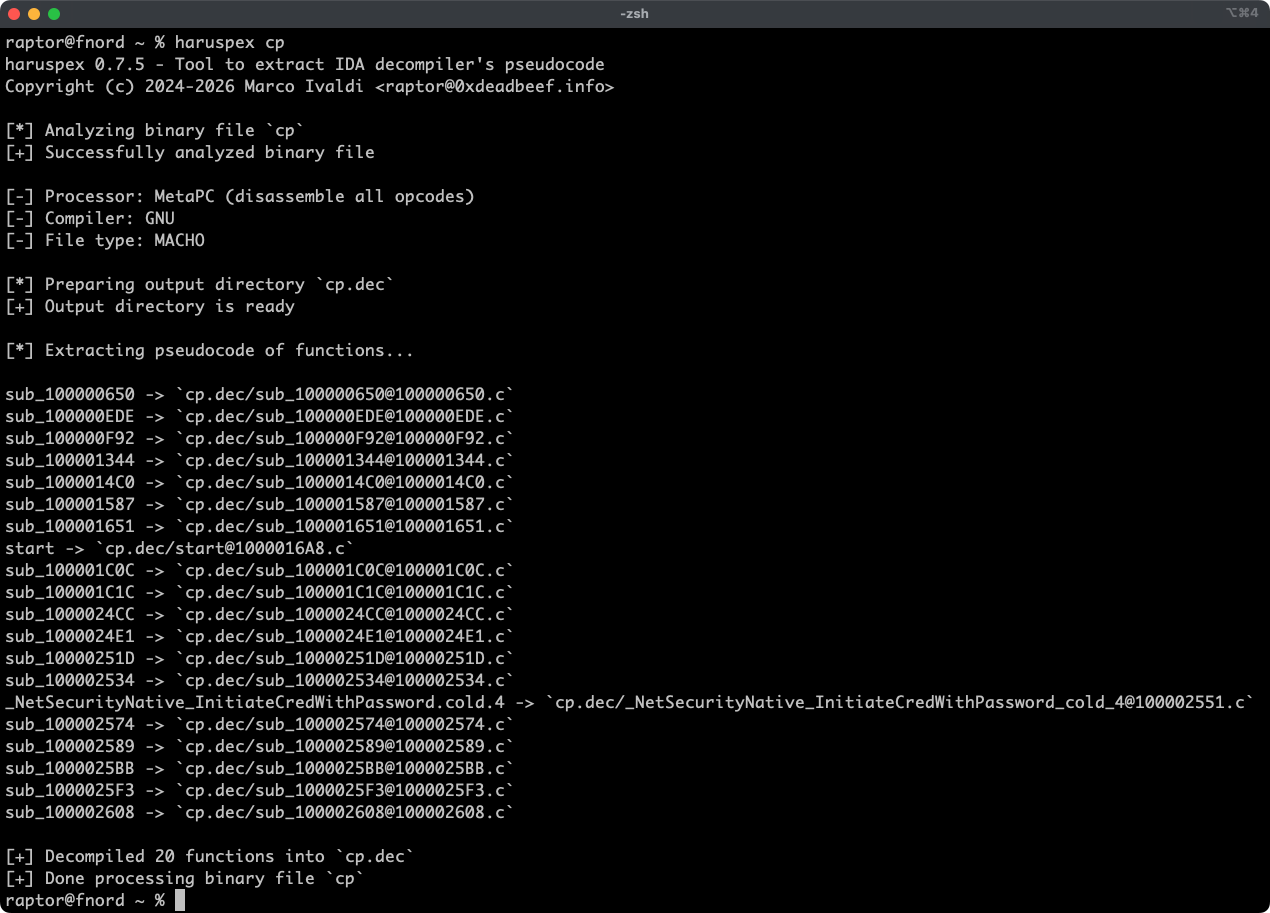
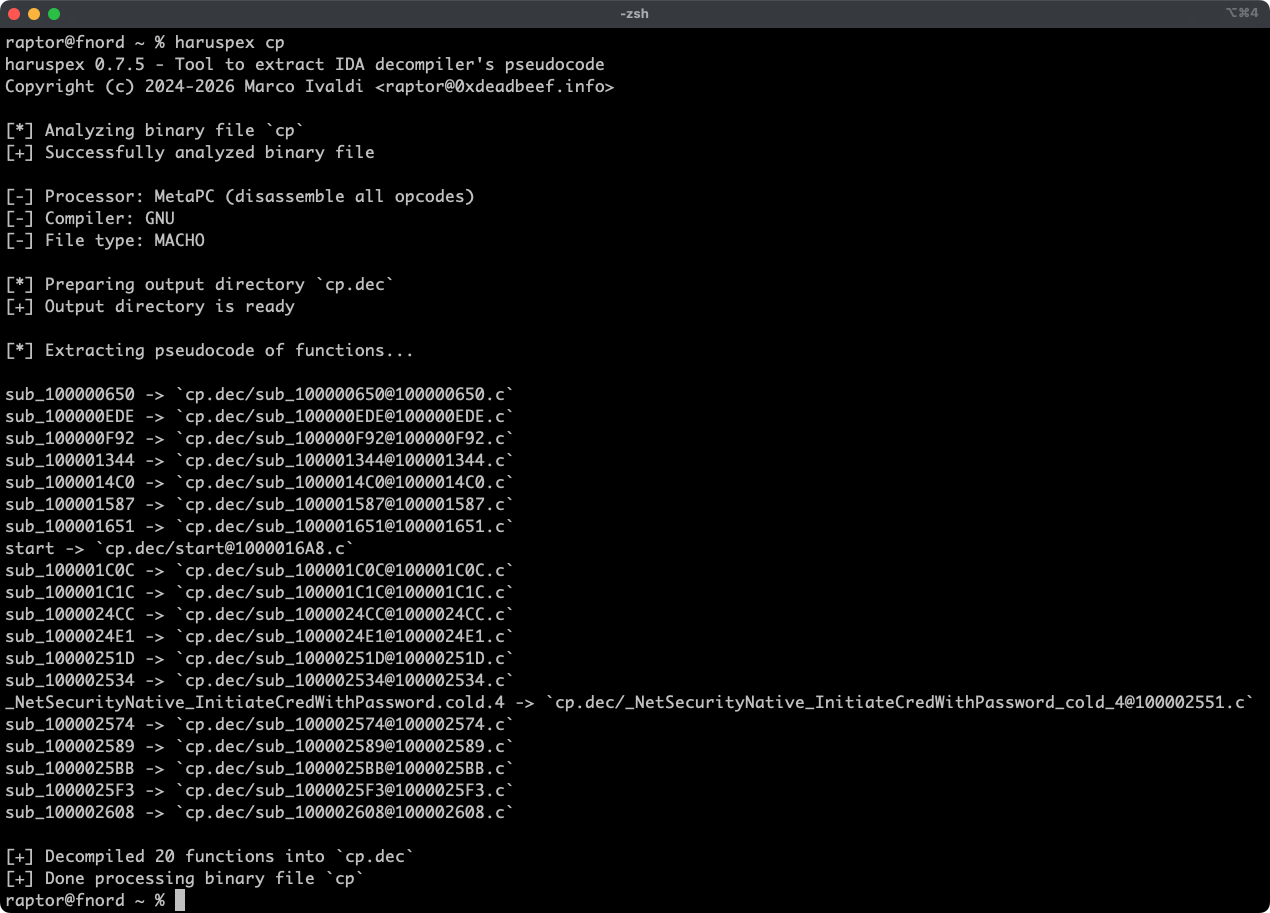
Haruspex is a blazing-fast IDA headless plugin that extracts pseudocode generated by IDA's decompiler in a format that should be suitable to be imported into an IDE, or parsed by static analysis tools such as Semgrep, weggli, or oneiromancer.
Features

  • Blazing-fast, headless user experience courtesy of IDA 9.x and idalib-rs Rust bindings.
  • Support for binary targets for any architecture implemented by IDA's Hex-Rays decompiler.
  • Pseudocode of each function is stored in a separated file in the output directory for easy inspection.
  • Global and per-function type definitions are extracted to header files alongside the pseudocode.
  • External crates can invoke [decompile_to_file] to decompile a function and save its pseudocode and type definitions to disk.

Articles

  • https://hex-rays.com/blog/streamlining-vulnerability-research-idalib-rust-bindings
  • https://hnsecurity.it/blog/streamlining-vulnerability-research-with-ida-pro-and-rust

See also

  • https://github.com/0xdea/ghidra-scripts/blob/main/Haruspex.java
  • https://github.com/0xdea/semgrep-rules
  • https://github.com/0xdea/weggli-patterns
  • https://docs.hex-rays.com/release-notes/9_0#headless-processing-with-idalib
  • https://github.com/idalib-rs/idalib
  • https://github.com/xorpse/parascope
  • https://hnsecurity.it/blog/automating-binary-vulnerability-discovery-with-ghidra-and-semgrep

Installing

The easiest way to get the latest release is via crates.io:

  1. Download, install, and configure IDA (see https://hex-rays.com/ida-pro).
  2. Install LLVM/Clang (see https://rust-lang.github.io/rust-bindgen/requirements.html).
  3. On Linux/macOS, install as follows:
    export IDADIR=/path/to/ida # if not set, the build script will check common locations
    cargo install haruspex --locked
    
    On Windows, instead, use the following commands:
    $env:LIBCLANG_PATH="\path\to\clang+llvm\bin"
    $env:PATH="\path\to\ida;$env:PATH"
    $env:IDADIR="\path\to\ida" # if not set, the build script will check common locations
    cargo install haruspex --locked
    

Compiling

Alternatively, you can build from source:

  1. Download, install, and configure IDA (see https://hex-rays.com/ida-pro).
  2. Install LLVM/Clang (see https://rust-lang.github.io/rust-bindgen/requirements.html).
  3. On Linux/macOS, compile as follows:
    git clone --depth 1 https://github.com/0xdea/haruspex
    cd haruspex
    export IDADIR=/path/to/ida # if not set, the build script will check common locations
    cargo build --release --locked
    
    On Windows, instead, use the following commands:
    git clone --depth 1 https://github.com/0xdea/haruspex
    cd haruspex
    $env:LIBCLANG_PATH="\path\to\clang+llvm\bin"
    $env:PATH="\path\to\ida;$env:PATH"
    $env:IDADIR="\path\to\ida" # if not set, the build script will check common locations
    cargo build --release --locked
    

Usage

  1. Make sure IDA is properly configured with a valid license.
  2. Make sure the IDADIR environment variable is set if your IDA installation is in a non-standard location.
  3. Run as follows:
    haruspex <binary_file>
    
  4. Find the extracted pseudocode and type definitions in the <binary_file>.dec directory:
    vim <binary_file>.dec
    code <binary_file>.dec
    

Compatibility

Only the latest IDA release is officially supported, but older versions may work as well. The following table summarizes the latest compatible release for each IDA version:

IDA versionLatest compatible release
v9.0.240925v0.2.4
v9.0.241217v0.3.5
v9.1.250226v0.6.2
v9.2.250908v0.7.5
v9.3.260213v0.8.1
v9.3.260327v0.9.0
v9.3.260421v0.9.3
v9.4.260714current release
v9.4.260915current release

[!NOTE] Check the idalib-rs documentation for additional information.

Credits

This project's development has been supported by the following organizations:

  • HN Security
  • Hex-Rays via their Contributor Program

Changelog

  • CHANGELOG.md

TODO

  • Add a Semgrep CI regression test to make sure the percentage of parsed lines doesn't decrease.
  • Use the .cpp extension instead of .c to output pseudocode (see this issue)?
  • Implement serialized output to facilitate automated parsing and analysis.
  • Integrate with Semgrep scanning (see https://github.com/0xdea/semgrep-rules).
  • Integrate with weggli scanning (see https://github.com/0xdea/weggli-patterns).
  • Improve decompiler output in the style of HexRaysPyTools and abyss.
  • Implement parallel analysis (see https://github.com/fugue-re/fugue-mptp).
Télécharger l’outil