
Skip to content
KitploitKITPLOIT
ToolsBlog
Submit
ToolsBlog
Submit

Hacking, PenTest, and Cybersecurity Tools for Your Security Arsenal!

Kitploit is a directory of hacking, cybersecurity, and pentesting tools. Discover the latest project updates to find vulnerabilities, analyze systems, automate testing, and strengthen your security.

··Feeds·Contact·Privacy·© 2026 Kitploit

Tool Directory

Categories

View all categories
Loading categories
Stego-Lab — Local steganography app for hiding text, images, or files inside carrier images with AES-256 encryption, EXIF editing, watermarking, and batch processing on iOS, iPadOS, and macOS. | Kitploit
Tools/GitLabGitLab/raithchr/stego-lab
Encryption/Decryption ToolsForensicsSteganographyPrivacyUtilities & Frameworks
GitLabraithchr/stego-lab

Stego-Lab

Local steganography app for hiding text, images, or files inside carrier images with AES-256 encryption, EXIF editing, watermarking, and batch processing on iOS, iPadOS, and macOS.

View Repository
11 month agoNot yet reviewed

Most Popular

View all →

Discover the most used tools by our community.

Explore all tools

Browse our collection of tools

View all tools →
Share
Website
Stego-Lab App Icon

Stego-Lab

Steganography. EXIF. Watermarks. Decode. Batch.

Professional image privacy workflows for iPhone, iPad, and macOS.

Website · GitLab · Project Page · Privacy Policy · Press Kit · Support · License

Platform Formats Business Model Privacy License

Why Stego-Lab

Stego-Lab brings together workflows that are usually scattered across multiple apps: invisible steganography, visible watermarking, EXIF editing, decoding, and batch processing.

Stego-Lab fuehrt Workflows zusammen, die sonst auf mehrere Apps verteilt sind: unsichtbare Steganographie, sichtbare Watermarks, EXIF-Bearbeitung, Dekodierung und Batch-Verarbeitung.

It is built for creators, photographers, forensic-minded users, and technical image workflows that need local processing and careful export control across iPhone, iPad, and Mac.

Core Features

Workflow Highlights

EncodeDecode
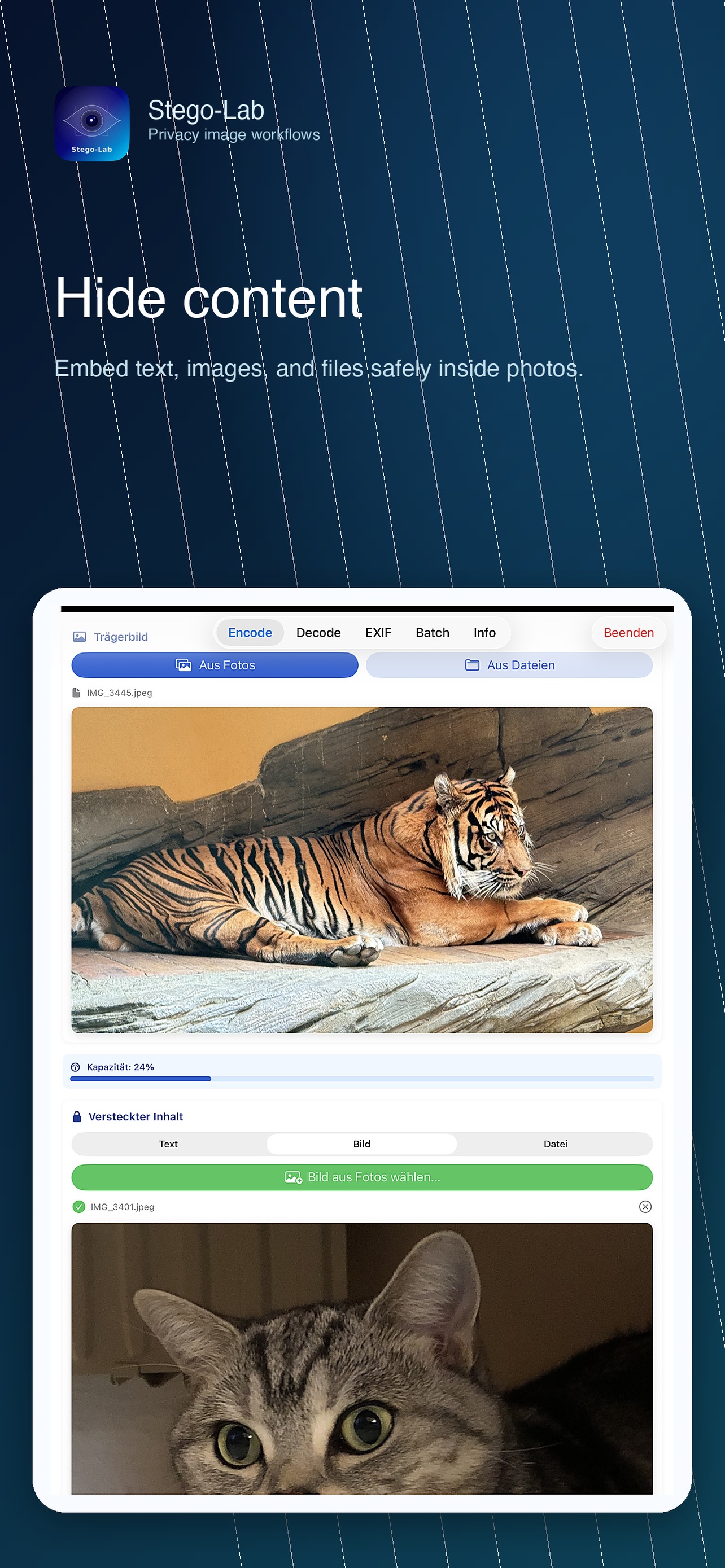
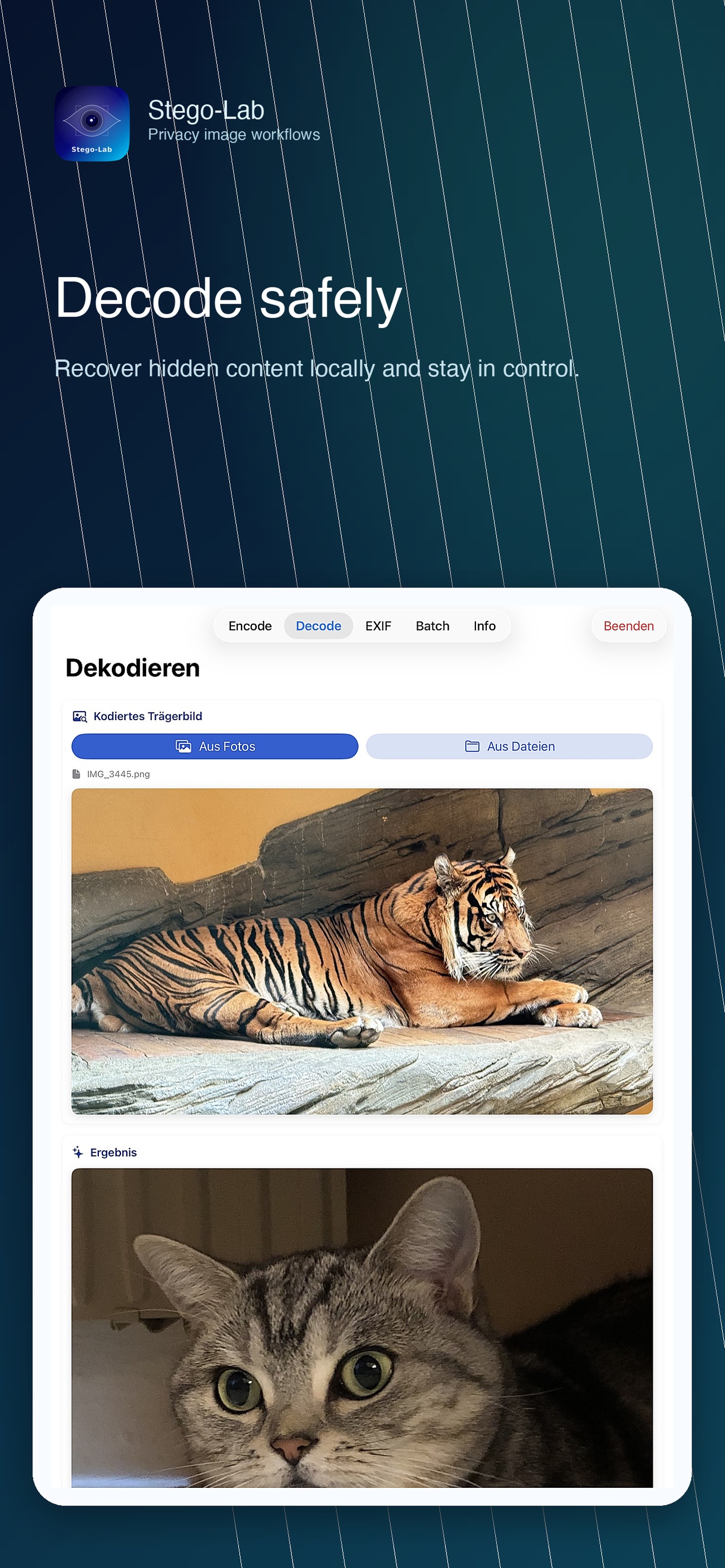
Hide text, images, or files inside carrier imagesRecover hidden content from encoded images
Optional password protection before embeddingText stays free, advanced payloads are Pro
Capacity and formula feedback while preparing payloadsSupports text, image, and file recovery
EXIFBatch
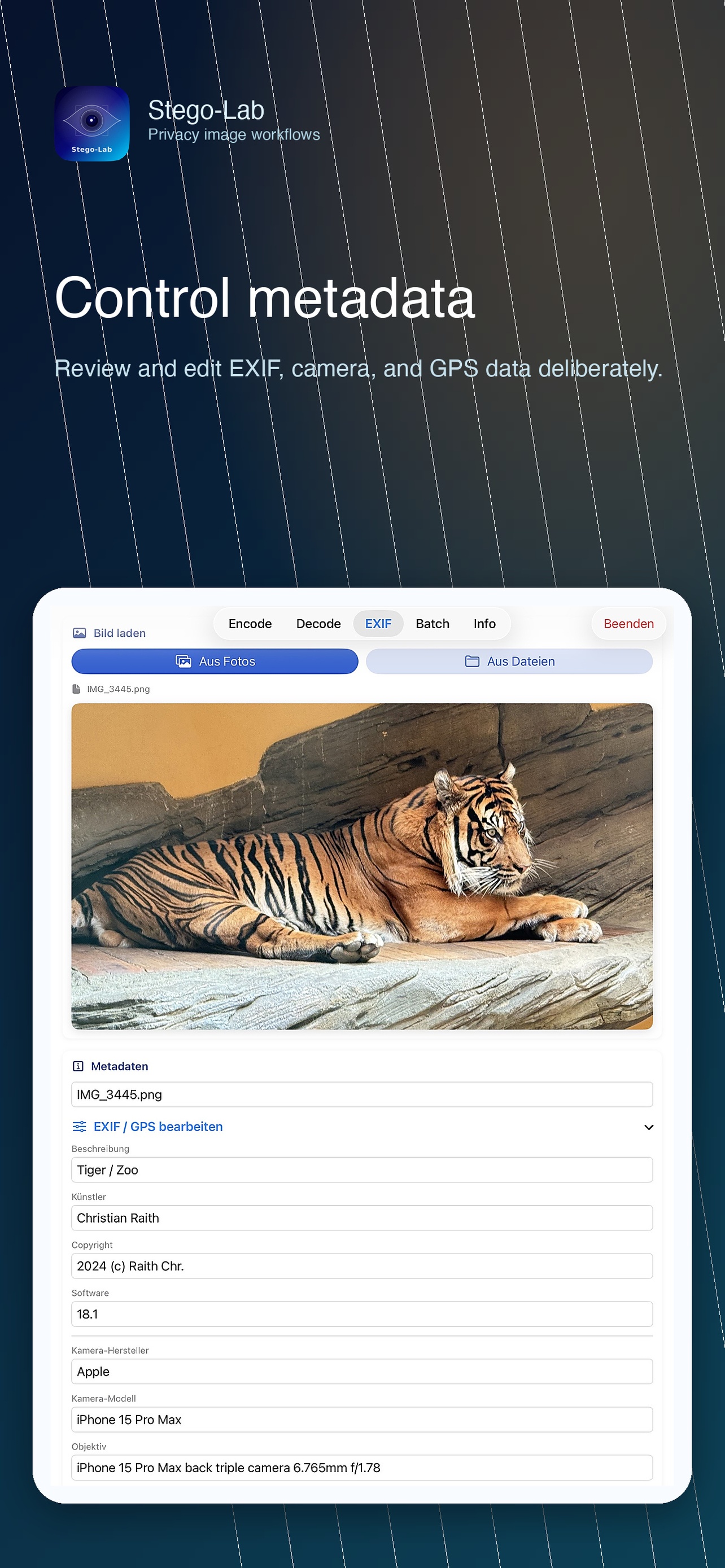
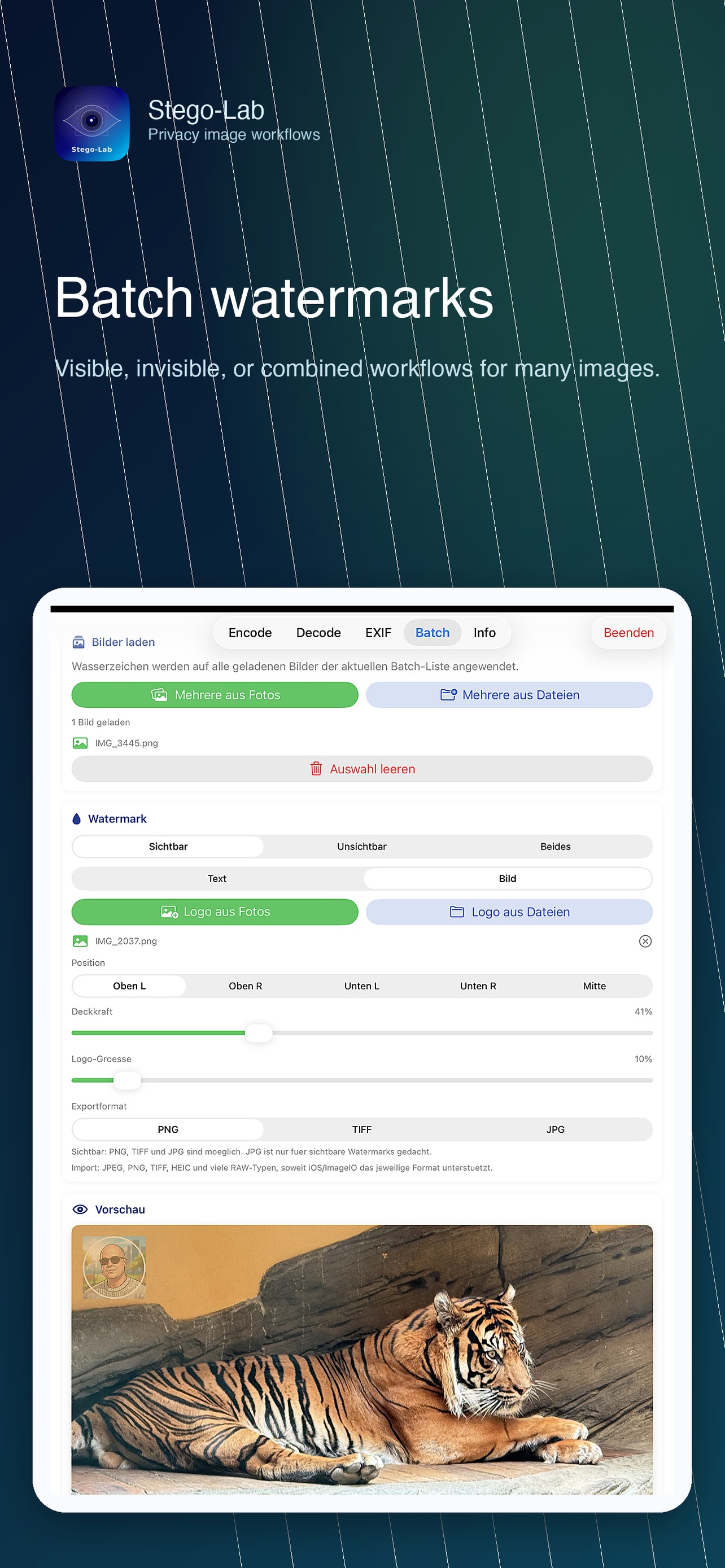
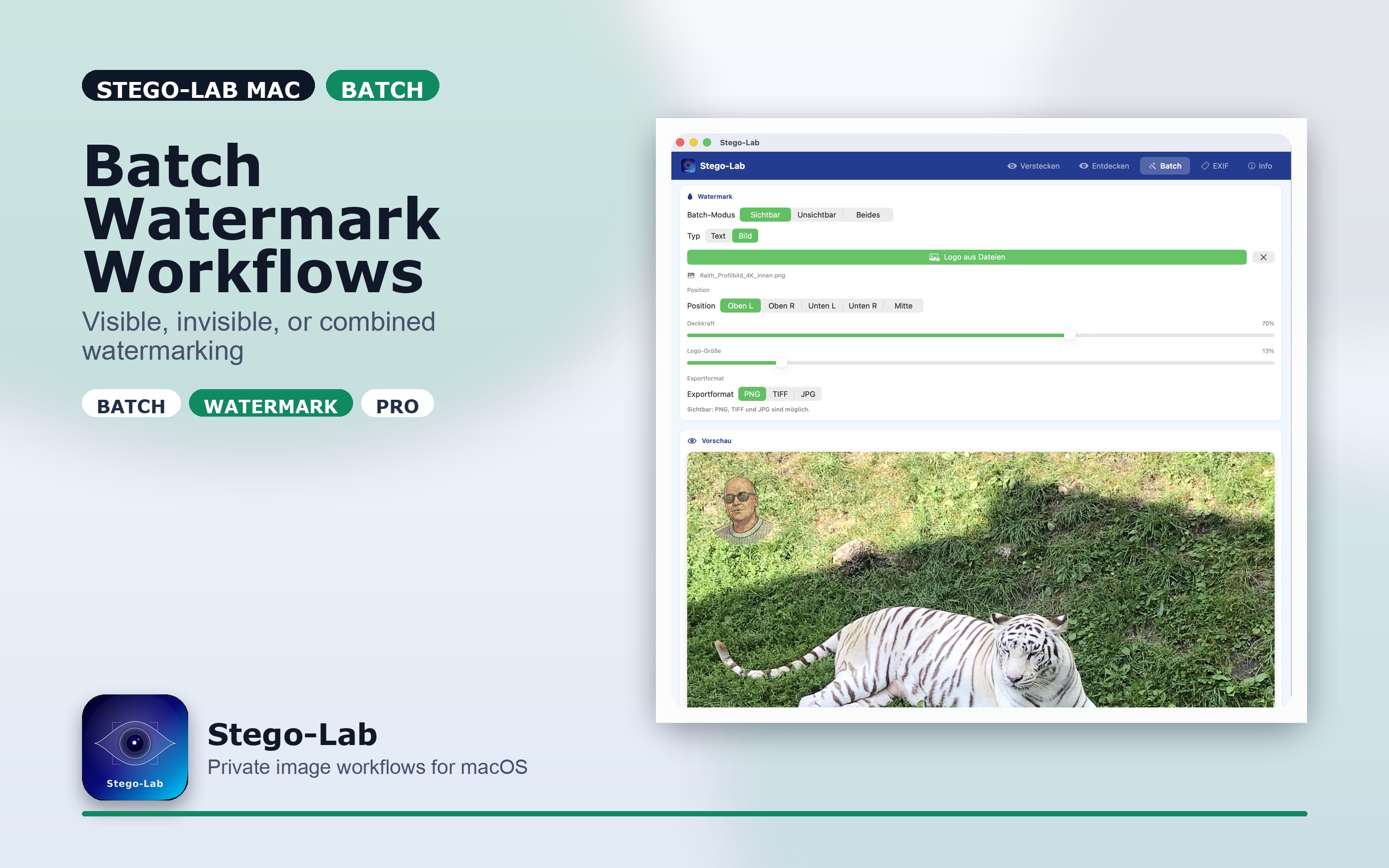
Inspect and edit EXIF, TIFF, and GPS metadataApply visible, invisible, or combined watermarks
Save under same or different export namesUse text or image-based watermark inputs
Useful for cleanup, relabeling, and metadata controlDesigned for repeatable multi-image output

Screenshots

App Store-ready screenshot sets are available for iPhone, iPad, and macOS in German, English, and French under generated/app_store_screenshots/.

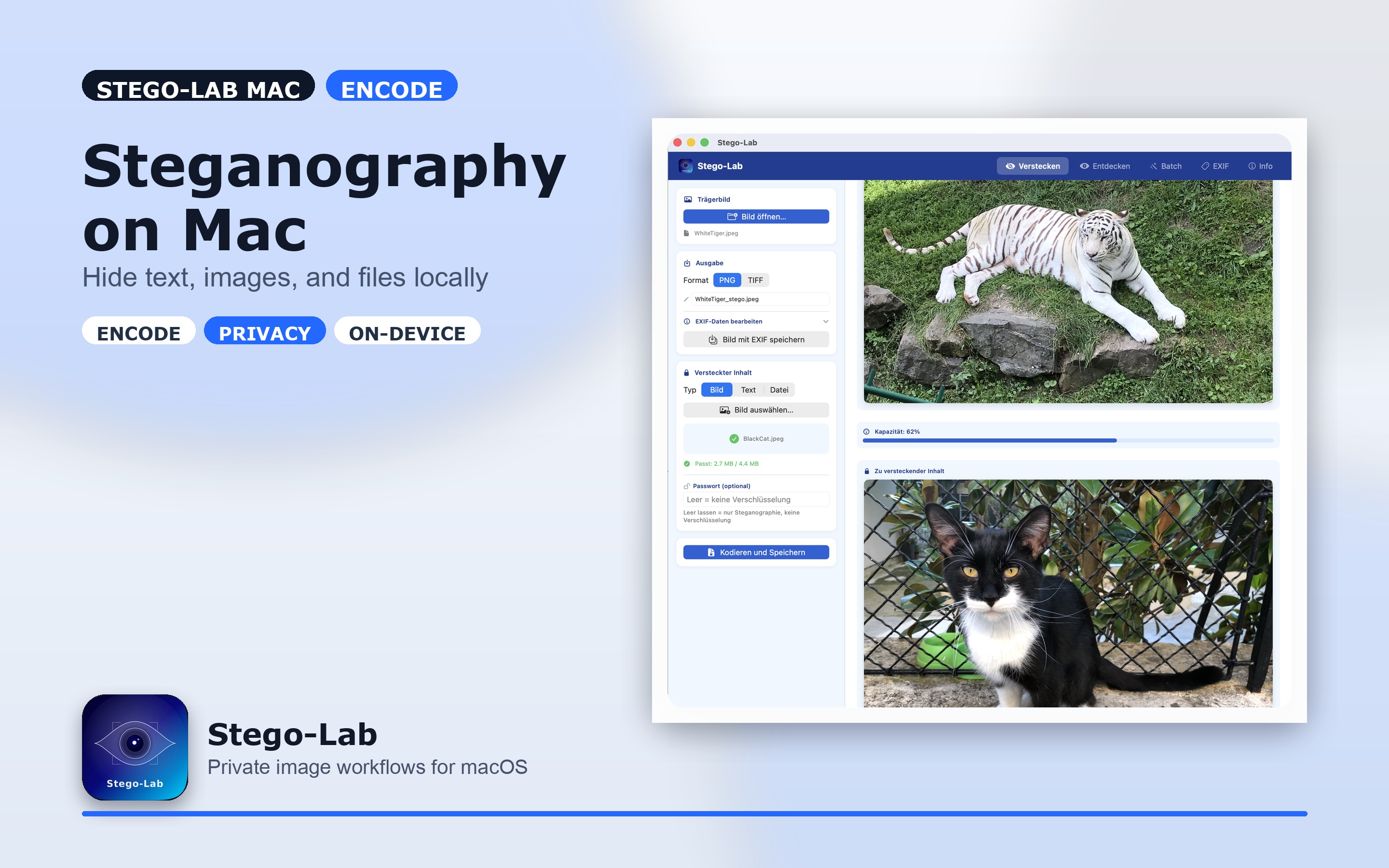
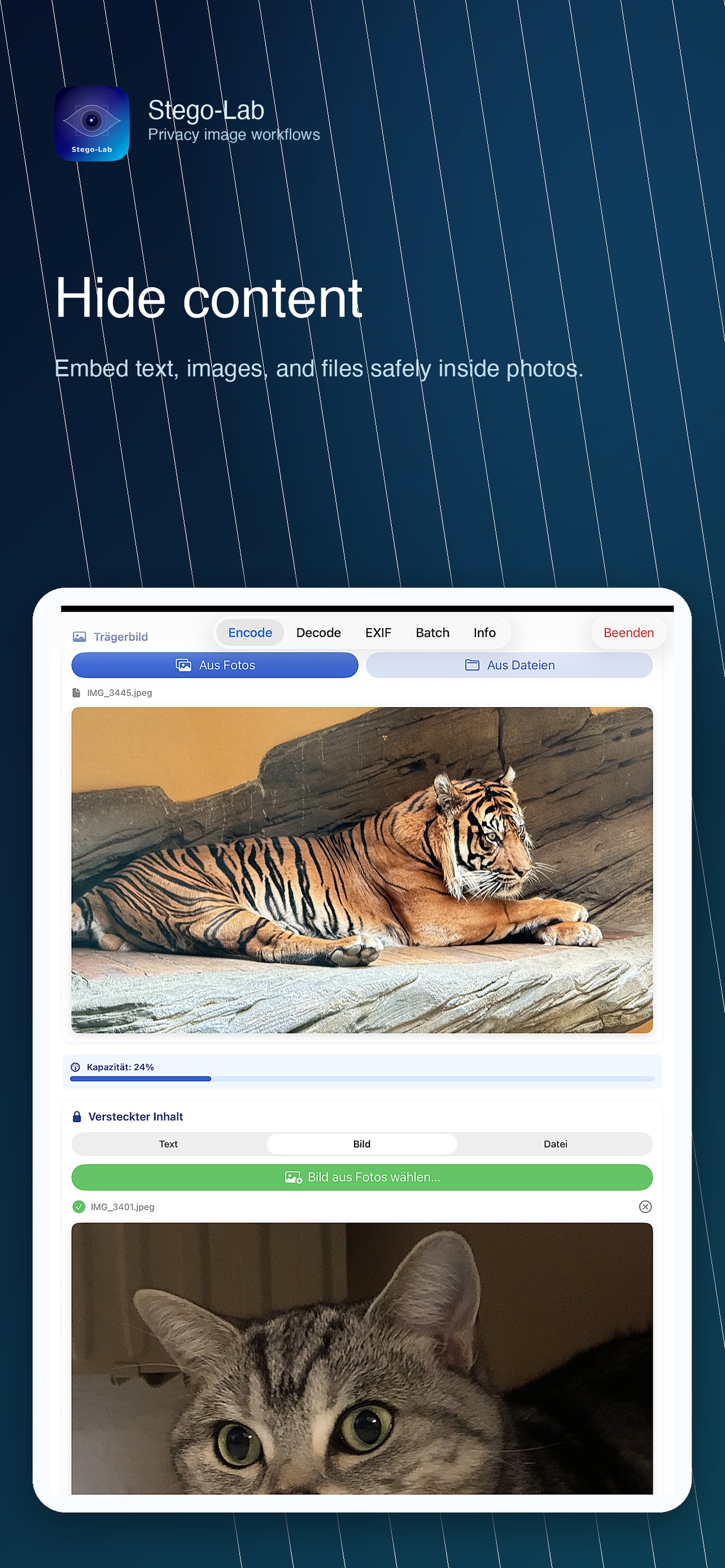
macOS Encode
macOS Encode screenshot
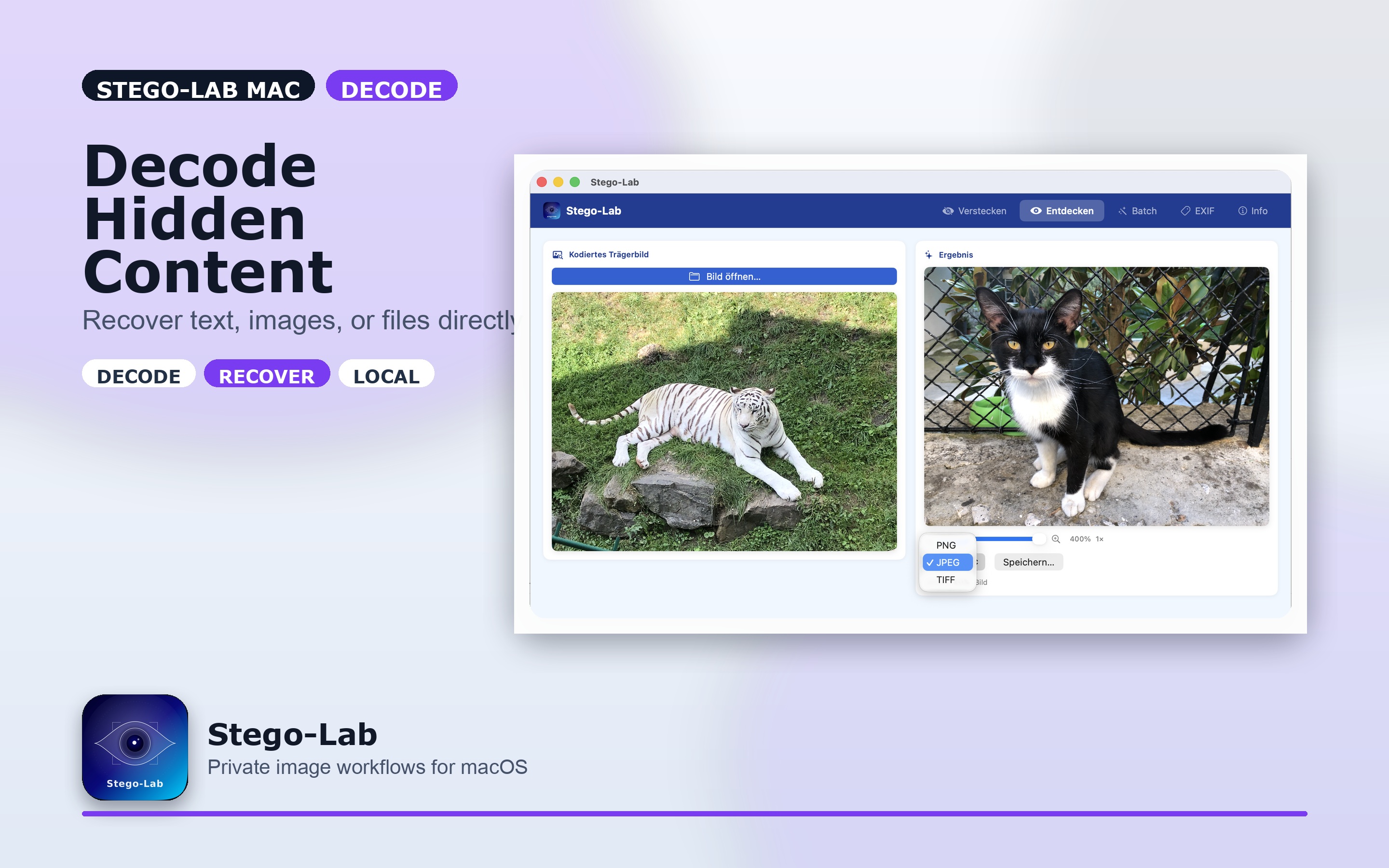
macOS Decode
macOS Decode screenshot

Formats and Export Logic

Demo Asset

An encoded sample image for manual decode checks is available under docs/demo/DemoPicture_WhiteTiger-BlackCat.PNG. Keep demo assets public-safe: no private payloads, secrets, or reusable real-world passwords.

Free vs Pro

Planned Pro product identifier: com.raith.photovault.pro

Privacy

Stego-Lab runs entirely on your device. Nothing leaves your Mac.

  • No network requests. The app does not contact any server, ever. No update pings, no check-ins.
  • No tracking. No analytics, no telemetry, no advertising identifiers, no crash reporters that phone home.
  • No cloud. No cloud storage, no synchronization — your carrier images, payloads, and passwords never leave local disk.
  • No account. No sign-in, no registration, no email collection, no online activation.
  • App Store Privacy Nutrition Label: Data Not Collected.

See Privacy Policy for the formal statement.

Documentation

  • Stego-Lab Guide
  • User Manual / Benutzerhandbuch
  • App Store Metadata
  • App Store Release Checklist
  • App Store Screenshots
  • IAP Assets
  • Privacy Policy
  • Monetization Feature Matrix
  • StoreKit Local Testing
  • Changelog
  • Security Policy
  • Security Audit
  • Press Kit

Security Audit

Stego-Lab keeps security findings visible in the repository. The codebase has been audited twice: first on 2026-04-10 after the PV2 crypto migration and target consolidation, and again on 2026-04-17 as a pre-resubmission audit after the App Store review fixes (v1.0 Resubmission milestone).

2026-04-17 audit result: 0 critical, 0 high, 4 medium, 5 low / info — verdict: resubmission-ready. Two of the medium findings (M-02 password-reveal-leak via eye-toggle state, M-03 payload-filename sanitization against RTL-override and extension-disguise) were fixed immediately in commit 34827e5. Remaining medium/low items are tracked for post-release hardening. Cryptography (PBKDF2-HMAC-SHA256 @ 600k iter + AES-GCM), StoreKit 2 posture, sandbox entitlements, and zero-network-activity all passed. See SECURITY-AUDIT.md for the earlier full report.

License

Stego-Lab is released under the MIT License — see LICENSE for the full, legally binding text (SPDX identifier: MIT). A rendered version with a German explanatory note is available at docs/license.md.

Copyright (c) 2026 Christian Raith.

Developer

Christian Raith
Wiener Neustadt, Oesterreich

  • Website: https://www.craith.cloud/stego-lab
  • GitLab: https://gitlab.com/RaithChr
  • Project: https://gitlab.com/RaithChr/stego-lab

Support and Donations

If Stego-Lab helps you or saves you production time, you can support ongoing development here:

  • Email / Support: mailto:[email protected]
  • Buy Me a Coffee: https://www.buymeacoffee.com/christianraith
  • PayPal: https://paypal.me/christianraith151
  • GitLab Issues / Support: https://gitlab.com/RaithChr/stego-lab/issues

Release Status

  • iPhone, iPad, and macOS workflows are implemented
  • StoreKit local testing is configured
  • App Store documentation and privacy pages are prepared
  • Final App Store Connect setup, screenshots, and TestFlight submission are the next release steps
Download Tool
AreaWhat it doesBest used for
EncodeEmbed hidden text, images, or files into a carrier imageinvisible payload workflows
DecodeExtract hidden text, images, or files againverification and recovery
EXIFRead, inspect, edit, and re-save metadatametadata cleanup or controlled edits
BatchApply visible, invisible, or combined watermarks to many imagesrepeatable production workflows
InfoApp details, support, upgrade path, version summaryrelease and support visibility
Encode
Encode screenshot
Decode
Decode screenshot
EXIF
EXIF screenshot
Batch
Batch screenshot
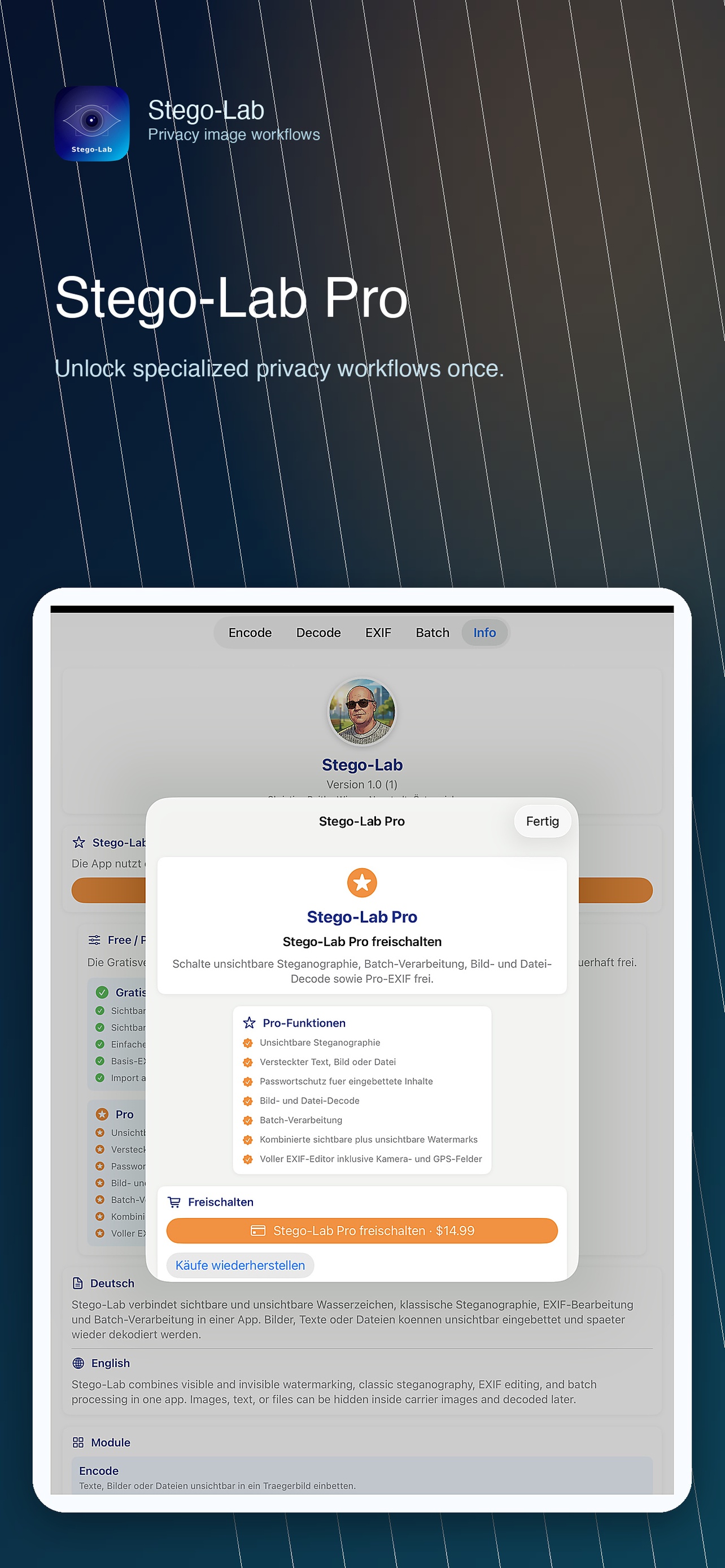
Stego-Lab Pro
Stego-Lab Pro screenshot
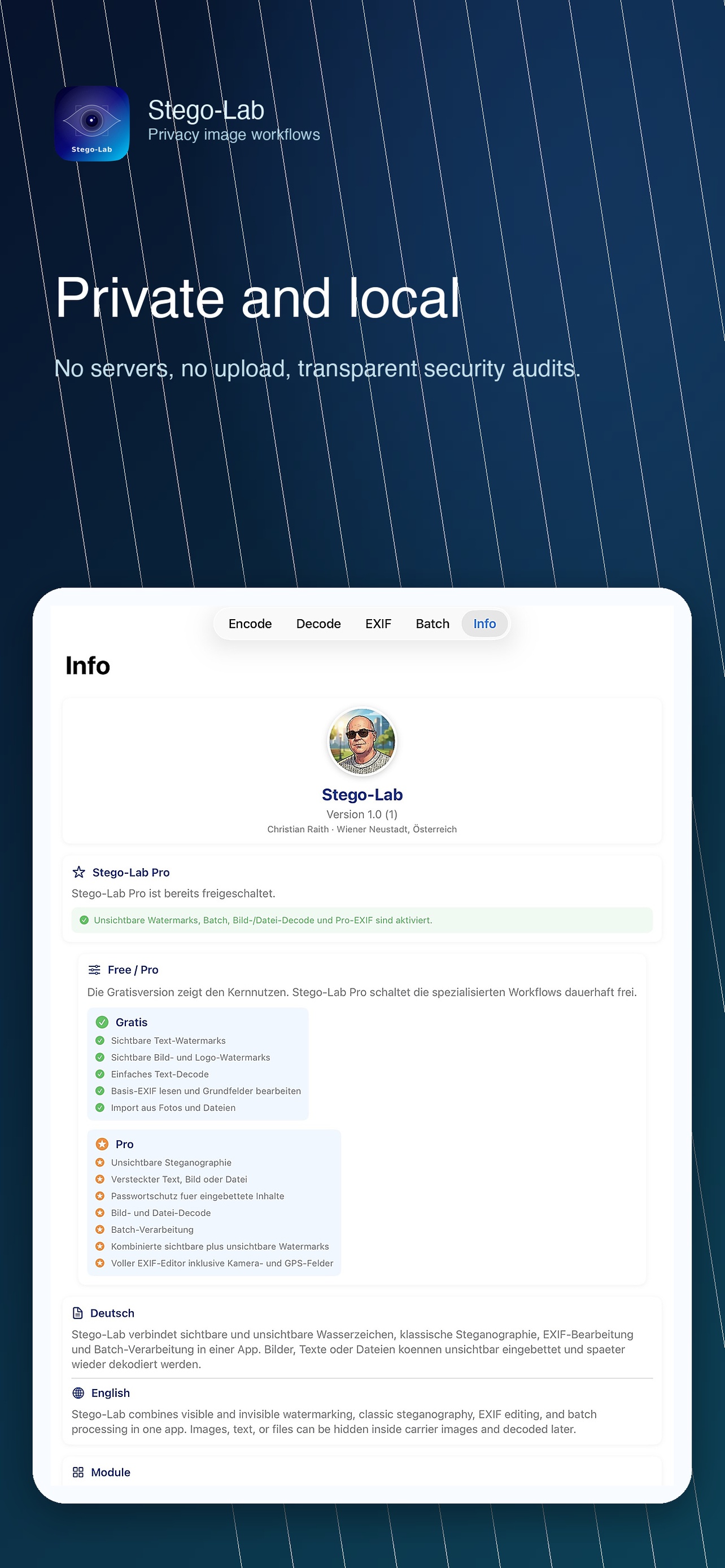
Info
Info screenshot
macOS Batch

macOS Batch screenshot
Use caseRecommended formatsNotes
Invisible payloadsPNG, TIFFlossless export keeps hidden data reliable
Visible-only workflowsPNG, TIFF, JPGJPG is suitable when no hidden payload must survive
ImportJPG, PNG, TIFF, HEIC, many RAW variantsdepends on iOS and ImageIO support
FreePro
visible text watermarksinvisible steganography
visible image/logo watermarkshidden text, image, and file payloads
simple text decodepassword-protected payload workflows
basic EXIF read and editimage and file decode
import from Photos and Filesbatch processing
visible export workflowscombined visible plus invisible workflows
full EXIF editor including GPS