
Skip to content
KitploitKITPLOIT
ToolsBlog
Submit
ToolsBlog
Submit

Hacking, PenTest, and Cybersecurity Tools for Your Security Arsenal!

Kitploit is a directory of hacking, cybersecurity, and pentesting tools. Discover the latest project updates to find vulnerabilities, analyze systems, automate testing, and strengthen your security.

··Feeds·Contact·Privacy·© 2026 Kitploit

Tool Directory

Categories

View all categories
Loading categories
abdal-lockbox — Local-first encrypted password vault for Android with Master Password access, Recovery Key support, Autofill integration, and portable encrypted ABLBX backups. Developed by Ebrahim Shafiei (EbraSha). | Kitploit
Tools/GitLabGitLab/prof.shafiei/abdal-lockbox
Android SecurityDefensive ToolsEncryption/Decryption ToolsCryptographyMobile SecurityPrivacyIdentity & Access Management (IAM)Authentication
GitLabprof.shafiei/abdal-lockbox

abdal-lockbox

Local-first encrypted password vault for Android with Master Password access, Recovery Key support, Autofill integration, and portable encrypted ABLBX backups. Developed by Ebrahim Shafiei (EbraSha).

View RepositoryWebsite
13 days agoNot yet reviewed

Most Popular

View all →

Discover the most used tools by our community.

Explore all tools

Browse our collection of tools

View all tools →
Share
Abdal LockBox

🔐 Abdal LockBox

🌐 Read in your language: 🇬🇧 English | 🇨🇳 中文 | 🇷🇺 Русский | 🇪🇸 Español | 🇯🇵 日本語 | 🇮🇷 فارسی | 🇸🇦 العربية | 🇹🇷 Türkçe | 🇩🇪 Deutsch | 🇮🇳 हिन्दी

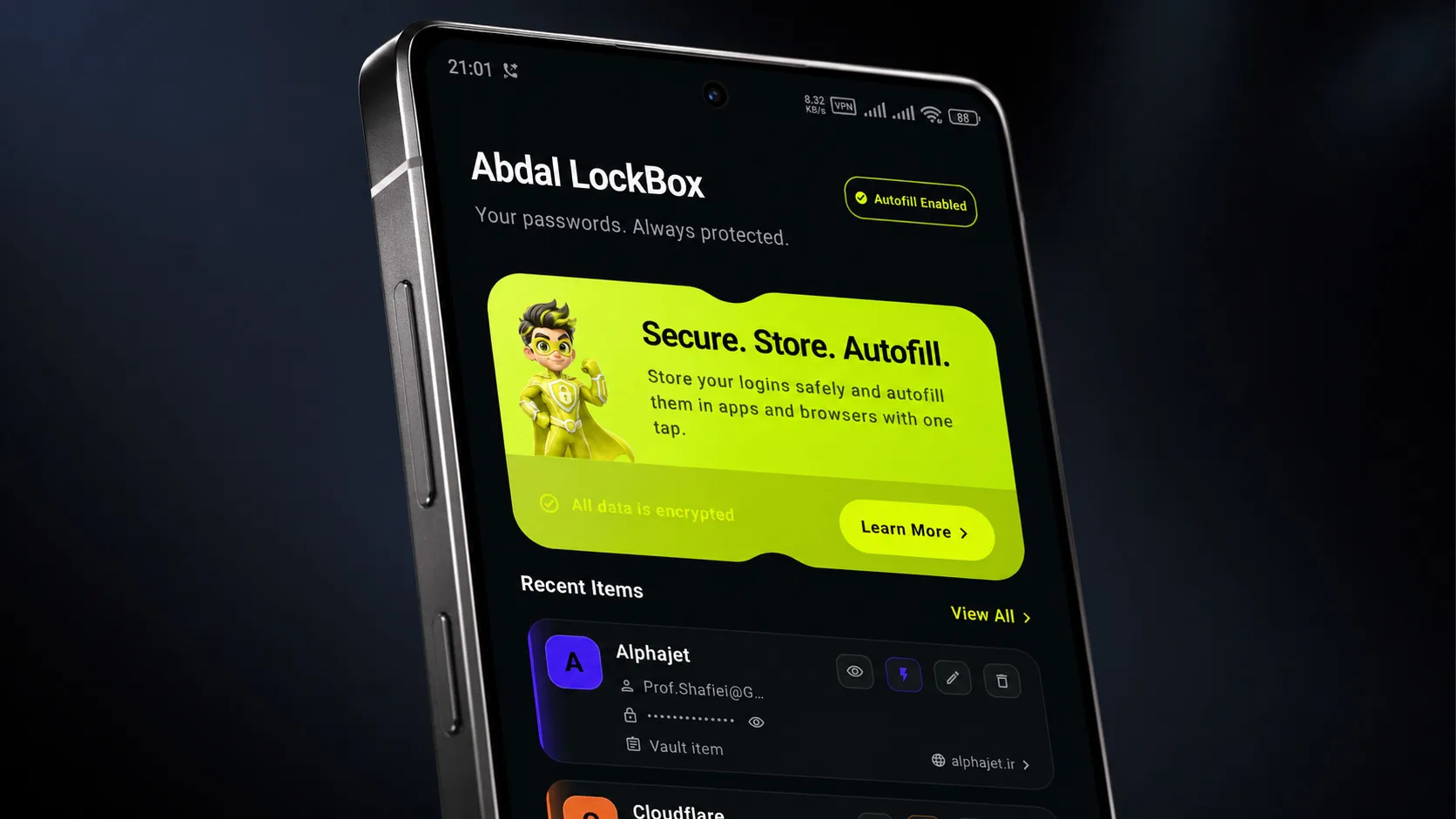
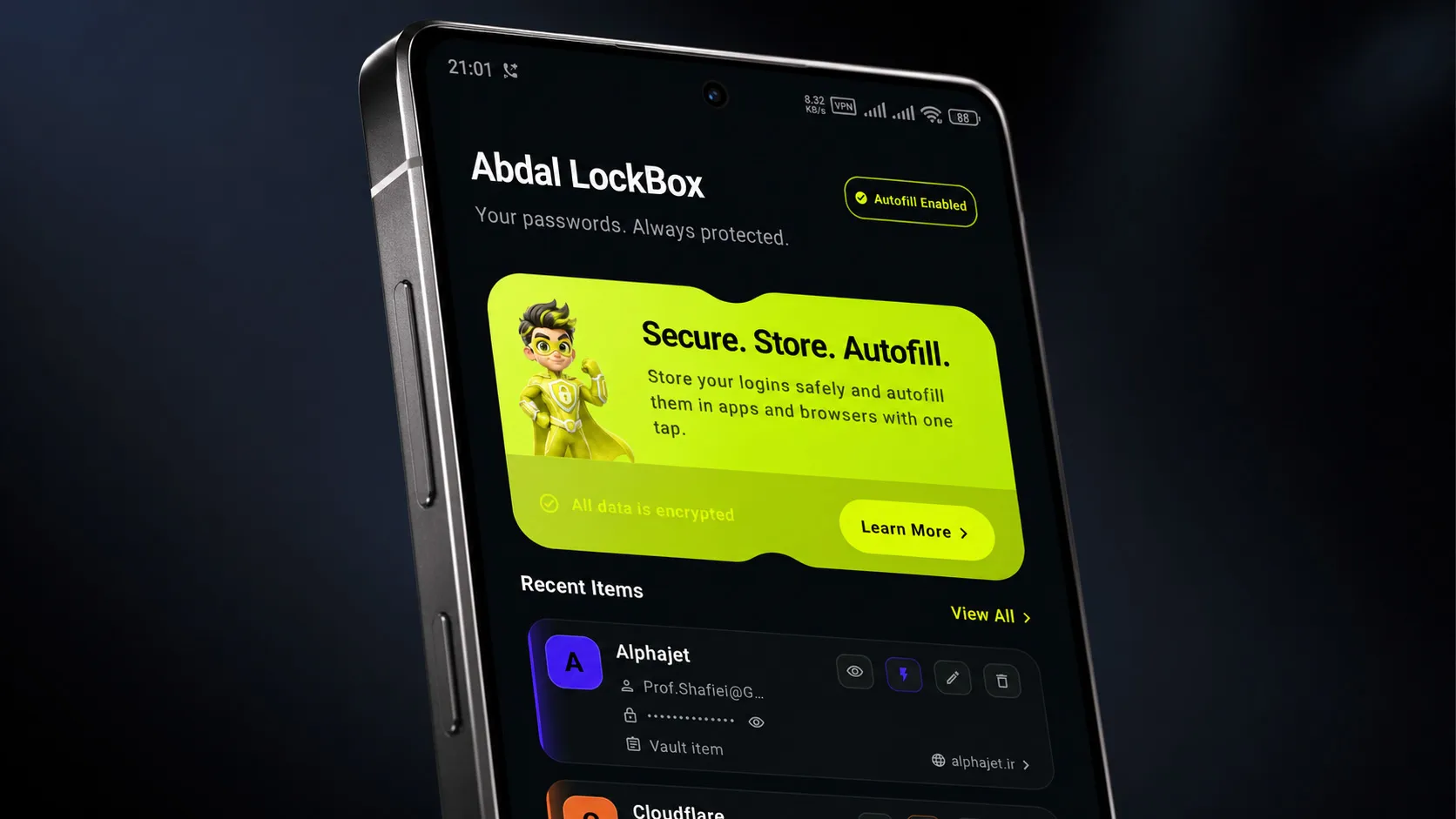
Secure. Store. Autofill. — A privacy-first Android password manager by Abdal Security Group.

Abdal LockBox keeps your credentials encrypted on your device, fills logins through the official Android Autofill framework, and backs up your vault with the portable .ablbx encrypted format — without sending vault secrets to a cloud backend.


🎯 Why This App Was Created

Most people store passwords in browsers, notes apps, or cloud services they do not fully control. That creates a real risk: one breach, sync leak, or device extraction can expose an entire credential map.

Abdal LockBox was built to solve a practical problem:

  • 🏠 Keep credentials on the device under a single Master Password — no remote vault sync by design
  • ⚡ Fill logins quickly in apps and browsers via Android Autofill
  • 📦 Back up and restore safely using the standardized encrypted .ablbx format
  • 🔑 Recover access with a Recovery Key if the Master Password is forgotten
  • 💣 Protect under duress with optional Self-Destruct that silently wipes local vault data

The goal is a lightweight, security-oriented password manager that respects privacy and follows modern Android engineering practices (Jetpack Compose, Room, DataStore, authenticated encryption).


✨ Features & Capabilities

🗄️ Vault & Credentials

  • Create and unlock a vault with a Master Password
  • Add, edit, and delete credentials: title, username, password, website URL, app package, extra notes
  • Built-in password generator with strength indicator
  • Custom card and text colors for visual organization
  • Hide passwords by default (Settings)
  • Search, filter (All / Apps / Websites / Recently Used), and sort in Vault
  • Credential detail view with copy and open URL
  • Recent items on the Home dashboard
  • Searchable in-app Help & Guide (Home → Learn More)

📲 Android Autofill

  • System AutofillService for apps and browsers
  • Per-credential Enable Autofill toggle
  • Autofill in apps / browsers, require Master Password before fill, show fill suggestions
  • Confirm-save flow when new logins are detected
  • Manual field mappings for apps without standard autofill hints

🛡️ Security & Session

  • Auto-lock after inactivity (Never, 1 / 5 / 15 / 30 minutes)
  • Change Master Password
  • Recovery Key generation and rotation
  • Screenshot & screen-recording protection (FLAG_SECURE) across screens, dialogs, and sheets
  • Self-Destruct Password — silent emergency wipe when entered on the unlock screen
  • android:allowBackup="false" — Android cloud backup disabled for app data

💾 Backup & Migration

  • Export Vault → encrypted .ablbx file (passphrase-protected)
  • Import Vault → restore on the same or a new device
  • Official format OID: 1.3.6.1.4.1.66033.1.2.2.1

🔒 Why Abdal LockBox Is Trustworthy & Secure

Abdal LockBox follows a local-first, offline-first security model:

PrincipleHow it is applied
🔐 No plaintext secrets on diskCredentials and settings are encrypted before persistence
🧠 Layered keysMaster Password / Recovery Key derive KEKs; DEK encrypts vault data
✅ Authenticated encryptionAES-256-GCM with AAD bound to vault context
🧩 Separated lookup indexHMAC-SHA-256 domain/package hashes for autofill matching
🚫 No cloud vault syncVault workflow does not depend on a remote password server
🪟 Screen protectionOptional secure windows block screenshots and recordings
💣 Duress wipeSelf-Destruct erases vault data without revealing the wipe

Encryption & Cryptography

Abdal LockBox uses a layered key model. Passwords and metadata are never stored in plaintext on disk.

Key Hierarchy

root@kitploit:~
flowchart TB
    MP[Master Password] -->|KDF| KEK[KEK — Key Encryption Key]
    RK[Recovery Key] -->|KDF| RKEK[Recovery KEK]
    KEK -->|AES-256-GCM wrap| DEK[DEK — Data Encryption Key]
    KEK -->|AES-256-GCM wrap| IK[Index Key]
    RKEK -->|AES-256-GCM wrap| DEK
    RKEK -->|AES-256-GCM wrap| IK
    DEK -->|AES-256-GCM| Items[Vault Items & Settings]
    IK -->|HMAC-SHA-256| Lookup[Domain / Package Lookup Hashes]
MaterialRole
Master PasswordDerives KEK via KDF; unlocks the vault
Recovery KeyDerives Recovery KEK; resets Master Password
KEKWraps DEK and Index Key
DEKEncrypts credential blobs and settings
Index KeyComputes HMAC lookup hashes for autofill matching

Primary KDF: Argon2id (memory 32,768 KiB · iterations 3 · parallelism 2 · 32-byte output)
Fallback KDF: PBKDF2-HMAC-SHA256 (600,000 iterations)
AEAD: AES-256-GCM (32-byte key · 12-byte nonce · 128-bit tag) via Google Tink / JCE

For the full security architecture, see the Whitepaper.


🚀 How to Use

First Launch

  1. Install Abdal LockBox.
  2. Create a strong Master Password (minimum 6 characters; longer is strongly recommended).
  3. Save your Recovery Key offline in a safe place when prompted.

Daily Use

TaskWhere
➕ Add a passwordHome or Vault → +
📚 Browse credentialsVault tab
🔎 Search / filterVault search bar and chips
👁️ View / copy detailsEye icon on a credential card
📲 Enable AutofillAutofill tab + set Abdal LockBox as the system autofill service
📤 Export backupSettings → Export Vault
📥 Import backupSettings → Import Vault
💣 Self-Destruct setupSettings → Self-Destruct
📖 Help topicsHome → Learn More

Autofill Setup

  1. Open Autofill and enable autofill in the app.
  2. Go to Android Settings → Passwords & accounts → Autofill service (wording may vary by OEM).
  3. Select Abdal LockBox.
  4. Focus a login field in another app or browser and choose the suggested credential.

Backup Tips

  • 💾 Export regularly and store .ablbx files in a secure location.
  • 🔑 Use a strong export passphrase different from everyday passwords when possible.
  • 🧾 Keep your Recovery Key separate from the backup file.

🧰 Technical Overview (For Developers)

Build toolchain

  • 🐘 Gradle (wrapper): 9.3.1
  • 🤖 Android Gradle Plugin (AGP): 9.1.1
  • 🟣 Kotlin: 2.2.10
  • ⚙️ KSP: 2.3.5
  • ☕ Java compatibility (source/target): 11

Android SDK / API levels

  • 🛠️ compileSdk: 36 (Android 16)
  • 🎯 targetSdk: 36
  • 📉 minSdk: 26 (Android 8.0)
  • 📦 applicationId: com.abdal.lockbox · versionName: 1.65 (versionCode 165)

Platform APIs used

  • 🔐 android.service.autofill.AutofillService — system autofill fill/save for apps and browsers (AbdalAutofillService).
  • 🪟 WindowManager.LayoutParams.FLAG_SECURE — screenshot / screen-recording protection for activities, dialogs, and bottom sheets.
  • 📦 Package visibility (<queries>) — discover installed launcher apps for the app-package picker (Android 11+).
  • 🚫 android:allowBackup="false" — disables Android Auto Backup for app data.
  • 🗄️ Room SQLite — local vault metadata and encrypted item storage (lockbox_vault.db).
  • 💾 DataStore Preferences — auto-lock timing and Self-Destruct credential metadata.

Core libraries

  • 🎨 Jetpack Compose — BOM 2024.09.00, Material 3, Navigation Compose 2.8.9, Activity Compose 1.10.1, Lifecycle 2.8.7.
  • 🔐 Crypto: Google Tink Android 1.15.0 (AES-GCM) · Argon2kt 1.6.0 (Argon2id KDF).
  • 🔄 Coroutines: kotlinx-coroutines 1.10.2.
  • 🗄️ Persistence: Room 2.7.0 (KSP) · DataStore Preferences 1.1.7.
  • 🌍 Serialization / networking helpers: Moshi 1.15.2, OkHttp 4.10.0, Retrofit converter-moshi 2.12.0.
  • 🧪 Testing: JUnit 4.13.2, Robolectric 4.16.1, Roborazzi 1.59.0, Espresso 3.7.0.

Build commands

root@kitploit:~
./gradlew assembleDebug
./gradlew assembleRelease
./gradlew clean assembleRelease -PenableMinify=true
./gradlew test

📚 Documentation

  • Whitepaper
  • ABLBX File Format Specification

📦 ABLBX Encrypted Vault Backup Format

ABLBX is the encrypted vault backup format used by Abdal LockBox for secure export and import of vault data.

  • File extension: .ablbx
  • Media type: application/vnd.abdalsecuritygroup.lockbox
  • Recommended filename pattern: abdal-lockbox-backup-{yyyyMMdd-HHmmss}.ablbx

For the full technical details, see the ABLBX File Format Specification.


🐛 Reporting Issues

If you encounter any issues or have configuration problems, please reach out via email at [email protected]. You can also report issues on GitLab or GitHub.

❤️ Donation

If you find this project helpful and would like to support further development, please consider making a donation:

  • Donate Here

🤵 Programmer

Handcrafted with Passion by Ebrahim Shafiei (EbraSha)

  • E-Mail: [email protected]
  • Telegram: @ProfShafiei

📜 License

This project is licensed under the AGPLv3 License. See LICENSE.

Summary of Your Rights and Obligations

  • ✅ You may use, study, modify, and redistribute this software under the terms of AGPLv3.
  • ✅ You may create derivative works, provided you comply with the attribution and renaming requirements below.
  • ⚠️ Network use triggers source disclosure obligations (AGPLv3 §13). If you run a modified version of this software as a network service, you must offer the modified source code to its users.
  • ⚠️ The names "Abdal LockBox", "Abdal", "EbraSha", "Abdal Security Group", "Nahaanbin CyberSecurity Company" and associated logos are trademarks of Ebrahim Shafiei (EbraSha) and are NOT covered by the AGPLv3 license.
  • ⚠️ Forks and modified versions MUST be renamed to a name that is not confusingly similar to the Project Brand, and may NOT reuse the original branding, logos, or visual identity.
  • ⚠️ All author attributions, copyright notices, "About" screens, credit lines, and identifying information MUST be preserved in any modified version. Removal or obfuscation is a material violation of the License.
  • ⚠️ Modified versions must clearly indicate they are modified and must not be represented as the official version.

For details, see the Additional Terms section in the LICENSE file.

Commercial / Trademark Licensing

For commercial licensing, trademark licensing, or permissions beyond the scope of AGPLv3, please contact:

  • Author: Ebrahim Shafiei (EbraSha)
  • Team: Abdal Security Group
  • Company: Nahaanbin CyberSecurity Company
  • Email: [email protected]
  • Repository: https://github.com/ebrasha

Reporting License Violations

If you discover a fork, distribution, or commercial use that violates these terms (such as removed attribution, reused branding, or unauthorized trademark use), please report it via the contact above.

Download Tool