 aperikube/pwn-arm-nfc
ARM buffer overflow challenge exploiting NFC tag input on Raspberry Pi. Includes hardware assembly guide, server code, and flag retrieval for CTF and embedded security education.

This project is an open-source (and funny to make) low-level challenge.
Feel free to improve it or use it in your own projects.
Each file is distributed "as is" in the hope that it will be useful, but without any warranty expressed or implied.
nfc_listener
├── cli
├── nfc_listener.py
├── packages
│   ├── __init__.py
│   ├── log.py
│   └── time.py
├── README.md
├── requirements.txt
├── ressources
│   ├── config.json
│   ├── dump.sh
│   ├── img
│   │   ├── assembly.jpg
│   │   └── rpi_pinout.jpg
│   ├── libs.zip
│   ├── nfc_backup
│   │   ├── carte.mfd
│   │   └── hope.mfd
│   ├── services
│   │   └── server_nfc.service
│   └── sources
│       ├── cli.c
│       ├── flag.c
│       ├── oops.c
│       ├── server.c
│       └── welcome.c
├── RPi_messages
│   ├── example
│   ├── oops
│   ├── printFlag
│   └── welcome
└── server

7 directories, 25 files
⚠ This project has been developped on a Python2 environment.
pip install -r requirements.txt
On your Raspberry Pi 3 you can install libnfc, mfoc and wiringPi with the archive in ressources/libs:
git clone https://gitlab.com/AperiKube/pwn-arm-nfc.git /opt/nfc_listener
cd /opt/nfc_listener/ressources
unzip libs.zip
cd libs/libnfc
make && sudo make install
cd ../mfoc
make && sudo make install
cd ../wiringPi
./build
sudo cp /opt/nfc_listener/ressources/services/server_nfc.service /etc/systemd/system/
sync
On the Raspberry Pi:
sudo systemctl start
python3 ./nfc_listener.py
Now, just flash your NFC tag ;-)
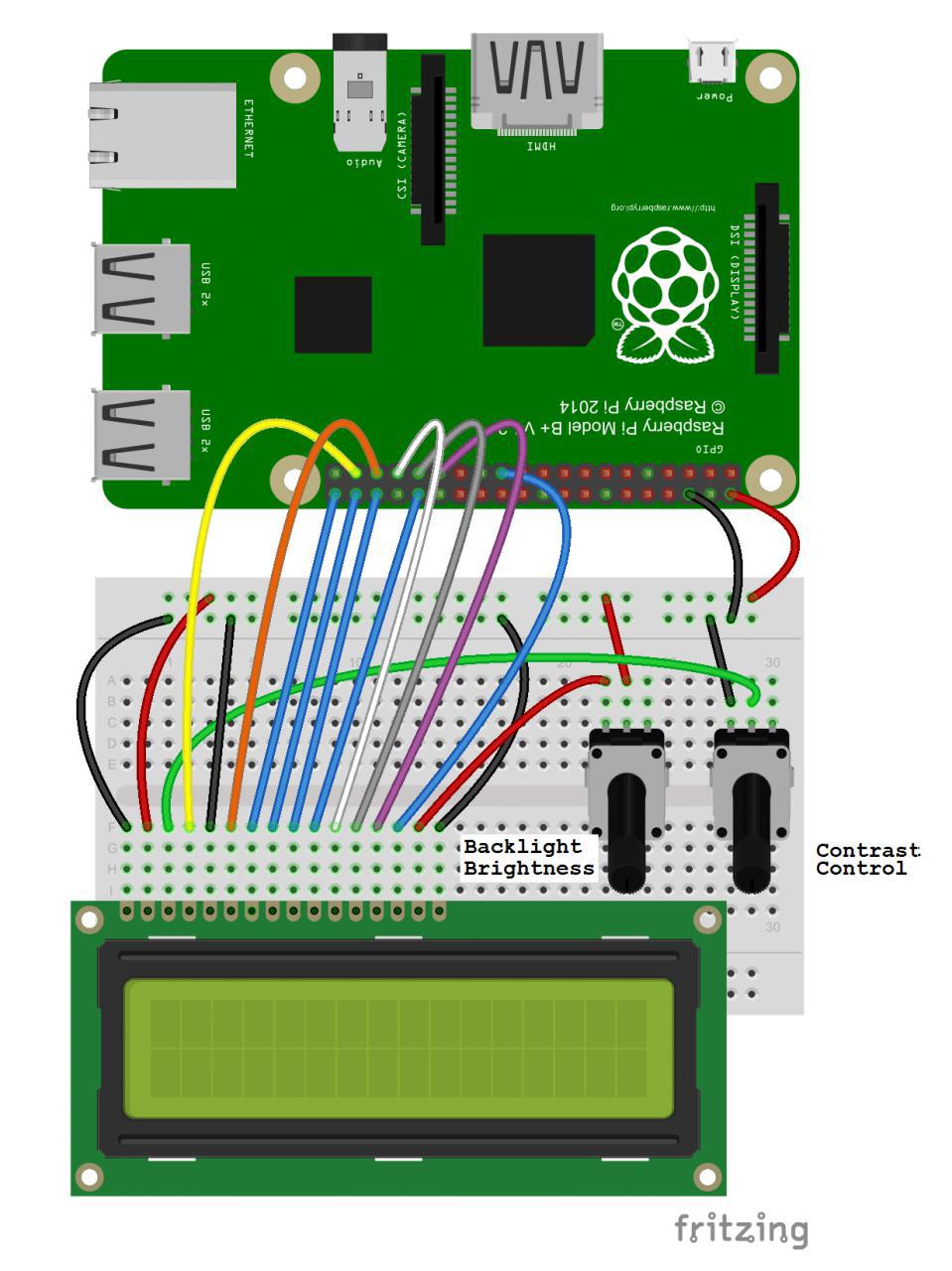
With the KKmoon ACR122U plug in USB to the RPi.
