
 zupit/horusec
Horusec is an open source tool that improves identification of vulnerabilities in your project with just one command.











2.1. Requirements
2.2. Installation
3.1. CLI Usage
3.2. Using Docker
3.3. Older versions
3.4. Using Horusec-Web application
3.5. Using Visual Studio Code
3.6. Using the Pipeline
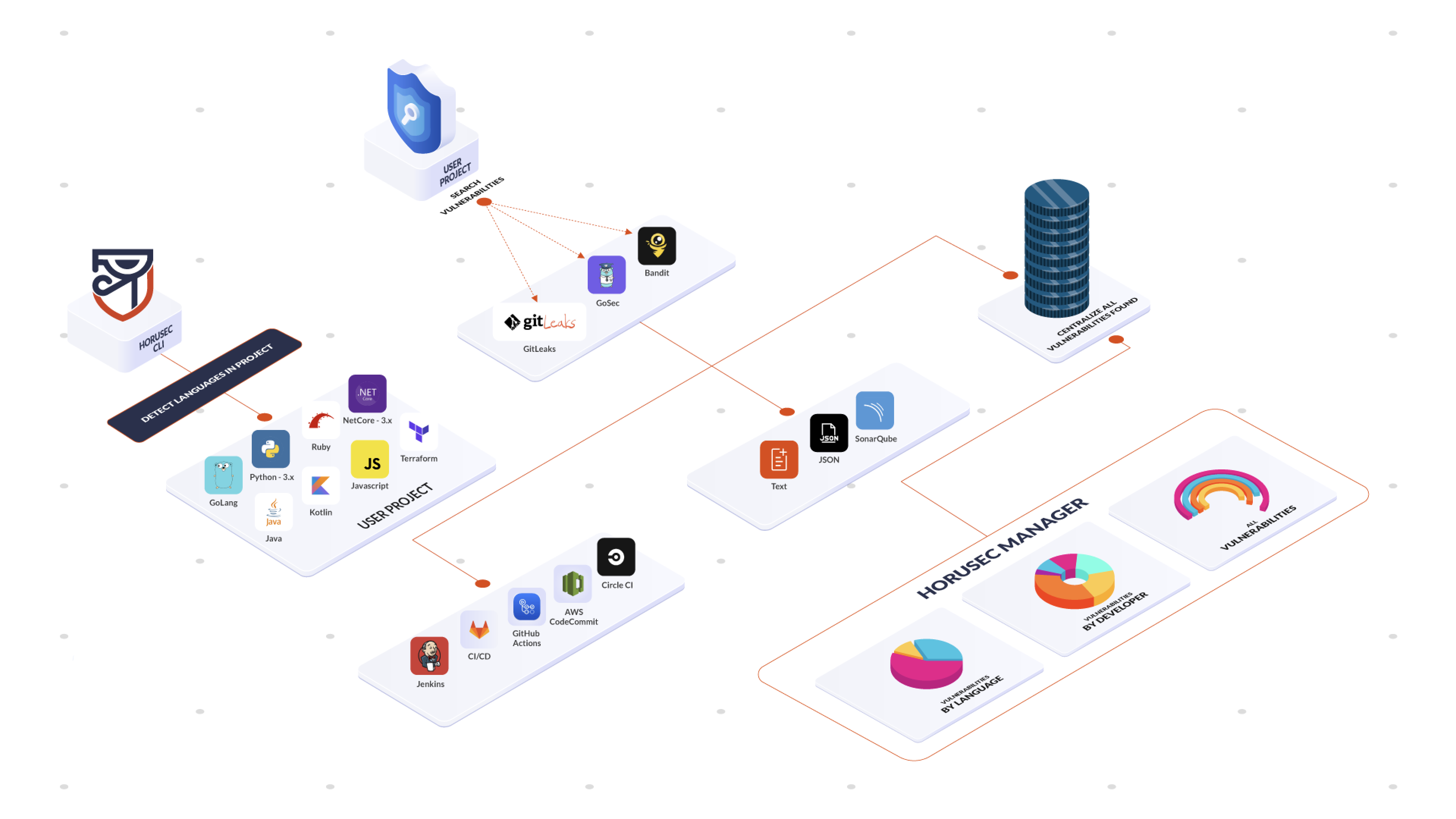
Horusec is an open source tool that performs a static code analysis to identify security flaws during the development process. Currently, the languages for analysis are C#, Java, Kotlin, Python, Ruby, Golang, Terraform, Javascript, Typescript, Kubernetes, PHP, C, HTML, JSON, Dart, Elixir, Shell, Nginx. The tool has options to search for key leaks and security flaws in all your project's files, as well as in Git history. Horusec can be used by the developer through the CLI and by the DevSecOps team on CI /CD mats.
Check out our Documentation, you will see the complete list of tools and languages Horusec performs analysis.
You need Docker installed in your machine in order to run Horusec with all the tools we use.
If you don't have Docker, we have a flag -D true that will disable the dependency, but it also loses much of the analysis power.
We recommend using it with Docker.
If you enable commit authors -G true, there is also a git dependency.
make install
or
curl -fsSL https://raw.githubusercontent.com/ZupIT/horusec/master/deployments/scripts/install.sh | bash -s latest
horusec version
amd64
curl -k "https://github.com/ZupIT/horusec/releases/latest/download/horusec_win_amd64.exe" -o "./horusec.exe" -L
arm64
curl -k "https://github.com/ZupIT/horusec/releases/latest/download/horusec_win_arm64.exe" -o "./horusec.exe" -L
./horusec.exe version
You can find all binaries with versions in our releases page.
For more details on how to install, check out the documentation
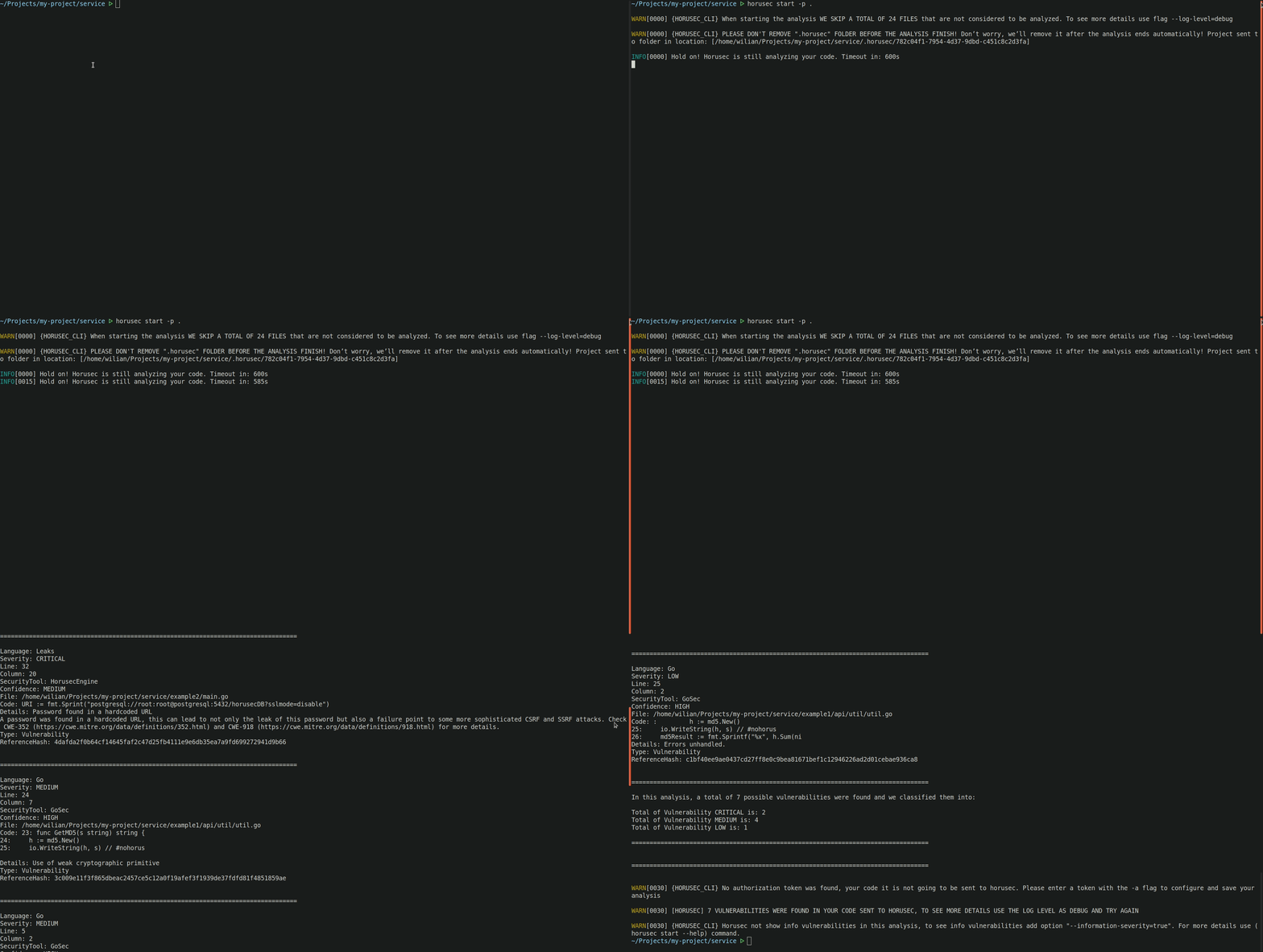
To use horusec-cli and check the application's vulnerabilities, use the following command:
horusec start -p .
When horusec starts an analysis, it creates a folder called
.horusec. This folder is the basis for not changing your code. We recommend you to add the line.horusecinto your.gitignorefile so that this folder does not need to be sent to your git server.
It is possible to use Horusec through a docker image horuszup/horusec-cli:latest.
Run the following command to do it:
docker run -v /var/run/docker.sock:/var/run/docker.sock -v $(pwd):/src horuszup/horusec-cli:latest horusec start -p /src -P $(pwd)
-v $(pwd):/src.With the docker image we ended up having two paths where the project can be found.
The -p flag will represent the project path inside the container, in our example /src.
The -P flag will represent the project outside the container, in our example is represented by $(pwd),
will be also needed to pass the project path to mount the volume -v $(pwd):/src.
Horusec's v1 is still available.
WARNING: The endpoint with v1 will be deprecated, please upgrade your CLI to v2. Check out more details in the documentation.
curl -fsSL https://horusec.io/bin/install.sh | bash -s latest
curl "https://horusec.io/bin/latest/win_x64/horusec.exe" -o "./horusec.exe" && ./horusec.exe version
v1.10.3.Manage your vulnerabilities through our web interface. You can have a dashboard of metrics about your vulnerabilities, control of false positives, authorization token, update of vulnerabilities and much more. See the web application section to keep reading about it.
Check out the example below, it is sending an analysis to Horusec web services:
horusec start -p <PATH_TO_YOUR_PROJECT> -a <YOUR_AUTHORIZATION_TOKEN>
