 zmap/zdns
Fast DNS Lookup Library and CLI Tool

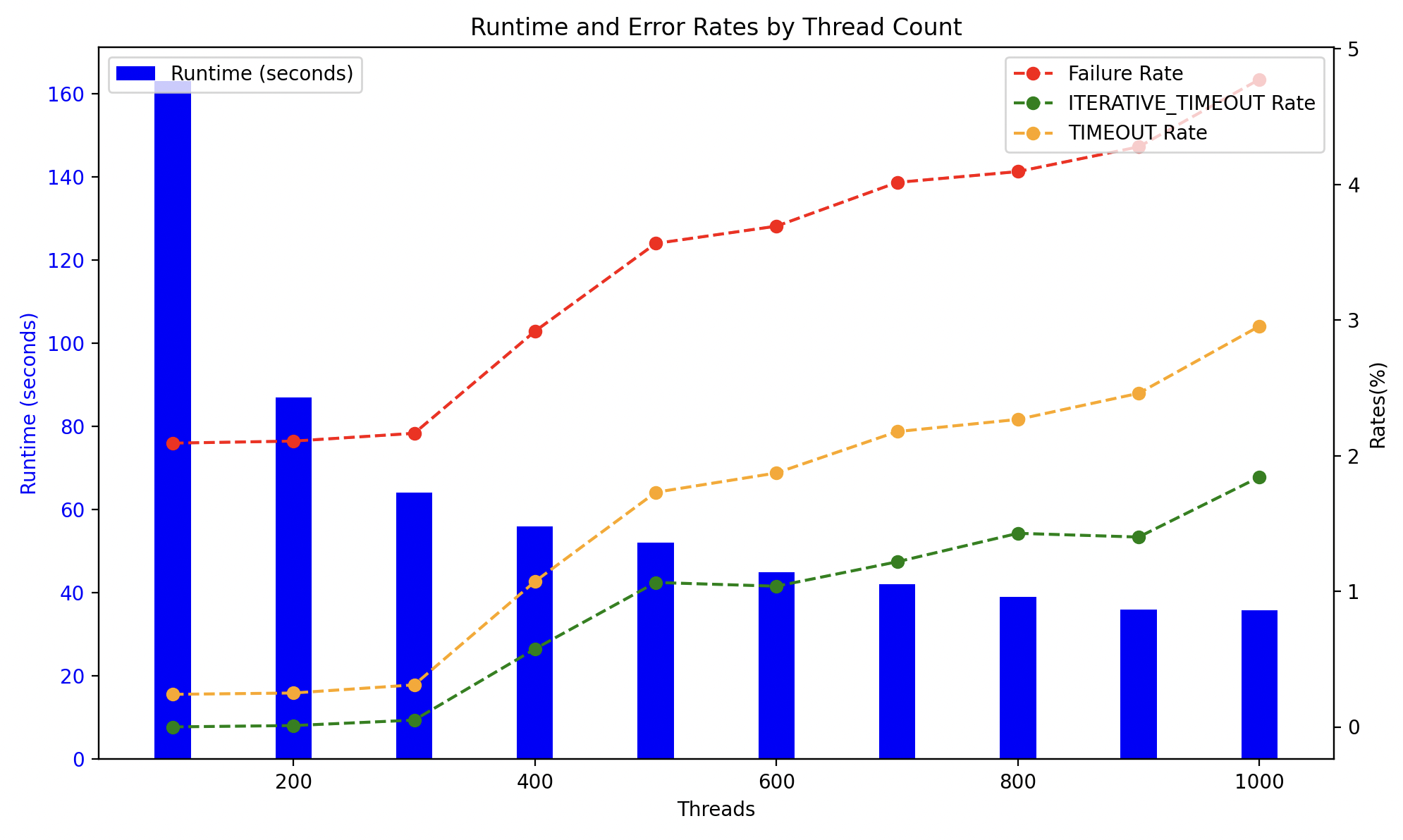
ZDNS is a high-speed DNS resolver and command line utility for performing large-scale DNS measurements. ZDNS is written in Go and contains its own recursive resolution code and a cache optimized for performing lookups of a diverse set of names. We use https://github.com/zmap/dns to construct and parse raw DNS packets. For more information about ZDNS's architecture and performance, check out the following paper appearing at ACM's Internet Measurement Conference '22.
[!TIP] The ZDNS Wiki contains additional information on ZDNS and walks thru use-cases and examples.
ZDNS can be installed by checking out the repository and running make install.
git clone https://github.com/zmap/zdns.git
cd zdns
make install
ZDNS consists of a recursive resolver library and CLI wrapper.
The library consists of a ResolverConfig struct which will contain all config options for all lookups made.
The ResolverConfig is used to create 1+ Resolver struct(s) which will make all lookups. A Resolver
should only make a single lookup at a time (it is not thread-safe) and multiple Resolver structs should be
used for parallelism. See our examples for how to use the
library. Modules are used to define the behavior of the lookups.
ZDNS provides several types of modules:
Raw DNS modules provide the raw DNS response from the server similar to dig, but in JSON. There is a module for (nearly) every type of DNS record
Lookup modules provide more helpful responses when multiple queries are
required (e.g., completing additional A lookup for IP addresses if a NS is
received in NSLOOKUP)
Misc modules provide other additional means of querying servers (e.g.,
bind.version)
We detail the modules below:
The A, AAAA, AFSDB, ANY, ATMA, AVC, AXFR, BINDVERSION, CAA, CDNSKEY, CDS, CERT, CNAME, CSYNC, DHCID, DMARC, DNSKEY, DS, EID, EUI48, EUI64, GID, GPOS, HINFO, HIP, HTTPS, ISDN, KEY, KX, L32, L64, LOC, LP, MB, MD, MF, MG, MR, MX, NAPTR, NID, NINFO, NS, NSAPPTR, NSEC, NSEC3, NSEC3PARAM, NSLOOKUP, NULL, NXT, OPENPGPKEY, PTR, PX, RP, RRSIG, RT, SVCBS, MIMEA, SOA, SPF, SRV, SSHFP, TALINK, TKEY, TLSA, TXT, UID, UINFO, UNSPEC, and URI modules provide the raw DNS response in JSON form, similar to dig.
For example, the command:
echo "censys.io" | zdns A
returns:
{
   "name": "censys.io",
   "results": {
      "A": {
         "data": {
            "additionals": [
               {
                  "flags": "",
                  "type": "EDNS0",
                  "udpsize": 512,
                  "version": 0
               }
            ],
            "answers": [
               {
                  "answer": "104.18.10.85",
                  "class": "IN",
                  "name": "censys.io",
                  "ttl": 300,
                  "type": "A"
               },
               {
                  "answer": "104.18.11.85",
                  "class": "IN",
                  "name": "censys.io",
                  "ttl": 300,
                  "type": "A"
               }
            ],
            "protocol": "udp",
            "resolver": "[2603:6013:9d00:3302::1]:53"
         },
         "duration": 0.285295416,
         "status": "NOERROR",
         "timestamp": "2024-08-23T13:12:43-04:00"
      }
   }
}
Raw DNS responses frequently do not provide the data you want. For example,
an MX response may not include the associated A records in the additional
section requiring an additional lookup. To address this gap and provide a
friendlier interface, we also provide several lookup modules: alookup,
mxlookup, and nslookup.
alookup acts similar to nslookup and will follow CNAME records.
mxlookup will additionally do an A lookup for the IP addresses that correspond with an exchange record.
nslookup will additionally do an A/AAAA lookup for IP addresses that correspond with an NS record
For example,
echo "censys.io" | zdns mxlookup --ipv4-lookup
returns:
{
   "name": "censys.io",
   "results": {
      "MXLOOKUP": {
         "data": {
            "exchanges": [
               {
                  "class": "IN",
                  "ipv4_addresses": [
                     "209.85.202.27"
                  ],
                  "name": "alt1.aspmx.l.google.com",
                  "preference": 5,
                  "ttl": 300,
                  "type": "MX"
               },
               {
                  "class": "IN",
                  "ipv4_addresses": [
                     "142.250.31.26"
                  ],
                  "name": "aspmx.l.google.com",
                  "preference": 1,
                  "ttl": 300,
                  "type": "MX"
               }
            ]
         },
         "duration": 0.154786958,
         "status": "NOERROR",
         "timestamp": "2024-08-23T13:10:11-04:00"
      }
   }
}
ZDNS also supports special "debug" DNS queries. Modules include: BINDVERSION.
ZDNS supports providing input in a variety of formats depending on the desired behavior.
The most basic input is a list of names separated by newlines. For example:
From stdin:
echo "google.com\nyahoo.com" | zdns A
cat list_of_domains.txt | zdns A
From a file
zdns A --input-file=list_of_domains.txt
If you don't need to resolve many domains, providing the domain as CLI argument, similar to dig, is supported for ease-of-use.
For example:
zdns A google.com --name-servers=1.1.1.1
Equivalent to dig -t A google.com @1.1.1.1
Normally, ZDNS will choose a random nameserver for each domain lookup from --name-servers. If instead you want to specify
a different name server for each domain, you can do so by providing domainName,nameServerIP pairs seperated by newlines.
This will override any nameservers provided with --name-servers.
For example:
echo "google.com,1.1.1.1\nfacebook.com,8.8.8.8" | zdns A
You can see the resolver is as specified for each domain in the output (additionals/answers redacted for brevity):
$ echo "google.com,1.1.1.1\nfacebook.com,8.8.8.8" | zdns A
{"name":"google.com","results":{"A":{"data":{"additionals":...,"answers":[...],"protocol":"udp","resolver":"1.1.1.1:53"},"duration":0.030490042,"status":"NOERROR","timestamp":"2024-09-13T09:51:34-04:00"}}}
{"name":"facebook.com","results":{"A":{"data":{"additionals":[...],"answers":[...],"protocol":"udp","resolver":"8.8.8.8:53"},"duration":0.061365459,"status":"NOERROR","timestamp":"2024-09-13T09:51:34-04:00"}}}
Zone files (from ICANN CZDS or similar) can be used as an input source for ZDNS with the --zone-file flag. This enables parsing zone files from either stdin (default) or a file with the --input-file flag.
By default, ZDNS will extract only the name from each zone file record. If you'd also like to resolve the names referenced in the answer section of record types such as CNAMEs or NS records, you can use the --zone-file-include-targets CLI flag.
For example, with --zone-file-include-targets and this DNS zone file entry:
example.com. 3600 IN NS ns1.example.com
both example.com and ns1.example.com would be resolved.
