 zeronetworks/cornershot
Amplify network visibility from multiple POV of other hosts


In warfare, CornerShot is a weapon that allows a soldier to look past a corner (and possibly take a shot), without risking exposure. Similarly, the CornerShot package allows one to look at a remote host’s network access without the need to have any special privileges on that host.
Using CornerShot, a source, with network access to carrier, can determine whether there is network access between the carrier and target for a specific port p.
For example, let's assume an red team is trying to propagate from a "compromised" source host A, to a target host X, for which host A has no access to. If they propagate through host B, only then they will discover that there is not network access between host B and X.
By using CornerShot, the team can discover that host C actually has access to target X, so propagation towards target X should go through host C first.
+-----+        +-----+          +-----+
|     |        |     | filtered |     |
|  A  +-------->  B  +----X--->(p) X  |
|     |        |     |          |     |
+-----+        +-----+          +-(p)-+
 source      carrier        target
   +                               ^
   |                               |
   |           +-----+             |
   |           |     |   open      |
   +---------->+  C  +-------------+
               |     |
               +-----+
Similarly to nmap, CornerShot differentiates between the following state of ports: open,closed, filtered and unknown (if it can't be determined).
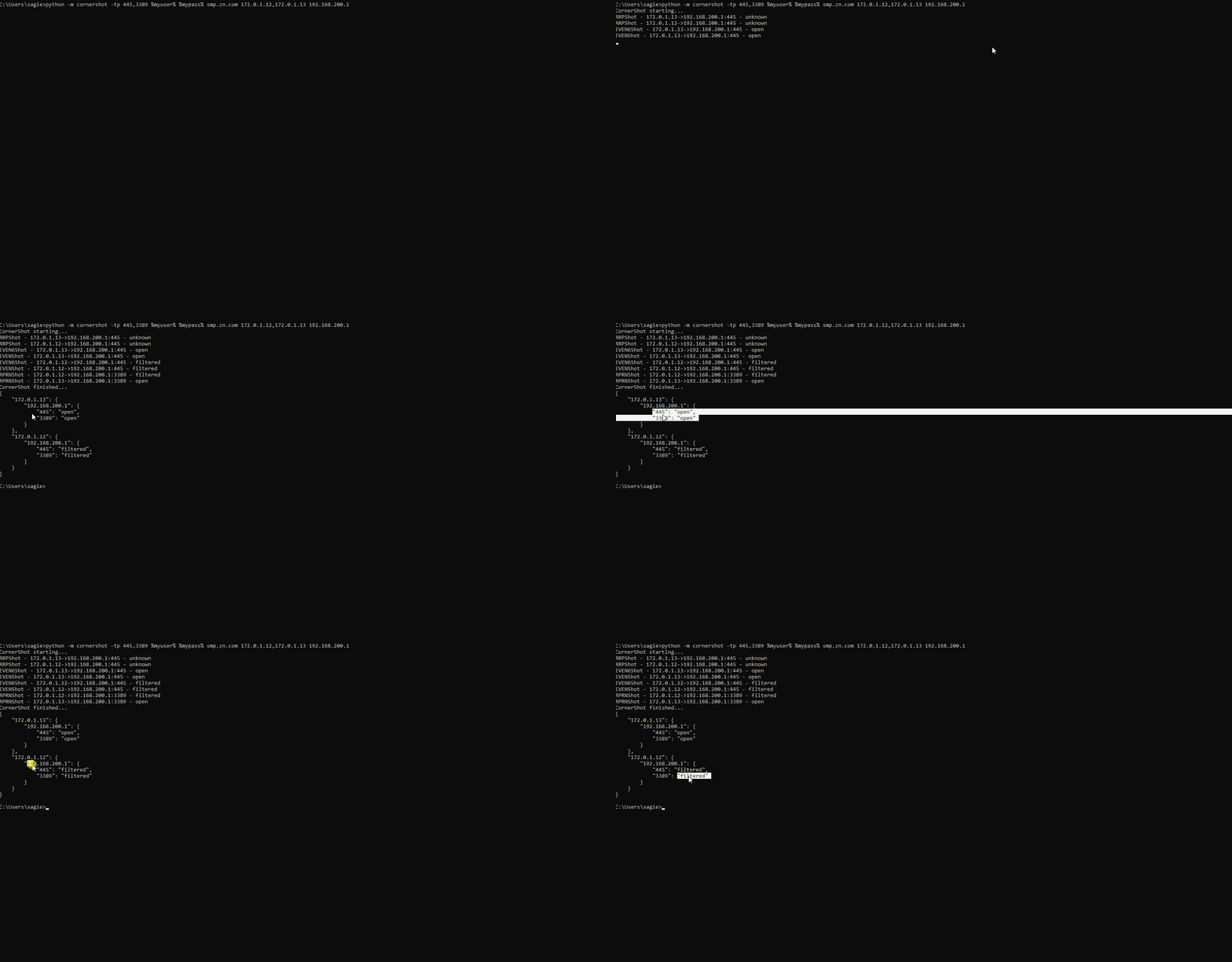
The following demo shows running CornerShot against two carriers hosts 172.0.1.12 & 172.0.1.13, in order to determine if the have network access to 192.168.200.1:
Read more here.
The seemingly simple task of identifying if some host B in the network has access to host C may require large deployment of network sensors, device agents or collection of a multitude of firewall rules, router configurations and host policies.
CornerShot can simplify this process by using one (or very few) agents that can query other hosts in the network, to determine their access to remote hosts.
Security teams that utilize BloodHound to find, and mitigate, privilege escalation paths inside their network, often struggle with millions of logical paths discovered by BloodHound.
ShotHound is a tool that integrated CornerShot with BloodHound, in order to discover practical paths that are supported by network access.
CornerShot can be used as a package, or as a standalone module. The only requirements are Python 3 and the impacket package.
pip install cornershot
Basic usage requires credentials from a valid domain user, a FQDN domain, a carrier IP and target IP.
python -m cornershot <user> <password> <domain> <carrier> <target>
To scan a range of carriers against a range of targets, subnets or IP ranges may be used in a comma delimited list:
python -m cornershot <user> <password> <domain> 192.168.1.10-192.168.1.20 192.168.5.0/24,192.168.6.0/24
By default, CornerShot will try to scan the following ports: 135, 445, 3389, 5985, 5986. The user can provide a comma delimited list of ports and port ranges:
python -m cornershot -tp 22,8080,45000-45005 <user> <password> <domain> <carrier> <target>
Within code, one needs to instantiate a CornerShot object with the username, password and domain name of a valid domain user. Adding carriers, target and ports is achieved via the add_shots method. Once ready, the open_fire method can be called, which performs only the relevant RPC calls based on the required ports.
from cornershot import CornerShot
cs = CornerShot("username", "password", "fqdn")
cs.add_shots(carriers=["192.168.1.1"],targets=["192.168.1.2","192.168.1.3"])
results = cs.open_fire()
The result of open_fire is a dictionary with keys of carriers, each carrier has another set of keys for targets, and finally, each target holds a dictionary of ports and their respective states. This is an example format of a result:
{'carrier_1':
	{'target_1':
		{135: 'unknown', 445: 'filtered', 3389: 'filtered', 5986: 'filtered', 5985: 'filtered'},
	'target_2':
		{135: 'unknown', 445: 'open', 5985: 'unknown', 5986: 'filtered', 3389: 'open'}
	},
'carrier_2':
	{'target_1':
		{3389: 'filtered', 135: 'filtered', 5985: 'filtered', 445: 'filtered', 5986: 'unknown'},
	'target_2':
		{5985: 'filtered', 5986: 'filtered', 445: 'filtered', 135: 'filtered', 3389: 'open'}
	}
}
CornerShot relies on various, well documented, standard Remote Procedure Call (RPC) methods that are used by various Microsoft services. By using methods that only require an authenticated account in the domain, CornerShot is able to trigger network traffic from a carrier host to a target.
CornerShot is able to determine the remote's port state by measuring the time an RPC call took, and using different error codes for each RPC method.

