
Skip to content
KitploitKITPLOIT
ToolsBlog
Submit
ToolsBlog
Submit

Hacking, PenTest, and Cybersecurity Tools for Your Security Arsenal!

Kitploit is a directory of hacking, cybersecurity, and pentesting tools. Discover the latest project updates to find vulnerabilities, analyze systems, automate testing, and strengthen your security.

··Feeds·Contact·Privacy·© 2026 Kitploit

Tool Directory

Categories

View all categories
Loading categories
scscanner_sh — scscanner is tool to read website status code response from the lists. | Kitploit
Tools/GitHubGitHub/yuyudhn/scscanner_sh
ReconnaissanceVulnerability ScannersInformation GatheringWeb Security
GitHubyuyudhn/scscanner_sh

scscanner_sh

scscanner is tool to read website status code response from the lists.

View Repository
39113 years agoReviewed by Kitploit

Most Popular

View all →

Discover the most used tools by our community.

Explore all tools

Browse our collection of tools

View all tools →
Share

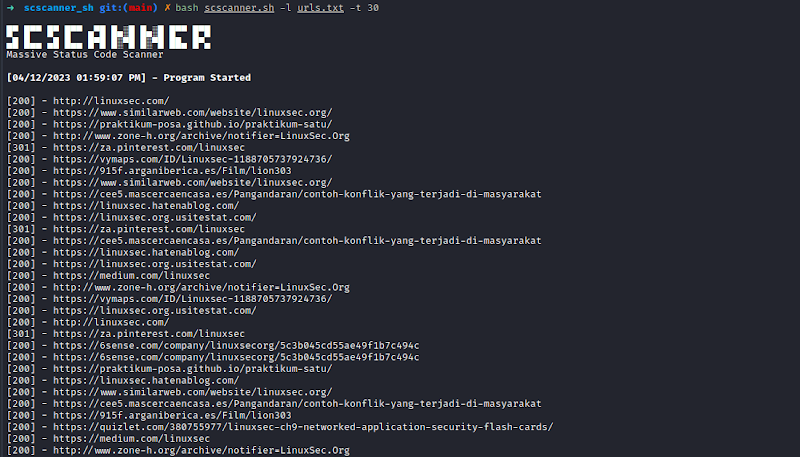
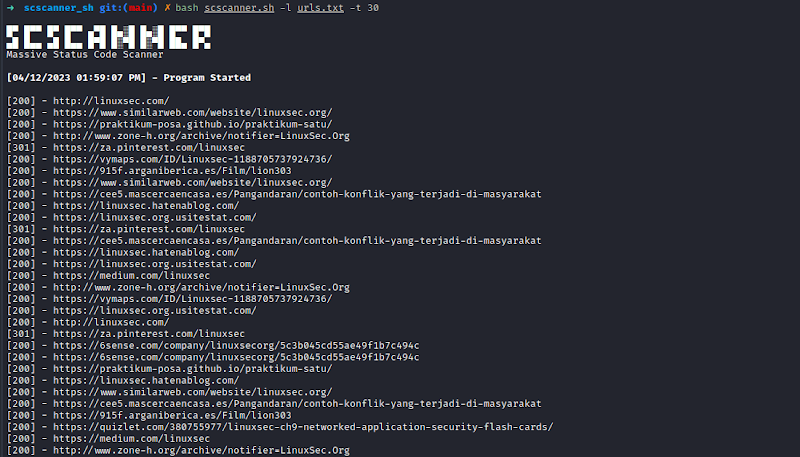
scscanner - Massive Status Code Scanner

scscanner is tool to read website status code response from the lists. This tool have ability to filter only spesific status code, and save the result to a file.

Feature

  • Slight dependency. This tool only need curl to be installed
  • Multi-processing. Scanning will be more faster with multi-processing
  • Filter status code. If you want only spesific status code (ex: 200) from the list, this tool will help you

Usage

root@kitploit:~
➜  scscanner_sh git:(main) ✗ bash scscanner.sh
 ___ __ ___ __ __ _ _ _  _ _  ___ _ _  
(_-</ _(_-</ _/ _` | ' \| ' \/ -_) '_|
/__/\__/__/\__\__,_|_||_|_||_\___|_|   
      Massive HTTP Status Code Scanner 

A Tool that read/checks website's HTTP response code from the lists.
Usage:
scscanner.sh [-l <domain.txt>] [-t {int}] [-o <out.txt>]
scscanner.sh [-h]

Options:
-l     File contain lists of domain.
-t     Adjust multi process. (Default: 15)
-f     Filter status code.
-o     Save to file.
-h     Print this Help.

Adjust multi-process

root@kitploit:~
bash scscanner.sh -l domain.txt -t 30

Using status code filter

root@kitploit:~
bash scscanner.sh -l domain.txt -f 200

Using status code filter and save to file.

root@kitploit:~
bash scscanner.sh -l domain.txt -f 200 -o result.txt
Screenshot

scscanner

To do List

  • Add multi-processing
  • Add filter status code options
  • Add save to file options
  • Get title from page

Feel free to contribute if you want to improve this tools.

Download Tool