
Skip to content
KitploitKITPLOIT
ToolsBlog
Submit
ToolsBlog
Submit

Hacking, PenTest, and Cybersecurity Tools for Your Security Arsenal!

Kitploit is a directory of hacking, cybersecurity, and pentesting tools. Discover the latest project updates to find vulnerabilities, analyze systems, automate testing, and strengthen your security.

··Feeds·Contact·Privacy·© 2026 Kitploit

Tool Directory

Categories

View all categories
Loading categories
zafrida-ui — A Frida UI tool window inside PyCharm / JetBrains IDEs. | Kitploit
Tools/GitHubGitHub/yilongmd/zafrida-ui
Android SecurityDynamic Analysis (Sandboxing)iOS SecurityReverse EngineeringScripting & AutomationDebuggersPenetration TestingMobile SecurityUtilities & Frameworks
GitHubyilongmd/zafrida-ui

zafrida-ui

A Frida UI tool window inside PyCharm / JetBrains IDEs.

83113 months agoReviewed by Kitploit

Most Popular

View all →

Discover the most used tools by our community.

Explore all tools

Browse our collection of tools

View all tools →
Share
View Repository

中文 | English

ZAFrida UI ZAFrida UI - PyCharm Frida Plugin

Current Version: 0.3.6

License GitHub stars

Project Introduction

Frida GUI Tool for PyCharm/IntelliJ

ZAFrida UI is a Frida graphical interface plugin integrated into PyCharm and JetBrains IDEs. It aims to solve the complexity of Frida command-line operations and script management by providing a complete UI interaction interface to manage devices, processes, scripts, and logs.

The core highlight is its "Checkbox-style" Template Management System: users can dynamically insert code snippets into the main script or comment them out simply by checking/unchecking boxes, enabling a "block-building" style of Hook script assembly. Additionally, the plugin features built-in Project Management (zafrida-project.xml), supporting quick switching between multiple devices and environment configurations.

ZAFrida does not replace Frida but serves as a powerful UI wrapper for frida-tools, seamlessly connecting with your existing Python and Frida environment.

Simplified Wiki: ZAFrida UI Simplified Wiki (BBS) (This is a simpler wiki) Full Wiki: ZAFrida UI Wiki (EN)
Home

Home

Quick Start

  1. Install Plugin: Search for "ZAFrida" in the IDE Plugin Marketplace or install via disk.
  2. Configure Environment: Go to Settings -> Tools -> ZAFrida and configure frida executable paths (if not auto-detected).
  3. Create Project: Right-click in Project View -> New Frida Project.
  4. Write/Select Script: Select your agent.js in the Run Panel.
  5. Hook & Debug:
    • Connect device (USB or Remote).
    • Select target process or package name.
    • Click Run.
  6. Use Templates: Switch to the Templates tab, check the Hook functions you need (e.g., "SSL Pinning Bypass"), and the code will be automatically injected into your script.
  7. Skills Automation (Optional): Disabled by default. Go to Settings/Preferences -> ZAFrida -> Skills HTTP API, check Enable Skills to auto-start the local API (or use manual Start/Stop). CLI and template locations:

Features

  • Device & Process Management
    Integrated with frida-ls-devices and frida-ps, supporting one-click device refresh and viewing running processes, apps, or installed packages.

  • Multiple Connection Modes
    Full support for USB, Remote, and Gadget modes, with customizable remote host and port—no need to manually construct complex CLI arguments.

  • Interactive Script Execution (Run / Attach)

    • Supports Run (default Spawn) and Attach as explicit execution actions rather than a simple mode switch.
    • Supports Force Stop to terminate target applications.
    • Built-in console output with automatic log persistence to the zafrida-logs/ directory.
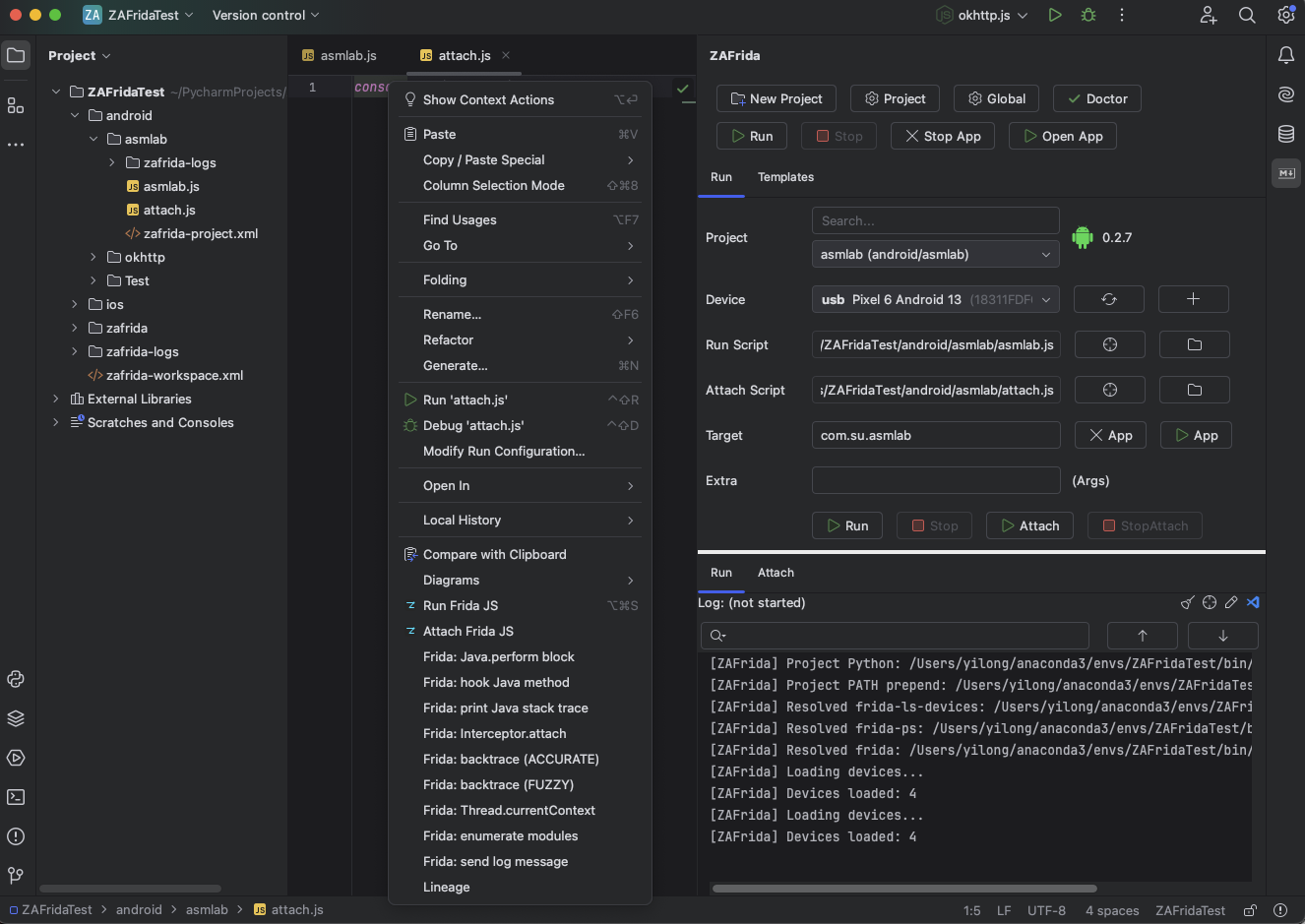
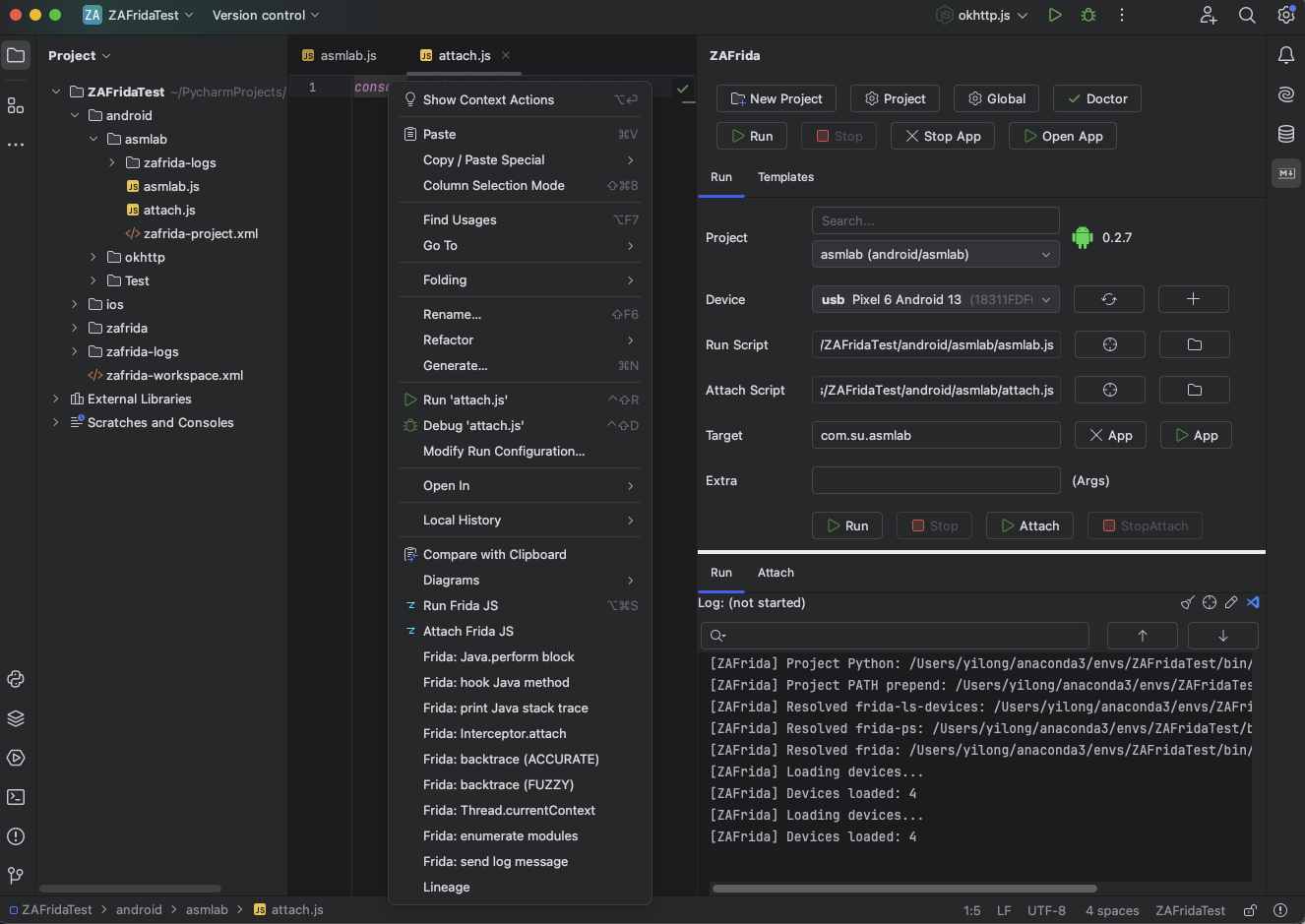
  • JS Editor Context Menu (Important)

    • Right-click inside a Frida JS editor to directly choose:
      • Run Frida JS – run the currently opened JS file as the main script (default Spawn).
      • Attach Frida JS – attach the currently opened JS file to an already running target process.
    • The file is automatically saved before execution, and the corresponding ZAFrida Project is auto-selected.
    • Ideal for quick PoC validation, demos, Gadget mode, or attaching to live processes.
    • Shortcut:
      • Windows / Linux: Ctrl + Alt + S
      • macOS: ⌘ + ⌥ + S
  • Editor Snippets Insertion

    • Provides ZAFrida Frida Snippets in the JS editor context menu.

Use Cases

ZAFrida UI is suitable for all scenarios involving reverse engineering with Frida, especially:

  • Android / iOS App penetration testing and reverse analysis.
  • Debugging processes requiring frequent switching of different Hook scripts.
  • Engineers accustomed to using IDEs (PyCharm/IDEA) for mixed Python and JS development.

Technical Documentation

  • Requirements:

    • IntelliJ IDEA or PyCharm (Recommended 2024.3+)
    • Python3 and frida-tools installed locally (pip install frida-tools)
    • Ensure frida, frida-ps, and frida-ls-devices are in the system PATH or configured in plugin settings.
  • Issues: Github Issues

Start the Project

  1. Clone source: git clone https://github.com/yilongmd/zafrida-ui.git
  2. Open the project in IntelliJ IDEA.
  3. Run the Gradle task runIde to start the debug environment.

System Effect

Main Interface & Run Panel

Provides device selection, script selection, run mode configuration, and console output.

Run Panel

Template Management Panel

Select categories on the left, check templates in the middle, and preview code on the right. Checkboxes directly control the effectiveness of script content.

Template Panel

Settings

Supports customizing Frida tool paths, remote connection addresses, and log configurations.

Settings

Project Wizard

Quickly create standardized Frida project structures.

New Project

Technical Architecture

Development Environment

  • Language: Language: Java 21 (production source). Build scripts use Gradle Kotlin DSL.
  • Framework: IntelliJ Platform SDK
  • Build Tool: Gradle
  • Dependency: frida frida-tools (Python environment)

Acknowledgements

Special thanks to the following contributors for providing core Frida JS script templates:

  • 小佳
  • Lane
  • 迷人

For more contributors and acknowledgements, see: CONTRIBUTORS.md

Download Tool
  • skills-cli/zafrida_skill_cli.py
  • skills-template/zafrida-http-control/
  • One-click insertion of common Frida code patterns, including:
    • Java.perform wrappers
    • Java method hook templates
    • Native hooks via Interceptor.attach
    • Module / export enumeration
    • send() log helpers
  • Insertions are performed via WriteCommandAction, fully undo/redo safe.
  • Dynamic Template System (Core Innovation)

    • Built-in Android / iOS hook templates (e.g., SSL Pinning Bypass, Method Hook, Native Hook).
    • Checkbox-driven control: check to insert code, uncheck to automatically comment it out—no manual deletion required.
    • Supports custom templates with real-time preview inside the IDE.
  • Run Script + Attach Script Separation

    • Supports a primary Run Script and an independent Attach Script.
    • Enables clean separation between startup hooks and runtime injection logic for advanced debugging workflows.
  • Project-Based Configuration (ZAFrida Project)

    • Introduces the ZAFrida Project concept to persist devices, targets, scripts, attach scripts, and connection parameters as a complete working context.
    • In the Project View, supports:
      • New Frida Project
      • Select Frida Project
      • Load Frida Project
    • UI state and configuration are automatically restored when switching projects.
  • Smart Python / Frida Environment Resolution

    • Automatically detects the current PyCharm project’s Python SDK (venv / conda).
    • Dynamically injects PATH to ensure the correct frida / frida-tools are used.
    • Handles Remote and Gadget scenarios to avoid incorrect local environment injection.
  • Developer Aids

    • One-click installation of frida-gum.d.ts for type hints and intelligent code completion in Frida JS.
  • Skills Local Automation API

    • Adds a local Skills HTTP API (disabled by default) for scripted control: project switching, device/connection mode setup, Run/Attach actions, and run/attach log path/content reading.
    • How to enable: Settings/Preferences -> ZAFrida -> Skills HTTP API, then check Enable Skills.
    • Bundled CLI and template:
      • skills-cli/zafrida_skill_cli.py
      • skills-template/zafrida-http-control/