PYDNS Scanner
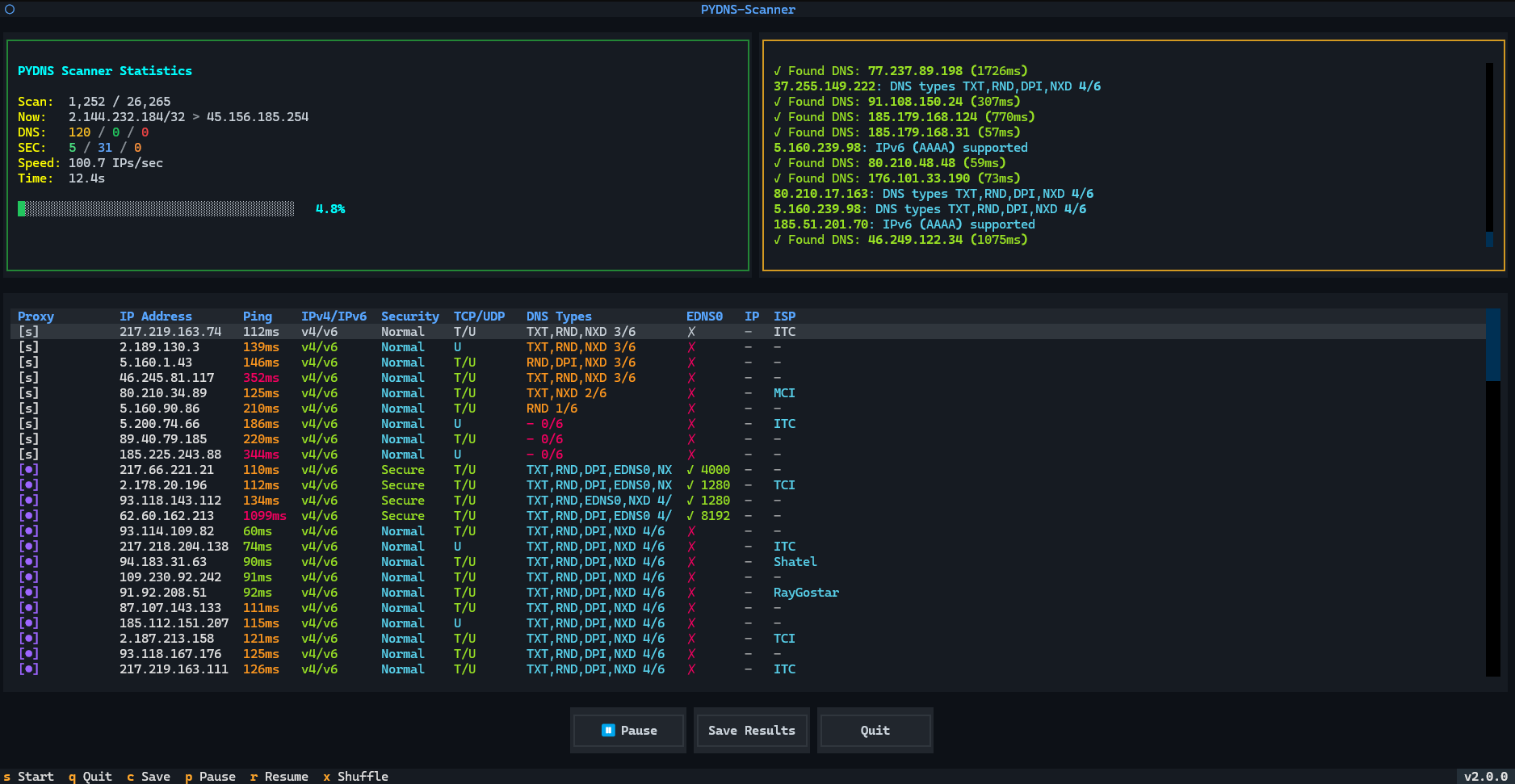
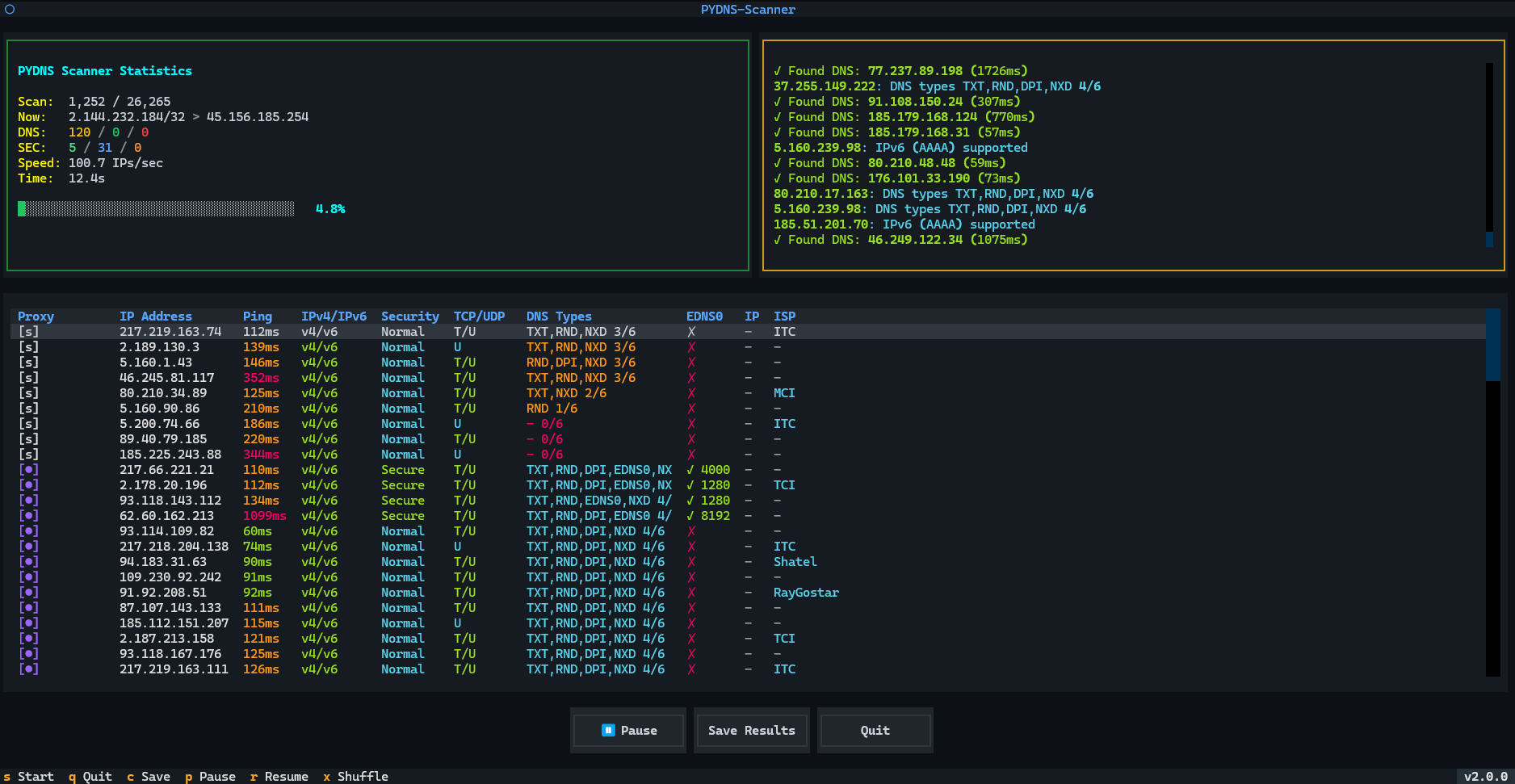
A modern, high-performance DNS scanner with a beautiful Terminal User Interface (TUI) built with Textual.
This tool can scan millions of IP addresses to find working DNS servers with three scan modes — Slipstream, SlipNet (DNSTT, NoiseDNS), and DNS Scan — plus automatic DNS type scoring and multi-platform client download.
🆕 v2.0.0: SlipNet support, DNS Scan mode, bidirectional multi-range scanning, Advanced settings, and major performance boost!
🎉 What's New in v2.0.0
🌐 Three Scan Modes
- Slipstream — Classic proxy testing with SOCKS5 support
- SlipNet — Full SlipNet configs support for DNSTT and NoiseDNS tunnels with SOCKS5 / SSH authentication and auto-detected auth method
- DNS Scan — New lightweight mode: just insert a domain, set concurrency, and scan — no proxy testing, no authentication. Tests security, DNS types, ping, resolved IP, EDNS0, and more
🔀 New Scan Strategy — Bidirectional Multi-Range
Scanner now scans from the start and end of each IP range simultaneously across multiple ranges, combined with random shuffle — faster performance and higher chance of finding working DNS servers compared to linear scanning.
🧪 Auto DNS Type Check + Scoring
All DNS types (A, AAAA, MX, TXT, NS) are automatically tested and scored per server — same scoring system as the SlipNet scanner.
⚙️ New Advanced Section
Fully customizable scanning parameters:
- Minimum proxy ping threshold for proxy test
- DNS connection timeout
- Proxy end-to-end test timeout
- Parallel proxy test count
- Custom shuffle steps
- Proxy test URL + expected response status code
- Set MTU (experimental OS-level MTU override)
- Query size for SlipNet (DNSTT / NoiseDNS)
🎨 UX Improvements
- Enhanced scan statistics — Redesigned stats display with clearer layout
- Better result table — Improved writing and formatting in the results table
- New proxy test status UI — Real-time proxy test feedback
- Better Filtered IP detection — More accurate identification of filtered IPs
- Log section always visible — Log panel is no longer toggleable; always shown during scans
🔧 Experimental: Set OS MTU
Scan with a specified MTU value for advanced network tuning.
- Significantly higher scan performance overall
- Auto detect auth method for SlipNet (DNSTT / NoiseDNS)
⚙️ Bug Fixes
- Fixed UI freeze after scanning large DNS ranges
- Fixed speed drop after 500K+ scanned IPs
- Fixed memory leak during long-running scans
- Updated dependencies to resolve Dependabot low-severity vulnerability alerts
✨ Features
- � Three Scan Modes — Slipstream (proxy test), SlipNet (DNSTT / NoiseDNS tunnels), DNS Scan (lightweight, no proxy/auth)
- 🔀 Bidirectional Multi-Range Scan — Scans from start and end of each IP range simultaneously with random shuffle for faster discovery
- 🧪 Auto DNS Type Scoring — All DNS types (A, AAAA, MX, TXT, NS) tested and scored automatically per server
- ⚙️ Advanced Settings — Customize proxy ping threshold, DNS timeout, proxy E2E timeout, parallel proxy count, shuffle steps, test URL, MTU, and query size
- 🔐 Security Testing — Detects hijacked, filtered, open resolver, and DNSSEC per server
- 🌐 Resolved IP Column — Tests each DNS server by resolving
google.com, result shown in table
- 📡 ISP Detection — AS number and organisation name via ip-api.com
- 🌍 IPv4 / IPv6 Detection — Reports which IP versions each server supports
- 📶 EDNS0 Detection — Tests and displays EDNS0 extension support
- 🔌 Slipstream Rust Plus — Faster proxy testing with false-positive fixes and independent SOCKS5 test
- 🔗 SlipNet Support — DNSTT / NoiseDNS tunnel testing with SOCKS5 / SSH auth and auto-detected auth method
- 🧮 Smart Multi-key Sort — Auto-sorts by proxy pass → DNSSEC → ping for best servers first
- ⚡ High Performance — Asynchronous scanning with configurable concurrency
- ⏸️ Pause / Resume / Shuffle — Full live scan control
- 📊 Real-time Statistics — Live pass/fail/found counters updated throughout the scan
- 🔍 Smart DNS Detection — Detects working DNS servers even with NXDOMAIN / NODATA responses
- 🎲 Random Subdomain Support — Avoid cached responses with random subdomains
- 🌐 Multiple DNS Types — Supports A, AAAA, MX, TXT, NS records
- 📝 Always-on Log Panel — Log section is always visible during scans
- 🌍 Multi-Platform Auto-Download — Automatically downloads the correct Slipstream client for your platform
- 📥 Resume Downloads — Smart download resume on network interruptions with retry logic
- 💾 Auto-save Results — Automatic CSV export with per-server detail
- 📁 CIDR Management — Built-in Iran IPs + custom file picker
- 🚀 Memory Efficient — Streaming IP generation without loading all IPs into memory
- 🔔 Audio Alerts — Optional sparkle sound on successful proxy test
- 🔧 Experimental MTU — Set OS-level MTU for advanced network scanning
📋 Requirements
Python Version
Dependencies
# Core dependencies (always installed — works on every platform including Android/Termux)
textual>=0.47.0       # TUI framework
aiodns>=3.1.0         # Async DNS resolver
httpx[socks]>=0.25.0  # HTTP client with SOCKS5 support for proxy testing
loguru>=0.7.0         # Advanced logging

# Optional "full" extras (pip install pydns-scanner[full]) — desktop only
google-re2>=1.0       # Fast RE2 regex engine (falls back to stdlib re)
orjson>=3.9.0         # Fast JSON serialization (falls back to stdlib json)
pyperclip>=1.8.0      # Clipboard support (silently disabled when absent)
Optional
- Slipstream Client - For proxy testing functionality (5 concurrent tests)
- Automatic Download: The application automatically detects your platform and downloads the correct client
- Smart Detection: Detects existing installations (including legacy filenames)
- Resume Support: Partial downloads are saved and can be resumed on retry
- Supported platforms:
- Linux (x86_64):
slipstream-client-linux-amd64
- Linux (ARM64):
slipstream-client-linux-arm64
- Windows (x86_64):
slipstream-client-windows-amd64.exe
- macOS (ARM64):
slipstream-client-darwin-arm64
- macOS (Intel):
slipstream-client-darwin-amd64
- Android (ARM64):
slipstream-client-linux-arm64
- Manual download available from: slipstream-rust-plus-deploy releases
📦 Bundled Slipstream Clients
 xullexer/pydns-scanner