
 xueboqiu/prohunter
Graph-based threat detection system using inexact graph vector matching to compare threat graphs with CTI-derived attack query graphs for automated malicious judgment and threat scoring.

This project is a core module of the ProHunter system, primarily designed to perform malicious judgment on threat graphs sampled from the PPG module. The main idea of this methods is that uses inexact graph vector matching to calculate vector similarity between threat graphs and attack query graphs generated from CTI, producing threat scores for judgment. The framework is illustrated as follows.

Note: This project serves as the downstream detection module of PPG, i.e., Attack Representation & Matching. For the complete workflow including provenance graph storage and threat graph sampling, please refer to the PPG module first.
Python Version: 3.7.12
# Clone the repository
git clone https://github.com/xueboQiu/ProHunter
cd ProHunter

# Install dependencies
pip install -r requirements.txt
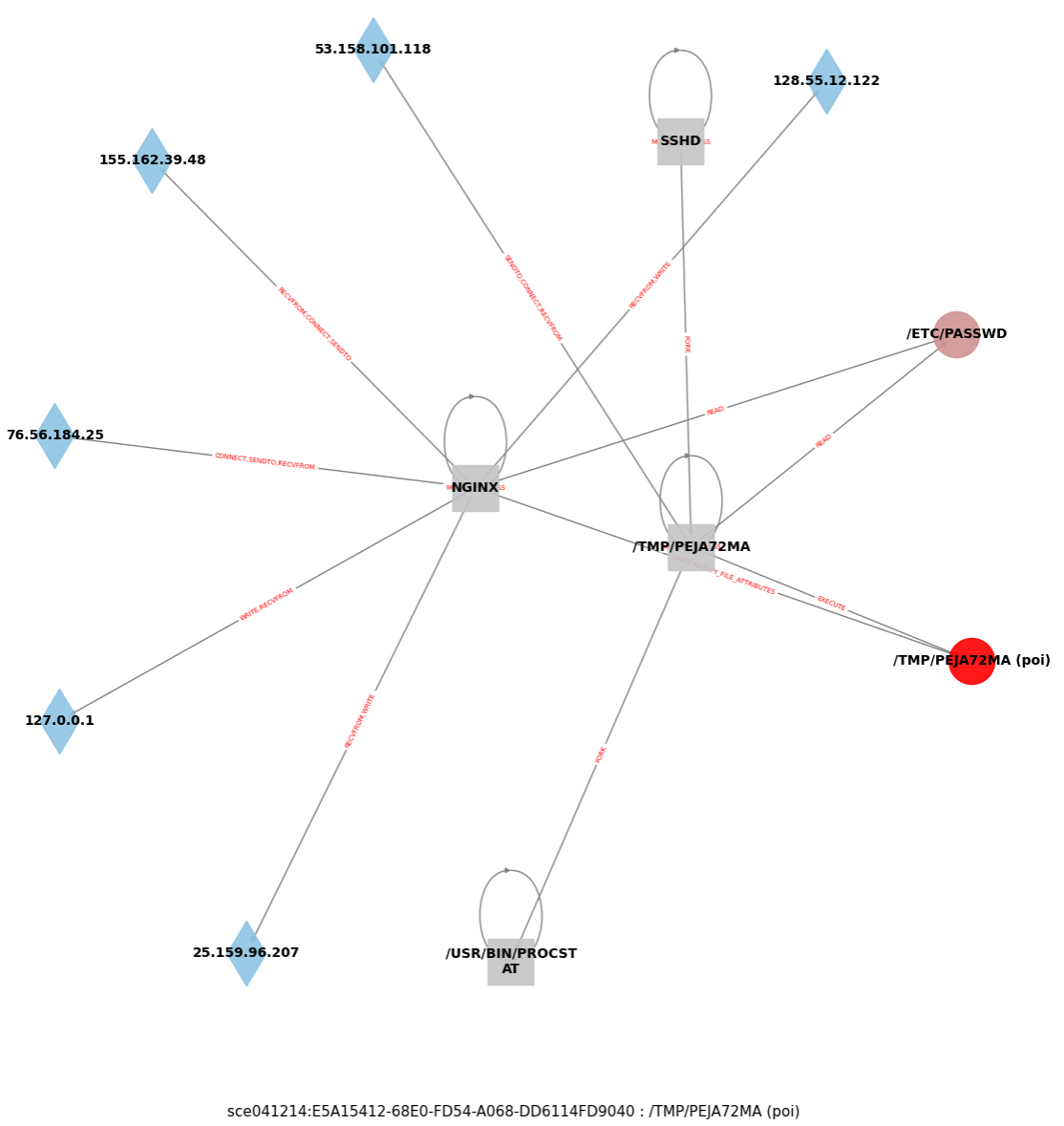
Visualize threat graphs sampled by the PPG module.
Usage:
Place threat graph data in the corresponding dataset directory:
dataset/darpa_cadets/sgs_demo/sce041214_E5A15412-68E0-FD54-A068-DD6114FD9040_2.txt # The case provided for visualization
Prepare mapping file (e.g., names.json), which could be automatically generated by running dataset_preprocess.py (see the workflow of Threat Detection Module)
Modify dataset paths in subgraph_vision.py, and run the visualization script:
python subgraph_vision.py
Specify the corresponding dataset in the script. The program will automatically read and visualize subgraph data from the sgs_demo directory.
Example Visualization Result:
| Dataset | Log Files | Platform | Download Link |
|---|---|---|---|
| E3-Cadets | ta1-cadets-e3-official-1.json.{0-4} | FreeBSD | DARPA E3 |
| E3-Theia | ta1-theia-e3-official-6r.json.{0-12} | Linux | DARPA E3 |
| E3-Trace | ta1-trace-e3-official.json.{0-203} | Linux | DARPA E3 |
| E5-Theia | ta1-theia-1-e5-official-2.bin.{27-31} | Linux | DARPA E5 |
| E5-Clearscope2_1 | ta1-clearscope-2-e5-official-1.bin.{15-20} | Android | DARPA E5 |
| E5-Clearscope2_2 | ta1-clearscope-2-e5-official-1.bin.{24-33} | Android | DARPA E5 |
| OPTC | benign/20-23Sep19/AIA-201-225/{*} | Windows | OpTC |
Place downloaded files in the project directory following this structure:
datasets/darpa_{dataset_name}/raws/xx.json
python preprocess/dataset_preprocess.py # Extract triple information from raw datasets:
This generates tuple files at:
datasets/darpa_{dataset_name}/tuples/xx.txt
python preprocess/parse_trace.py
python pretrain_gmpt_cl.py --mode={dataset_name} --eval=False
Note: Additional parameters (e.g., epoch, learning rate) can be found in the parse_args() function in util.py.
python pretrain_gmpt_cl.py --mode={dataset_name} --eval=True
The model will load model parameters from models/{dataset_name}/best.pth.
The project provides pre-processed CADETS dataset samples for immediate testing:
# Direct evaluation (using pre-trained model)
python pretrain_gmpt_cl.py --mode=cadets --eval=True

# Re-train the model
python pretrain_gmpt_cl.py --mode=cadets --eval=False
python pretrain_gmpt_cl.py --mode=cadets --eval=True
Example Evaluation Results :

ProHunter/
├── dataset/
│   └── darpa_cadets/              # Example dataset
│       ├── raws/                  # Raw dataset files
│       ├── sgs_demo/
│       ├── test/
│       ├── train/
│       ├── tuples/                # Extracted tuples
│       ├── edge_type_map.json
│       ├── names.json             # UUID to name mapping
│       ├── node_type_map.json
│       └── types.json             # UUID to type mapping
├── models/
│   └── {dataset_name}/
│       └── best.pth               # Trained model parameters
├── preprocess/                    # Data preprocessing scripts
├── subgraph/
├── batch.py
├── darpa_loader.py                # DARPA data loader
├── darpa_model.py
├── dataloader.py                  # Data loading utilities
├── graph_matching.py
├── pretrain_gmpt_cl.py            # Main training & evaluation script
├── splitters.py
├── util.py                        # Utility functions & arguments
├── requirements.txt               # Dependencies
└── readme.md
