
Skip to content
KitploitKITPLOIT
ToolsBlog
Submit
ToolsBlog
Submit

Hacking, PenTest, and Cybersecurity Tools for Your Security Arsenal!

Kitploit is a directory of hacking, cybersecurity, and pentesting tools. Discover the latest project updates to find vulnerabilities, analyze systems, automate testing, and strengthen your security.

··Feeds·Contact·Privacy·© 2026 Kitploit

Tool Directory

Categories

View all categories
Loading categories
frieren — Frieren is a micro-framework designed for use in routers and Single Board Computers (SBCs). This framework is built to be lightweight, efficient, and easy to integrate into various hardware projects. | Kitploit
Tools/GitHubGitHub/xchwarze/frieren
Embedded Systems SecurityPenetration Testing FrameworksWi-Fi AuditingIoT SecurityNetwork MappingWeb Proxies & InterceptionScripting & AutomationWireless SecurityUtilities & FrameworksHardware & IoT SecurityRed Teaming
212181 month agoReviewed by Kitploit

Most Popular

View all →

Discover the most used tools by our community.

Explore all tools

Browse our collection of tools

View all tools →
Share
GitHub
xchwarze/frieren

frieren

Frieren is a micro-framework designed for use in routers and Single Board Computers (SBCs). This framework is built to be lightweight, efficient, and easy to integrate into various hardware projects.
View Repository

Frieren: The micro-framework for security gadgets

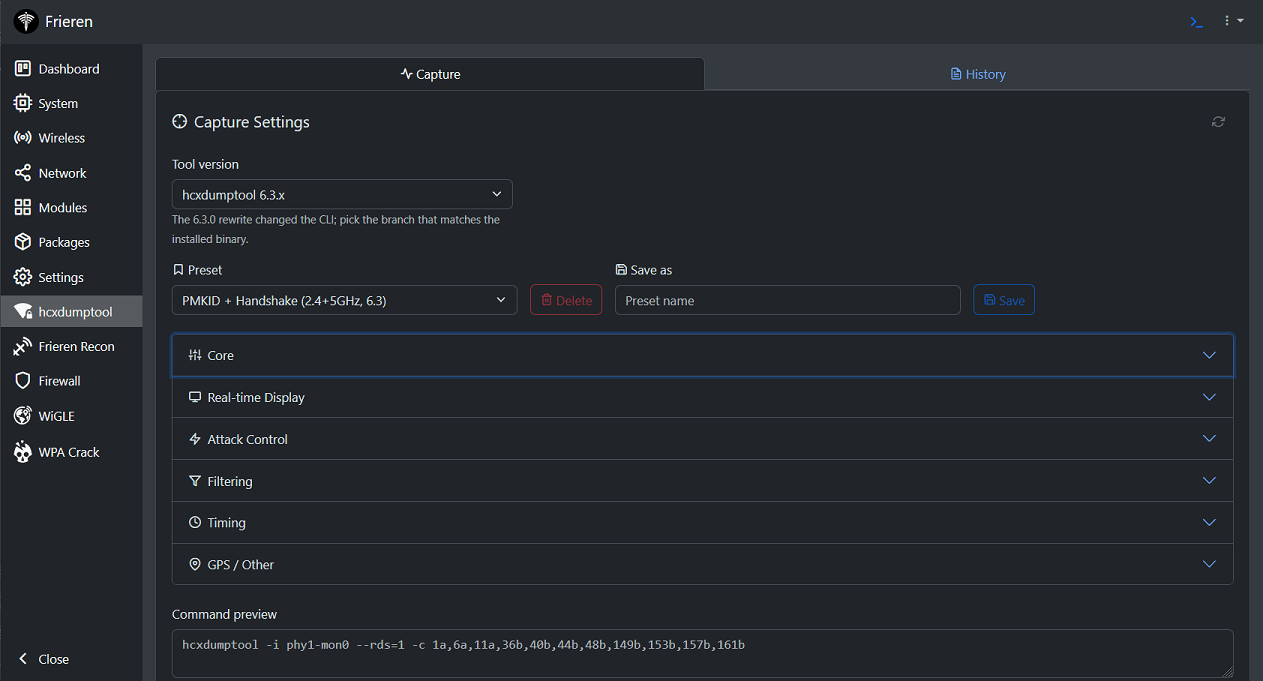
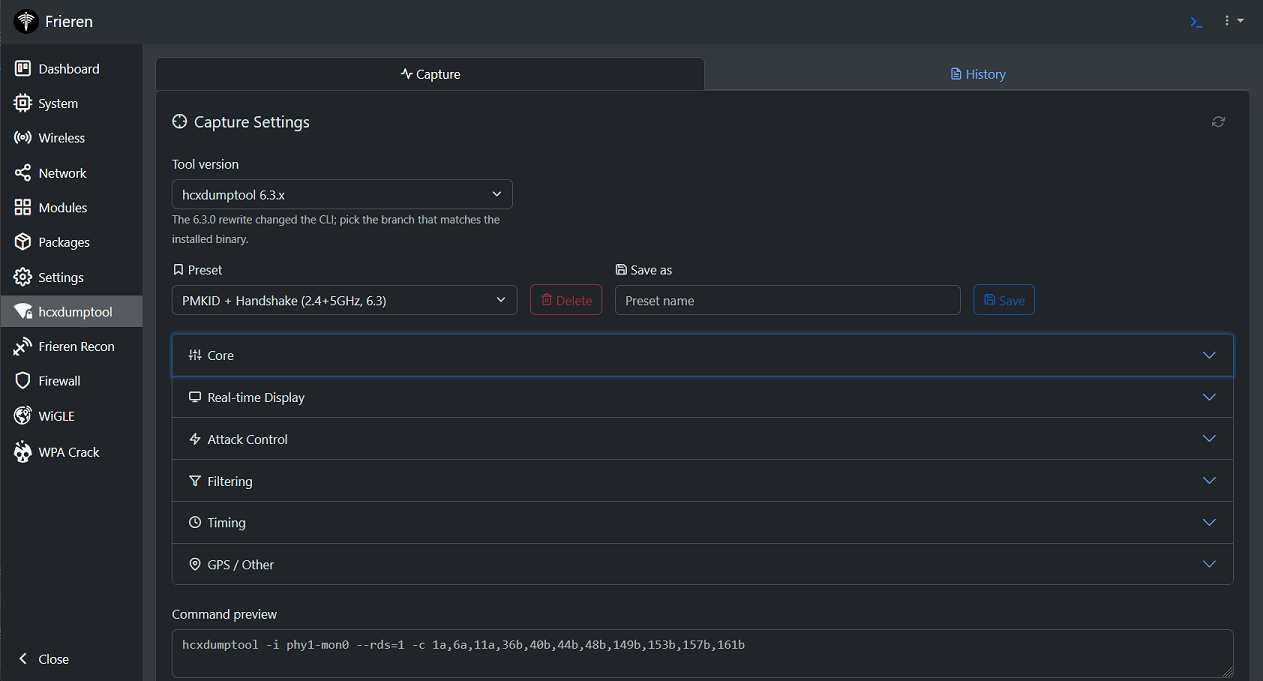
Panel

Description

Frieren is a framework for running security tools on OpenWrt routers and Single Board Computers (SBCs). It provides a web panel with WiFi management, installable modules, an integrated terminal, and a package manager. The stack is a PHP backend API with a React frontend, designed to be lightweight enough for embedded devices while remaining extensible through third-party modules.

Features

  • WiFi Management — Create, edit, and remove wireless interfaces. Scan for networks, configure radios, edit raw UCI config.
  • Network — Manage network interfaces, view DHCP leases, and run connectivity diagnostics.
  • Module System — Install, remove, and pin third-party modules from a remote repository. Modules load dynamically as UMD bundles.
  • Package Manager — Install and remove opkg packages directly from the web panel.
  • Integrated Terminal — Web-based terminal (ttyd) accessible from the panel.
  • System Tools — Dashboard with system stats, USB device listing, filesystem usage, syslog viewer, diagnostics, and init.d service control.
  • Settings — Configure hostname, timezone, user password, and panel theme.
  • Extensible — Scaffold new modules with frieren-module-template. PHP controller + React frontend per module.

Components

  • frieren-back — PHP micro-framework. JSON POST API with session auth, CSRF, UCI config integration, and a mini ORM.
  • frieren-front — React SPA (Vite, Wouter, Jotai, React Query). Supports dynamic UMD module loading.
  • frieren-module-template — Scaffolding tool for developing third-party modules with shared dependencies via window globals.
  • frieren-terminal — @frieren/terminal-core, a TypeScript/xterm.js library bundled into the frontend. Provides the live ttyd terminal client, a read-only log viewer, and the shared terminal themes.
  • tools — Development helpers: dev API proxy, device deploy script, API test client, and a PHP minifier.

Related Repositories

  • Frieren Modules: Contains community-developed modules based on the frieren-module-template. This repository is a resource for users looking to extend the functionality of their Frieren installation with additional features.
  • Frieren Release: Hosts the installers for deploying precompiled versions of Frieren. This repository is ideal for users who wish to install Frieren quickly and easily without going through the build process.
  • Frieren Modules Release: Build pipeline for the module catalog — generates the modules.json index and the per-module release tarballs that the panel installs from.

Installation

Frieren runs on OpenWrt (official builds, not forks). It can be installed via an automated script or compiled manually.

Quick Installation

For a quick and easy installation, execute the following command in your terminal. This script will handle all necessary configurations and setup steps:

root@kitploit:~
wget -qO- https://raw.githubusercontent.com/xchwarze/frieren-release/master/install/install-openwrt.sh | sh

New to this? Start here. If you're not sure what OpenWrt is, how to flash it, or how to open the panel afterwards, follow the step-by-step, beginner-friendly Installation FAQ — it walks you through everything from a clean device to logging in.

Manual Compilation

Each component within the Frieren project (frieren-back, frieren-front and frieren-module-template) has its own detailed README.md file with specific build and installation instructions. Please refer to these files in their respective directories for more detailed guidance.

Module Development

Use frieren-module-template to scaffold new modules. Run yarn wizard to set up a new module, develop your feature, then yarn build to compile a UMD bundle. See the module template README for details.

License

This project is licensed under the PolyForm Noncommercial License 1.0.0.

Non-commercial use is permitted. Commercial use is not permitted under this license. Commercial use requires a separate commercial license from the author.

For commercial licensing, contact: [email protected]

Contributing

Contributions welcome — new features, bug fixes, or modules. See each component's README for build instructions.

Authors

  • Lead Developer: DSR! - [email protected]

Support the Development

If you find Frieren useful, consider supporting development. Donations fund testing hardware and ongoing work. Send via Binance or join Patreon for exclusive updates and builds.


patreon binance-qr

Download Tool