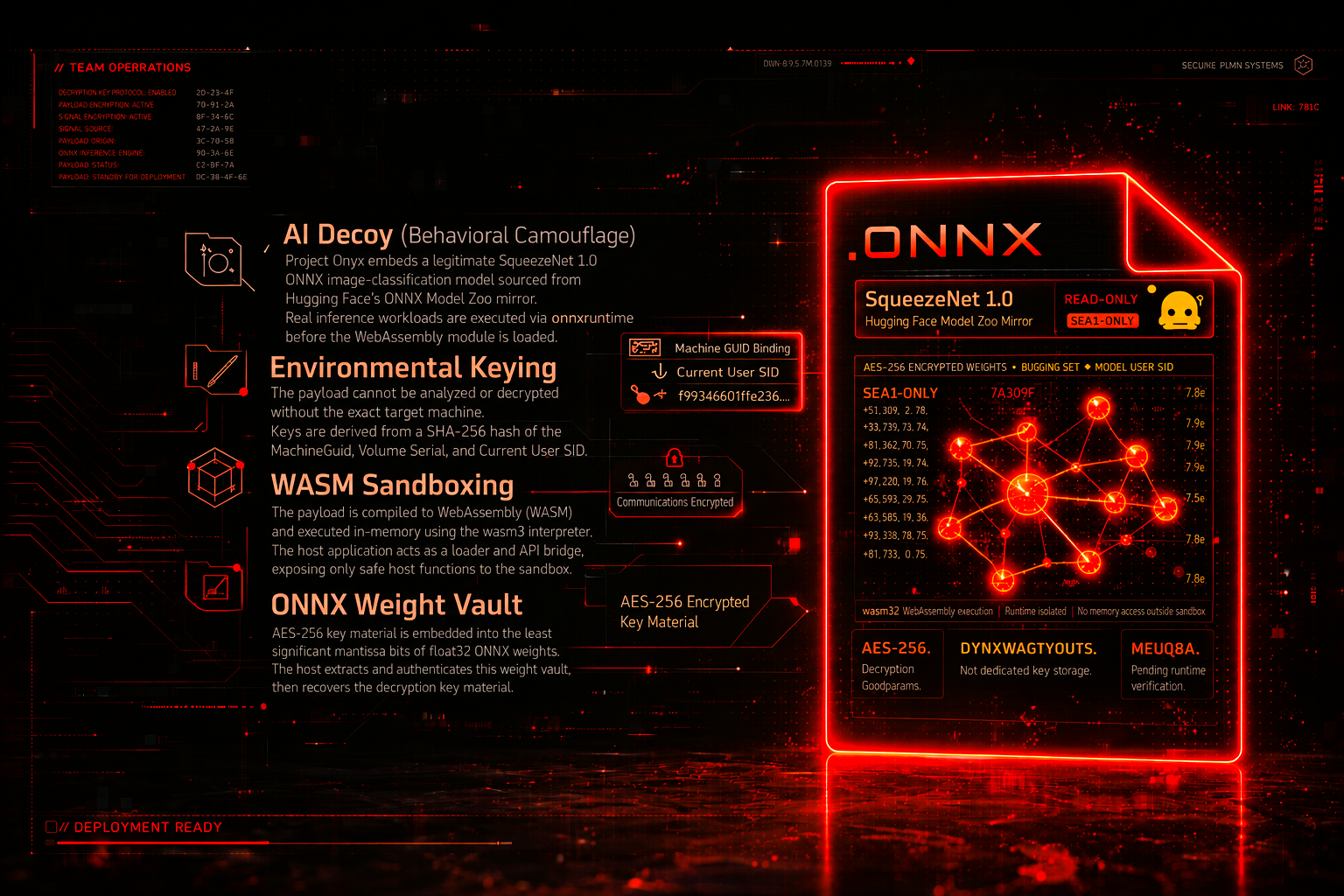

Advanced EDR Evasion via AI Telemetry Spoofing & WASM Sandboxing. Project Onyx is a PoC Red Team pipeline designed to demonstrate advanced evasion techniques against modern EDR systems. It shifts away from traditional signature-based obfuscation towards behavioral camouflage and strict environmental keying.
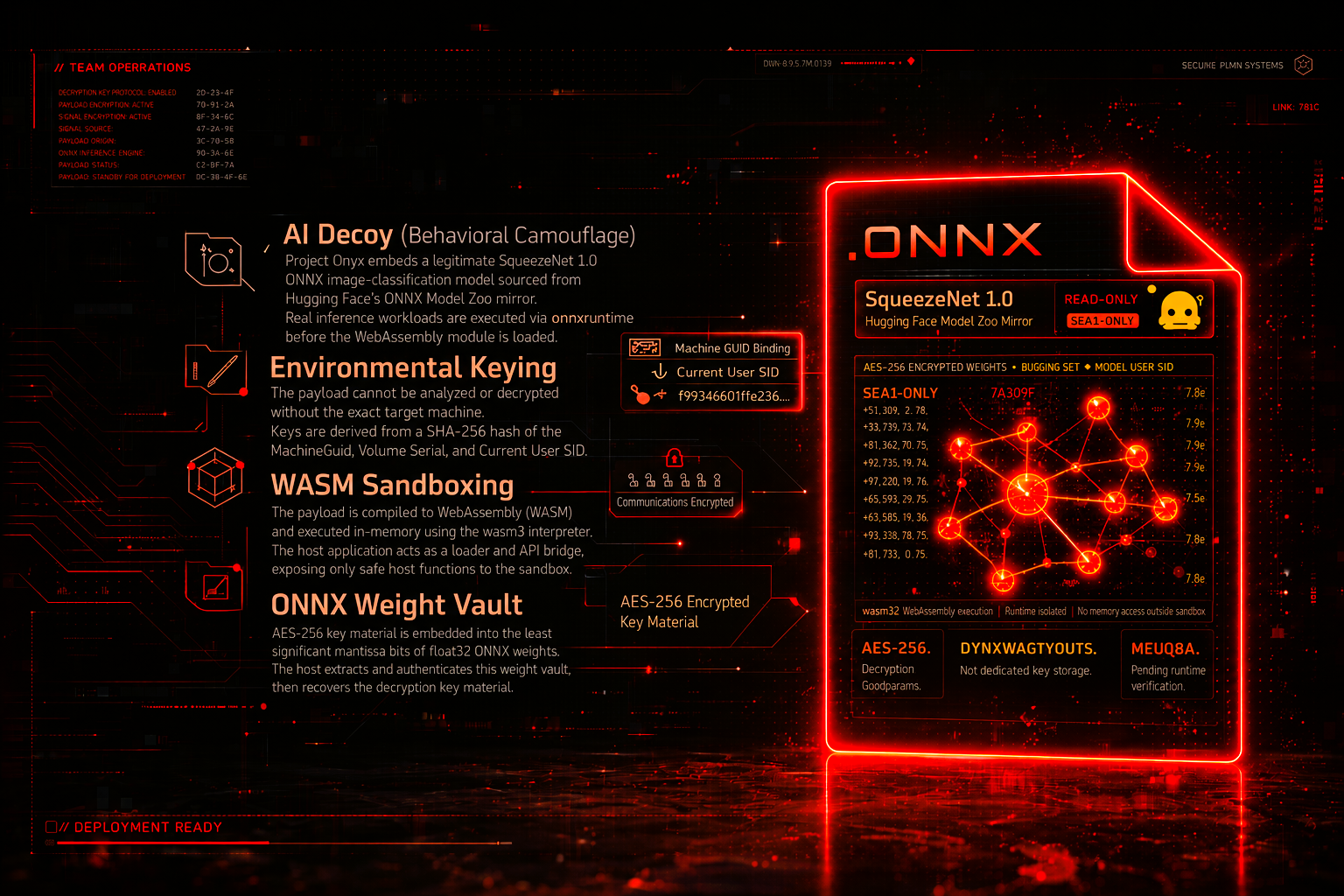
Advanced EDR Evasion via AI Telemetry Spoofing & WASM Sandboxing. Project Onyx is a PoC Red Team pipeline designed to demonstrate advanced evasion techniques against modern EDR systems. It shifts away from traditional signature-based obfuscation towards behavioral camouflage and strict environmental keying.
This Project is proof-of-concept red team research, studying an unconventional multi-layer execution pipeline. The architecture chains five distinct techniques: AI telemetry camouflage, hardware-bound environment keying, ONNX weight steganography, in-memory WebAssembly sandboxing and Dead-Drop C2 via downlink model updates --> into a single functional delivery chain.
Project Onyx does not claim a working bypass of production EDR systems. It is an architectural sketch: each component is implemented and functional as part of the chain, but each layer would require dedicated research to become meaningful against real-world defenses.Project Onyx is best understood as a structured starting point for that kind of exploration. The runtime payload is intentionally limited to a heartbeat beacon, allowing the full pipeline to be examined without shipping destructive or post-exploitation behavior.
onnxruntime. This makes the ONNX artifact an active part of the pipeline rather than a decorative file like previous tiny MLP.MachineGuid, Volume Serial Number, and the current user's SID.wasm3 interpreter. The host C++ application acts merely as a loader and API bridge, exposing safe host functions to the WASM sandbox.float32 ONNX weights. The host extracts this weight vault from the embedded model bytes, authenticates it, and only then recovers the demo key material.heartbeat_ack and set_status directives, demonstrating channel viability without enabling arbitrary command execution.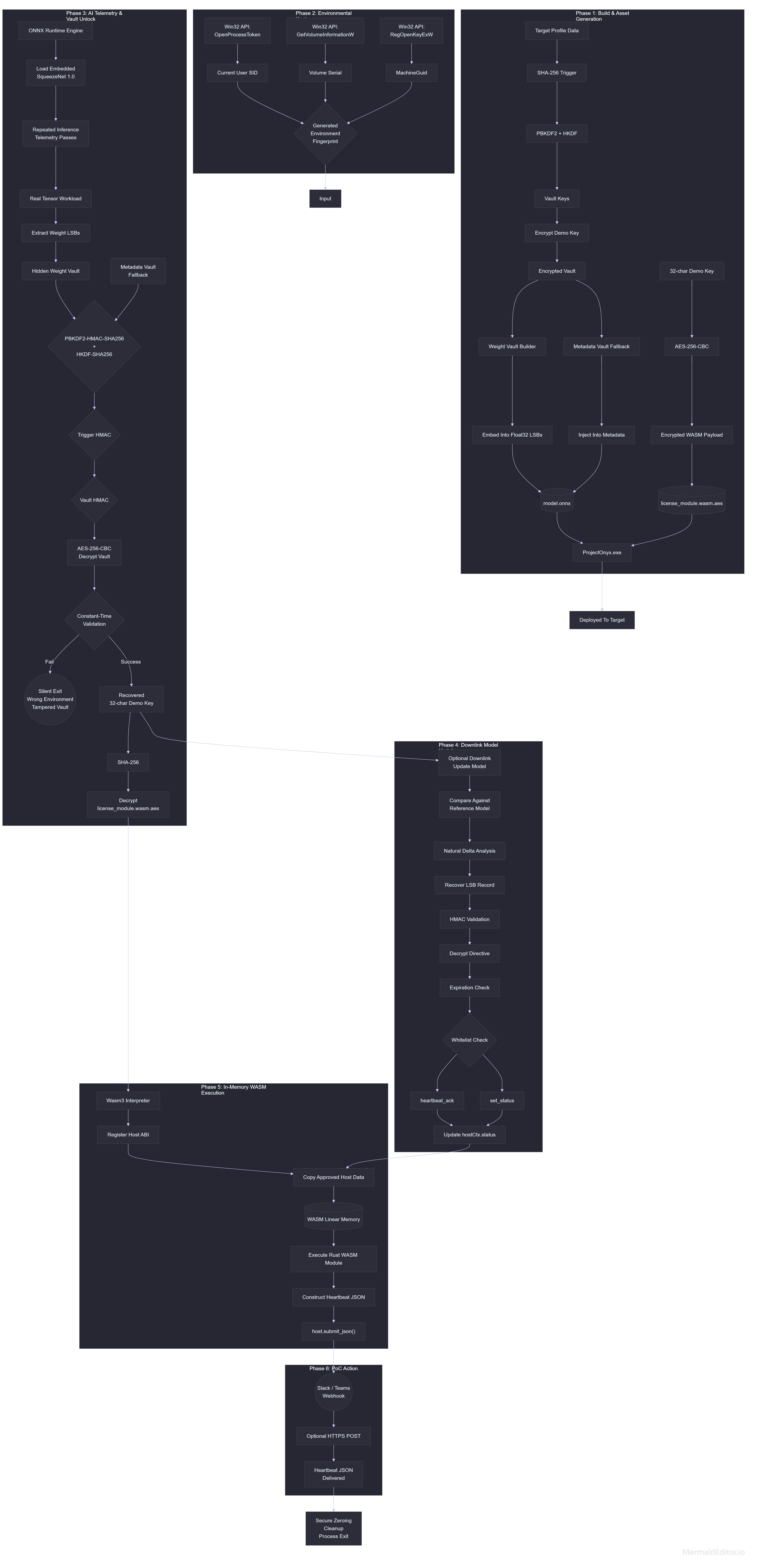
See docs/architecture.md for the FULL end-to-end technical sketch. (I recommend, for better understanding).
and also the entire process: my mistakes, the concepts and ideas I considered along the way, and the architectural tradeoffs I faced while building Project Onyx --> Medium
This project is created solely for educational purposes, security research, and authorized Red Team operations.
The techniques demonstrated in this repository (Project Onyx) are intended to help security professionals understand advanced evasion methods and improve endpoint defenses (EDR/XDR).
Do not use this software on any system or network that you do not own or have explicit, written permission to test.
The author of this project (X-3306) assume no liability and are not responsible for any misuse, damage, or illegal activities caused by the use of this software. By downloading, compiling, or using this code, you agree to take full responsibility for your actions.
DiagnosticsTool.cpp - C++ Windows host and Wasm3/ONNX integration.DiagnosticsTool.rc / resource.h - resource bindings for generated assets.build.py - helper for fingerprinting, ONNX bait generation, weight-vault embedding, metadata-vault compatibility, Dead-Drop C2 via downlink model updates, and WASM encryption.wasm_license_module/ - Rust source for the WebAssembly heartbeat module.wasm3/source/ - minimal vendored Wasm3 source required by the CMake build.assets/README2.md - generated asset formats.docs/architecture.md - full runtime chain and architecture notes.Install these on Windows before building:
Python dependencies:
py -m pip install onnx numpy cryptography
Rust target:
rustup target add wasm32-unknown-unknown
The CMake file expects an ONNX Runtime source/build tree at ./onnxruntime and
links the static component libraries from:
onnxruntime/build/Windows/Release/Releaseonnxruntime/build/Windows/Release/vcpkg_installed/x64-windows-static-md/libFrom a Developer PowerShell for VS 2022, build ONNX Runtime like this:
git clone --recursive https://github.com/microsoft/onnxruntime.git onnxruntime
.\onnxruntime\build.bat --config Release --parallel --compile_no_warning_as_error --skip_tests --build_shared_lib --use_vcpkg --cmake_extra_defines VCPKG_TARGET_TRIPLET=x64-windows-static-md onnxruntime_BUILD_UNIT_TESTS=OFF
The generated onnxruntime.dll is not shipped with Project Onyx. Project Onyx
links the static component .lib files and the final executable should not list
onnxruntime.dll in dumpbin /DEPENDENTS.
Get the fingerprint hash for the current Windows device:
python build.py fingerprint --show-components
Use the second printed line as the --trigger value.
Build the Rust WebAssembly module:
cargo build --manifest-path wasm_license_module/Cargo.toml --target wasm32-unknown-unknown --release
Generate assets/model.onnx and assets/license_module.wasm.aes:
python build.py build `
  --trigger "<64-char lowercase fingerprint hash>" `
  --secret "<exactly-32-demo-key-chars>" `
  --model-output assets/model.onnx `
  --wasm-input wasm_license_module/target/wasm32-unknown-unknown/release/wasm_license_module.wasm `
  --wasm-output assets/license_module.wasm.aes
Verify the ONNX vaults:
python build.py verify --trigger "<64-char lowercase fingerprint hash>" --model assets/model.onnx
The verification command checks both the legacy metadata vault and the hidden ONNX weight vault. Both must unlock the same 32-character demo key material.
The default carrier is SqueezeNet 1.0 opset 12:

