 wikiz/redguard
C2 front flow control tool with JA3/JARM fingerprint randomization, domain fronting, malleable C2 profile validation, and IP whitelisting to evade blue teams, AVs, EDRs, and cyberspace mapping.



English | 中文文档
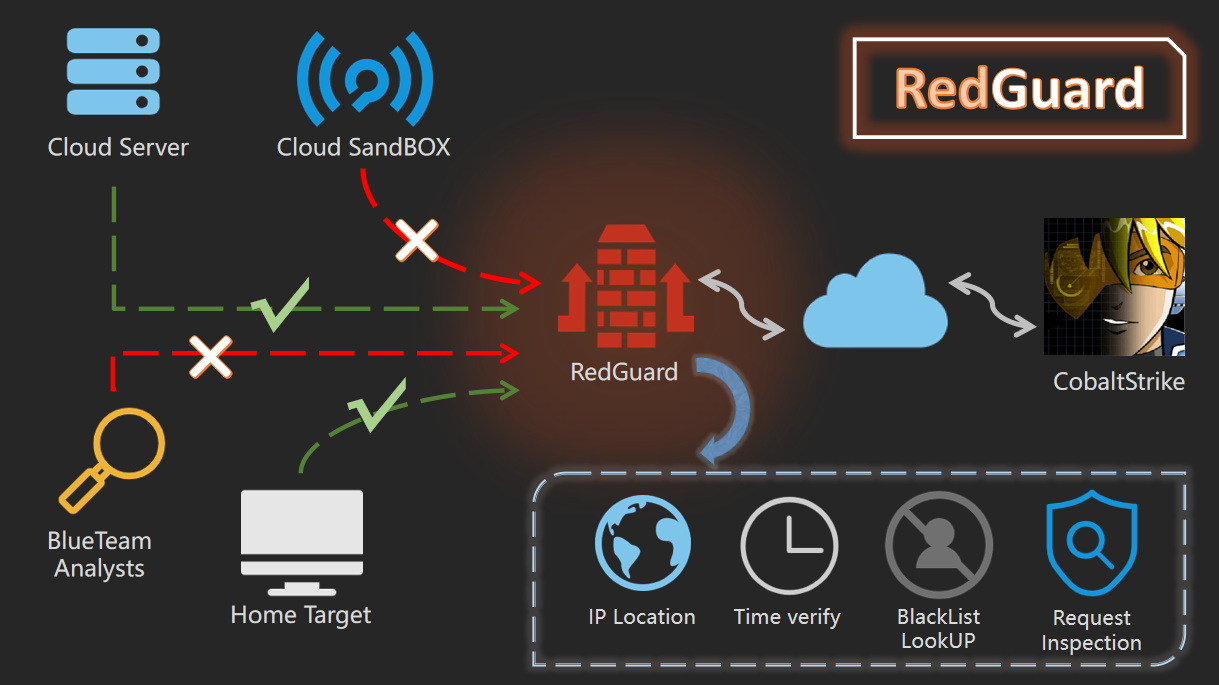
RedGuard, a derivative tool based on command and control (C2) front flow control technology, has a lighter design, efficient traffic interaction, and reliable compatibility with development in the go programming language.As cyber attacks are constantly evolving , the red and blue team exercises become progressively more complex, RedGuard is designed to provide a better C2 channel hiding solution for the red team, that provides the flow control for the C2 channel, blocks the "malicious" analysis traffic, and better completes the entire attack task.
RedGuard is a C2 front flow control tool that can avoid Blue Team, AVS, EDR, Cyberspace Search Engine detects.
You can directly download and use the compiled version, or you can download the go package remotely for independent compilation and execution.
git clone https://github.com/wikiZ/RedGuard.git
cd RedGuard
# You can also use upx to compress the compiled file size
go build -ldflags "-s -w" -trimpath
# Give the tool executable permission and perform initialization operations
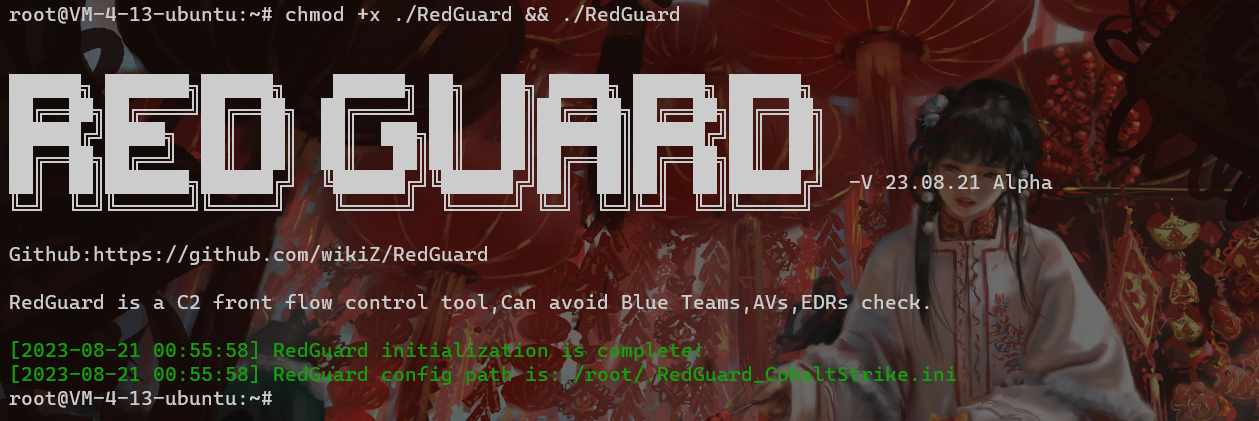
chmod +x ./RedGuard&&./RedGuard
As shown in the figure below, Set executable permissions and initialize RedGuard. The first run will generate a configuration file in the current user home directory to achieve flexible function configuration. Configuration file name: .RedGuard_CobaltStrike.ini.
Configuration file content:
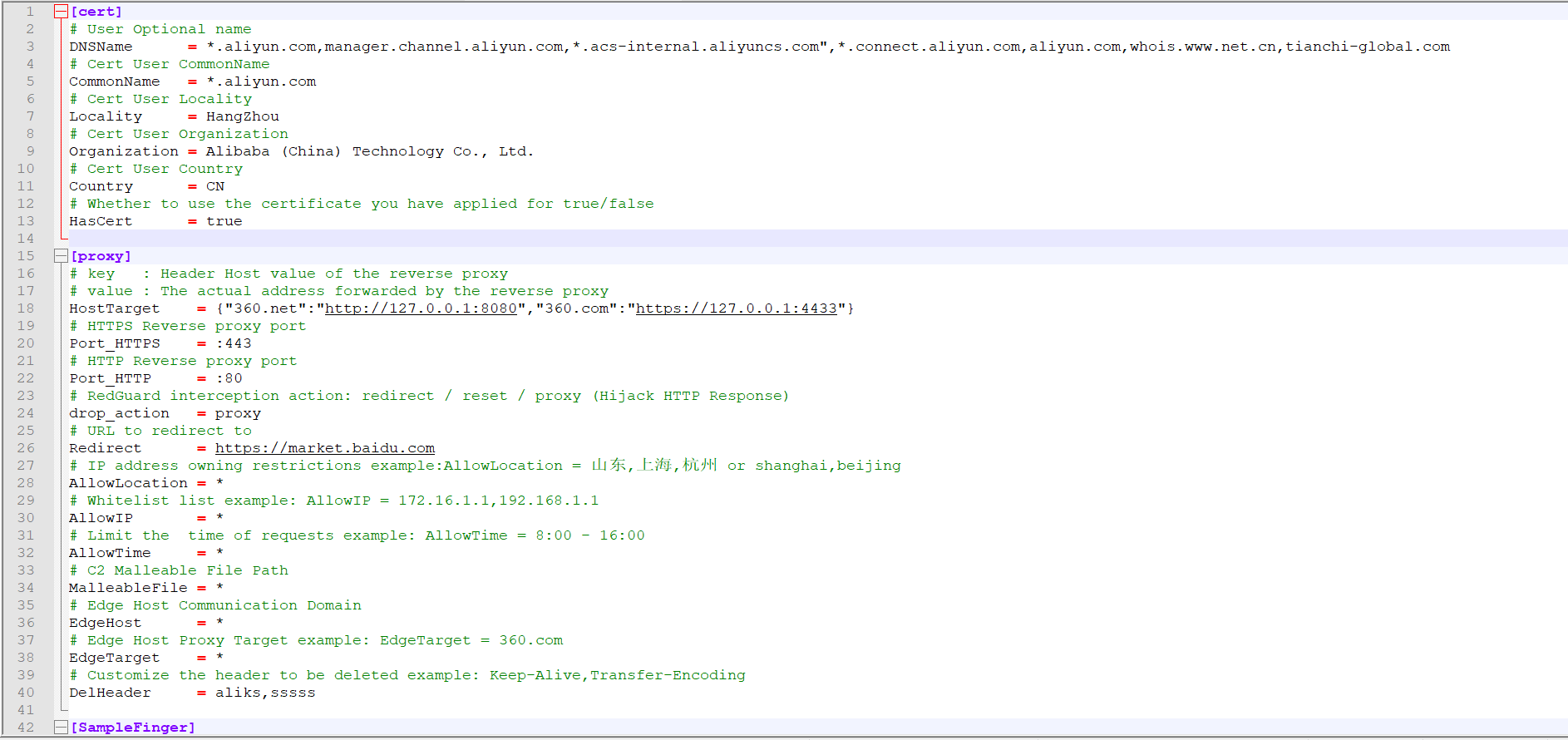
The configuration options of cert are mainly for the configuration information of SSL certificate encrypted HTTPS communication between the sample and the C2 front infrastructure. The proxy is mainly used to configure the control options in the reverse proxy traffic. The specific use will be explained in detail below.
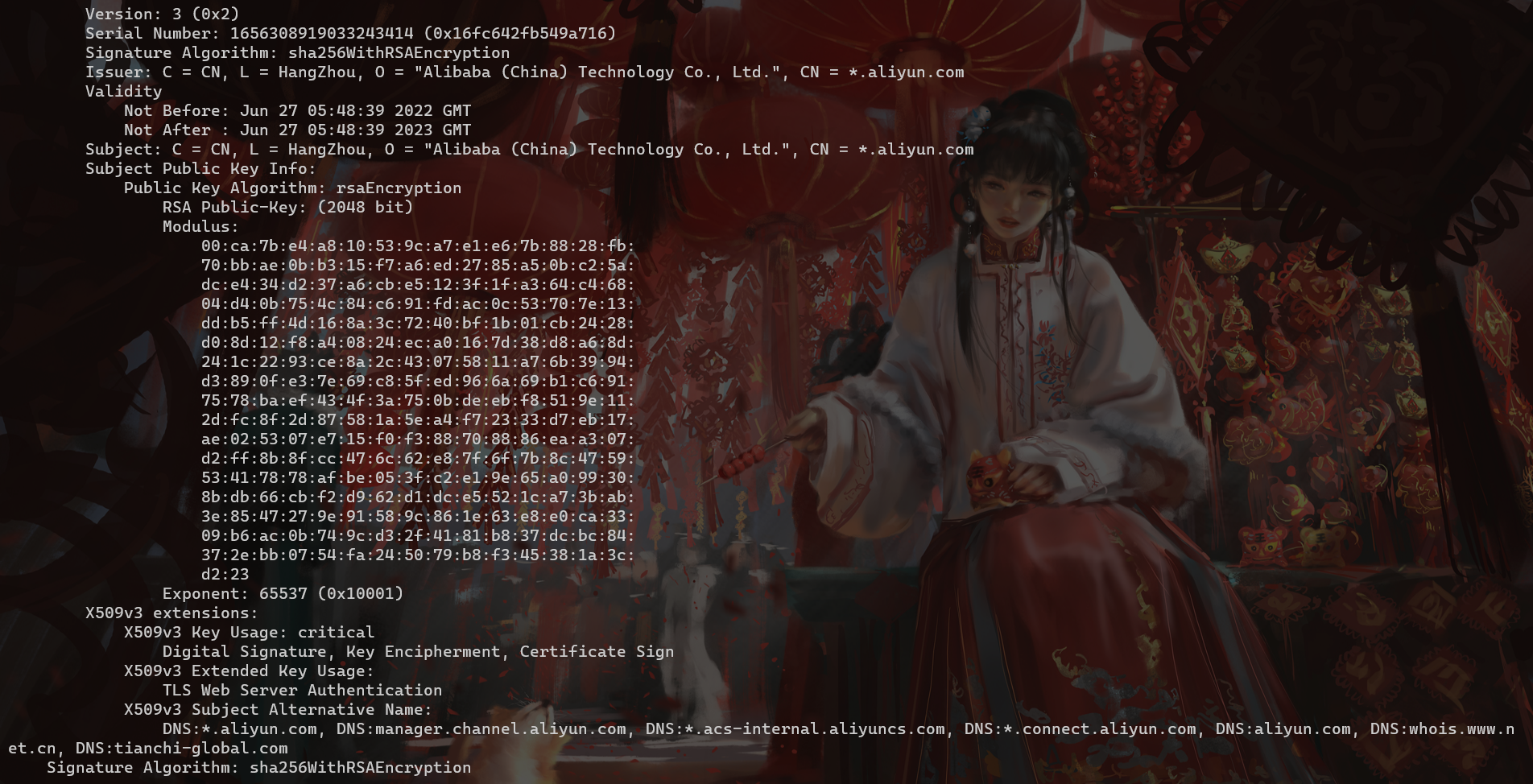
The SSL certificate encrypted HTTPS communication will be generated in the cert-rsa/ directory under the directory where RedGuard is executed. You can start and stop the basic functions of the tool by modifying the configuration file (the serial number of the certificate is generated according to the timestamp , don't worry about being associated with this feature).If you want to use your own certificate,Just rename them to ca.crt and ca.key.
openssl x509 -in ca.crt -noout -text
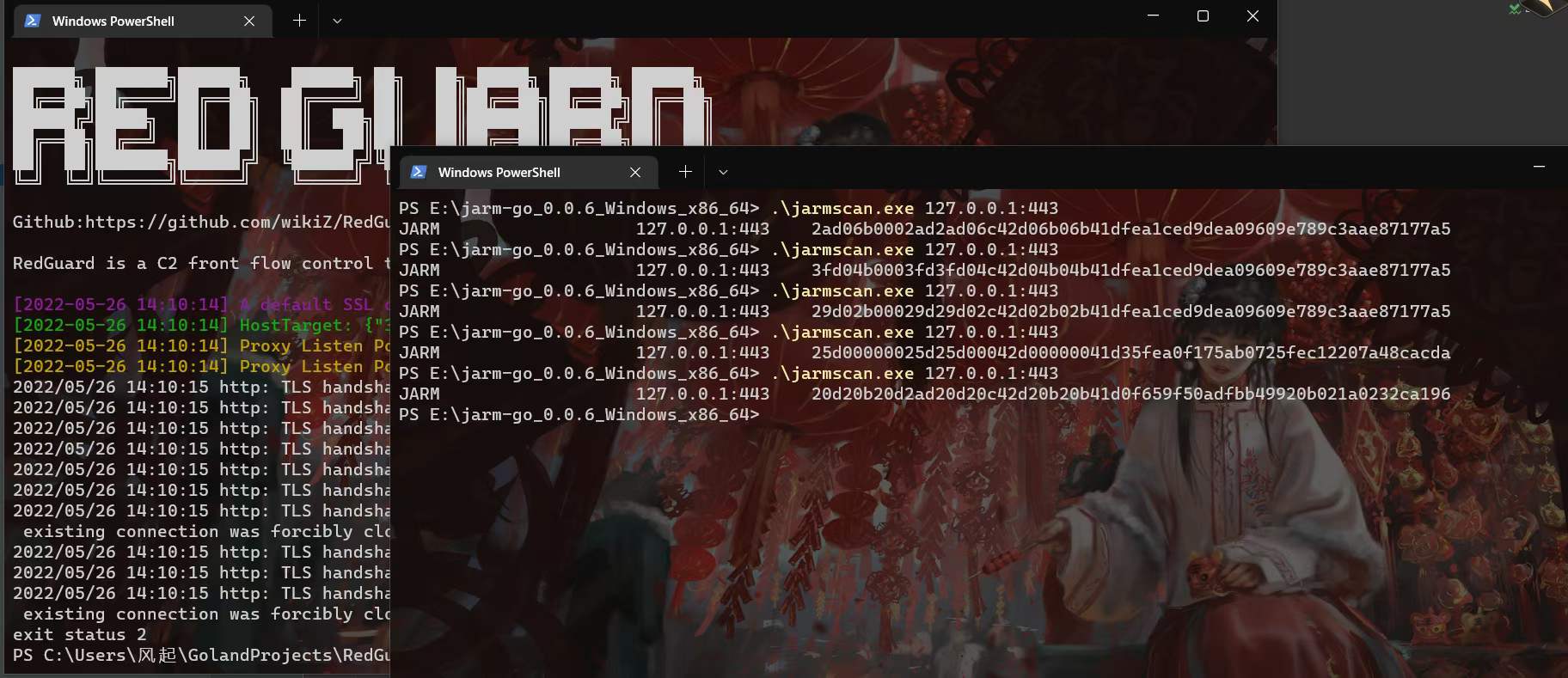
Random TLS JARM fingerprints are updated each time RedGuard is started to prevent this from being used to authenticate C2 infrastructure.
In the case of using your own certificate, modify the HasCert parameter in the configuration file to true to prevent normal communication problems caused by the incompatibility of the CipherSuites encryption suite with the custom certificate caused by JARM obfuscation randomization.
# Whether to use the certificate you have applied for true/false
HasCert      = false
When deploying a Domain fronting to hide C2 traffic, the accelerated domain name does not have HTTPS certificate information by default. This is obviously problematic, so you need to pay attention to configuring the certificate when configuring the domain name. This is also the default basis for determining whether the sample is domain front-end traffic.

[^Tencent Cloud]: Content Delivery Network Certificate Configuration
I believe that everyone will have some questions after reading this, How to obtain the configured certificate? If you use your own application for the certificate, it will not meet the anonymity effect we expect. Here you can use the cloned certificate for configuration. Taking Tencent Cloud as an example, it was found in the test that it would not verify the validity of the custom uploaded certificate. We can use the same certificate as the actual site of the accelerated domain name to forge it. Although the forged certificate cannot communicate when replacing the default certificate of CS under normal circumstances, it will not verify the validity when deployed on the cloud service provider CDN full-site acceleration and RedGuard, and C2 interactive traffic can communicate normally.
The following is the existing project address on Github
https://github.com/virusdefender/copy-cert
Although the certificate on the front-end traffic side of the sample domain has been resolved, from the perspective of large-scale network mapping, our C2 server is still exposed to the outside world and may still be detected and associated with the real C2 server. At this time, RedGuard can be used to modify the fronting default certificate of C2 to achieve anonymity.