 werkamsus/lilith
Lilith - Foundational reverse engineering resource for cybersecurity entrepreneurs in C++


Free & Native Open Source C++ Remote Administration Tool for Windows
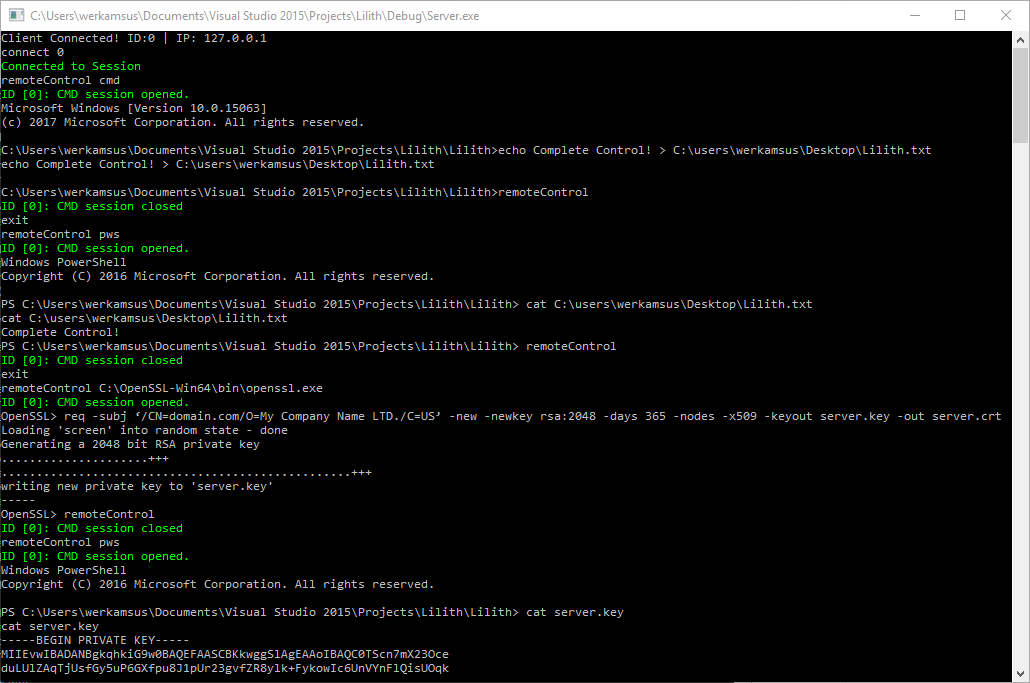
Lilith is a console-based ultra light-weight RAT developed in C++. It features a straight-forward set of commands that allows for near complete control of a machine.
The use of this software on any device that is not your own is highly discouraged. You need to obtain explicit permission from the owner if you intend to use Lilith in an alien environment, any illicit installation will likely be prosecuted by the jurisdiction the (ab)use occurs in.
The modularity and expandability of this RAT are what it's been built on. That's how it manages to stay very compact, light-weight and fast. You can download other utilities like password recovery or keylogging tools via Powershell scripts (link to some useful scripts will follow soon) and then execute them as if they were running on your own machine. Afterwards you're able to upload the results (also with a ps script) or evaluate them on the spot (via the type command) in cmd.
| Command | Syntax | Comment |
|---|---|---|
| connect | connect <clientID> (connect 0) | Connects to a Client |
| exitSession | exitSession | Exits current session |
| switchSession | switchSession <clientID> (switchSession 2) | Switches to another Client |
| broadcast | broadcast | Broadcasts your commands to all clients |
| keydump | keydump | Dumps Keylog File |
| script | script <scriptname> <scriptparameter> (script keydump keylog.txt) | Executes a predefined Script |
| listClients | listClients | Displays the number of clients connected |
| remoteControl | remoteControl <C:\program.exe> OR remoteControl cmd | More Info |
| remoteControl | remoteControl | Exits remoteControl if already in remoteControl |
| restart | restart | Restarts the Client |
| kill | kill | Quits the Client |
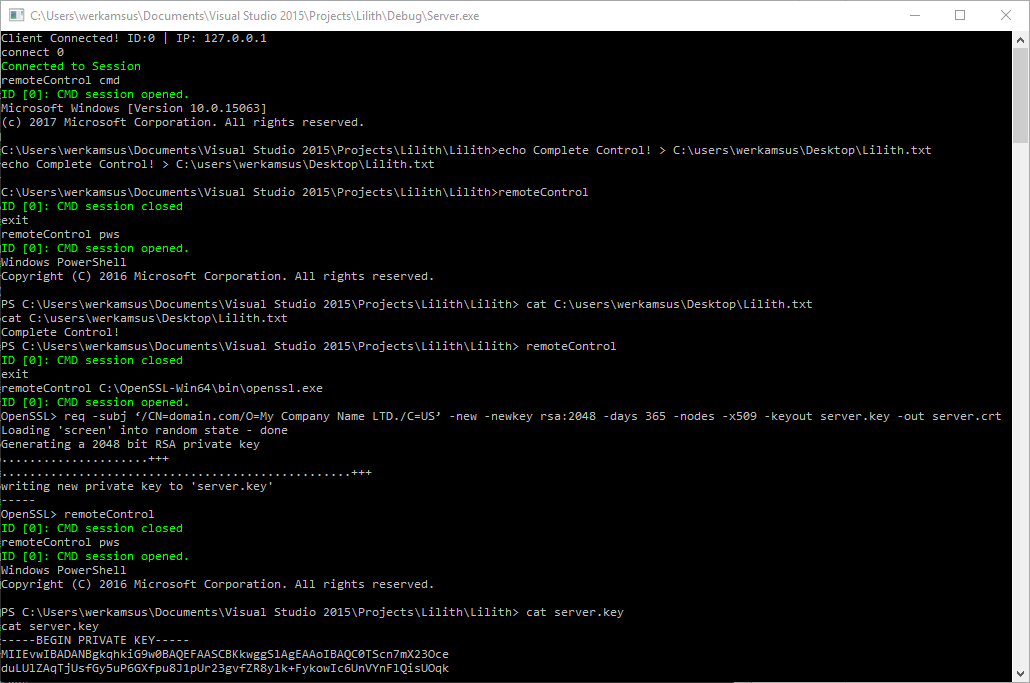
At the core of this RAT lies it's unique ability to remotely execute commands via CMD, Powershell and almost all console-based applications. It has the capabilities to automatically install on startup and clean up behind itself. It also features an error-handler that logs any issues. As of now, it is not 100% stable. Under 'normal' conditions it runs smoothly and without any disturbances, but severe irregularities in input (i.e. messing around with it a lot) may cause crashes. This will be resolved in the near future.
Shortcuts are: cmd, pws, pws32 which stand for Command Prompt, Powershell and Powershell 32-Bit respectively. You can use these instead of a full path to the executable. Example: remoteControl pws will remote-control C:\Windows\System32\WindowsPowerShell\v1.0\powershell.exe.
