
Skip to content
KitploitKITPLOIT
ToolsBlog
Submit
ToolsBlog
Submit

Hacking, PenTest, and Cybersecurity Tools for Your Security Arsenal!

Kitploit is a directory of hacking, cybersecurity, and pentesting tools. Discover the latest project updates to find vulnerabilities, analyze systems, automate testing, and strengthen your security.

··Feeds·Contact·Privacy·© 2026 Kitploit

Tool Directory

Categories

View all categories
Loading categories
warpgate — Fully transparent SSH, HTTPS, Kubernetes, database and RDP/VNC bastion/PAM that doesn't need additional client-side software | Kitploit
Tools/GitHubGitHub/warp-tech/warpgate
Authentication & AuthorizationCloud Infrastructure SecurityDefensive ToolsNetwork SecurityIdentity & Access Management (IAM)Remote Access ToolDatabase Security
GitHubwarp-tech/warpgate

warpgate

Fully transparent SSH, HTTPS, Kubernetes, database and RDP/VNC bastion/PAM that doesn't need additional client-side software

View Repository
7.4k32315h 10m agoReviewed by Kitploit

Most Popular

View all →

Discover the most used tools by our community.

Explore all tools

Browse our collection of tools

View all tools →
Share
Website


Shows a black logo in light color mode and a white one in dark color mode.


GitHub All Releases     Discord   Docs


Warpgate is a smart & fully transparent SSH, HTTPS, Kubernetes, MySQL, PostgreSQL, RDP and VNC bastion host that doesn't require a client app or an SSH wrapper.

  • Set it up in your DMZ, add user accounts and easily assign them to specific hosts and URLs within the network.
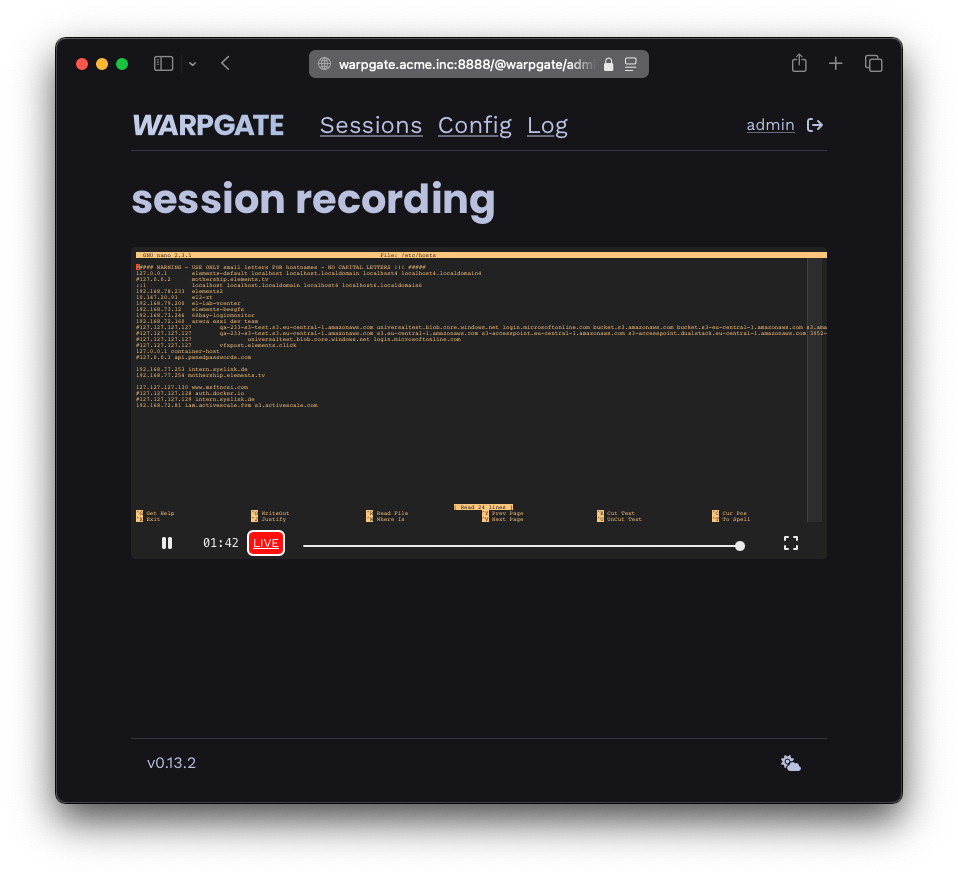
  • Warpgate will record every session for you to view (live) and replay later through a built-in admin web UI.
  • Browser-based SSH, RDP and VNC access is built in; native clients continue to work.
  • Not a jump host - forwards connection straight to the target in a way that's fully transparent to the client.
  • Native 2FA and SSO support (TOTP & OpenID Connect)
  • Built-in brute-force protection with IP blocking and user lockout
  • Single binary with no dependencies.
  • Written in 100% safe Rust.

Supported by:

FLOSS/fund badge

Getting started & downloads

  • See the Getting started docs page (or Getting started on Docker).
  • Release / beta binaries
  • Nightly builds

Documentation

Full documentation is available at warpgate.null.page, including:

  • Login Protection - Configure brute-force protection
  • SSO - Single Sign-On with OpenID Connect
  • Tickets - Temporary access credentials

How is Warpgate different from a jump host / VPN / Teleport?

image

Reporting security issues

Please use GitHub's vulnerability reporting system.

Project Status

Warpgate is being actively used in enterprise settings.

What's planned and being worked on next is tracked on the public roadmap.

How it works

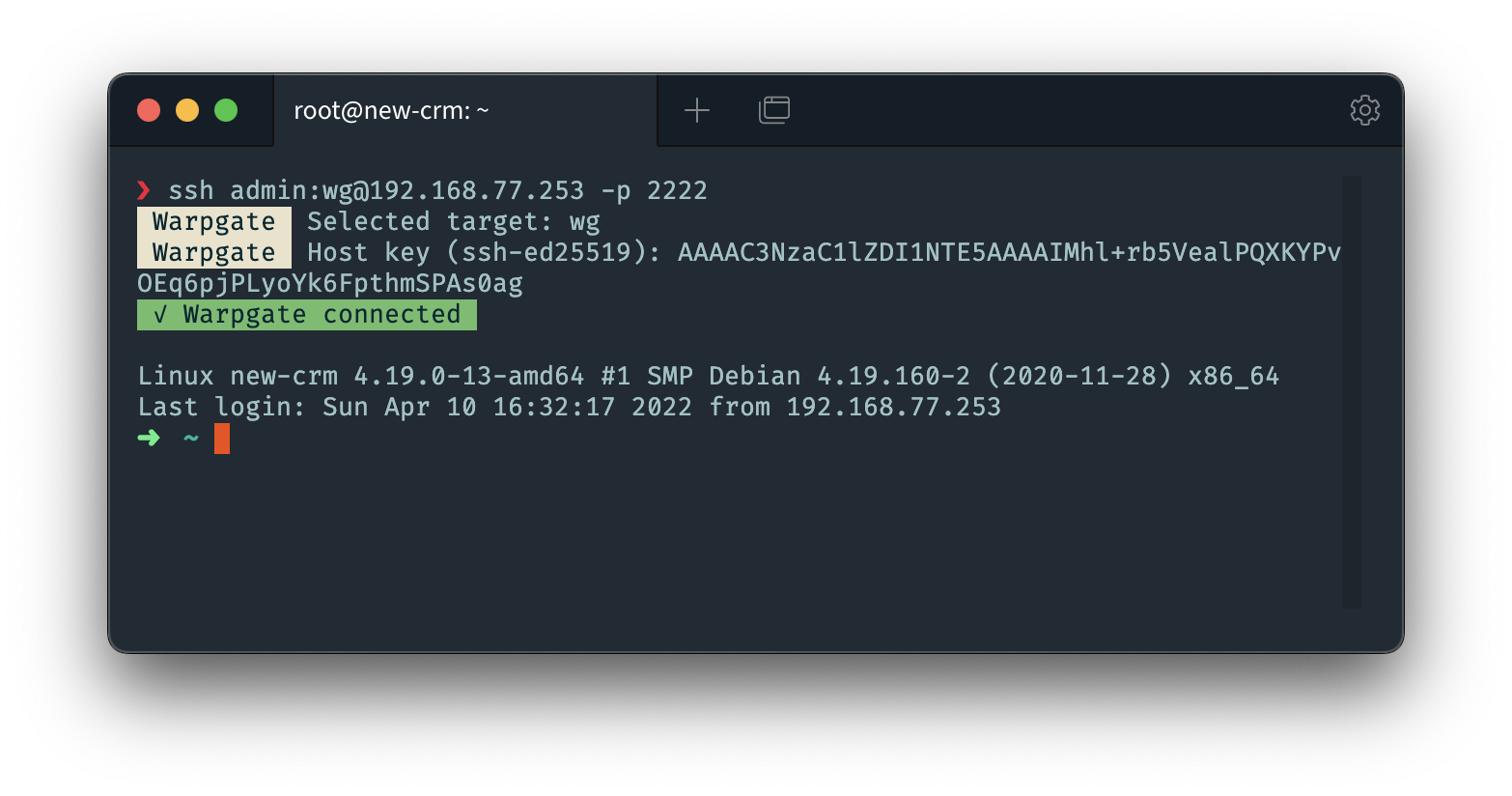
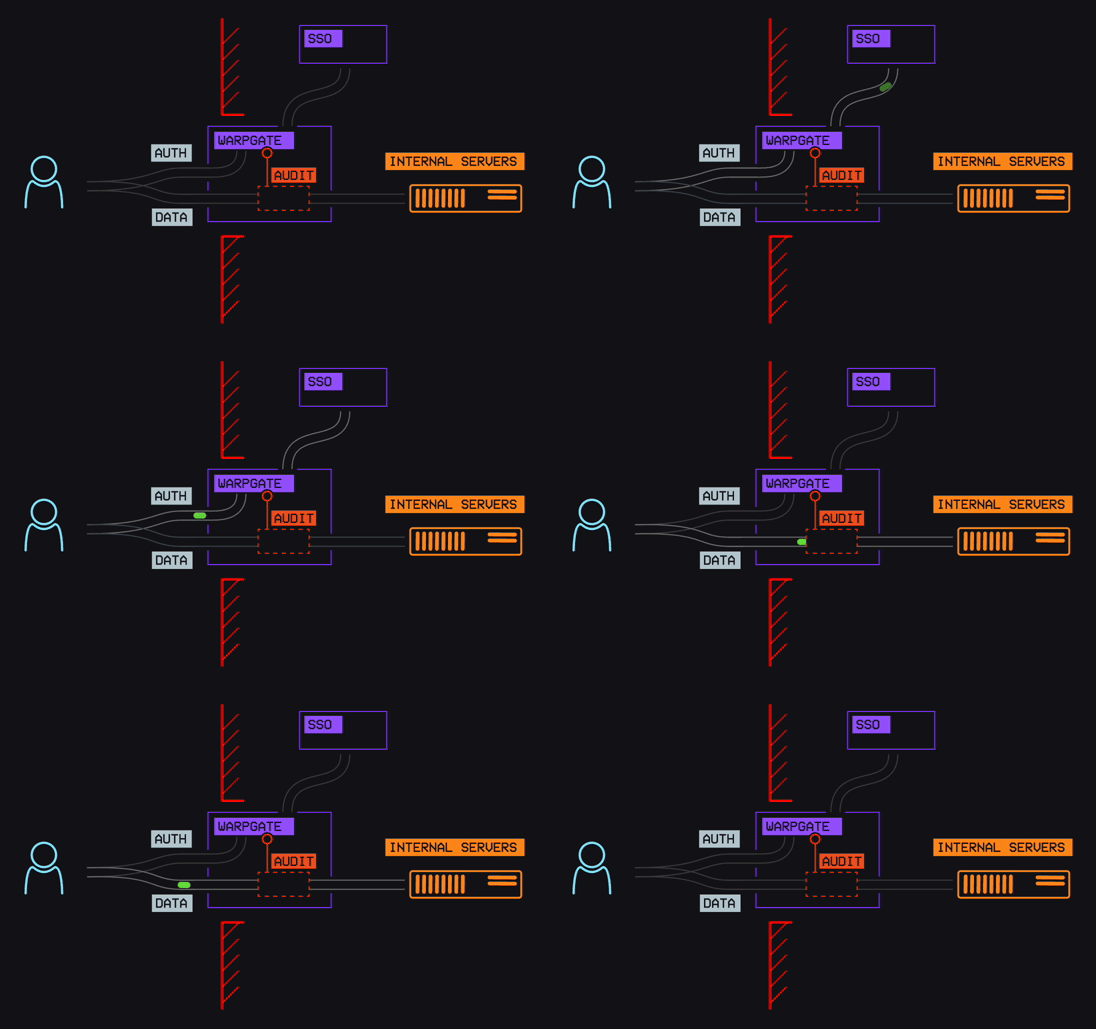
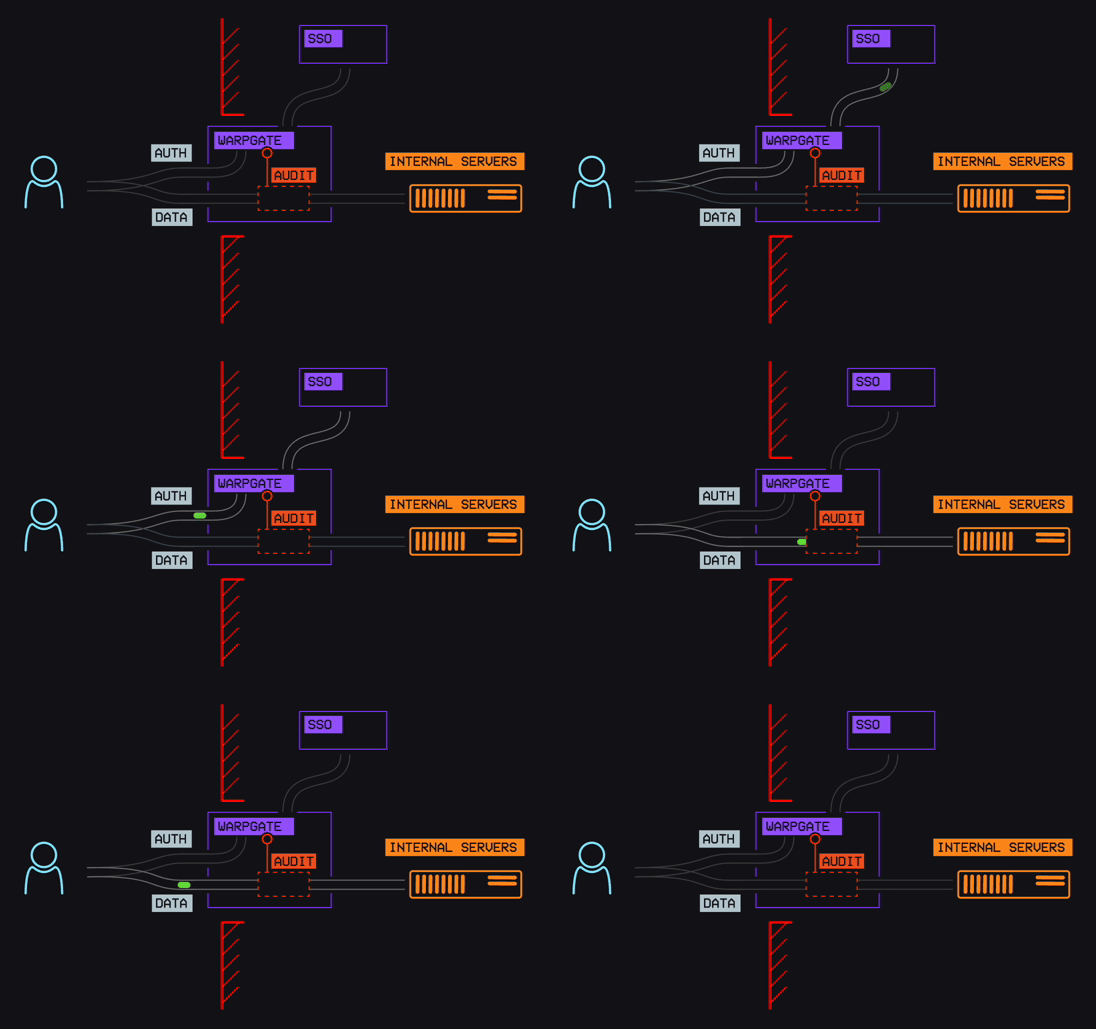
Warpgate is a service that you deploy on the bastion/DMZ host, which will accept SSH, HTTPS, Kubernetes, MySQL, PostgreSQL, RDP and VNC connections and provide an (optional) web admin UI.

Run warpgate setup to interactively generate a config file, including port bindings. See Getting started for details.

It receives connections with specifically formatted credentials, authenticates the user locally, connects to the target itself, and then connects both parties together while (optionally) recording the session.

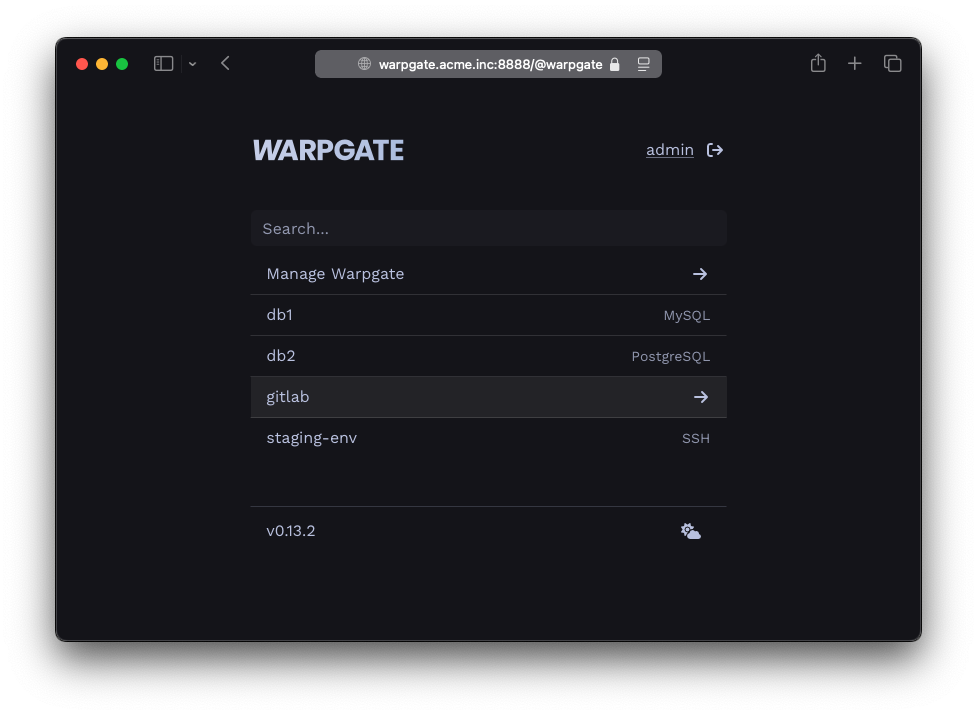
When connecting through HTTPS, Warpgate presents a selection of available targets, and will then proxy all traffic in a session to the selected target. You can switch between targets at any time.

You manage the target and user lists and assign them to each other through the admin UI, and the session history is stored in an SQLite database (default: in /var/lib/warpgate).

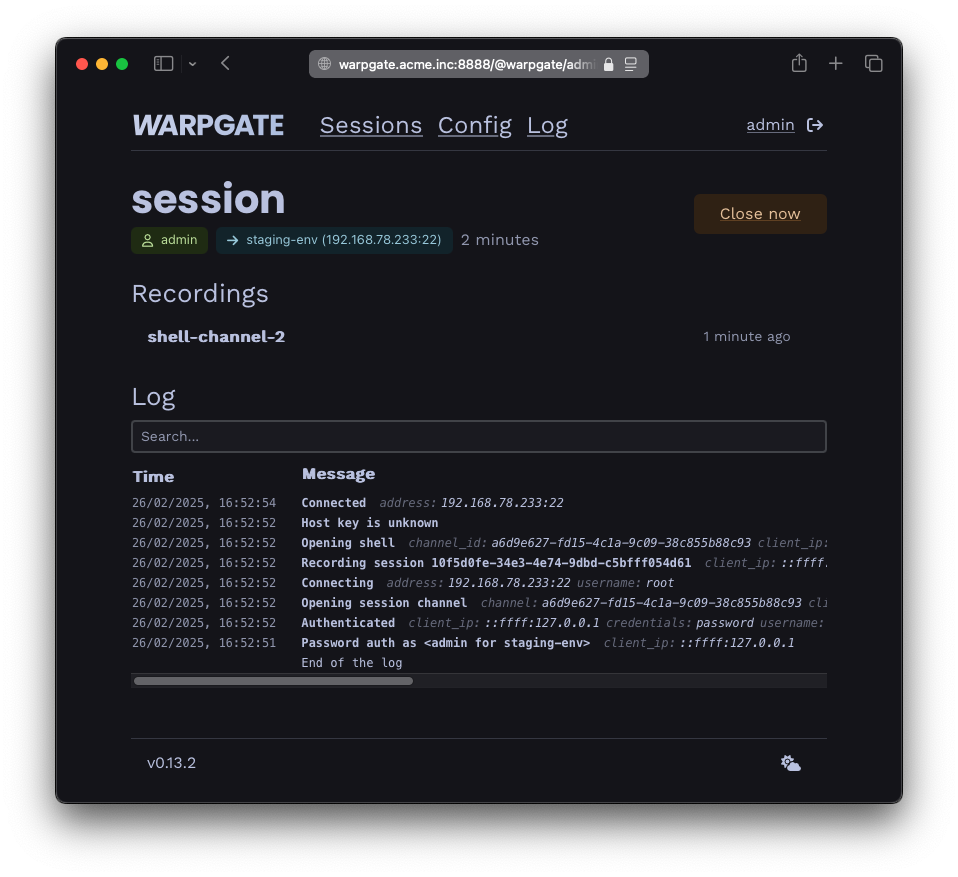
You can also use the admin web interface to view the live session list, review session recordings, logs and more.

AI transparency disclosure

In late 2025, this project had started accepting AI-assisted contributions. Contributors are required to disclose AI use. I believe that by applying the same high quality standard to all PRs, whether AI-assisted or not, no sacrifice in quality or security needs to be made.

Since AI is a spectrum between braindead vibe bros and autocomplete users, I believe that being transparent about its use helps establish and limit the place of AI in this project.

Architectural and security decisions on this project are 100% human.

Contributing / building from source

  • You'll need Rust, NodeJS and NPM
  • Clone the repo
  • Just is used to run tasks - install it: cargo install just
  • Install the admin UI deps: just npm install
  • Build the frontend: just npm run build
  • Build Warpgate: cargo build (optionally --release)

The binary is in target/{debug|release}.

Tech stack

  • Rust 🦀
    • HTTP: poem-web
    • Database: SQLite via sea-orm + sqlx
    • SSH: russh
  • Typescript
    • Svelte 5
    • Bootstrap

Backend API

  • Warpgate admin and user facing APIs use autogenerated OpenAPI schemas and SDKs. To update the SDKs after changing the query/response structures, run just openapi-all.

Contributors ✨

Thanks goes to these wonderful people (emoji key):

This project follows the all-contributors specification. Contributions of any kind welcome!

Download Tool
WarpgateSSH jump hostVPNTeleport
✅ Precise 1:1 assignment between users and services(Usually) full access to the network behind the jump host(Usually) full access to the network✅ Precise 1:1 assignment between users and services
✅ No custom client neededJump host config needed✅ No custom client neededCustom client required
✅ 2FA out of the box🟡 2FA possible with additional PAM plugins🟡 Depends on the provider✅ 2FA out of the box
✅ SSO out of the box🟡 SSO possible with additional PAM plugins🟡 Depends on the providerPaid
✅ Command-level audit🟡 Connection-level audit on the jump host, no secure audit on the target if root access is givenNo secure audit on the target if root access is given✅ Command-level audit
✅ Full session recordingNo secure recording possible on the target if root access is givenNo secure recording possible on the target if root access is given✅ Full session recording
✅ Non-interactive connections🟡 Non-interactive connections are possible if the clients supports jump hosts natively✅ Non-interactive connectionsNon-interactive connections require using an SSH client wrapper or running a tunnel
✅ Self-hosted, you own the data✅ Self-hosted, you own the data🟡 Depends on the providerSaaS
✅ Built-in brute-force protection🟡 Requires fail2ban setup🟡 Depends on the provider✅ Built-in brute-force protection
Eugeny
Eugeny

💻
Spencer Heywood
Spencer Heywood

💻
Andreas Piening
Andreas Piening

💻
Niklas
Niklas

💻
Nooblord
Nooblord

💻
Shea Smith
Shea Smith

💻
samtoxie
samtoxie

💻
P Foundation
P Foundation

💵
Skyler Lewis
Skyler Lewis

💻
Mohammed Noureldin
Mohammed Noureldin

💻
Mourad Maatoug
Mourad Maatoug

💻
Justin
Justin

💻
liebermantodd
Rokas Krivaitis
Rokas Krivaitis

💻
SachinMaharana
SachinMaharana

💻
Sambhavi Pandey
Sambhavi Pandey

💻
Tina
Tina

💻
Immanuel Tikhonov
Immanuel Tikhonov

💻
Lukas Klepper
rjourdan04
rjourdan04

💻
theharold
theharold

💻
noammeltzer-ax
noammeltzer-ax

💻
Haoqian
Haoqian

💻
Victor Coutellier
Victor Coutellier

💻
Hexalyse
basti-nis
basti-nis

💻
Chanta007
Chanta007

💻
Stoyan Kolev
Stoyan Kolev

💻
britbennett
britbennett

💻
PokAhonTAS911
PokAhonTAS911

💻
Jens Willmer
Jens Willmer

sravan-blitz
sravan-blitz

💻
Francesco Degrassi
Francesco Degrassi

💻
Yuzhong Zhang
Yuzhong Zhang

💻
Sean Ferguson
Sean Ferguson

💻

liebermantodd

💻
Hariharan
Hariharan

💻

Lukas Klepper

💻
kamilkrzeminski
kamilkrzeminski

💻

Hexalyse

💻
Lars
Lars

💻
💻
Hugues Granger
Hugues Granger

💻