 wangyihang/platypus
🔨 A modern, cross-platform machine manager





A host management hub for fleets of Linux machines. Install the Platypus agent on every host you own; the agent dials back to your Platypus server over TLS + protobuf; from the server you get an interactive shell, file management, and network tunnelling on every managed host — through one central control plane.
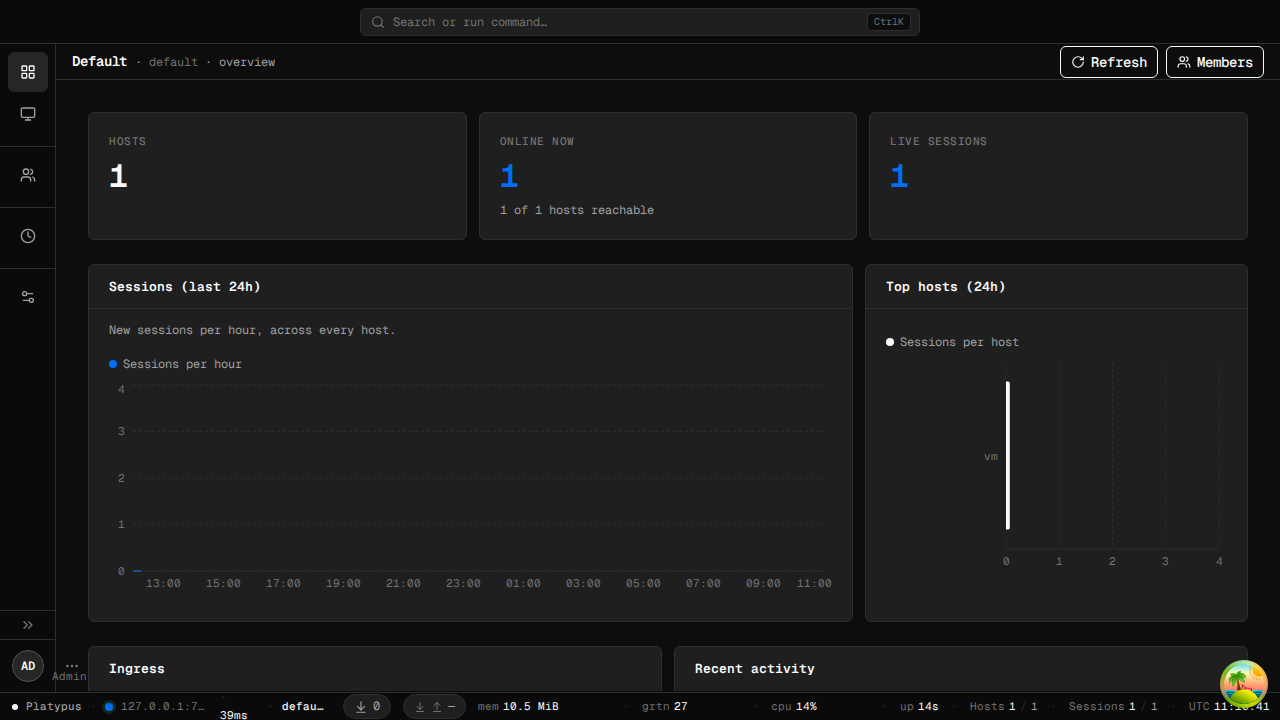
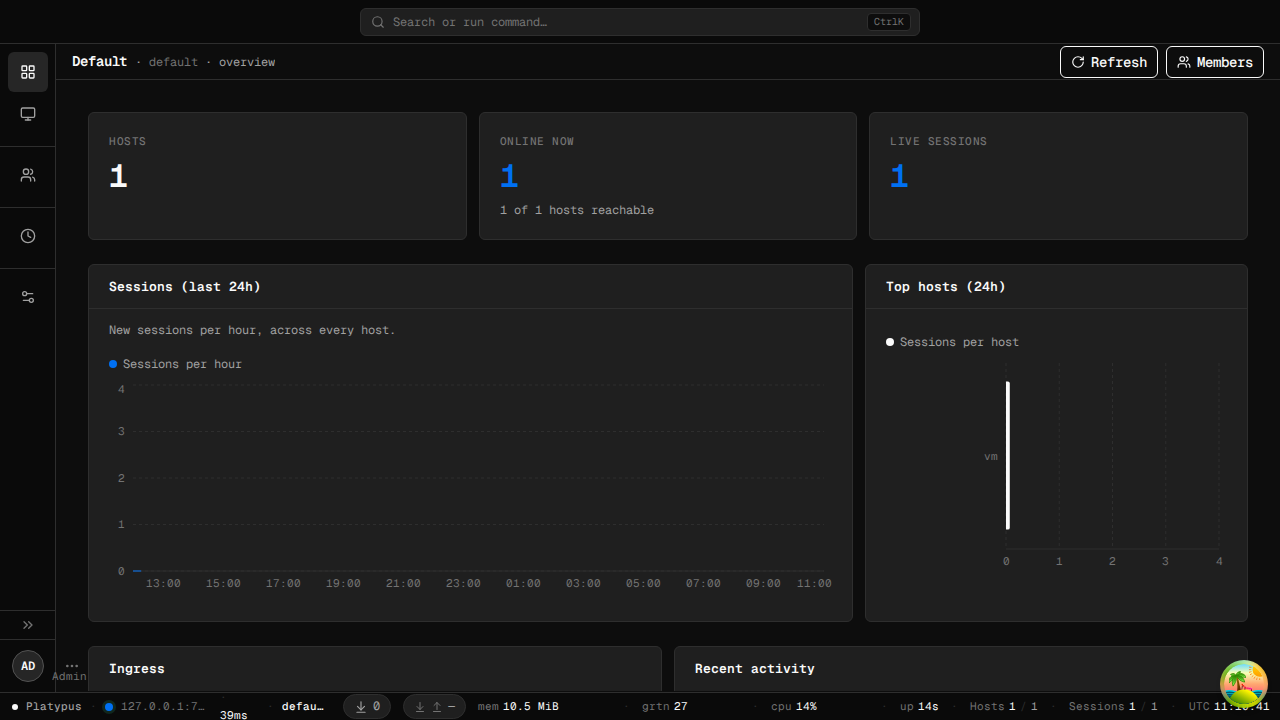
A Vercel-style flat-nav UI with a project dashboard, a host/listener/session
browser, a multi-host dispatch console, and an admin user manager. See the
full gallery at docs/screenshots/. Re-run
make screenshots to regenerate them from the live app.
Platypus ships as two backend binaries plus a standalone desktop client:
| Binary | Role |
|---|---|
platypus-server | Daemon. Accepts inbound agent connections on TLS ingress ports; exposes a REST + WebSocket API for admin tooling; serves agent binaries for distribution. |
platypus-agent | The process that runs on each managed host. Dials back to the server over TLS + protobuf. |
platypus-desktop | Native (Wails v2) desktop GUI. Connect to any reachable server with URL + secret; tabbed UI for sessions, terminals, listeners, files, tunnels. See desktop/. |
The server is purely an API — no embedded web UI. Multiple desktops can connect to the same server simultaneously.
config.ymlThe fastest way to get a full Platypus system running (including the Server, Web UI, and a MinIO-backed Agent Distributor) is using Docker Compose:
git clone https://github.com/WangYihang/Platypus
cd Platypus
docker-compose up -d
https://localhost:9443 in your browser (the
container ships with a self-signed cert; your browser will prompt
you to accept it on first visit).bootstrap_secret is written to
/app/data/bootstrap.secret inside the container on first boot
(mode 0600). Read it with
docker compose exec platypus-server cat /app/data/bootstrap.secret,
use it once to create the first admin, then delete the file. After
bootstrap completes the secret is no longer accepted.curl ... | sh command, signed and pinned to the project CA, to
deploy agents to your fleet.Requires Go 1.24+ and protoc (only if you regenerate protobuf code).
git clone https://github.com/WangYihang/Platypus
cd Platypus
make build              # → ./build/{platypus-server,platypus-agent}
Other useful targets: make test, make lint, make snapshot (cross-platform via goreleaser), make help.
Contributors should install the git hooks so gofmt / goimports / go vet /
golangci-lint run before each commit:
pip install pre-commit   # or: pipx install pre-commit
make hooks               # one-time: wires .git/hooks/pre-commit
make pre-commit          # optional: run all hooks against every file now
Requires Node 22+, Wails CLI dependencies (wails doctor), and the platform's WebView libraries (webkit2gtk-4.1 on Linux, WebView2 on Windows, WKWebView on macOS).
make desktop-deps       # one-time: install Wails CLI + pnpm packages
make desktop-build      # → desktop/build/bin/platypus-desktop
make desktop-dev        # hot-reload dev mode
Same pages, same features (minus real-time event push), runs in any browser:
make web-ui             # → desktop/frontend/dist-web/ (static bundle)
make web-ui-serve       # preview at http://localhost:8080
dist-web/ is fully static; drop it on GitHub Pages / S3 / nginx. Point it at any platypus-server via the login form.
Full notes in desktop/README.md.
Download the appropriate archive for your OS/arch from the Releases page, extract, and run.
docker build -t platypus-server .
docker run --rm -p 9443:9443 \
  -e PLATYPUS_DEV=1 \
  -v $(pwd)/config.yml:/config.yml \
  platypus-server
PLATYPUS_DEV=1 enables the on-disk KEK fallback so a fresh start
"Just Works"; for production, drop that env var and set
PLATYPUS_CA_KEK (32 bytes hex; openssl rand -hex 32) instead so
the CA private-key encryption key is never written next to the
encrypted database.
./build/platypus-server # foreground; Ctrl-C for graceful shutdown
For production, run the server under systemd rather than backgrounding it manually.
