 vxfemboy/purrcrypt
A fur-ociously secure encryption tool that encodes your secrets as adorable cat and dog sounds, using real elliptic curve cryptography with a playful disguise.

The purr-fect way to keep your secrets fur-ever safe, straight from the meow-th of your computer to your fur-ends' paws!


[!IMPORTANT]
PurrCrypt is real cryptography in a fuzzy disguise! Your messages are protected by the same elliptic curve algorithms used by Bitcoin, just wrapped in adorable cat and dog sounds. Cuteness should never compromise security!
PurrCrypt is what happens when a very serious cryptographer gets distracted by cat videos for 48 hours straight! It's a super-strong encryption tool that hides your secrets in the most adorable way possible - by turning them into kitty and puppy speak!
Under the fluffy exterior, PurrCrypt uses the same elliptic curve cryptography (meow-thematics?) as Bitcoin. But instead of boring code, your secret messages look like they were written by a cat walking across your keyboard... ON PURPOSE! 😸
"Finally, my keyboard stomping has been recognized as a valid form of communication!" - Your Cat, probably
[!NOTE] While PurrCrypt messages look like nonsensical pet sounds, they contain cryptographically secure data that can only be decrypted with the proper keys. No amount of treats will convince these pets to reveal your secrets!
[!TIP] If you use Arch Linux, it's available on the AUR: purrcrypt, or purrcrypt-git. Use your favorite AUR helper or simply
makepkg -si.
Or, follow these steps:
# Clone this ball of yarn
git clone https://github.com/vxfemboy/purrcrypt.git

# Pounce into the directory
cd purrcrypt

# Install it like you'd install a new cat tree
cargo install --path .
[!TIP] For the best experience, try saying "meow" or "woof" out loud while your encryption runs. It doesn't affect the algorithm at all, but it does make you feel more connected to the process! 🐱
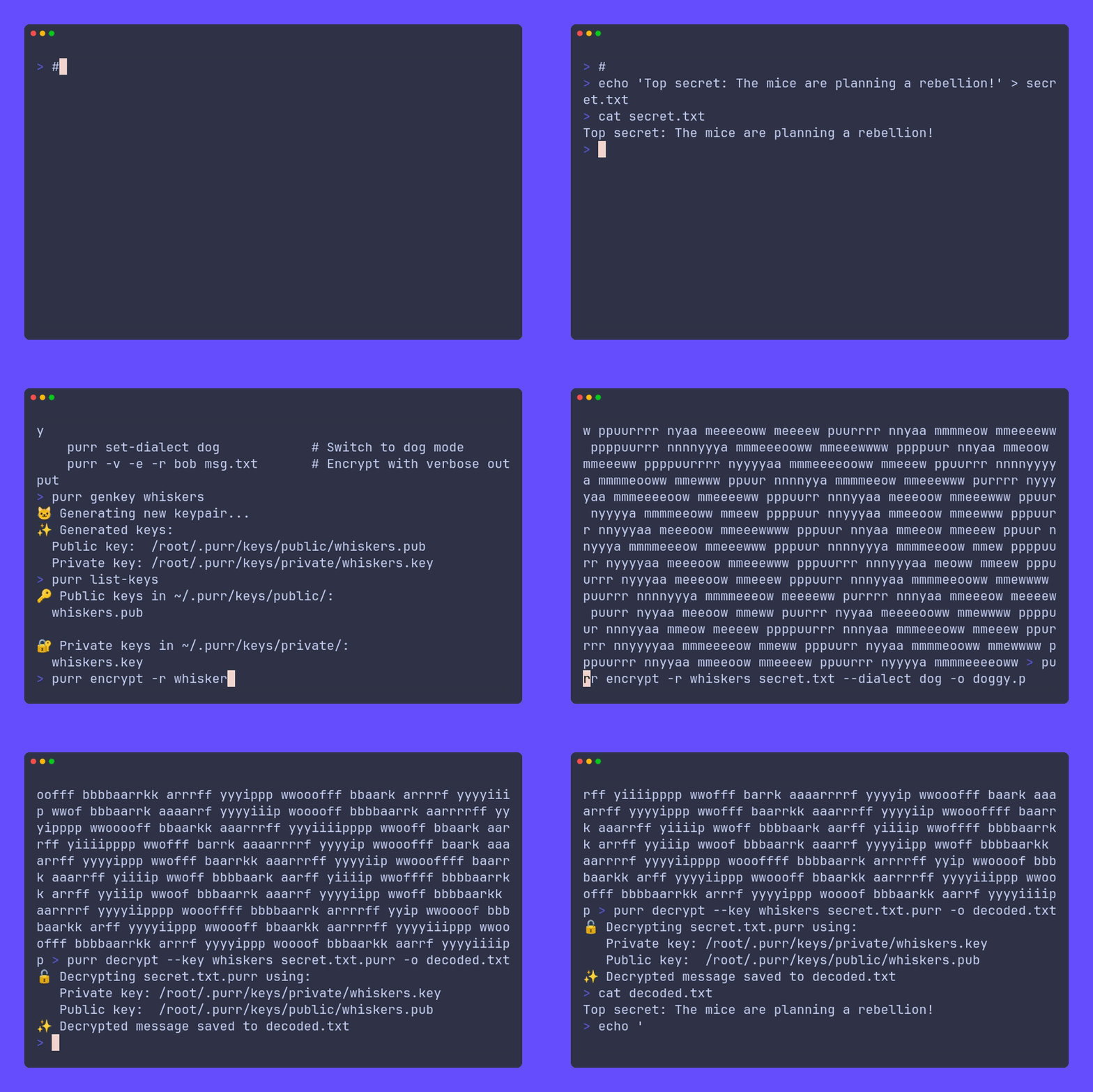
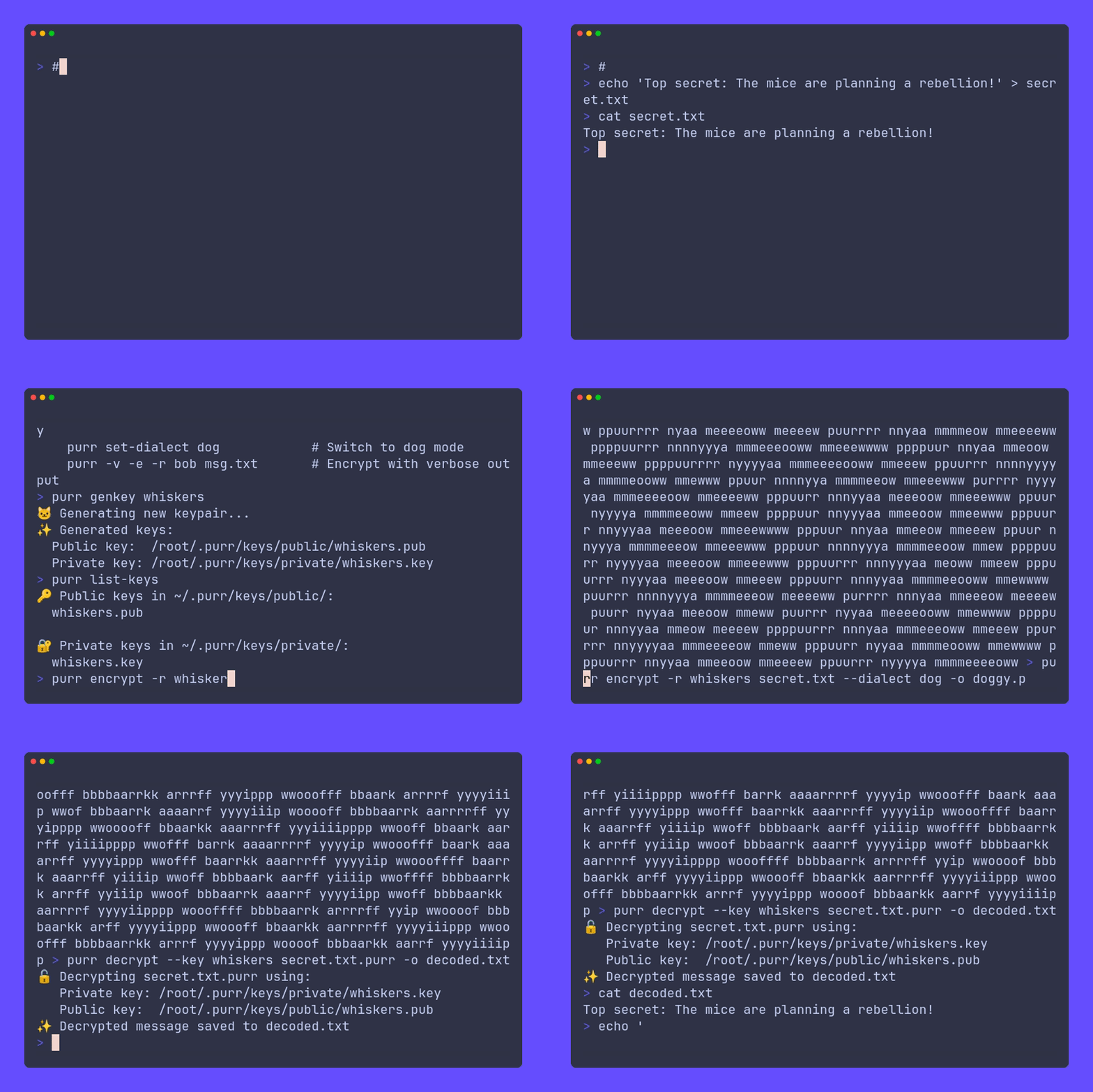
Generate a keypair (AKA make your secret paw print):
purr genkey fluffy
This is like getting your pet microchipped, but for your messages!
Import your friend's key (teaching your pet who's friendly):
purr import-key --public ~/Downloads/mr_whiskers_key.pub
Now your computer knows which furry friends to trust!
List your keys (checking who's in your pack/clowder):
purr list-keys
It's like looking at your pet's contact list, if pets had phones!
Choose your pet personality:
purr set-dialect cat   # For the feline-inclined
# or
purr set-dialect dog   # For the canine-convinced
The eternal debate: are you a cat person or a dog person? Now your encryption can match your pet preference!
[!WARNING]
Just like real pets, your private keys need proper protection! Keep your private key files as secure as your cat keeps its favorite napping spot. If someone else gets your private key, they can read all your secret messages, and that's a cat-astrophe!
Send a secret to your furry friend:
purr encrypt --recipient mr_whiskers --input secret_catnip_stash_locations.pdf --dialect cat
This creates secret_catnip_stash_locations.pdf.purr that looks like it was written by a cat with a very specific meowing pattern!
"This message not suspicious at all. Just normal cat talk. No secrets. Meow." - Undercover Agent Whiskers
[!CAUTION] Even with cat/dog encoding, don't put your encryption keys on your collar tag! PurrCrypt is designed to hide the fact you're sending encrypted data, but once someone knows you're using it, they'll recognize those suspiciously well-structured "meows" and "woofs" for what they really are!
When your fuzzy buddy sends you a secret:
purr decrypt --key fluffy --input suspicious_dog_noises.purr --output true_meaning_of_bork.txt
purr - Because "woof" and "meow" are actually secret codes!

Usage:
    purr [COMMAND] [OPTIONS]

Commands:
    genkey [name]                   Create your pet's digital paw print
    import-key [--public] <keyfile> Add a furry friend to your trusted circle
    encrypt, -e                     Turn your boring text into pet speak
    decrypt, -d                     Translate pet speak back to human
    list-keys, -k                   See all the pets in your digital neighborhood
    set-dialect <cat|dog>           Decide if you're team 😺 or team 🐶
    verbose, -v                     Make it extra chatty (like a Siamese cat)

Options for encrypt:
    -r, --recipient <key>           Which pet friend gets the message
    -o, --output <file>             Where to leave this furry message
    -i, --input <file>              The boring human file to convert
    --dialect <cat|dog>             Temporary species switch

Options for decrypt:
    -k, --key <key>                 Your pet identity
    -o, --output <file>             Where to put the decoded human-speak
    -i, --input <file>              The furry message to translate
[!TIP] Can't remember a command? Just think: "What would my cat/dog do?" For example, to generate a key, imagine your cat making its mark (genkey), or to encrypt a file, think of your dog hiding its favorite bone (encrypt)!
PurrCrypt operates on the scientific principle that everything is better with cats and dogs:
Layer 1: Serious Business 🧐
Layer 2: The Fluffy Disguise 🦮🐈
[!IMPORTANT]
While we joke about how cute this all is, PurrCrypt uses real cryptographic principles! The secp256k1 elliptic curve provides strong security, and the steganographic encoding genuinely helps hide the fact that you're sending encrypted content. Security through adorability is still security!
When your cat runs across your keyboard, it's annoying. When PurrCrypt does it, it's encryption!
🐱 Cat Mode Vocabulary:
🐶 Dog Mode Dictionary:
"The humans think it's just me expressing my excitement for treats, but I'm actually transferring nuclear launch codes." - Classified Dog Operative
Each letter repetition in pet speak is actually encoding your bits and bytes:

