Skip to content
KitploitKITPLOIT
ToolsBlog
Submit
ToolsBlog
Submit

Hacking, PenTest, and Cybersecurity Tools for Your Security Arsenal!

Kitploit is a directory of hacking, cybersecurity, and pentesting tools. Discover the latest project updates to find vulnerabilities, analyze systems, automate testing, and strengthen your security.

··Feeds·Contact·Privacy·© 2026 Kitploit

Tool Directory

Categories

View all categories
Loading categories
Powershell-RAT — Python based backdoor that uses Gmail to exfiltrate data through attachment. This RAT will help during red team engagements to backdoor any Windows machines. It tracks the user activity using screen capture and sends it to an attacker as an e-mail attachment. | Kitploit
Tools/GitHubGitHub/viralmaniar/powershell-rat
Payload GenerationPersistence MechanismsData ExfiltrationPost-ExploitationLearning & EducationRed TeamingRemote Access Trojan
GitHubviralmaniar/powershell-rat

Powershell-RAT

Most Popular

View all →

Discover the most used tools by our community.

Explore all tools

Browse our collection of tools

View all tools →

Python based backdoor that uses Gmail to exfiltrate data through attachment. This RAT will help during red team engagements to backdoor any Windows machines. It tracks the user activity using screen capture and sends it to an attacker as an e-mail attachment.

View RepositoryWebsite
1.2k25097 years agoReviewed by Kitploit
Share

Powershell-RAT

Python based backdoor that uses Gmail to exfiltrate data as an e-mail attachment.

This RAT will help someone during red team engagements to backdoor any Windows machines. It tracks the user activity using screen capture and sends the information to an attacker as an e-mail attachment.

Note: This piece of code is Fully UnDetectable (FUD) by Anti-Virus (AV) software.

This project must not be used for illegal purposes or for hacking into system where you do not have permission, it is strictly for educational purposes and for people to experiment with.

Any suggestions or ideas for this tool are welcome - just tweet me on @ManiarViral

RAT Architecture Diagram

image

Screenshot

On the first run of the Powershell-RAT user will get options as below:

image

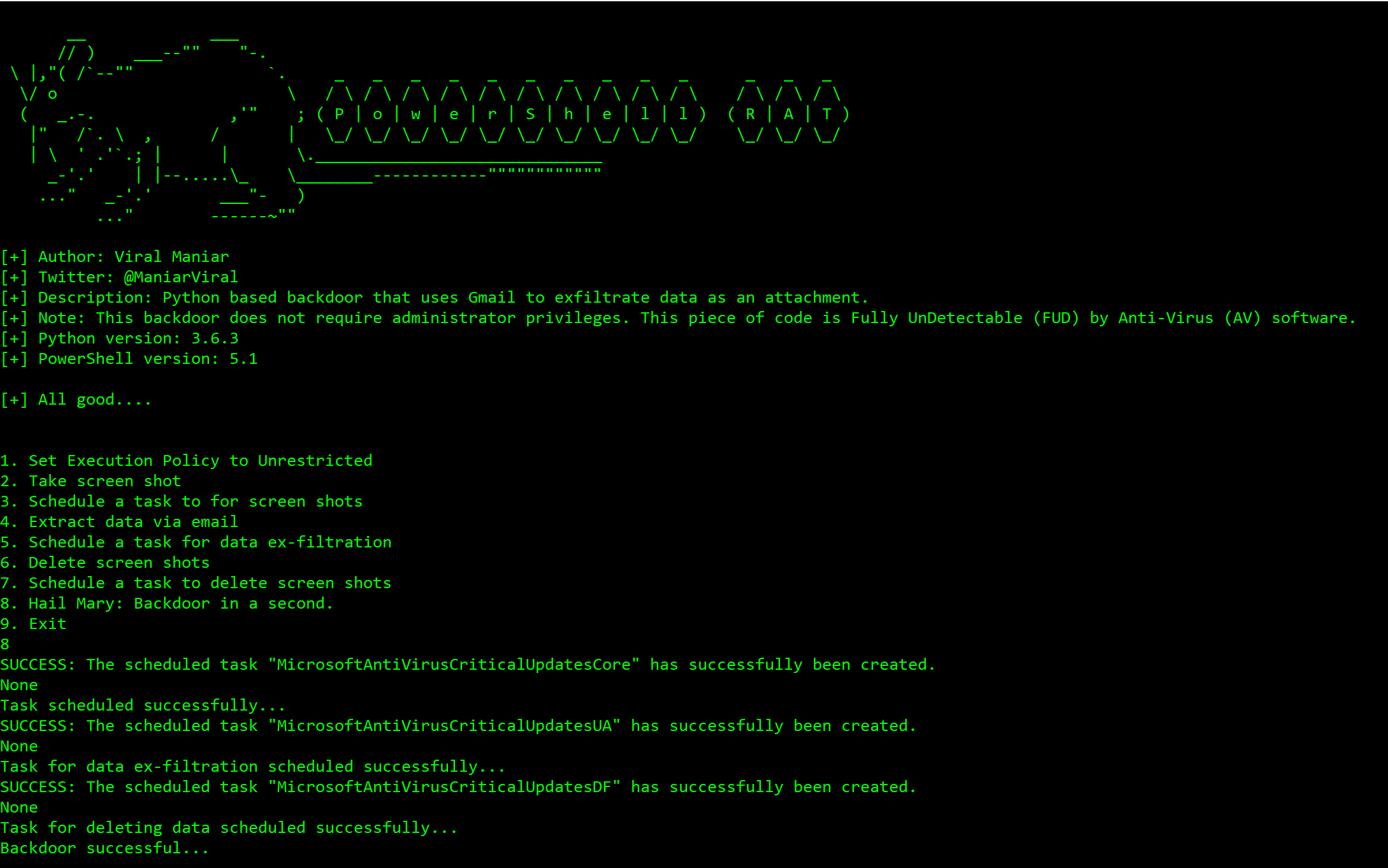
Using Hail Mary option to backdoor a Windows machine:

image

Successfully taking screenshots of the user activity:

image

Data exfiltrated as an email attachment using Gmail:

image

My Windows machine do not have Python installed, what should I do?

  • Compile PowershellRAT.py into an executable using Pyinstaller

  • PyInstaller is available on PyPI. You can install it through pip:

root@kitploit:~
pip install pyinstaller

Setup

  • Throwaway Gmail address
  • Enable "Allow less secure apps" by going to https://myaccount.google.com/lesssecureapps
  • Modify the $username & $password variables for your account in the Mail.ps1 Powershell file
  • Modify $msg.From & $msg.To.Add with throwaway gmail address

How do I use this?

  • Press 1: This option sets the execution policy to unrestricted using Set-ExecutionPolicy Unrestricted. This is useful on administrator machine

  • Press 2: This takes the screenshot of the current screen on the user machine using Shoot.ps1 Powershell script

  • Press 3: This option backdoors the user machine using schtasks and sets the task name to MicrosoftAntiVirusCriticalUpdatesCore

  • Press 4: This option sends an email from the user machine using Powershell. These uses Mail.ps1 file to send screenshot as attachment to exfiltrate data

  • Press 5: This option backdoors the user machine using schtasks and sets the task name to MicrosoftAntiVirusCriticalUpdatesUA

  • Press 6: This option deletes the screenshots from user machine to remain stealthy

  • Press 7: This option backdoors the user machine using schtasks and sets the task name to MicrosoftAntiVirusCriticalUpdatesDF

  • Press 8: This option performs all of the above with a single button press 8 on a keyboard. Attacker will receive an email every 5 minutes with screenshots as an email attachment. Screenshots will be deleted after 12 minutes

  • Press 9: Exit gracefully from the program or press Control+C

Questions?

Twitter: https://twitter.com/maniarviral LinkedIn: https://au.linkedin.com/in/viralmaniar

Contribution & License

Creative Commons License
This work is licensed under a Creative Commons Attribution 4.0 International License.
Want to contribute? Please fork it and hit up with a pull request.

Any suggestions or ideas for this tool are welcome - just tweet me on @ManiarViral

To Do

  • Encrypted exfil over Gmail to defeat SSL inspection
  • Get photos from front camera
  • Record mic
Download Tool
