
Skip to content
KitploitKITPLOIT
ToolsBlog
Log in
Submit
ToolsBlog
Submit

Hacking, PenTest, and Cybersecurity Tools for Your Security Arsenal!

Kitploit is a directory of hacking, cybersecurity, and pentesting tools. Discover the latest project updates to find vulnerabilities, analyze systems, automate testing, and strengthen your security.

··Feeds·Contact·Privacy·© 2026 Kitploit

Tool Directory

Categories

View all categories
Loading categories
Klip — Minimal terminal-based password manager | Kitploit
Tools/GitHubGitHub/vid4l-07/klip
General Purpose UtilitiesPassword CrackingEncryption/Decryption ToolsCryptographyUtilities & FrameworksAuthentication
GitHubvid4l-07/klip

Klip

Minimal terminal-based password manager

View Repository
30152 days agoReviewed by Kitploit

Most Popular

View all →

Discover the most used tools by our community.

Explore all tools

Browse our collection of tools

View all tools →
Share

Klip

Minimal terminal-based password manager.

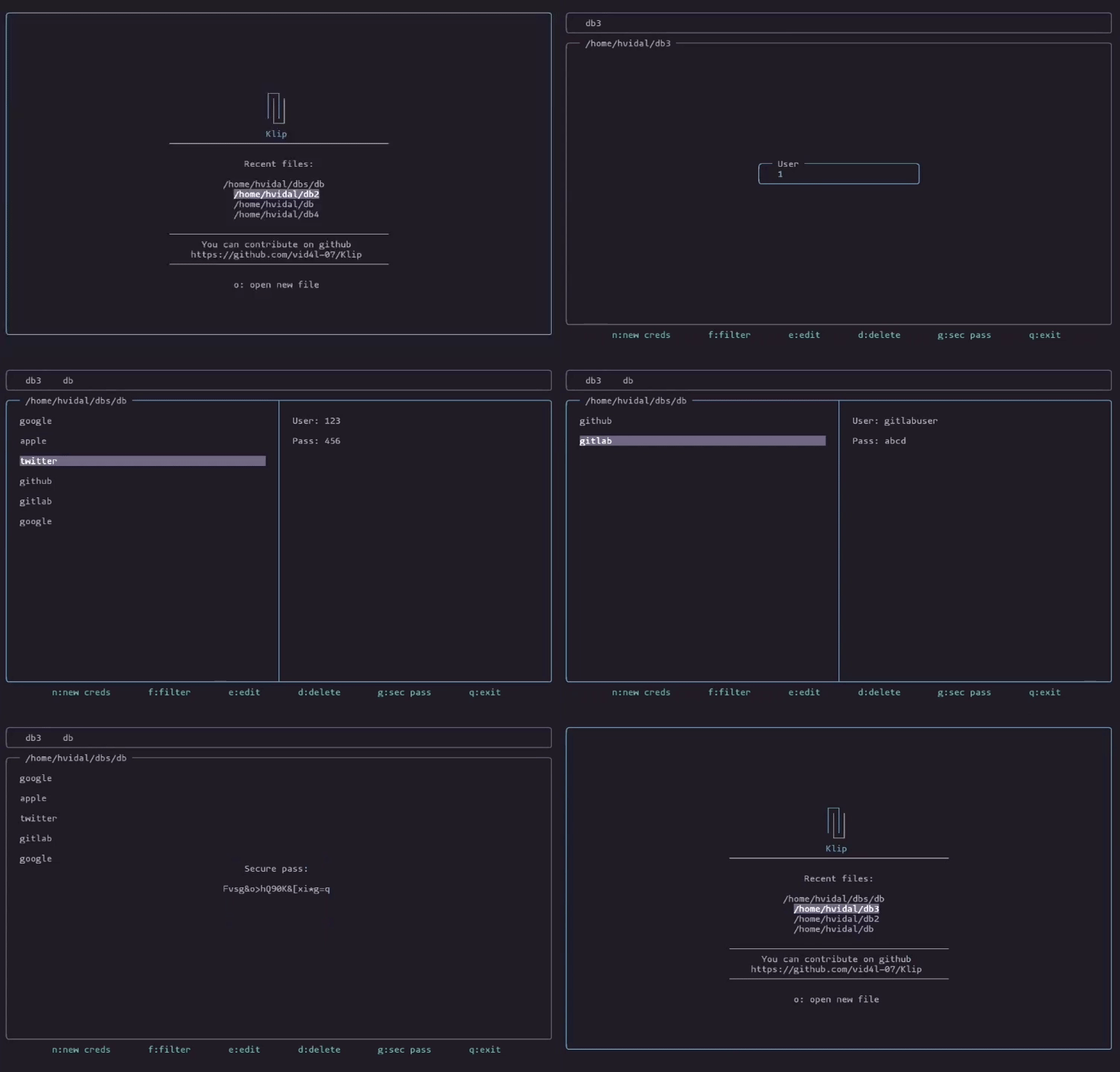
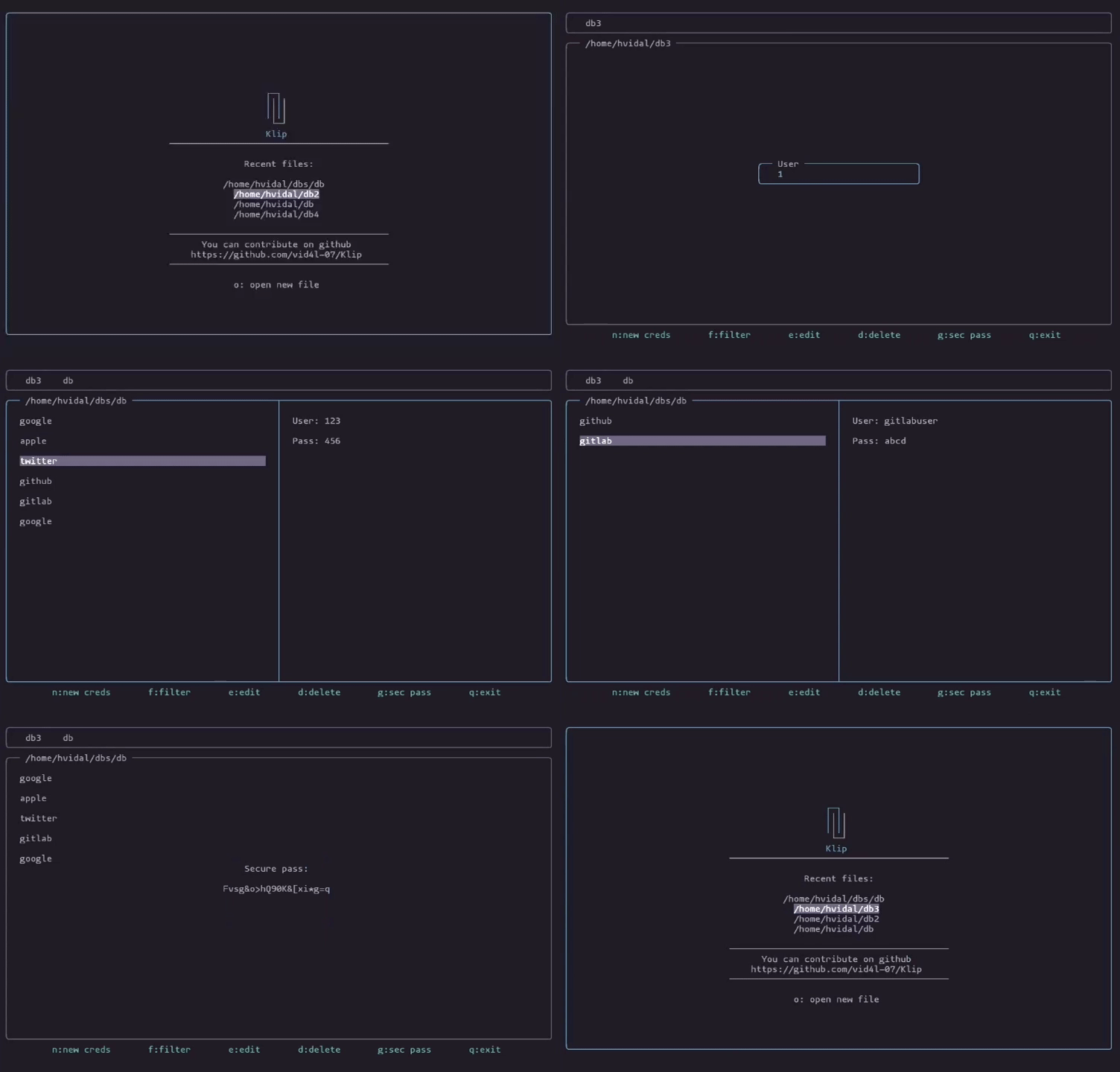
screenshot

Features · Installation · Usage · Security

Features

  • Fully offline operation.
  • Secure encryption using Argon2id for key derivation and authenticated encryption with libsodium.
  • Secure password generator.
  • Custom TUI built without external libraries.

Installation

AppImage

Download the AppImage from releases and run:

chmod +x klip-x86_64.appimage 
./klip-x86_64.appimage

Build from source

Dependencies:

  • libsodium

Install:

git clone https://github.com/vid4l-07/Klip.git
cd klip
mkdir build
cd build
cmake ..
make
sudo make install

Usage

Global

KeyAction
qquit

Tab Bar

KeyAction
l / Rightmove right
h / Leftmove left
Enteropen selected db
oopen/create new db
xclose selected db

Database

KeyAction
EscFocus tab bar
j / Downmove down
k / Upmove up
Enterselect/copy
nnew credential
ffilter by site
eedit credential
ddelete credential
ggenerate secure password

Copy to clipboard

When a credential is selected:

  • Enter on User copies the username.
  • Enter on Pass copies the password.

Open file

When you choose Open, a text popup appears. Inside the popup, you can press Tab to navigate through recently opened databases.

You can enter the absolute path or the relative path to the database. If the file does not exist, it will be created if the specified path is valid.

Recent file paths are stored in $HOME/.config/klip/recents.


Security

All encryption logic is located in src/Security.cpp

Key derivation

  • When creating a database, a master password is requested.
  • A cryptographic key is derived from the password and a unique random salt using crypto_pwhash from libsodium, based on Argon2id in INTERACTIVE mode (adjustable cost parameters against brute-force attacks).

Encryption

  • The database is encrypted using crypto_secretbox_easy with the derived key and a random nonce.
  • This algorithm provides tamper detection through a MAC.

Storage format

  • The encrypted file is stored in binary with the following format:
[salt][nonce][ciphertext]

Decryption process

  • The key is derived using the password provided by the user and the stored salt.
  • The data is decrypted using crypto_secretbox_open_easy.
  • If the password is incorrect or the file has been modified, MAC verification fails and the operation is rejected.

Contributions

Contributions are always welcome. If you find a bug or want to help with new features, you can:

  • Open an issue in the repository.
  • Open a pull request.
Download Tool